
Qlife WPI-8003
Qlife Qcup Max Hydrogen Water Generator Instruction Manual
Model: WPI-8003
Introduction
The Qlife Qcup Max Portable Hydrogen Water Generator is designed to produce molecular hydrogen-rich water. This unit utilizes advanced SPE/PEM (Solid Polymer Electrolyte/Proton Exchange Membrane) technology with 9 layers of dual-chamber platinum-coated titanium electrodes to ensure high hydrogen concentration and pure hydrogen-enriched water, free from chlorine and ozone. This manual provides essential information for the safe and effective use of your device.

Image: Benefits of Molecular Hydrogen Water. This image illustrates potential benefits such as inflammation reduction, mental clarity, post-workout muscle recovery support, reduction of discomfort from headaches, and revitalization of natural energy.
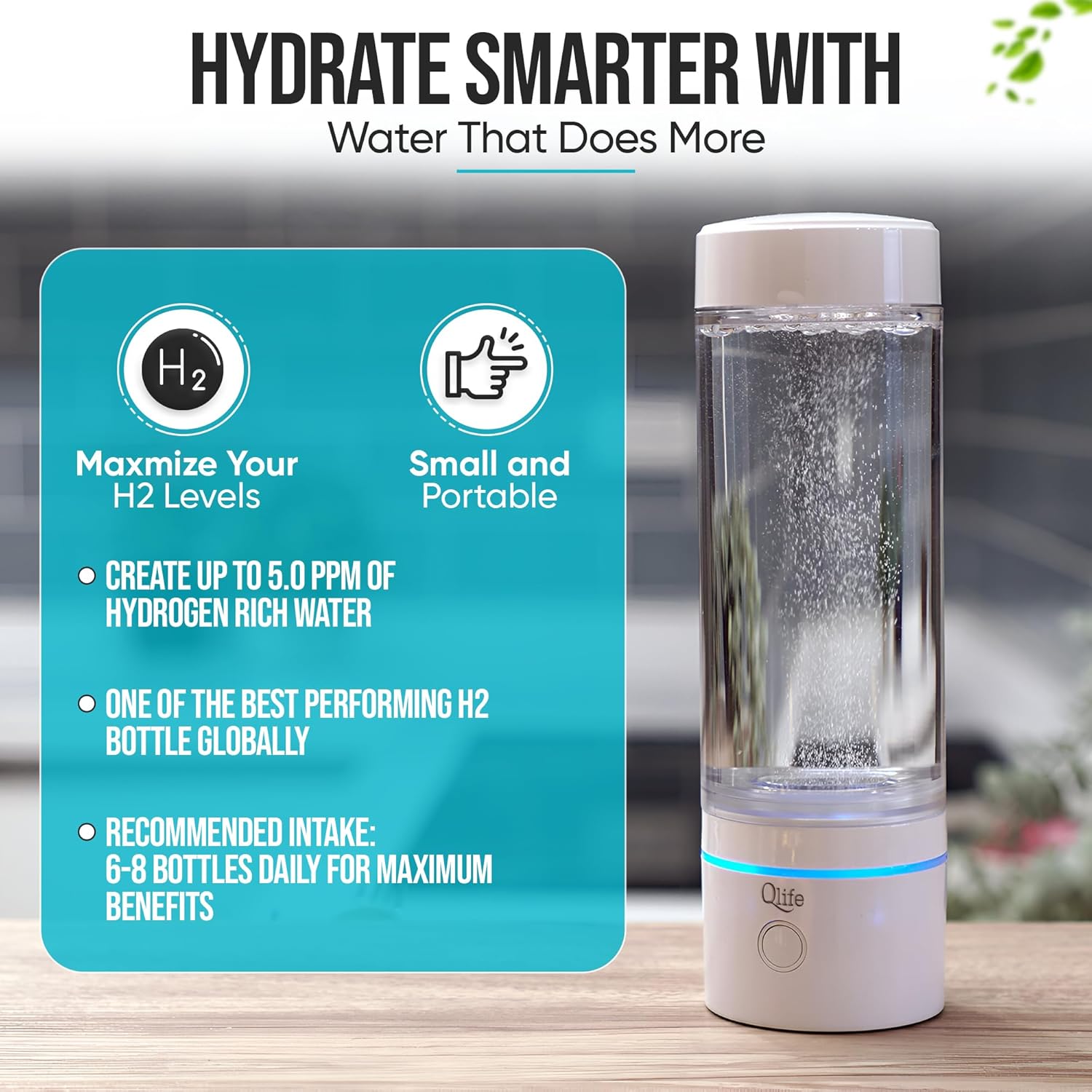
Image: Hydrate Smarter with Qlife Qcup Max. This image highlights the device's ability to maximize H2 levels up to 5.0 ppm and its small, portable design.
Package Contents
Upon unpacking, please ensure all items are present:
- Qlife Qcup Max Hydrogen Water Generator Unit
- USB Type-C Charging Cable
- User Manual (this document)
Setup
- Initial Charge: Before first use, fully charge the unit using the provided USB Type-C cable. A full charge typically takes approximately 1.5 hours. The indicator light will show charging status.
- Initial Cleaning: Wash the bottle and lid with warm water and a mild detergent. Rinse thoroughly. Do not immerse the base unit in water.
- Assembly: Ensure the base unit is securely attached to the Tritan bottle. The pressure-resistant lid should be properly sealed.
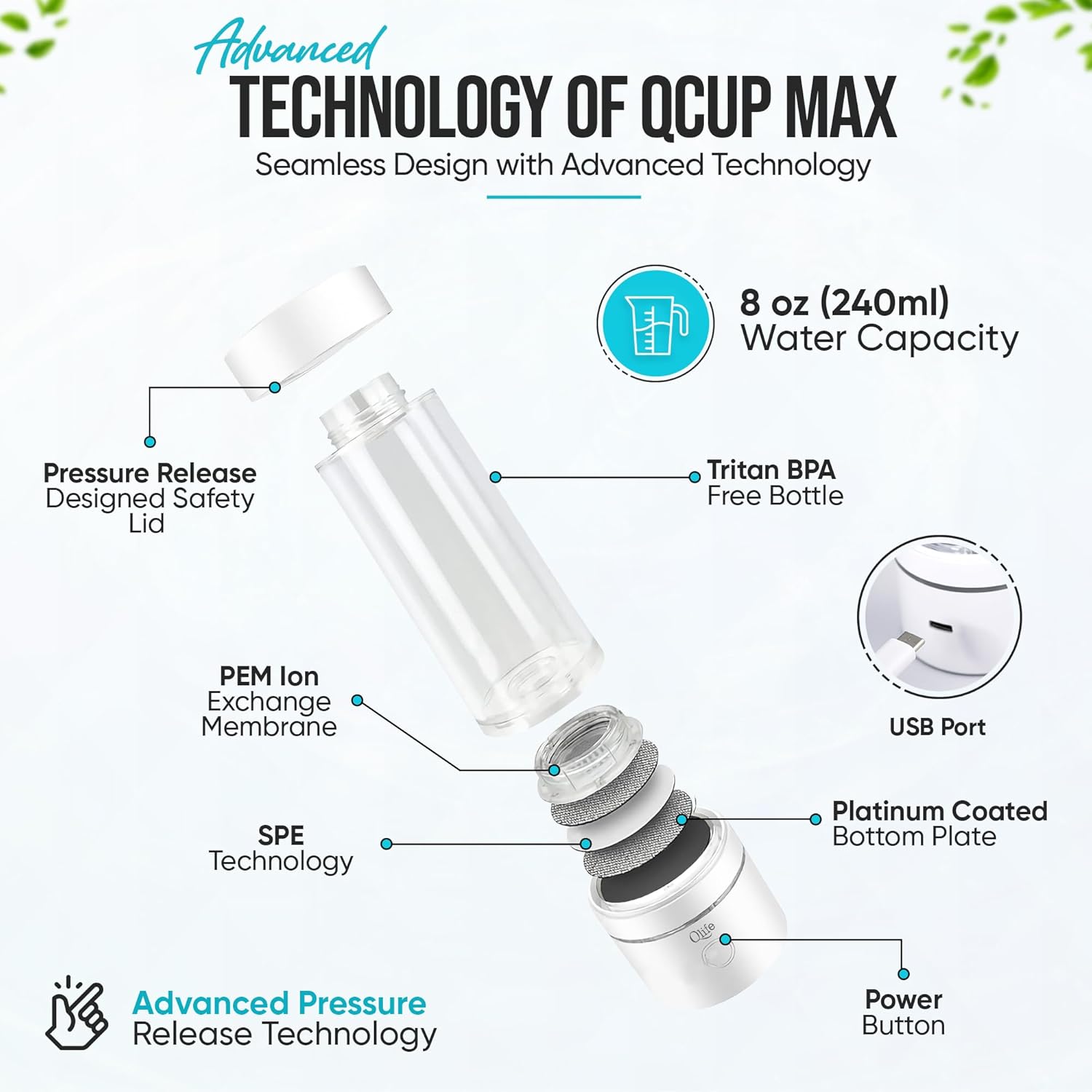
Image: Advanced Technology of Qcup Max. This diagram shows the components including the pressure release safety lid, Tritan BPA-free bottle, PEM Ion Exchange Membrane, SPE Technology, Platinum Coated Bottom Plate, USB Port, and Power Button.
Operating Instructions
- Fill with Water: Unscrew the lid and fill the Tritan bottle with clean drinking water. Distilled or Reverse Osmosis (RO) water is recommended for optimal performance and longevity of the SPE/PEM membrane. Do not exceed the maximum fill line.
- Secure Lid: Screw the lid back on tightly to ensure a proper seal. The unit is designed with high-pressure resistance.
- Start Hydrogen Generation: Press the power button located on the base unit. The indicator light will illuminate, and you will observe small bubbles forming in the water, indicating hydrogen generation.
- Cycle Duration: A single cycle typically lasts 5 minutes, producing up to 3000 ppb (3.0 ppm) of molecular hydrogen. For higher concentrations, up to 5000 ppb (5.0 ppm), you may run 1 to 2 additional cycles.
- Drink: Once the cycle is complete, the indicator light will turn off. You can then open the lid and consume the hydrogen-enriched water.
- Dual Use Design: The Qcup Max can also be used with standard plastic water bottles by utilizing the special water bottle adapter (if included).

Image: How to Use the Qcup Max. This graphic outlines the four steps: Add Distilled, RO, or Clean Drinking Water; Start Generation of Hydrogen; Open; and Drink.
Video: Qlife Q-Cup MAX Portable Hydrogen Water Generator. This video demonstrates the operation and features of the Qcup Max, showing the hydrogen generation process.
Maintenance
- Regular Cleaning: Clean the Tritan bottle and lid regularly with warm water and mild soap. Rinse thoroughly to prevent residue buildup.
- Base Unit Care: Wipe the exterior of the base unit with a damp cloth. Do not submerge the base unit in water or expose it to excessive moisture.
- Electrode Maintenance: The 9-layer dual-chamber platinum-coated titanium electrodes and SPE/PEM membrane are designed for durability. Using distilled or RO water helps prevent mineral buildup on the electrodes, which can affect performance. If mineral buildup occurs, a gentle cleaning solution specifically designed for water ionizers may be used, following the solution's instructions.
- Storage: When not in use for extended periods, ensure the unit is clean and dry. Store it in a cool, dry place away from direct sunlight.
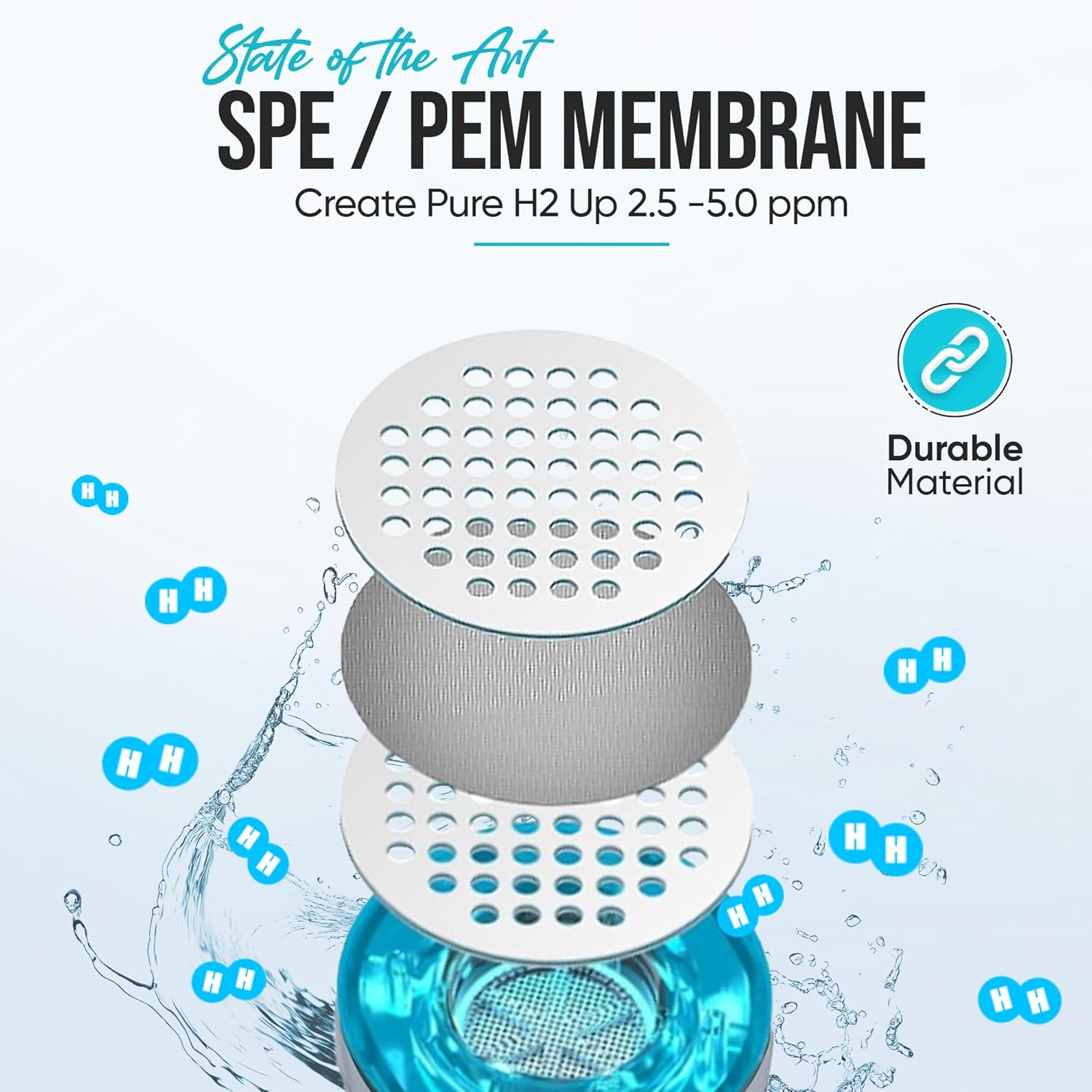
Image: State of the Art SPE/PEM Membrane. This diagram illustrates the multi-layer SPE/PEM membrane technology responsible for creating pure hydrogen water.
Troubleshooting
| Problem | Possible Cause | Solution |
|---|---|---|
| Unit does not turn on or generate hydrogen. | Low battery; Unit not properly assembled; Power button not pressed correctly. | Charge the unit fully. Ensure the bottle is securely attached to the base. Press the power button firmly. |
| Water leaks from the unit. | Lid not tightened; O-rings are worn or misplaced. | Ensure the lid is securely tightened. Check the O-rings for proper placement and condition. Replace O-rings if damaged (contact manufacturer for replacements). |
| Reduced hydrogen generation or no bubbles. | Mineral buildup on electrodes; Low battery; Water quality. | Clean the electrodes as per maintenance instructions. Ensure the unit is fully charged. Use distilled or RO water for best results. |
| Indicator light flashes red and unit turns off. | Internal error or low battery. | Charge the unit. If the problem persists, contact customer support. |
Specifications
- Brand: Qlife
- Model Name: Qcup Max Hydrogen Water Generator
- Model Number: WPI-8003
- Product Dimensions: 2.6"L x 2.6"W x 7.6"H
- Material: BPA Free, Tritan
- Capacity: 8 ounces (240 ml)
- Special Features: Can Work with Standard Water Bottles, Generates up to 5.0 ppm of Hydrogen, High Pressure Resistance lid, SPE/PEM Membrane
- Power Source: Battery Powered (Type-C USB charging)
- Purification Method: No need for filters (electrolysis)
- Hydrogen Concentration: Up to 3000 ppb (3.0 ppm) in 1 cycle, up to 5000 ppb (5.0 ppm) with multiple cycles
- Charging Time: Approximately 1.5 hours
Warranty and Support
For warranty information, please refer to the documentation included with your product at the time of purchase or visit the official Qlife website. If you encounter any issues not covered in this manual or require further assistance, please contact Qlife customer support through their official channels.
Ask a question about this manual
Ask about setup, troubleshooting, compatibility, parts, safety, or missing instructions. Manuals+ will review the question and use this page’s manual context to help answer it.