
1. Introduction
This user manual provides comprehensive instructions for the safe and effective operation, maintenance, and troubleshooting of your Matrix Fitness A50 Ascent Trainer with XIR Console. Please read this manual thoroughly before assembly or use to ensure proper functionality and to prevent injury.

Figure 1.1: The Matrix Fitness A50 Ascent Trainer with XIR Console. This image shows the complete elliptical trainer from a front-right angle, highlighting its robust frame, large console, and ergonomic handlebars.
2. Safety Information
Always adhere to the following safety guidelines to ensure a safe workout environment and to prevent damage to the equipment or personal injury:
- Read all instructions in this manual before using the equipment.
- Ensure the trainer is placed on a stable, level surface. Adjust the leveling feet as necessary to prevent wobbling.
- Keep children and pets away from the equipment during operation.
- The maximum user weight recommendation for this trainer is 350 pounds. Do not exceed this limit.
- Wear appropriate exercise attire and footwear.
- Consult a physician before beginning any exercise program.
- Do not operate the equipment if it is damaged or malfunctioning.
- Keep hands and feet clear of all moving parts.
3. Setup
3.1 Unpacking and Placement
Carefully remove all components from the packaging. It is recommended to have two people for assembly due to the weight and size of the unit. Place the trainer in an indoor location with sufficient space around it for safe operation and access.
3.2 Assembly
The Matrix Fitness A50 Ascent Trainer comes with the frame and console as included components. Follow the detailed assembly instructions provided in the separate assembly guide. Ensure all bolts and fasteners are tightened to the specified torque, paying particular attention to the main mast and arm connections to prevent operational issues such as knocking sounds.
3.3 Leveling the Trainer
Once assembled, ensure the trainer is stable and level. Adjust the front adjustable pads by rotating them until the unit is firm on the floor and does not wobble. Verify that these pads are securely seated to maintain stability during use.
3.4 Power Connection
Connect the power cord to a grounded electrical outlet. The trainer operates on corded electric power.
4. Operating Instructions
4.1 Overview of Features

Figure 4.1: Key features of the A50 Ascent Trainer. This image highlights multi-position handlebars, instant resistance changes, 30 electronic resistance levels, quiet track-free design, 20"-24" variable stride length, 24%-54% power incline, and low 8.7" step-on height.
- Variable Stride Length: The trainer offers a 20–24 inch variable stride length, adapting to your natural movement.
- Electronic Resistance: Choose from 30 electronic resistance levels for varied workout intensity.
- Adjustable Incline: The incline can be adjusted from 24% to 54%, allowing for targeted muscle activation and increased challenge.
- Suspension Elliptical Technology: This design eliminates wheels and tracks, providing a quiet, smooth, and durable performance.
- PerfectStride Motion: Ensures an ideal stride and ergonomically correct foot positioning for a natural workout feel at any incline.
- Exact Force Induction Brake: Provides instant, smooth, and precise resistance changes, ideal for High-Intensity Interval Training (HIIT).
4.2 XIR Console Operation

Figure 4.2: The XIR 16" Touchscreen Console. This image displays the console's large HD touchscreen, showing various app icons and workout programs.
The 16-inch touchscreen console provides access to various features and entertainment options:
- HD Touchscreen: Navigate through menus and select programs using the large, responsive touchscreen.
- Streaming Apps: Access popular streaming services like Netflix, YouTube, and Spotify directly from the console.
- Integrated Programs: Utilize pre-installed programs such as iFIT and Virtual Active to experience diverse workouts and virtual travel. A 30-day iFIT membership is included.
- Bluetooth FTMS: Connect to third-party fitness applications for expanded workout possibilities.
- Integrated HDMI: Connect external devices for additional entertainment or workout content.
- Workout Programs: Choose from 13 metric-driven programs or create custom workouts tailored to your fitness goals.
- Bluetooth HR: Connect a Bluetooth heart rate monitor (included strap) for accurate heart rate tracking during your workout.

Figure 4.3: The XIR Console displaying various entertainment applications. This image shows icons for popular streaming and social media apps available on the console.

Figure 4.4: The XIR Console displaying a Virtual Active scenic route. This image illustrates the immersive virtual outdoor experiences available on the console.
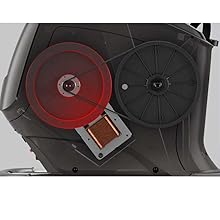
Figure 4.5: Close-up of the resistance and incline controls located on the handlebars. These buttons allow for quick adjustments during your workout.
5. Maintenance
Regular maintenance ensures the longevity and optimal performance of your Matrix Fitness A50 Ascent Trainer.
- Cleaning: Wipe down the console and frame with a damp cloth after each use. Avoid abrasive cleaners or excessive moisture.
- Check Connections: Periodically inspect all bolts and fasteners, especially those connecting the main mast and moving arms. Tighten any loose connections to prevent noise and ensure structural integrity. The arms that connect directly to the flywheel should be checked for proper tightness to avoid knocking sounds during operation.
- Leveling Feet: Ensure the adjustable leveling feet remain tight and stable. If they become loose or wobbly, re-adjust and secure them to maintain the trainer's stability.
- General Inspection: Routinely check for any signs of wear, damage, or unusual noises. Address any issues promptly.
6. Troubleshooting
This section addresses common issues you might encounter with your A50 Ascent Trainer.
| Problem | Possible Cause | Solution |
|---|---|---|
| Knocking sound during operation | Loose connections, particularly the arms connected to the flywheel. | Inspect and tighten all assembly bolts, especially those on the moving arms and flywheel connections. Refer to the assembly guide for torque specifications. |
| Trainer feels unstable or wobbles | Uneven floor surface or loose adjustable leveling pads. | Adjust the leveling pads at the base of the trainer until the unit is stable. Ensure the pads are fully tightened and do not wobble. |
| Console not responding or displaying correctly | Power issue, software glitch, or loose cable connection. | Check power cord connection. Try unplugging and re-plugging the unit. If issues persist, contact customer support. |
| Heart rate monitor not connecting or inaccurate | Bluetooth interference, low battery in strap, or incorrect pairing. | Ensure the heart rate strap has a fresh battery and is worn correctly. Re-pair the device via the console's Bluetooth settings. Minimize other Bluetooth devices nearby. |
| Cadence sensor malfunction (if applicable) | Faulty sensor or connection. | This typically requires professional service. Contact customer support for assistance. |
If you encounter problems not listed here or if the suggested solutions do not resolve the issue, please contact Matrix Fitness customer support.
7. Specifications
| Attribute | Value |
|---|---|
| Brand | Matrix |
| Model Name | A50XIR Ascent Trainer |
| Part Number | 763165009072 |
| Special Feature | Distance Travelled Monitor |
| Color | Black/Yellow |
| Power Source | Corded Electric |
| Recommended Uses For Product | Indoor |
| Item Weight | 318 Pounds |
| Material | Iron |
| Resistance Mechanism | Magnetic |
| Product Dimensions (LxWxH) | 75.2" x 33.9" x 68.5" |
| Maximum Weight Recommendation | 350 Pounds |
| Maximum Height | 68.5 Inches |
| Number of Resistance Levels | 30 |
| Drive System | Belt |
| Included Components | Frame and Console |
8. Warranty and Support
8.1 Product Warranty
The Matrix Fitness A50 Ascent Trainer comes with the following warranty:
- Frame Components: 7 years parts / 2 years labor warranty.
- Console: 5 years parts / 1 year labor warranty.
Please retain your proof of purchase for warranty claims.
8.2 Customer Support
For technical assistance, warranty inquiries, or to order replacement parts, please contact Matrix Fitness USA customer support. Refer to the contact information provided with your purchase documentation or visit the official Matrix Fitness website for current support details.
You can also find more information and support resources by visiting the Matrix Store on Amazon.