
1. Introduction
This manual provides important information regarding the safe operation, charging, maintenance, and troubleshooting of your TOTAL TFBLI2002 20V 4.0Ah Lithium-Ion Battery Pack. Please read this manual thoroughly before first use to ensure proper handling and to maximize the battery's lifespan and performance. This battery pack is designed for use with TOTAL 20V MAX+SHARE compatible power tools.

Figure 1: TOTAL TFBLI2002 20V 4.0Ah Lithium-Ion Battery Pack
2. Safety Instructions
Always observe the following safety precautions when using, charging, or storing your lithium-ion battery pack. Failure to do so may result in electric shock, fire, serious injury, or property damage.
2.1 General Battery Safety
- Do not disassemble, open, or shred the battery pack.
- Do not short-circuit a battery pack. Do not store battery packs haphazardly in a box or drawer where they may short-circuit each other or be short-circuited by conductive materials.
- Do not expose battery packs to heat or fire. Avoid storage in direct sunlight.
- Do not subject battery packs to mechanical shock.
- In the event of battery leakage, do not allow the liquid to come into contact with the skin or eyes. If contact has been made, wash the affected area with copious amounts of water and seek medical advice.
- Keep battery packs clean and dry.
- Do not use any charger other than that specifically provided for use with the equipment.
- Do not use any battery pack which is not designed for use with the equipment.
- Keep battery packs out of the reach of children.
- Seek medical advice immediately if a battery pack has been swallowed.
- Always purchase the battery pack recommended by the tool manufacturer for the equipment.
- Retain original product literature for future reference.
- When disposing of battery packs, keep battery packs of different electrochemical systems separate from each other.
- Recharge only with the charger specified by the manufacturer. A charger that is suitable for one type of battery pack may create a risk of fire when used with another battery pack.
2.2 Charging Safety
- Charge the battery pack only in a well-ventilated area.
- Do not charge the battery pack if it is wet or damaged.
- Unplug the charger from the power source when not in use.
- Do not attempt to charge non-rechargeable batteries.
2.3 Handling and Storage
- Store battery packs in a cool, dry place, away from direct sunlight and excessive heat.
- Do not store battery packs where temperatures may exceed 50°C (122°F).
- Avoid storing battery packs in environments with high humidity.
- Transport battery packs securely to prevent short circuits or damage.
3. Product Components
The TOTAL TFBLI2002 battery pack features a robust design for durability and includes a charge level indicator for user convenience.
- Battery Housing: Durable casing protecting the internal lithium-ion cells.
- Charge Indicator: LED lights indicating the remaining battery charge level. Press the button next to the LEDs to activate the indicator.
- Release Button: Used to detach the battery pack from compatible tools or chargers.
- Terminals: Electrical contacts for connecting to tools and chargers.

Figure 2: Top view of the battery pack with charge indicator
4. Setup
Before using your new TOTAL TFBLI2002 battery pack for the first time, it is recommended to fully charge it.
4.1 Initial Charging
- Ensure the battery pack is clean and dry.
- Insert the battery pack into a compatible TOTAL 20V charger. Ensure it clicks securely into place.
- Connect the charger to a suitable power outlet.
- Allow the battery to charge until the charger's indicator lights signal a full charge (refer to your charger's manual for specific indications).
- Once fully charged, disconnect the charger from the power outlet and remove the battery pack.
5. Operating Instructions
5.1 Attaching the Battery Pack to a Tool
- Align the battery pack with the battery port on your TOTAL 20V compatible power tool.
- Slide the battery pack firmly into the tool until it clicks into place. Ensure it is securely latched to prevent accidental detachment during operation.
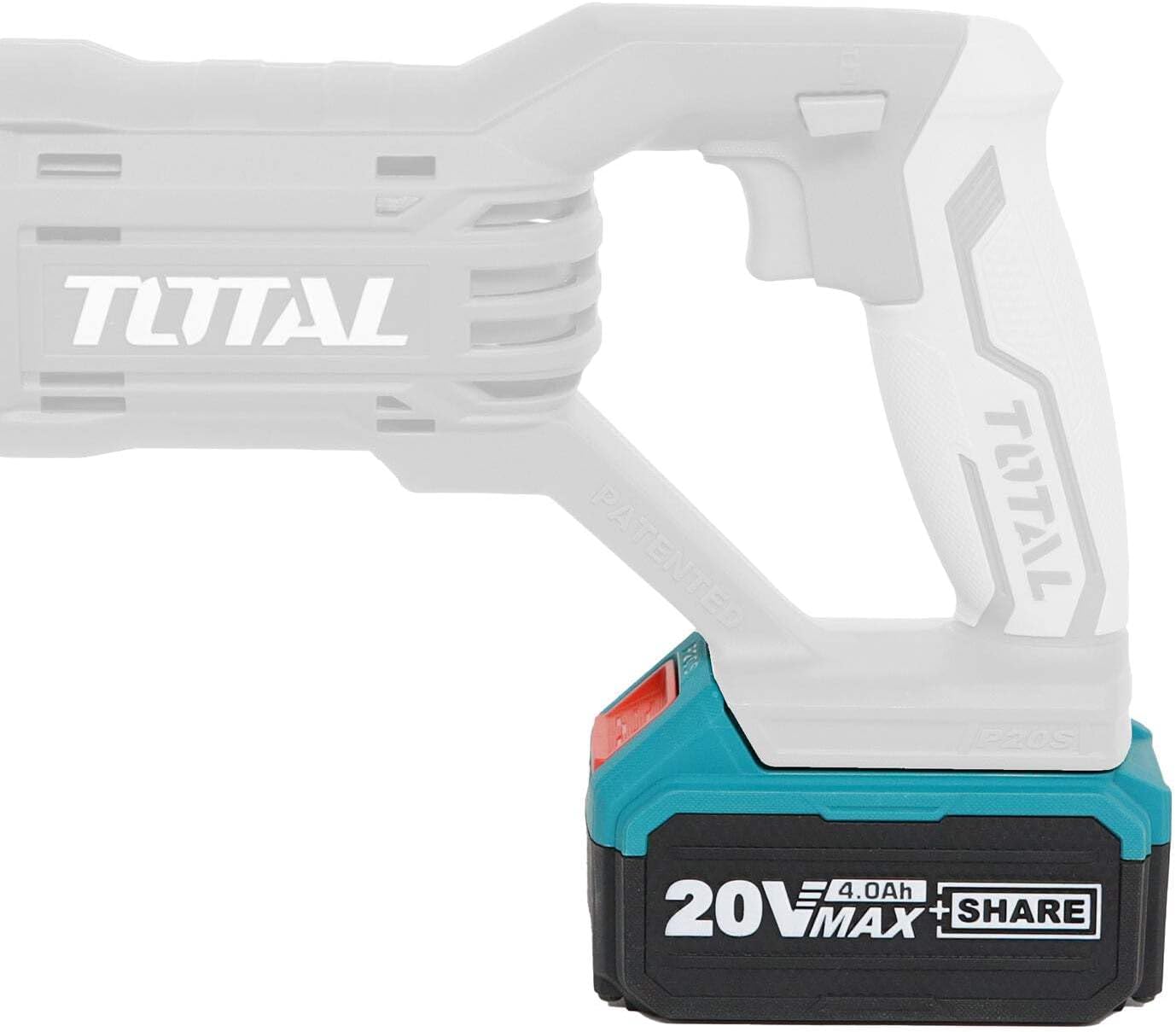
Figure 3: Battery pack attached to a compatible TOTAL power tool (side view)
5.2 Removing the Battery Pack from a Tool
- Press and hold the battery release button located on the battery pack.
- Slide the battery pack out of the tool's battery port.
- Store the battery pack in a safe, dry place.

Figure 4: Battery pack attached to a compatible TOTAL power tool (front view)
5.3 Checking Battery Charge Level
Press the small button next to the LED indicators on the battery pack. The LEDs will illuminate to show the approximate remaining charge:
- 3 LEDs: Full charge
- 2 LEDs: Medium charge
- 1 LED: Low charge, recharge soon
- No LEDs: Battery is discharged or faulty
6. Maintenance
Proper maintenance ensures the longevity and optimal performance of your battery pack.
6.1 Cleaning
- Keep the battery pack and its terminals clean. Use a dry, soft cloth to wipe away dust and debris.
- Do not use water or chemical cleaning agents.
6.2 Storage
- For long-term storage, charge the battery pack to approximately 50-70% capacity.
- Store in a cool, dry place, away from direct sunlight and extreme temperatures.
- Avoid storing the battery pack in a completely discharged state, as this can lead to irreversible damage.
6.3 Disposal
Lithium-ion batteries must be recycled or disposed of properly. Do not dispose of battery packs in household waste. Contact your local waste management authority for information on recycling options.
7. Troubleshooting
If you encounter issues with your battery pack, refer to the following common troubleshooting steps:
- Battery not charging:
- Ensure the charger is properly plugged into a working power outlet.
- Verify the battery pack is securely inserted into the charger.
- Check for any visible damage to the battery pack or charger.
- Ensure the ambient temperature is within the recommended charging range (typically 0°C to 40°C).
- Tool not powering on with battery:
- Check the battery charge level using the indicator button. Recharge if necessary.
- Ensure the battery pack is fully and securely inserted into the tool.
- Test the battery with another compatible tool, if available, to determine if the issue is with the battery or the tool.
- Reduced run time:
- Battery capacity naturally degrades over time and with use.
- Ensure the battery is being fully charged each time.
- Avoid operating the tool in extreme temperatures, which can affect battery performance.
If these steps do not resolve the issue, please contact TOTAL customer support or your retailer.
8. Specifications
| Attribute | Specification |
|---|---|
| Brand | TOTAL |
| Model Number (Part Number) | TFBLI2002 |
| Item Model Number | 27655 |
| Battery Type | Lithium-Ion |
| Voltage | 20 Volts |
| Capacity | 4.0 Amp Hours (4.0Ah) |
| Item Weight | 209 g |
| Product Dimensions | 5 x 5 x 5 cm |
| Color | Green |
9. Warranty Information
TOTAL products are manufactured to high-quality standards. For specific warranty terms and conditions applicable to your TFBLI2002 Lithium-Ion Battery Pack, please refer to the warranty card included with your purchase or contact your authorized TOTAL dealer or retailer. Proof of purchase may be required for warranty claims.
10. Support and Contact
For further assistance, technical support, or inquiries regarding your TOTAL TFBLI2002 Lithium-Ion Battery Pack, please contact:
- Your authorized TOTAL dealer or retailer.
- TOTAL customer service (contact details typically found on the TOTAL official website or product packaging).
When contacting support, please have your battery pack's model number (TFBLI2002 or 27655) and purchase information readily available.


