
Product Overview
The Unikito L Shaped Computer Desk is designed for versatility and functionality in home office, gaming, or study environments. It features a reversible L-shape configuration, integrated USB charging ports and power outlets, and ample storage space with shelves. Constructed from high-quality MDF board and a rugged metal frame, this desk offers stability and durability. Its modern industrial design complements various room aesthetics.

Figure 1: Overview of the Unikito L Shaped Computer Desk.
Setup and Assembly
Before beginning assembly, ensure all parts are present and undamaged. Refer to the included hardware list and diagrams. It is recommended to assemble the desk on a soft, clean surface to prevent scratches.
Assembly Steps:
- Unpack and Identify Components: Lay out all parts and hardware. Verify against the parts list in your physical manual.
- Assemble the Frame Sections: Follow the specific instructions for connecting the metal frame components. Pay attention to the orientation of holes for proper alignment.
- Attach Adjustable Foot Pads: Insert the adjustable foot pads into the bottom of the desk legs. These help stabilize the desk on uneven surfaces and protect your floor.
- Install Storage Shelves: Secure the mesh and wooden storage shelves to the designated frame sections. Ensure they are firmly attached.
- Connect Desk Sections: The L-shaped design allows for reversible configuration. Choose your preferred orientation (left or right) before connecting the main desk sections.
- Secure the Desktop Panels: Carefully place the wooden desktop panels onto the assembled frame. Align the pre-drilled holes and secure them with the provided screws.
- Install Power Outlet Unit: Insert the integrated USB charging ports and power outlet unit into the designated cutout on the desktop. Connect the power cable.

Figure 2: Initial frame assembly showing components and connections.

Figure 3: Reversible design options for the L-shaped desk.
Assembly Video Guide:
Video 1: Official installation guide for the Unikito L Shaped Desk. This video provides a visual walkthrough of the assembly process, demonstrating each step from unpacking to final setup.
Operating Instructions
USB Charging Ports and Power Outlets:
The desk is equipped with a built-in power tray featuring 4 standard outlets and 2 fast-charging USB ports. To use, simply plug the desk's main power cord into a wall outlet. You can then connect your devices such as laptops, monitors, smartphones, and other electronics directly to the desk for convenient power access.
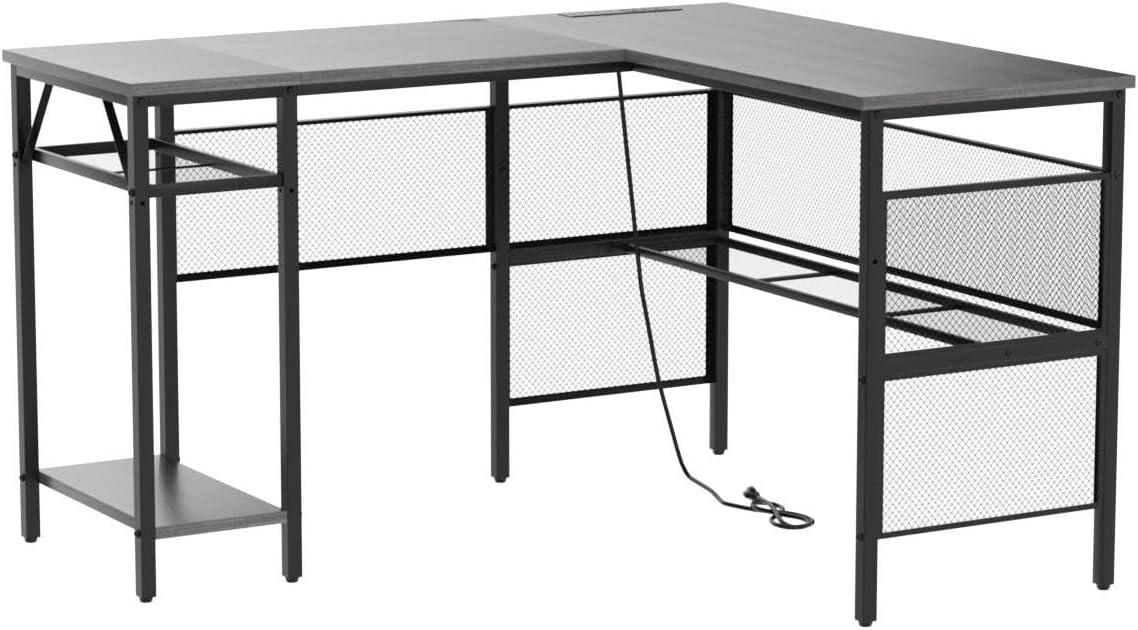
Figure 4: Integrated power strip for convenient device charging.
Reversible Design:
The L-shape of the desk is reversible, allowing you to configure the longer and shorter sections to either the left or right side to best suit your room layout and personal preference. This flexibility is determined during the initial assembly process.
Storage Shelves:
Utilize the integrated grid bookshelf and two-tier storage shelves for organizing books, magazines, gaming gear, office essentials, and computer hosts. The height of the open shelves can be adjusted to accommodate various items.

Figure 5: Example of storage shelf usage for books and accessories.
Maintenance
- Cleaning: The desktop is crafted from engineered wood with an environmental water-based finish, making it easy to clean. Use a soft, damp cloth to wipe down surfaces. Avoid abrasive cleaners or harsh chemicals that could damage the finish.
- Spill Management: The desk surface is designed to be anti-scratch and waterproof. In case of spills, wipe them immediately with a dry cloth to prevent watermarks or damage.
- Stability Check: Periodically check all screws and connections to ensure they remain tight. Re-tighten if necessary to maintain the desk's stability.
- Adjustable Foot Pads: Ensure the adjustable foot pads are properly set to keep the desk level and prevent wobbling.
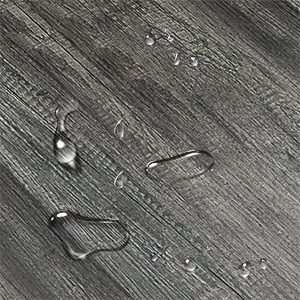
Figure 6: The desk surface is waterproof for easy cleaning.
Troubleshooting
| Problem | Possible Cause | Solution |
|---|---|---|
| Desk is wobbly/unstable. | Loose screws; uneven floor; adjustable feet not properly set. | Ensure all screws are tightened. Adjust the non-slip foot pads to level the desk on uneven surfaces. |
| Power outlets/USB ports not working. | Desk power cord not plugged in; power strip internal issue. | Check if the desk's main power cord is securely plugged into a working wall outlet. If issues persist, contact customer support. |
| Difficulty during assembly (e.g., holes not aligning). | Incorrect part orientation; manufacturing variation. | Double-check the assembly diagrams for correct part orientation (e.g., Part E and F holes, Part L position). Do not force parts. If significant misalignment occurs, contact customer support. |
| Missing parts or damaged components upon arrival. | Shipping damage; packaging error. | Immediately contact Unikito customer support with your order details and a description of the missing/damaged parts for replacement. |
Important Safety Note: Ensure the desk is properly assembled, and do not exceed the maximum load capacity of 500 lbs to prevent stability issues or damage to the desk.
Specifications
- Brand: Unikito
- Model Number: UK-GLDK
- Product Dimensions: 55.11"D x 47.24"W x 29"H
- Color: Black Oak
- Material: MDF board and thick steel frame
- Weight: 47.2 Pounds
- Maximum Weight Recommendation: 500 Pounds
- Special Features: Reversible, Built-In USB Outlet, Adjustable, Extra Storage Space
- Room Type: Office, Living Room, Bedroom
- Recommended Uses: Writing, Working, Gaming
- Assembly Required: Yes
- Included Components: Built-in Power Outlet and USB Ports
Warranty and Support
Manufacturer Warranty: This Unikito L Shaped Computer Desk comes with a 3-year limited warranty from the manufacturer. Please retain your proof of purchase for warranty claims.
Customer Support: For any questions regarding assembly, operation, troubleshooting, or warranty claims, please contact Unikito customer support. Refer to the contact information provided with your product packaging or visit the official Unikito website for assistance.
You can also visit the Unikito Store on Amazon for more product information and support resources.
