
WPH Q6S
WPH Q6S Smart Armband User Manual
Model: Q6S
1. Introduction
This manual provides detailed instructions for the WPH Q6S Smart Armband. Please read this manual carefully before using the device to ensure proper operation and to fully utilize its features. The Q6S Smart Armband is designed to monitor various health and fitness metrics, offering a dynamic user interface and IP68 water resistance.
2. Package Contents
Verify that all items are present in the package:
- 1 x WPH Q6S Smart Armband
- 1 x Charging Cable (USB interface)
- 1 x User Manual
3. Setup
3.1. Charging the Device
Before first use, fully charge your Q6S Smart Armband. Connect the charging cable to the armband's charging port and plug the USB end into a standard USB power adapter or computer USB port. The screen will indicate charging status.

Figure 3.1: The WPH Q6S Smart Armband. Ensure the device is charged before initial setup.
3.2. App Installation and Pairing
To unlock the full potential of your smart armband, download and install the companion application on your smartphone. The app supports iOS 8.2 and above, and Android 4.4 and above.
- Search for the official WPH Q6S app in your device's app store (Apple App Store for iOS, Google Play Store for Android).
- Install the application.
- Open the app and follow the on-screen instructions to create an account or log in.
- Enable Bluetooth on your smartphone.
- Within the app, navigate to the device pairing section and select your Q6S Smart Armband from the list of available devices.
- Confirm the pairing request on both your smartphone and the armband, if prompted.
The app supports multiple languages including Simplified and Traditional Chinese, Japanese, English, French, German, Italian, Spanish, Russian, Portuguese, Korean, and Malay.
4. Operating Instructions
4.1. Basic Navigation
The Q6S Smart Armband features a dynamic 3D user interface. Navigate through menus and functions by tapping or swiping on the screen, or using the integrated buttons if available. The device supports page turning for easy access to information.

Figure 4.1: Dynamic UI and interface switching on the Q6S Smart Armband.
4.2. Health Monitoring Features
- Heart Rate Monitoring: The armband continuously monitors your heart rate using photo-electric projection measurement. View real-time data by raising your wrist.
- Blood Pressure Monitoring: Similar to heart rate, blood pressure is regularly checked to provide systematic health data.
- Sleep Monitoring: The device monitors your sleep patterns throughout the night, recording sleep data to help you adjust your sleep habits.
- Activity Tracking: Records steps taken, calories burned, and distance covered.
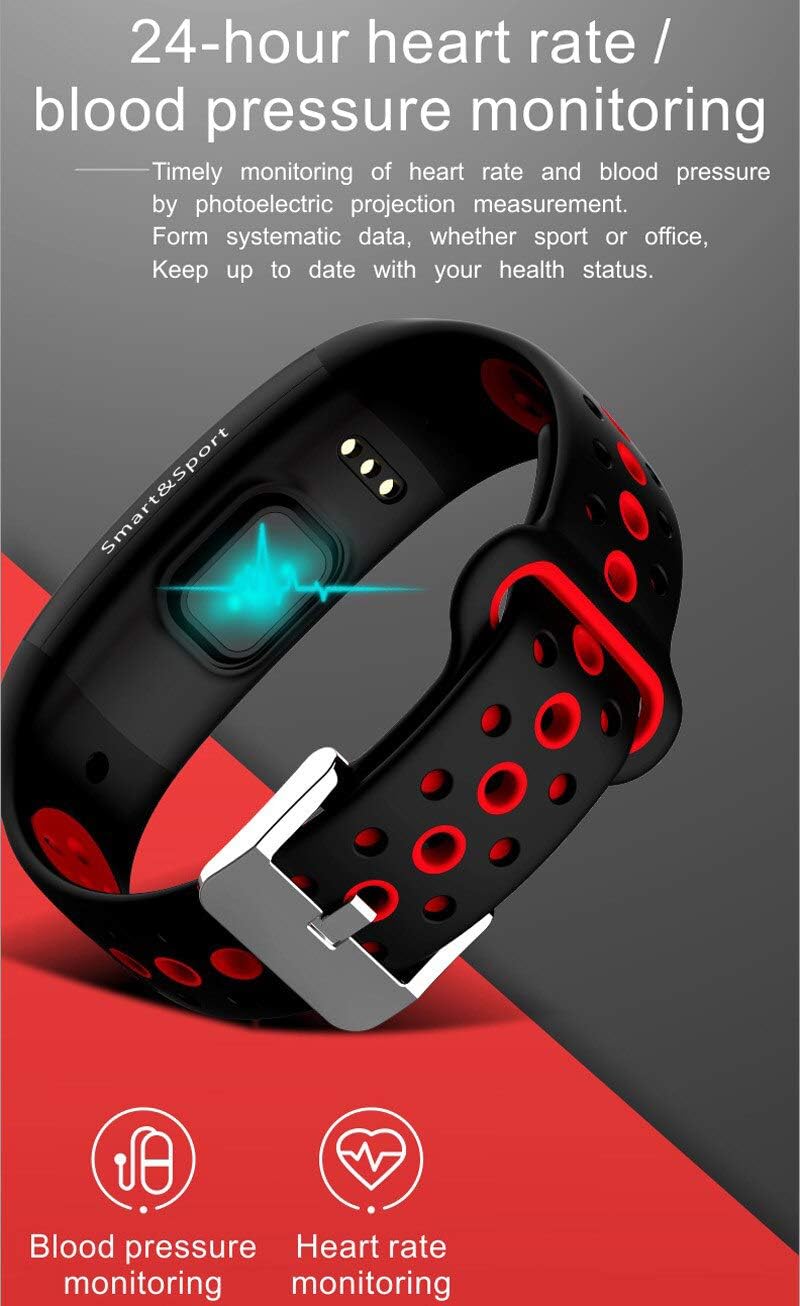
Figure 4.2: The Q6S Smart Armband features a sensor for continuous heart rate and blood pressure monitoring.

Figure 4.3: The armband monitors sleep information to help improve sleep quality.
4.3. Notifications and Reminders
- Call and Message Reminders: Receive instant notifications for incoming calls, messages, WeChat, and QQ to ensure you don't miss important information.
- Sedentary Reminder: The armband gently vibrates to remind you to get up and move after periods of inactivity, promoting a healthier lifestyle.
- Other Reminders: Includes reminders for drinking, medication, and meetings.
- Alarm Clock: Set smart alarms that vibrate to wake you up.

Figure 4.4: The sedentary reminder feature prompts users to take breaks from prolonged sitting.
4.4. Special Features
- Multi-Sport Mode: Switch between various sport modes to accurately track specific activities like running, cycling, or swimming.
- GPS Tracking: Utilize your phone's GPS to track your motion and routes during outdoor activities.
- Smart Photo (Gesture Photo): Short press or shake the bracelet to remotely trigger your smartphone's camera for quick photos or selfies.
- Stopwatch: Use the integrated stopwatch function for timing activities.
- Find Mobile Phone: Use the armband to locate your paired smartphone.

Figure 4.5: The motion track feature allows you to monitor your activity routes via GPS when connected to your phone.

Figure 4.6: The gesture photo feature allows remote camera control for convenient self-portraits.

Figure 4.7: Overview of the Q6S Smart Armband's diverse features.
4.5. Water Resistance (IP68)
The Q6S Smart Armband is IP68 waterproof, meaning it is resistant to dust and can withstand immersion in water up to 1.5 meters for up to 30 minutes. This allows for daily use such as washing hands, sweating, and swimming. However, it is not suitable for hot showers, saunas, or diving.
5. Maintenance
- Cleaning: Regularly clean the armband and sensor area with a soft, damp cloth. Avoid using harsh chemicals or abrasive materials.
- Storage: Store the device in a cool, dry place when not in use.
- Charging: Use only the provided charging cable. Do not attempt to disassemble or modify the device.
- Water Exposure: While IP68 rated, prolonged exposure to water or use in extreme water conditions (e.g., high-pressure water, hot water) should be avoided to maintain device longevity.
6. Troubleshooting
If you encounter issues with your Q6S Smart Armband, try the following steps:
- Device Not Turning On: Ensure the device is fully charged. Connect it to the charger for at least 30 minutes.
- Cannot Pair with Phone:
- Ensure Bluetooth is enabled on your phone.
- Make sure the armband is within Bluetooth range of your phone.
- Restart both your phone and the armband.
- Check if the app is updated to the latest version.
- If previously paired, try unpairing and re-pairing the device through the app.
- Inaccurate Readings:
- Ensure the armband is worn snugly but comfortably on your wrist.
- Clean the sensor on the back of the armband.
- Avoid excessive movement during measurements for heart rate/blood pressure.
- Notifications Not Appearing:
- Check app notification settings to ensure they are enabled.
- Verify that the armband is connected to your phone via Bluetooth.
- Ensure your phone's notification permissions are granted to the app.
If problems persist, please contact customer support.
7. Specifications
| Feature | Detail |
|---|---|
| Model | Q6S |
| Brand | WPH |
| Compatibility | iOS 8.2 and above, Android 4.4 and above |
| Dimensions | 250 x 20 x 11 mm |
| Screen | 0.96 inch LCD |
| Band Material | Silicone |
| Battery Capacity | 90mAh Polymer Battery |
| Waterproof Rating | IP68 |
| Bluetooth Version | 4.0 |
| Sensor | Three-axis acceleration sensor |
| Special Features | Dynamic 3D UI, Dynamic Heart Rate Monitoring, Blood Pressure Monitoring, Incoming Call Reminder, Drink Reminder, Medication Reminder, Meeting Reminder, Information Storage, Multi-Sport Mode, GPS (via phone), Smart Photo, Stopwatch, Information Reminder (stores 3 pieces), Page Turning Support, Sleep Monitoring, Exercise Record (steps, calories, distance), Alarm Clock, Find Mobile Phone, Sedentary Reminder |
| App Languages | Chinese (Simplified & Traditional), Japanese, English, French, German, Italian, Spanish, Russian, Portuguese, Korean, Malay |
8. Safety Information
- Do not attempt to open or disassemble the device.
- Keep the device away from extreme temperatures and direct sunlight.
- This device is not a medical instrument. The health data provided is for reference only and should not be used for medical diagnosis or treatment.
- Consult a doctor before starting any new exercise regimen.
- Keep out of reach of children.
9. Warranty and Support
For warranty information and customer support, please refer to the documentation provided at the time of purchase or contact your retailer. WPH is committed to providing quality products and support.
Ask a question about this manual
Ask about setup, troubleshooting, compatibility, parts, safety, or missing instructions. Manuals+ will review the question and use this page’s manual context to help answer it.