
1. Introduction
The Makita SK700GD 12V max CXT® Lithium-Ion Cordless Self-Leveling 360° 3-Plane Green Laser is designed to provide a cordless solution for job site layout applications. This manual provides essential information for the safe and effective use of your laser, covering setup, operation, maintenance, and troubleshooting.

Figure 1: Makita SK700GD 12V max CXT Self-Leveling 360° 3-Plane Green Laser.
2. Safety Information
Always read and understand all safety warnings and instructions before operating this product. Failure to follow the warnings and instructions may result in serious injury.
2.1 Laser Safety Warnings
- CAUTION: Laser Radiation. Do not stare into the beam. Class II Laser Product.
- Do not direct the laser beam at people or animals.
- Avoid direct eye exposure to the laser beam.
- Do not use optical instruments such as binoculars or telescopes to view the laser beam.
- Ensure the laser is turned off or in locked mode when not in use or during transport to prevent accidental activation.
- Use only genuine Makita 12V max CXT® Lithium-Ion batteries. Non-genuine batteries may cause damage and risk of fire or injury.
3. Product Overview
The SK700GD laser provides three 360° laser planes (one horizontal and two vertical) for comprehensive job site layout. It features a bright 510-530 nm Class II green laser for enhanced visibility.
3.1 Key Features
- 3 x 360° Laser Planes: One horizontal and two vertical planes provide 6 cross-point reference positions for level, align, plumb, and square applications.
- High Accuracy: Sharp laser line with +/-1/16” at 33’ for best-in-class accuracy.
- Extended Visibility: Green line visibility range up to 115’ and detectable up to 230' with a Makita Laser Detector (sold separately).
- Long Run Time: Up to 14 hours of continuous run time with a 12V max CXT 4.0Ah Battery (sold separately).
- Fine Adjustment: 360° rotating base with a fine vertical line adjustment knob for increased precision.
- Durability: IP54 rating for dust and water resistance, with highly protected recessed laser windows.
- Ease of Use: Simple two-button user interface.
- Integrated Pendulum Lock: Enables slope incline applications and protects the laser diode during transport.

Figure 2: Side view of the Makita SK700GD laser.

Figure 3: Back view of the Makita SK700GD laser, showing battery compartment.
4. Setup
4.1 Battery Installation
- Ensure the laser is turned off and the pendulum lock is engaged.
- Open the battery compartment cover.
- Insert a charged Makita 12V max CXT® Lithium-Ion battery (sold separately) into the compartment, ensuring it clicks into place.
- Close the battery compartment cover securely.

Figure 4: Installing a 12V max CXT battery into the laser.
4.2 Initial Power-On and Self-Leveling
- Place the laser on a stable, level surface or mount it using the magnetic bracket or a tripod.
- Unlock the pendulum by sliding the lock switch. The laser will automatically begin self-leveling.
- Self-leveling line stability is typically achieved within 3 seconds. If the laser is outside its self-leveling range (up to 4 degrees of slope), the laser lines may flash or an indicator may light up. Adjust the laser's position until it self-levels.
- Press the power button to turn on the laser lines.
5. Operating Instructions
5.1 Activating Laser Planes
- Press the power button once to activate the horizontal laser plane.
- Press the button again to cycle through vertical planes or activate all three planes simultaneously.
- The two-button interface allows for easy selection of desired laser configurations.

Figure 5: Green laser lines projected on a floor for layout.
5.2 Fine Adjustment
The 360° rotating base allows for fine vertical line adjustments. Use the adjustment knob on the base to precisely position the vertical lines while maintaining the plumb point.
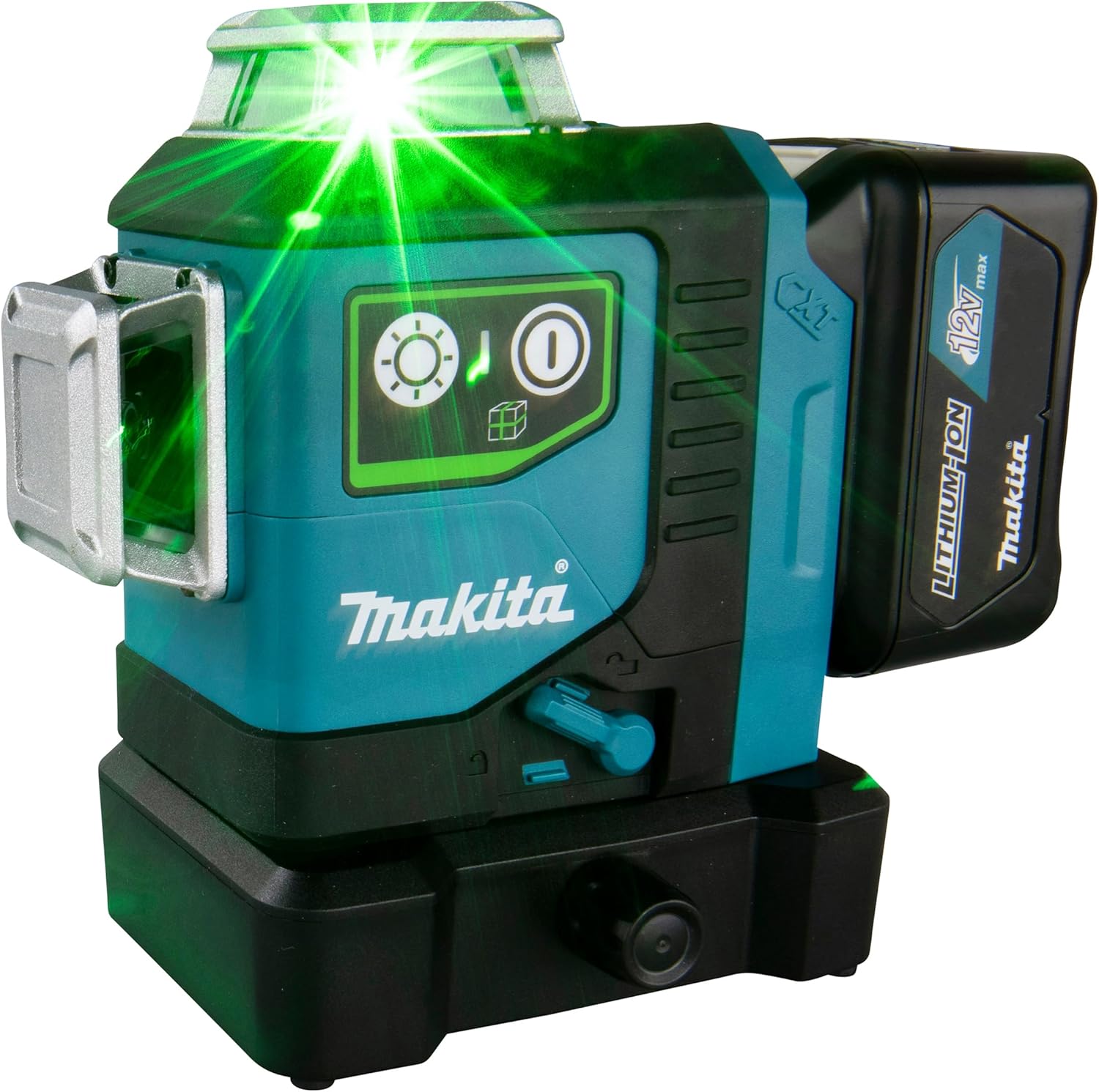
Figure 6: Using the fine adjustment knob on the rotating base.
5.3 Using with a Laser Detector
For outdoor use or in bright conditions, a Makita Laser Detector (sold separately) can extend the detection range of the laser lines up to 230 feet.

Figure 7: Using the laser with an optional Makita Laser Detector.
5.4 Mounting Options
The multi-function magnetic bracket allows the laser to be attached to metal surfaces, wood surfaces, or tripods, providing versatility for various job site setups.

Figure 8: Laser mounted on a metal stud using the magnetic bracket.
5.5 Official Product Video
Video 1: Official Makita video demonstrating the 12V max CXT Self-Leveling 360-Degree 3-Plane Lasers (SK700GDNAJ & SK700DNAJ) in various applications, highlighting features like accuracy, run time, and versatility.
6. Maintenance
6.1 Cleaning
- Regularly clean the laser windows with a soft, lint-free cloth to ensure clear beam projection.
- Do not use harsh chemicals or abrasive cleaners.
- Wipe the exterior of the tool with a damp cloth.
6.2 Storage
- Always engage the pendulum lock before storing or transporting the laser to protect internal components.
- Store the laser in a dry, cool place, away from direct sunlight and extreme temperatures.
- Remove the battery if the tool will not be used for an extended period.

Figure 9: Storing the Makita SK700GD laser in its protective case.
7. Troubleshooting
| Problem | Possible Cause | Solution |
|---|---|---|
| Laser lines are dim or not visible. | Low battery, dirty laser windows, bright ambient light. | Charge/replace battery. Clean laser windows. Use a laser detector in bright conditions. |
| Laser lines are flashing or not stable. | Laser is outside its self-leveling range, unstable surface. | Place the laser on a more level and stable surface. Ensure the pendulum is unlocked. |
| Laser does not turn on. | Battery not installed correctly, battery discharged, pendulum locked. | Check battery installation. Charge battery. Unlock the pendulum. |
8. Specifications
| Feature | Detail |
|---|---|
| Model | SK700GD |
| Laser Type | Class II Green Laser |
| Wavelength | 510-530 nm |
| Output Power | <2 mW |
| Accuracy | +/-1/16” at 33’ |
| Self-Leveling Range | Up to 4° |
| Green Line Visibility | Up to 115’ (230’ with detector) |
| Power Source | 12V max CXT® Lithium-Ion Battery (sold separately) |
| Run Time (4.0Ah Battery) | Up to 14 hours |
| IP Rating | IP54 (Dust and Water Resistant) |
| Material | Alloy Steel, Aluminum, Plastic |
| Item Weight | 1.1 Kilograms |
| Product Dimensions | 48"L x 6"W (Note: This dimension seems unusually large for a laser level and might refer to packaging or a different product aspect. Please refer to the product packaging for precise dimensions.) |
9. Warranty and Support
9.1 Manufacturer Warranty
This Makita product comes with a 3-year limited warranty from the date of purchase. This warranty covers defects in materials and workmanship. For full details on warranty coverage, exclusions, and how to make a claim, please refer to the official Makita warranty statement included with your product or visit the Makita website.
9.2 Customer Support
For technical assistance, service, or to locate an authorized service center, please visit the official Makita website or contact Makita customer service directly. Contact information can typically be found on the product packaging or the official Makita website.


