
1. Introduction
Welcome to your OSRAM LEDinspect SLIM 500 Inspection Light. This manual provides essential information for the safe and effective use of your new device. Please read it thoroughly before operation and retain it for future reference.
The OSRAM LEDinspect SLIM 500 is a high-quality, versatile inspection light designed for professional and private use. It offers multiple light functions, flexible positioning, and a robust design, making it ideal for craft activities, car repairs, and everyday tasks.
2. Safety Information
- Read all instructions carefully before using the device.
- Do not look directly into the LED light beam to avoid eye injury.
- Keep the device out of reach of children.
- Do not attempt to disassemble, modify, or repair the device yourself. Refer to qualified service personnel.
- Use only the provided USB Type-C charging cable and power adapter for charging.
- Avoid exposing the device to extreme temperatures, direct sunlight, or liquids beyond its IP54 protection rating.
- Ensure the charging port cover is securely closed when not charging to maintain water and dust resistance.
3. Package Contents
Please check that all items listed below are included in your package:
- OSRAM LEDinspect SLIM 500 Inspection Light
- USB Type-C Charging Cable
- Power Adapter (Socket Plug)
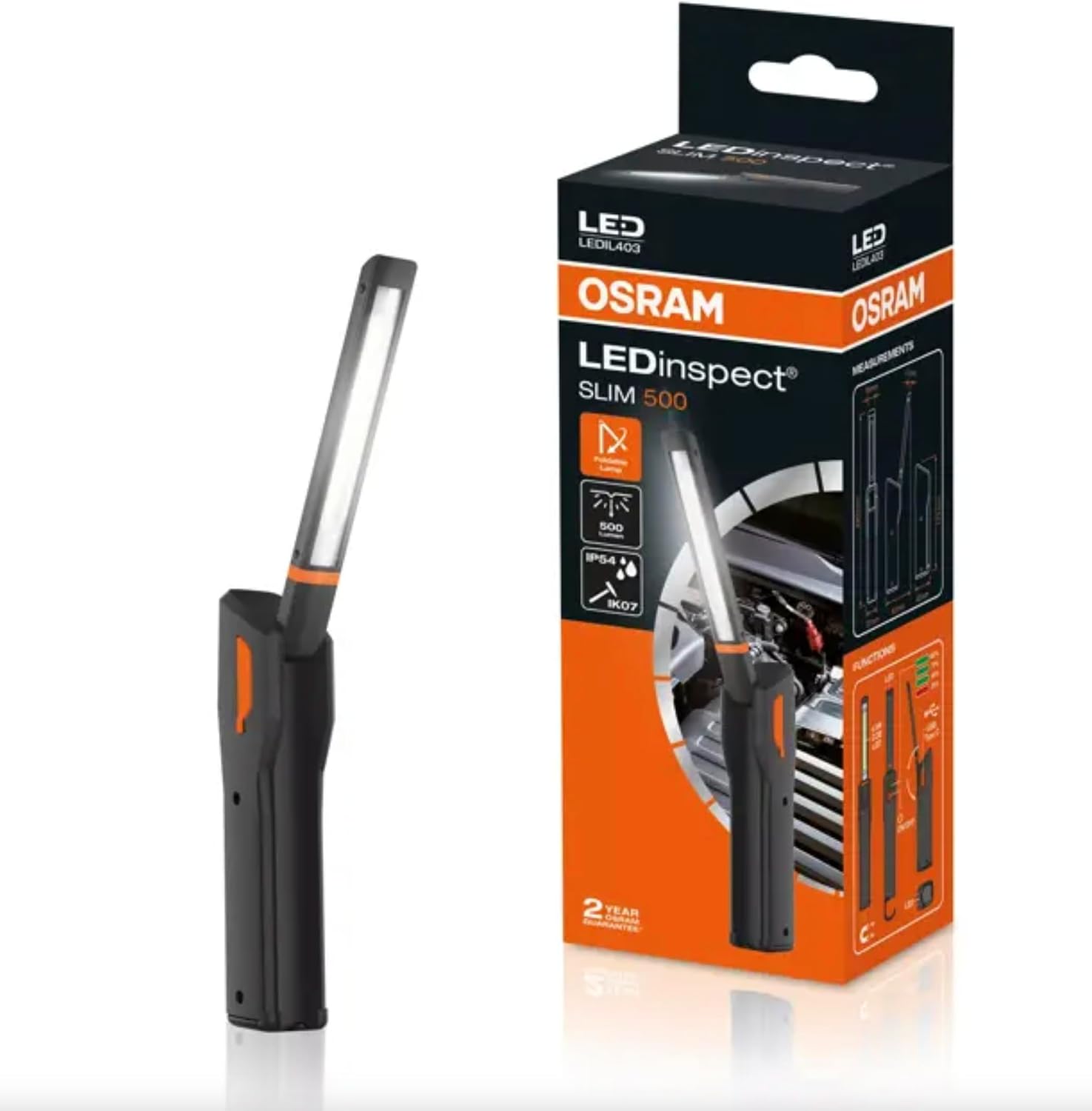
This image shows the OSRAM LEDinspect SLIM 500 inspection light alongside its retail packaging, illustrating the product as it appears when unboxed.
4. Product Overview
The LEDinspect SLIM 500 features an ultra-flat design with multi-angle positioning for directing light precisely. It includes integrated magnets and a hook for convenient hands-free operation.
Key Features:
- Three Light Functions: High (up to 500 lm), Low (up to 250 lm), and Torchlight (up to 70 lm).
- Flexible Positioning: The light head is 270° rotatable and 180° swiveling, allowing precise light direction.
- Rechargeable: Equipped with an integrated high-quality lithium-ion battery and a charge level indicator.
- Durable Design: IP54 protection rating (protection against ingress of dust and splashing water) and IK07 impact resistance.
- Hands-Free Use: Features an integrated hook and strong magnets for easy attachment and hands-free work.

This image displays a side view of the OSRAM LEDinspect SLIM 500, highlighting its slim profile and the extended light bar.

This image shows the OSRAM LEDinspect SLIM 500 with its light bar angled upwards, demonstrating its flexible positioning capabilities.

A close-up view of the base of the OSRAM LEDinspect SLIM 500, illustrating the integrated hook and magnet for hands-free attachment.
5. Setup
5.1 Initial Charging
Before first use, fully charge your LEDinspect SLIM 500.
- Connect the USB Type-C charging cable to the charging port on the device.
- Plug the other end of the USB cable into the provided power adapter.
- Insert the power adapter into a suitable wall outlet.
- The integrated charge level indicator will illuminate to show the charging status. Charge until the indicator shows a full charge.
- A full charge can provide up to six hours of operation at low power or up to four hours at high power.
6. Operating Instructions
6.1 Power On/Off and Light Mode Selection
Locate the power button on the device.
- Press the power button once to activate the torchlight function (up to 70 lm).
- Press the power button a second time for the low power inspection light (up to 250 lm).
- Press the power button a third time for the high power inspection light (up to 500 lm).
- Press the power button a fourth time to turn the device off.
6.2 Adjusting the Light Angle
The light head can be rotated 270° and swiveled 180° to direct the light beam exactly where it is needed. Gently adjust the head to your desired position.
6.3 Hands-Free Operation
- Magnets: The base of the inspection light contains integrated magnets. Attach the light securely to any ferrous metal surface for stable positioning.
- Hook: Extend the integrated hook from the base to hang the light from various objects or fixtures, providing illumination from above.
7. Maintenance
7.1 Cleaning
Wipe the device with a soft, damp cloth. Do not use abrasive cleaners, solvents, or harsh chemicals, as these may damage the surface or internal components. Ensure the charging port cover is securely closed before cleaning to maintain IP54 protection.
7.2 Battery Care
To prolong the life of the integrated lithium-ion battery, avoid fully discharging it frequently. Recharge the device regularly, even if not in constant use. Store the device in a cool, dry place when not in use for extended periods.
8. Troubleshooting
8.1 Light Does Not Turn On:
- Check the battery level. Recharge the device if the battery is low.
- Ensure the power button is pressed correctly and firmly.
8.2 Light Output is Dim:
- The battery may be low. Recharge the device fully.
- Ensure the device is not in low power mode if high output is desired. Cycle through the light modes.
8.3 Device Not Charging:
- Verify that the USB cable and power adapter are correctly connected and functional.
- Try a different USB port or power outlet to rule out external issues.
- Ensure the charging port is clean and free of debris.
9. Technical Specifications
| Feature | Specification |
|---|---|
| Model Number | LEDIL403 |
| Light Source Type | LED |
| Light Output (High) | Up to 500 lm |
| Light Output (Low) | Up to 250 lm |
| Torchlight Output | Up to 70 lm |
| Battery Type | High-quality Lithium-Ion |
| Operating Time (High) | Up to 4 hours |
| Operating Time (Low) | Up to 6 hours |
| Protection Rating | IP54 (Dust and Splash Water Resistant) |
| Impact Resistance | IK07 |
| Product Dimensions (L x W x H) | 8.66" x 2.76" x 1.97" (220mm x 70mm x 50mm approx.) |
| Item Weight | 150 Grams (5.3 ounces) |
| Included Components | LEDInspect SLIM500, USB cable type C, socket plug |

This technical drawing provides precise dimensions of the OSRAM LEDinspect SLIM 500, including its length, width, and thickness.
10. Warranty and Support
OSRAM provides a 2-year guarantee on this product, underscoring its commitment to first-class workmanship and functionality. This guarantee covers manufacturing defects under normal use.
For further assistance, warranty claims, or to inquire about other OSRAM products, please visit the official OSRAM store or contact customer support through their official channels.


