
Introduction

This image displays the OSRAM LEDinspect POCKET200 inspection lamp alongside its retail packaging, showcasing the product's design and branding.
This manual provides comprehensive instructions for the safe and efficient use of your OSRAM LEDinspect POCKET200 LED Inspection Lamp. Please read this manual thoroughly before operating the device and retain it for future reference.
The OSRAM LEDinspect POCKET200 is a high-quality, slim LED inspection lamp designed for both professional and private applications. It offers versatile illumination with three light functions (high, reduced, and torch), a flexible design with 180° tilt and 360° rotation, and convenient magnetic attachment for hands-free operation.
Setup and Initial Use
Package Contents
- OSRAM LEDinspect POCKET200 Inspection Lamp
- USB Type-C Charging Cable
Charging the Device
Before first use, fully charge the OSRAM LEDinspect POCKET200. The device is equipped with a rechargeable Lithium-ion battery.
- Locate the USB Type-C charging port on the device.
- Connect the provided USB Type-C cable to the lamp and to a suitable USB power source (e.g., computer, USB wall adapter).
- The integrated charge indicator will display the battery's charging status. Allow the lamp to charge until the indicator shows a full charge.

This image shows a close-up of the OSRAM LEDinspect POCKET200's base, highlighting the USB Type-C charging port with a cable inserted. Green indicator lights are visible, indicating the battery's charge level.
Operating Instructions
Powering On/Off and Light Modes
The OSRAM LEDinspect POCKET200 features a single power button to cycle through its light modes.
- Press the power button once to activate the High Intensity mode (up to 200 lumens).
- Press the power button a second time to switch to Reduced Intensity mode (up to 80 lumens).
- Press the power button a third time to activate the Torch Function (up to 40 lumens), which uses the LED at the end of the lamp.
- Press the power button a fourth time to turn the lamp Off.
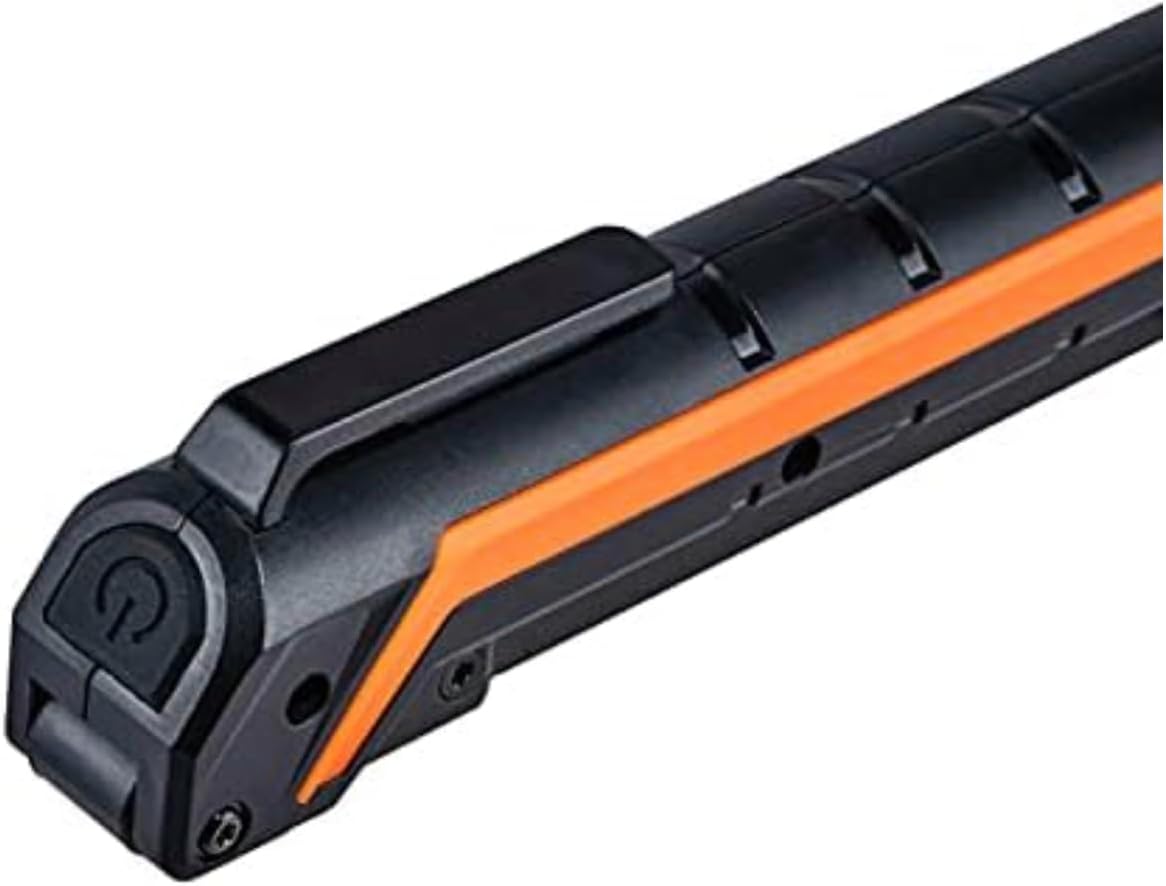
This image provides a detailed view of the power button, located on the side of the lamp, and the sturdy clip for attachment.
Positioning and Flexibility
The lamp's design allows for maximum flexibility in directing light.
- Multi-angle Positioning: The main light panel can be tilted up to 180 degrees and rotated 360 degrees to illuminate specific areas.
- Magnetic Base: Utilize the integrated magnets on the base of the lamp to attach it to metallic surfaces for hands-free operation.

This image demonstrates the practical application of the lamp, showing a person working under a car with the POCKET200 providing bright, directed light.

This image illustrates the lamp's versatility, showing it bent and positioned to light up a specific area within a car's engine compartment, likely using its magnetic base.
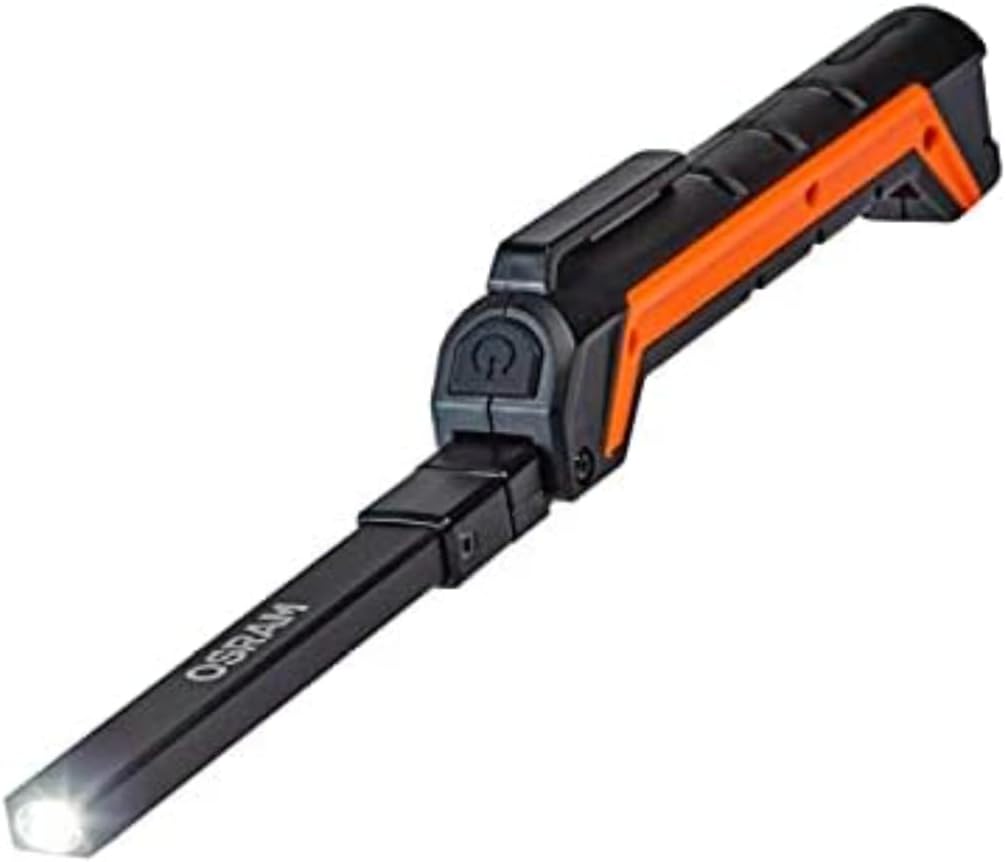
This image shows the OSRAM LEDinspect POCKET200 in its compact, folded state, with the end-mounted torch light activated, suitable for focused illumination in tight spaces.
Maintenance
Cleaning
- Ensure the device is turned off and disconnected from any power source before cleaning.
- Wipe the lamp with a soft, damp cloth. Do not use abrasive cleaners or solvents, as these can damage the plastic housing or LED lens.
- Avoid submerging the device in water.
Storage
- Store the lamp in a cool, dry place away from direct sunlight and extreme temperatures.
- For long-term storage, it is recommended to charge the battery periodically to maintain its health.
Troubleshooting
| Problem | Possible Cause | Solution |
|---|---|---|
| Lamp does not turn on. | Battery is depleted. | Charge the lamp using the provided USB Type-C cable. |
| Light output is dim. | Battery is low or lamp is in reduced intensity mode. | Charge the battery. Cycle through light modes to select high intensity. |
| Lamp does not charge. | Charging cable or power source is faulty. | Ensure the USB cable is securely connected. Try a different USB port or power adapter. |
| Magnetic base does not hold. | Surface is not metallic or too thin. | Ensure the surface is made of a ferromagnetic material and is thick enough for the magnet to hold securely. |
Product Specifications
| Brand | OSRAM |
| Model | POCKET200 |
| Model Number | LEDIL408 |
| Product Dimensions (L x W x H) | 23.3 x 2.9 x 4.3 cm |
| Item Weight | 140 grams |
| Battery Type | 1 Lithium-ion (included) |
| Voltage | 3.7 Volts (DC) |
| Light Source Type | LED |
| Luminous Flux (High) | 200 lumens |
| Luminous Flux (Reduced) | 80 lumens |
| Luminous Flux (Torch) | 40 lumens |
| Color Temperature | 6500K (Cool White) |
| Wattage | 2.96 Watts |
| Material | Plastic |
| Special Features | Rechargeable, Magnetic Base, Multi-angle Positioning (180° tilt, 360° rotation) |
| Included Components | LEDInspect POCKET200, USB Type C Cable |
| Country of Origin | China |
Warranty Information
OSRAM provides a 2-year warranty for the LEDinspect POCKET200 product. This warranty covers manufacturing defects and ensures the high-quality functionality of the product. For warranty claims, please retain your proof of purchase and contact OSRAM customer support.
Systematic quality control measures are implemented to guarantee premium manufacturing quality and product functionality. Innovative technologies and excellent quality are designed to benefit our customers.
Customer Support
For further assistance, technical support, or inquiries regarding your OSRAM LEDinspect POCKET200, please visit the official OSRAM website or contact their customer service department. Refer to the product packaging or OSRAM's official website for the most up-to-date contact information.
When contacting support, please have your product model (POCKET200) and model number (LEDIL408) available.


