
Introduction
This manual provides essential instructions for the setup, operation, and maintenance of your ALLIMITY replacement remote control. This remote is designed to be compatible with various HANNSPREE Smart HDTV models, offering a direct replacement without the need for complex programming. Please read this manual carefully to ensure proper use and longevity of your remote control.
Setup
Battery Installation
The remote control requires two (2) AAA alkaline batteries (not included) for operation. Follow these steps to install the batteries:
- Locate the battery compartment on the back of the remote control.
- Press down on the latch and slide the battery cover downwards to open it.
- Insert two AAA batteries, ensuring that the positive (+) and negative (-) terminals align correctly with the markings inside the compartment. Incorrect insertion can prevent the remote from functioning.
- Slide the battery cover back into place until it clicks securely.
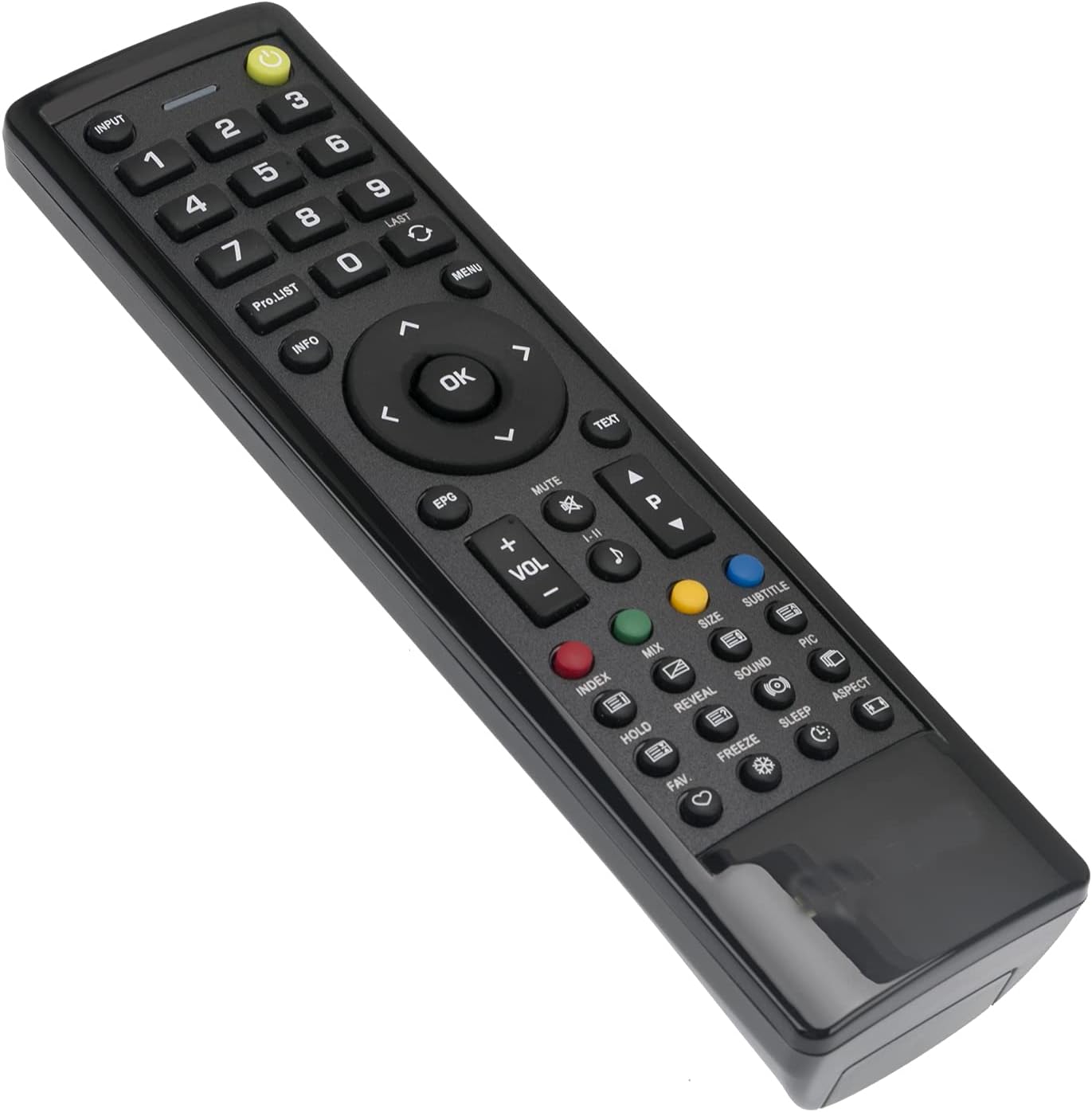
Image: Back of the remote control with the battery compartment open, illustrating the correct orientation for AAA battery insertion.
Once batteries are installed, the remote is ready for use with your compatible HANNSPREE Smart HDTV. No additional programming or setup is typically required.
Operating Instructions
This ALLIMITY replacement remote control is designed for intuitive use, mirroring the functionality of your original HANNSPREE Smart HDTV remote. Simply point the remote towards your television and press the desired button.

Image: Front view of the remote control, displaying the layout of all functional buttons.
Key Functions Overview:
- Power Button: Turns the TV on or off.
- Input: Selects video input sources (HDMI, AV, etc.).
- Number Buttons (0-9): Direct channel selection.
- VOL +/-: Adjusts volume level.
- CH +/- (PRO.LIST): Changes channels sequentially or accesses program list.
- MUTE: Silences the TV audio.
- Navigation Pad (Up, Down, Left, Right, OK): Navigates menus and confirms selections.
- MENU: Opens the TV's main menu.
- EXIT: Exits current menu or function.
- EPG: Accesses the Electronic Program Guide.
- Color Buttons (Red, Green, Yellow, Blue): Specific functions within certain TV menus or applications.
- Playback Controls: (If present) Play, Pause, Stop, Rewind, Fast Forward for media playback.
Maintenance
Cleaning the Remote
To maintain the remote control's appearance and functionality, clean it regularly:
- Use a soft, dry cloth to wipe the surface of the remote.
- For stubborn dirt, slightly dampen the cloth with water or a mild, non-abrasive cleaner.
- Avoid using harsh chemicals, solvents, or abrasive cleaning pads, as these can damage the remote's finish or internal components.
Battery Care
- Replace batteries when the remote's response becomes sluggish or stops working.
- Always replace both batteries at the same time with new ones of the same type (AAA alkaline).
- If the remote will not be used for an extended period, remove the batteries to prevent leakage and potential damage.
Troubleshooting
If you experience issues with your remote control, please refer to the following common solutions:
- Remote not responding:
- Check if the batteries are inserted correctly with the correct polarity (+/-).
- Replace old batteries with new AAA alkaline batteries.
- Ensure there are no obstructions between the remote control and the TV's infrared sensor.
- Make sure you are within the effective operating range (approximately 3.28 feet or 1 meter) and pointing the remote directly at the TV.
- Some buttons not working:
- This remote is a direct replacement and does not require programming. If specific buttons are not functioning, ensure your TV model is listed as compatible.
- Clean the remote control as described in the Maintenance section, as dirt or debris might be interfering with button contacts.
If the problem persists after trying these steps, please contact customer support for further assistance.
Specifications
| Feature | Detail |
|---|---|
| Brand | ALLIMITY |
| Model Number | BJKJ-HANNSPREE-JKJB |
| Compatible Devices | HANNSPREE Smart HDTV models: HSG1186, HSG1189, HSG1188, HSG1067, 098GR7BD1NEHSJ, ST32AMSB, 52-4R280002G040, HSG1138, HSG1075, HSG1141, HSG1114, HSG1142, HSG1194, HSG1064, HSG1279, 0533007855, 0503000758, HSG1112, HSG1074, HSG1117, HSG1131, HSG1102 |
| Connectivity Technology | Infrared (IR) |
| Battery Type | 2 x AAA Alkaline batteries (not included) |
| Maximum Range | Approximately 3.28 Feet (1 Meter) |
| Item Weight | 2 Ounces |
| Special Feature | Ergonomic design |
Support
For any questions, concerns, or issues not covered in this manual, please do not hesitate to contact our customer support. We are committed to ensuring your satisfaction with your ALLIMITY replacement remote control.