
Introduction
The Bose Solo Series II Soundbar is a compact and easy-to-use audio device designed to enhance your television's sound. Standing just under 3 inches (7 cm) tall, it fits conveniently under most TVs. It features two angled full-range drivers, built-in Dolby decoding for a richer listening experience, and front LED lights to indicate active features. This manual provides detailed instructions for setting up, operating, and maintaining your soundbar.

Figure 1: Front view of the Bose Solo Series II Soundbar.
What's in the Box
Verify that all the following items are included in your package:
- Bose Solo Series II Soundbar
- Remote Control
- Optical Audio Cable
- Power Cable
- Wall Mount Bracket (high-quality steel)
- Mounting Screws and Anchors
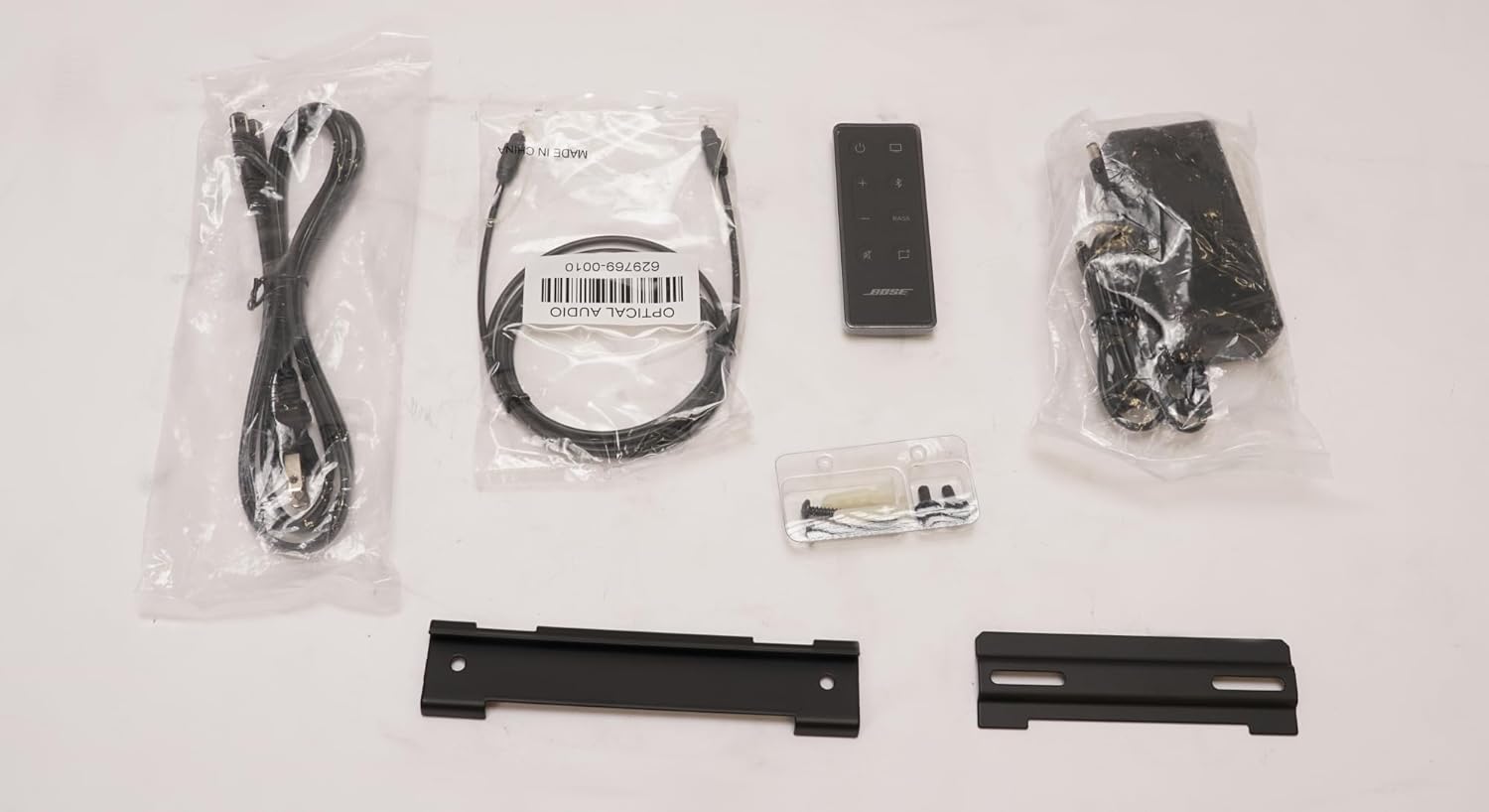
Figure 2: Package contents of the Bose Solo Series II Soundbar.
Setup
1. Placement
Place the soundbar directly in front of your TV, centered. Ensure there are no obstructions in front of the soundbar that could block the sound. The compact design allows it to fit under most televisions.
2. Connections
Connect the soundbar to your TV using the provided optical audio cable for optimal sound quality. Alternatively, you can use an AUX cable if your TV supports it. Finally, connect the power cable to the soundbar and then to a power outlet.
- Connect the optical audio cable from the soundbar's OPTICAL IN port to your TV's optical audio output port.
- (Optional) If optical is not available, connect an AUX cable (not included) from the soundbar's AUX IN port to your TV's audio output.
- Connect the power cable to the soundbar's POWER port and then plug the other end into a wall outlet.

Figure 3: Rear panel connections of the soundbar.
3. Wall Mounting (Optional)
A high-quality steel wall bracket is included to mount the soundbar flush to the wall. Refer to the separate wall mounting template and instructions for detailed steps. Ensure the mounting surface can support the weight of the soundbar.
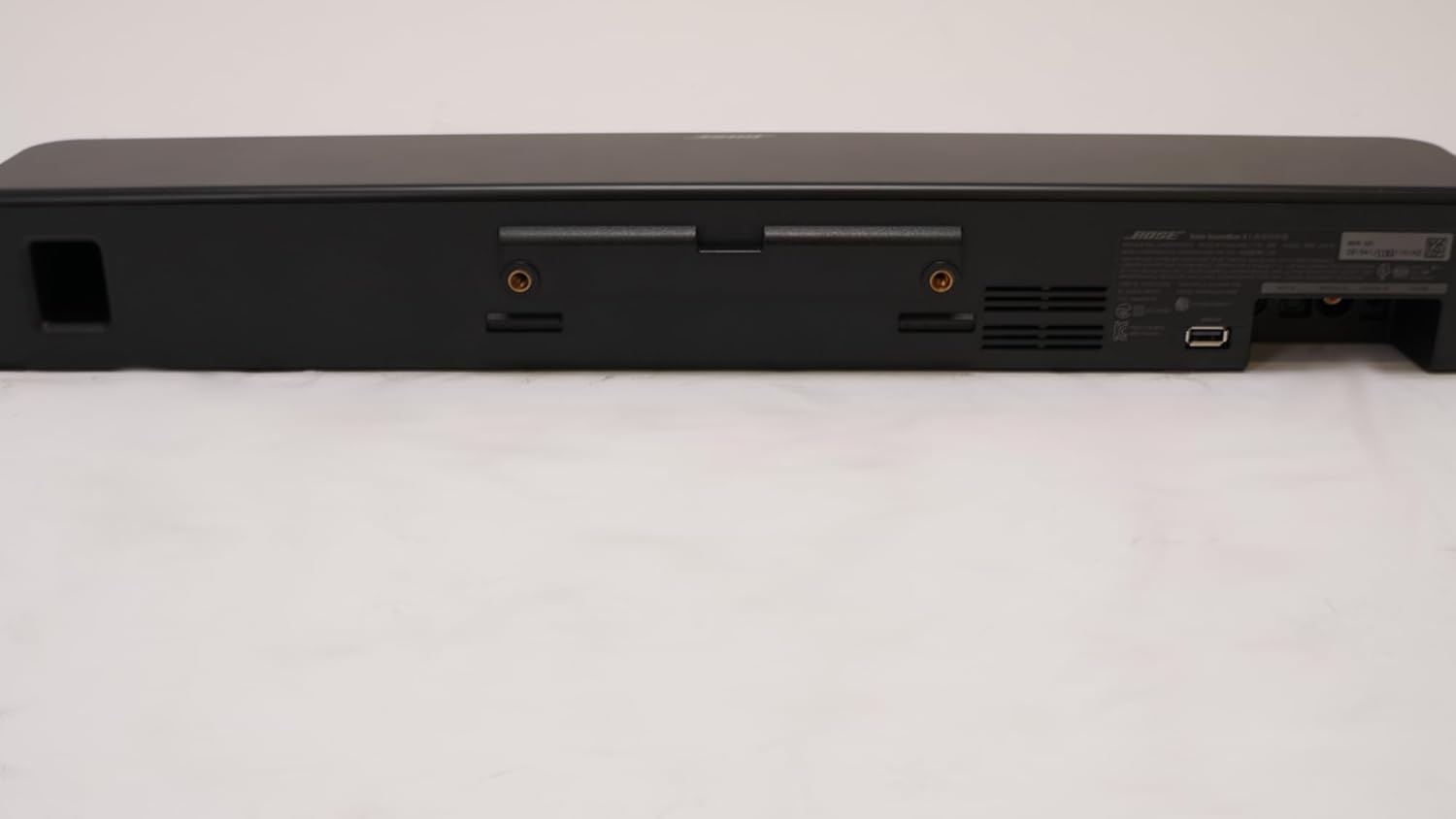
Figure 4: Wall mount points on the soundbar's rear.
Operating Instructions
Remote Control Functions
The included remote control provides full command over your soundbar's features.

Figure 5: Remote control for the soundbar.
- Power Button: Turns the soundbar on or off.
- Volume Up/Down (+/-): Adjusts the overall volume level.
- Mute Button: Mutes or unmutes the sound.
- Dialogue Mode Button: Enhances voice clarity, making every word easier to understand without adjusting volume. Small LED lights on the front of the soundbar indicate when this feature is enabled.
- Bass Button: Adjusts the bass level.
- Bluetooth Button: Initiates Bluetooth pairing mode.
- TV Input Button: Switches to TV audio input.
Bluetooth Pairing
To connect a Bluetooth device (e.g., smartphone, tablet) to your soundbar:
- Ensure the soundbar is powered on.
- Press the Bluetooth button on the remote control. The Bluetooth indicator light on the soundbar will begin to blink, indicating it's in pairing mode.
- On your mobile device, go to the Bluetooth settings and select the Bose Solo Series II Soundbar from the list of available devices.
- Once connected, the Bluetooth indicator light on the soundbar will glow solid. You can now stream music and other audio wirelessly.
Maintenance
To ensure the longevity and optimal performance of your Bose Solo Series II Soundbar, follow these maintenance guidelines:
- Cleaning: Use a soft, dry cloth to clean the exterior surfaces of the soundbar. Do not use liquid cleaners, sprays, or solvents.
- Ventilation: Ensure the soundbar's vents are not blocked to prevent overheating.
- Environment: Avoid exposing the soundbar to extreme temperatures, humidity, or direct sunlight.
- Power Cord: Regularly inspect the power cord for any damage. If damaged, discontinue use and contact Bose support.
Troubleshooting
| Problem | Possible Cause | Solution |
|---|---|---|
| No sound from soundbar. | Soundbar is off or muted. Incorrect input selected. Cables are loose or incorrect. | Ensure soundbar is powered on and not muted. Press the TV input button on the remote. Check all cable connections (optical/AUX) to both the soundbar and TV. |
| Bluetooth device won't pair. | Soundbar not in pairing mode. Device too far. Interference. | Press the Bluetooth button on the remote to enter pairing mode (blinking light). Move device closer to the soundbar. Avoid placing soundbar near other wireless devices. |
| Poor sound quality. | Incorrect audio settings on TV. Cable issues. | Ensure TV audio output is set to PCM or Stereo. Check optical/AUX cable for damage. Try enabling Dialogue Mode for clearer voices. |
| Remote control not working. | Dead batteries. Obstruction. | Replace batteries in the remote. Ensure no objects are blocking the line of sight between the remote and the soundbar. |
Specifications
- Model Number: SOI-SOUNDSTRB-B110
- Brand: Bose
- Color: Black
- Product Dimensions (L x W x H): 21.6 x 3.4 x 2.8 inches (54.9 x 8.6 x 7.1 cm)
- Item Weight: 5.9 pounds (2.68 kg)
- Compatible Devices: TV
- Special Features: Built-in Dolby decoding, Dialogue Mode, Bluetooth connectivity, Front LED indicators, Wall-mountable.

Figure 6: Dimensions of the Bose Solo Series II Soundbar.
Warranty and Support
For warranty information and technical support, please refer to the official Bose website or contact their customer service. As this is a renewed product, specific warranty terms may vary. Please check the documentation provided with your renewed product for details on its warranty coverage.
You can find more information and support at the official Bose website: www.bose.com


