
1. Introduction
The UREVO CyberPad Smart Walking Pad is designed to integrate fitness seamlessly into your home or office environment. Featuring a 14% auto-adjustable incline, a quiet brushless motor, and smart app connectivity, this under-desk treadmill offers an efficient way to stay active. Its compact design allows for easy storage, making it an ideal solution for maintaining a healthy lifestyle without compromising space or productivity.
Key features include:
- Dual Brushless Motor: Engineered for a 10X longer lifespan and 25% higher efficiency, ensuring stable performance for over 6,000 hours with minimal maintenance.
- 14% Auto Incline: Automatically adjusts to burn up to 230% more calories compared to flat walking, maximizing workout efficiency.
- UREVO Smart App: Provides auto-logging of workout data, real-scene replication for virtual journeys, AI music synchronization, and custom goal setting with ranking features.
- Quiet Operation: Operates at less than 35 decibels, quieter than a typing keyboard, allowing for undisturbed use in shared spaces.
- Award-Worthy Design: Recognized for innovation, ergonomic excellence, and space-saving aesthetics, making it a perfect companion for standing desks.
2. What's in the Box
Upon unboxing your UREVO CyberPad, please ensure all components are present:
- UREVO CyberPad Smart Walking Pad
- Remote Control
- Power Cord
- Hex Tool
- Lubricating Oil
- User Manual
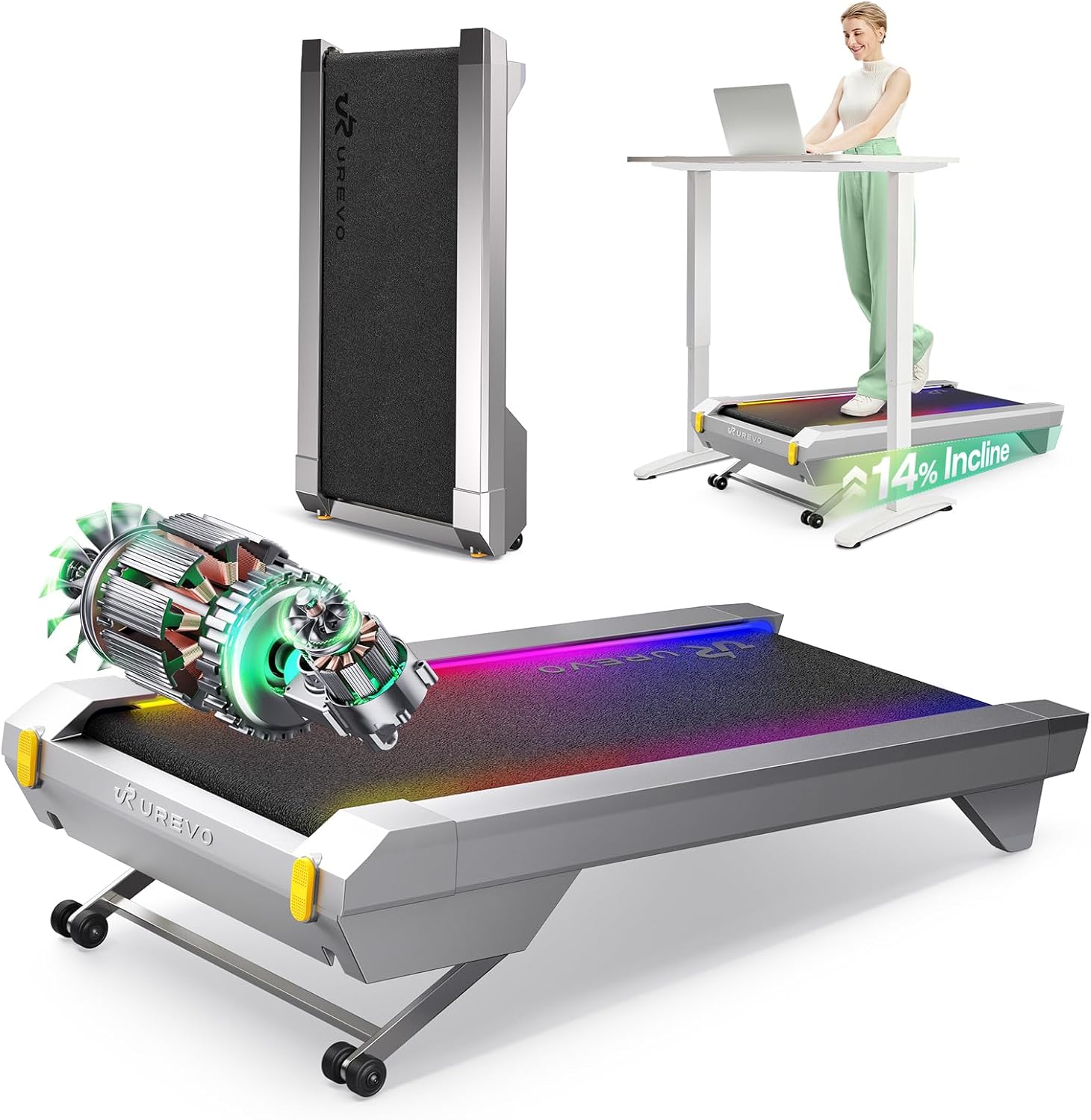
This image displays the UREVO CyberPad Smart Walking Pad in its silver finish, showcasing its sleek, low-profile design. The treadmill features a dark walking surface with the 'UREVO' logo, flanked by silver side rails. It is designed for under-desk use, emphasizing its compact and modern aesthetic.
3. Setup
The UREVO CyberPad is designed for quick and easy setup, requiring minimal assembly.
- Unboxing: Carefully remove the walking pad and all accessories from the packaging. Place the unit on a flat, stable surface.
- Power Connection: Locate the power input port on the side of the treadmill. Connect the provided power cord securely to the treadmill and then to a grounded electrical outlet.
- Remote Control Setup: Install two AAA batteries into the remote control, ensuring correct polarity. The remote is essential for initial operation and adjustments.
- UREVO App Download: Scan the QR code located on the treadmill or in the user manual to download the UREVO app from your device's app store.
- App Connection: Open the UREVO app, tap 'Connect' in the upper right corner, and select 'Treadmill'. Search for 'CyberPad for Office' and tap 'Connect' to pair your device.
This video demonstrates the unboxing process of the UREVO CyberPad, including removing packaging materials, installing batteries in the remote control, connecting the power cord, and pairing the device with the UREVO app. It highlights the ease of setup and initial operation.
4. Operating Instructions
4.1 Remote Control Operation
- Start/Stop: Short press the on/off button to start the treadmill. The remote will display the current speed. To pause, short press the on/off button again; 'PAU' will appear, and data will be kept for 10 minutes before clearing. To resume, short press again.
- Speed Adjustment: Use the '+' and '-' buttons to increase or decrease the walking speed.
- Incline Adjustment: Use the 'Lift +' and 'Lift -' buttons to adjust the incline. The maximum incline is 14%.
- Mute: Press the 'MUTE' button to silence buzzer voices.
- Lights: Press the 'LIGHT' button to turn the light strip on or off. Light strip colors can be changed via the UREVO APP.
- Power Off: Long press the on/off button until 'END' appears on the remote control. The treadmill will turn off, and all data will be cleared.
4.2 UREVO App Control
The UREVO app provides enhanced control and tracking features for your CyberPad.
- Start Workout: After connecting, tap 'Start' and then 'Quick Start' to begin your workout.
- Speed Adjustment: Swipe the treadmill image left or right on the app screen to increase or decrease speed.
- Incline Adjustment: Use the '+' and '-' buttons next to the incline percentage to adjust the lift angle (maximum 14%).
- Mute: Toggle the mute switch on the app screen to mute buzzer voices.
- Pause/Resume: Short press the center 'on/off' button on the app to pause the treadmill and keep data for 10 minutes. Re-press to resume.
- Power Off: Long press the center 'on/off' button on the app to turn off the treadmill and clear data.
- Light Color Customization: Access the light strip settings within the app to turn lights on/off or change colors according to your preference.
- Workout Tracking: The app automatically logs daily data including distance, time, calories, and speed.
- Smart Workouts: Explore features like real-scene replication (e.g., Toronto CN Tower, Vancouver Seawall), AI music synchronization, and custom goal setting.
This video showcases the UREVO CyberPad's features in an office setting, demonstrating its quiet operation, compact design under a standing desk, and the functionality of the UREVO app for controlling speed, incline, and tracking workout data. It highlights how the treadmill integrates into a productive work environment.
5. Product Features
- Brushless Motor Technology: The 2.5HP sealed brushless motor offers a lifespan of over 6,000 hours, significantly reducing wear and maintenance compared to traditional brushed motors. This technology ensures quiet operation and 25% higher efficiency.
- Automatic Incline System: With a 14% auto-adjustable incline, the CyberPad allows for varied workout intensities, helping to burn up to 230% more calories. This feature is ideal for maximizing fitness results in shorter periods.
- UREVO Smart App Integration: The dedicated app enhances your workout experience with auto-logging of key metrics (distance, time, calories, speed), virtual outdoor running simulations, AI-powered music that syncs with your pace, and customizable fitness goals.
- Ultra-Quiet Operation: Operating at less than 35dB, the treadmill ensures your workouts do not disturb others, making it suitable for office environments or late-night use at home.
- Compact and Award-Winning Design: The sleek design has received accolades such as the American Good Design Award and French Design Award. Its compact dimensions (43"D x 23"W x 6"H) and ability to be stored upright or under a desk make it highly space-efficient.
- High-Tech Shock Absorption: An 8-point shock absorption system is integrated to reduce impact on joints, providing a more comfortable and safer workout experience.

This image highlights the internal components of the UREVO CyberPad, specifically showcasing its dual brushless motor technology. The illustration emphasizes the motor's sealed design, which contributes to its quiet operation and extended lifespan compared to traditional brushed motors.
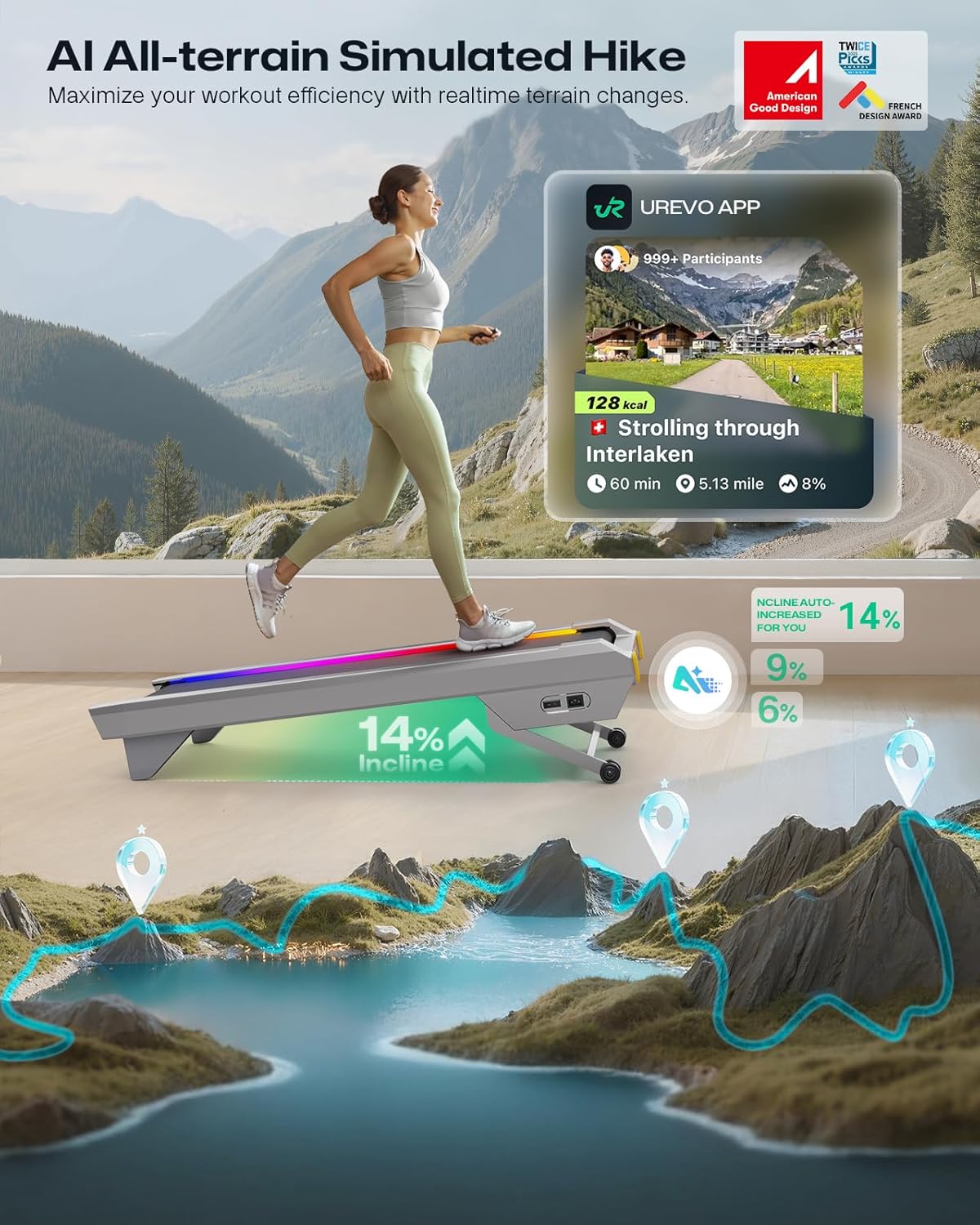
This image illustrates the 14% auto-incline capability of the UREVO CyberPad. It shows the treadmill's front section elevated, indicating the incline mechanism. The visual emphasizes how this feature can enhance calorie burning and provide a more challenging workout.
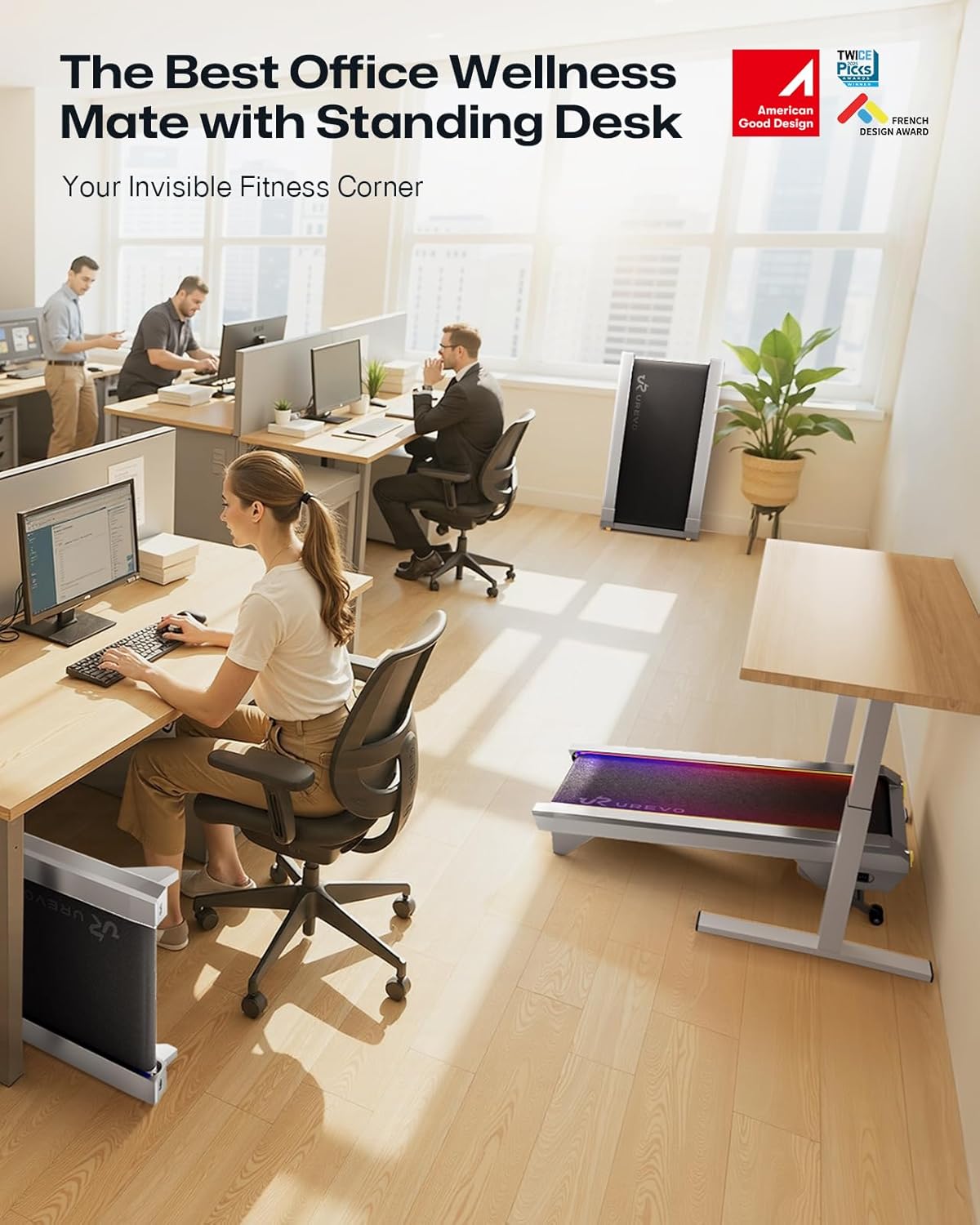
This image depicts the UREVO CyberPad in an office environment, highlighting its quiet operation. A person is shown walking on the treadmill under a standing desk, while others work nearby undisturbed. The visual emphasizes the treadmill's low noise level, making it suitable for shared workspaces.
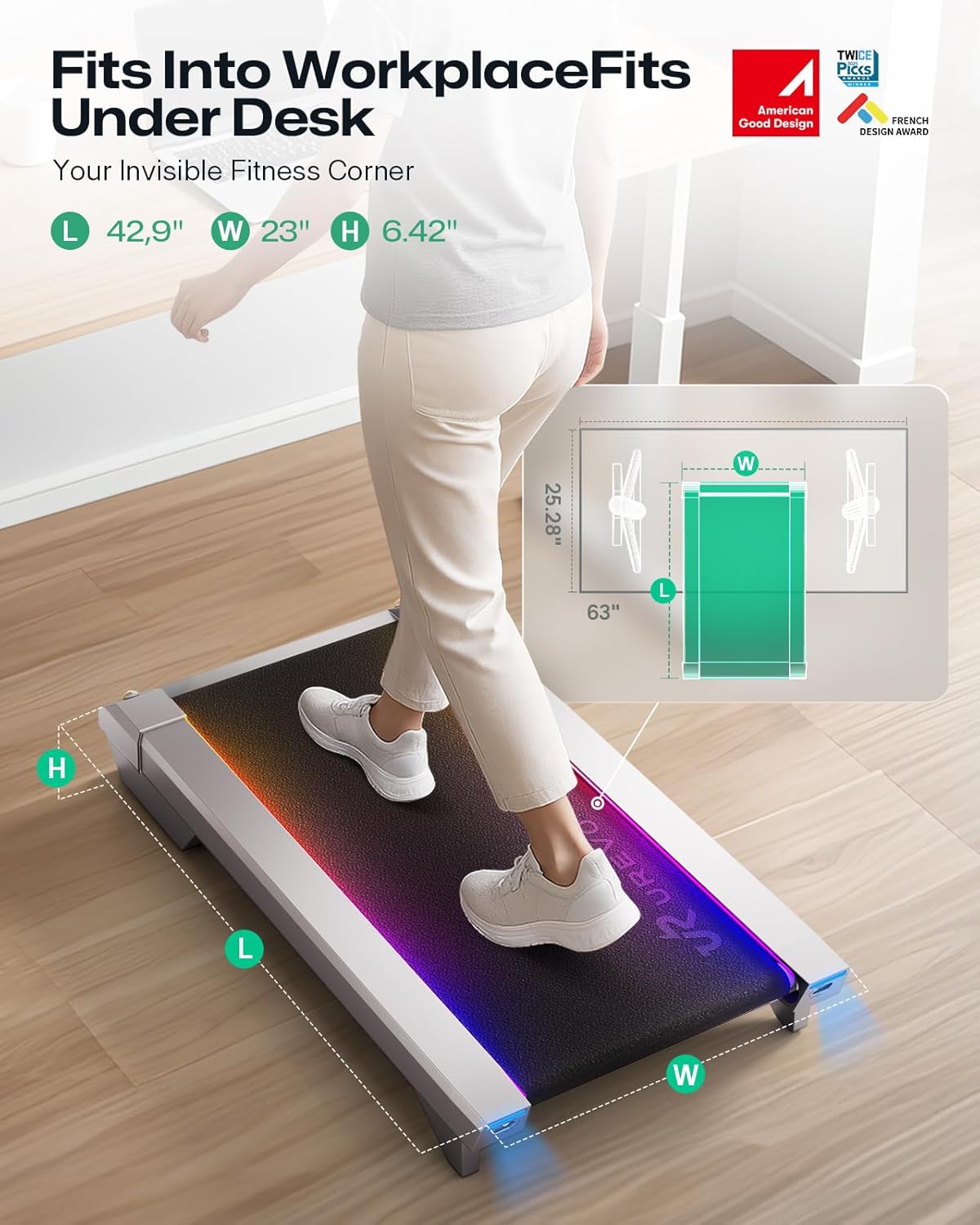
This image demonstrates the UREVO CyberPad's ability to be stored upright, showcasing its space-saving design. The treadmill is shown standing vertically against a wall, illustrating how easily it can be tucked away when not in use, making it ideal for small living or office spaces.
6. Maintenance
Regular maintenance ensures the longevity and optimal performance of your UREVO CyberPad.
- Lubrication: Apply the provided lubricating oil under the walking belt every 3-6 months, or after every 100 miles of use, to reduce friction and extend belt life. Refer to the user manual for specific instructions on application.
- Cleaning: Regularly wipe down the treadmill surface with a damp cloth to remove dust and sweat. Avoid using abrasive cleaners.
- Belt Tension: Periodically check the walking belt tension. If the belt slips or feels loose, use the Hex Tool to adjust the tension bolts at the rear of the treadmill. Adjust in small increments (quarter turns) until proper tension is achieved.
- Storage: When not in use, store the treadmill in a dry, clean area. Its compact design allows for upright storage against a wall or flat under furniture.
7. Specifications
| Feature | Detail |
|---|---|
| Brand | UREVO |
| Model Name | URTM038 |
| Color | Silver |
| Product Dimensions | 43"D x 23"W x 6"H |
| Item Weight | 63 Pounds |
| Material | Alloy Steel |
| Maximum Speed | 4 Miles per Hour |
| Maximum Horsepower | 2.25 Horsepower |
| Maximum Weight Recommendation | 242 Pounds |
| Special Feature | Adjustable, Auto Incline |
| Assembly Required | Yes (Minimal) |
| Included Components | User Manual, Remote Control, Power Cord, Hex Tool, Lubricating Oil |
8. Warranty and Support
The UREVO CyberPad Model URTM038 comes with a 12-month warranty. For any product inquiries, technical support, or warranty claims, please refer to the contact information provided in your user manual or visit the official UREVO website. Ensure to register your product for full warranty benefits.