
1. Introduction
Thank you for choosing the Impex OV 2905 Electric Oven. This manual provides essential information for the safe and efficient operation, maintenance, and troubleshooting of your new appliance. Please read these instructions thoroughly before first use and keep them for future reference. This electric oven is designed for baking, grilling, roasting, heating, and toasting, featuring a rotisserie function and precise temperature control.
2. Important Safety Instructions
When using electrical appliances, basic safety precautions should always be followed to reduce the risk of fire, electric shock, and injury to persons.
- Read all instructions carefully before operating the oven.
- Do not touch hot surfaces. Always use oven mitts or gloves when handling hot items or reaching into the oven.
- To protect against electric shock, do not immerse the cord, plug, or any part of the oven in water or other liquids.
- Close supervision is necessary when any appliance is used by or near children.
- Unplug from the outlet when not in use and before cleaning. Allow to cool before putting on or taking off parts.
- Do not operate any appliance with a damaged cord or plug, or after the appliance malfunctions or has been damaged in any manner.
- Do not use attachments not recommended by the appliance manufacturer, as they may cause hazards.
- Do not use outdoors.
- Do not let the cord hang over the edge of a table or counter, or touch hot surfaces.
- Do not place on or near a hot gas or electric burner, or in a heated oven.
- Extreme caution must be used when moving an appliance containing hot oil or other hot liquids.
- Always attach the plug to the appliance first, then plug the cord into the wall outlet. To disconnect, turn any control to 'OFF', then remove the plug from the wall outlet.
- Do not use the appliance for other than intended use.
- Oversized foods or metal utensils must not be inserted into the oven as they may create a fire or risk of electric shock.
- A fire may occur if the oven is covered or touching flammable material, including curtains, draperies, walls, and the like, when in operation.
- Do not store any materials on top of the oven when in operation.
- Do not place any of the following materials in the oven: paper, cardboard, plastic, or similar items.
- Do not cover the crumb tray or any part of the oven with metal foil. This will cause the oven to overheat.
- Always use the correct voltage as indicated on the rating label.
3. Product Overview and Components
Familiarize yourself with the various parts of your Impex OV 2905 Electric Oven for optimal use.
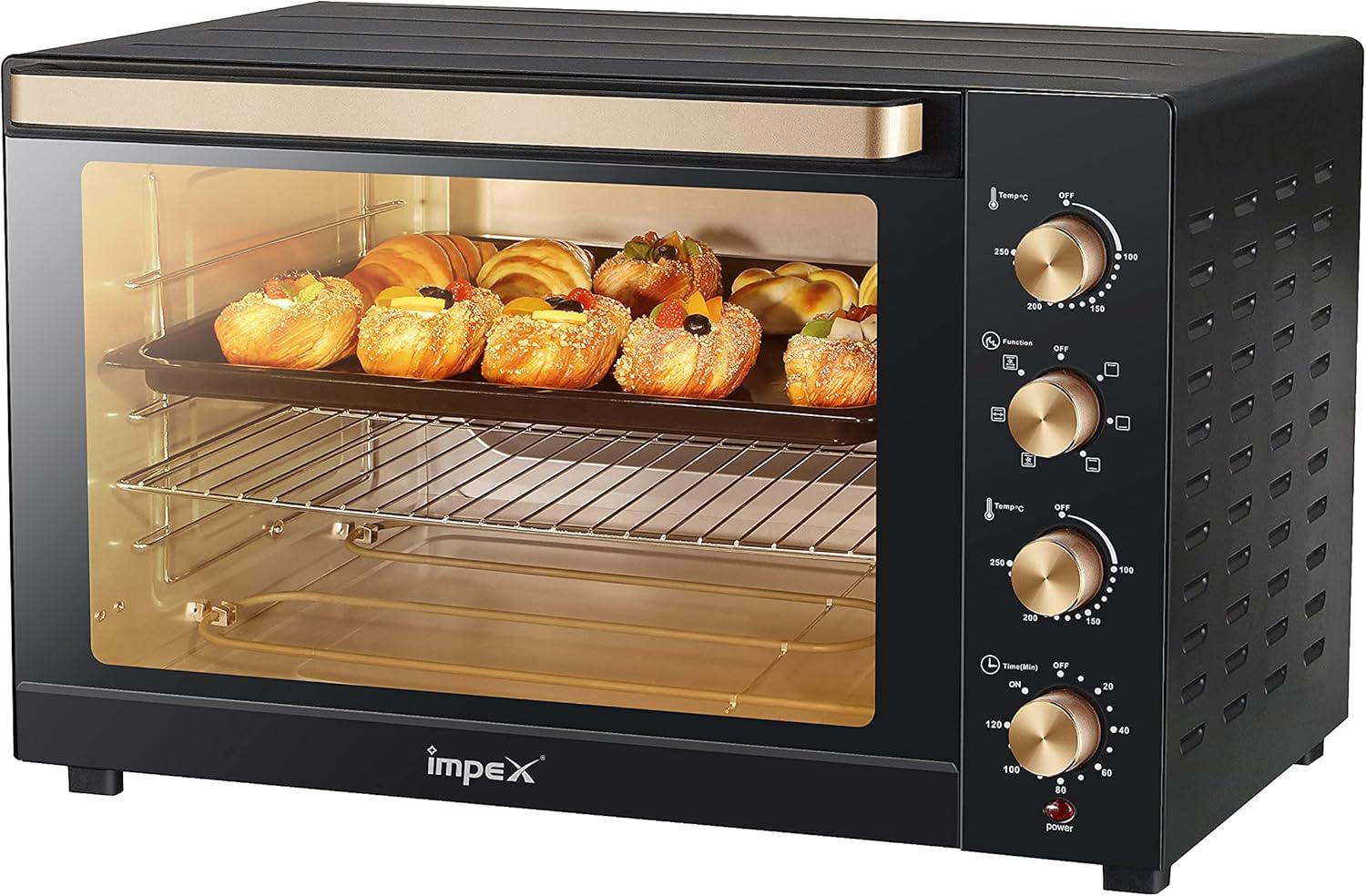
Figure 3.1: Front view of the Impex OV 2905 Electric Oven with control panel.
- Temperature Control Knob: Adjusts the oven temperature from 70°C to 230°C.
- Function Selector Knob: Selects heating modes (Off, Upper Heating, Lower Heating, Upper & Lower Heating, Rotisserie).
- Timer Knob: Sets the cooking time up to 60 minutes with a bell ring.
- Power Indicator Light: Illuminates when the oven is operating.
- Oven Door: Drop-down door with a metal handle.
- Heating Elements: Upper and lower stainless steel M-shape heating elements.
- Baking Rack: For placing baking trays and dishes.
- Baking Tray: For general baking and roasting.
- Rotisserie Spit: For roasting whole chickens or other meats.
- Crumb Tray: Collects crumbs and drips for easy cleaning.
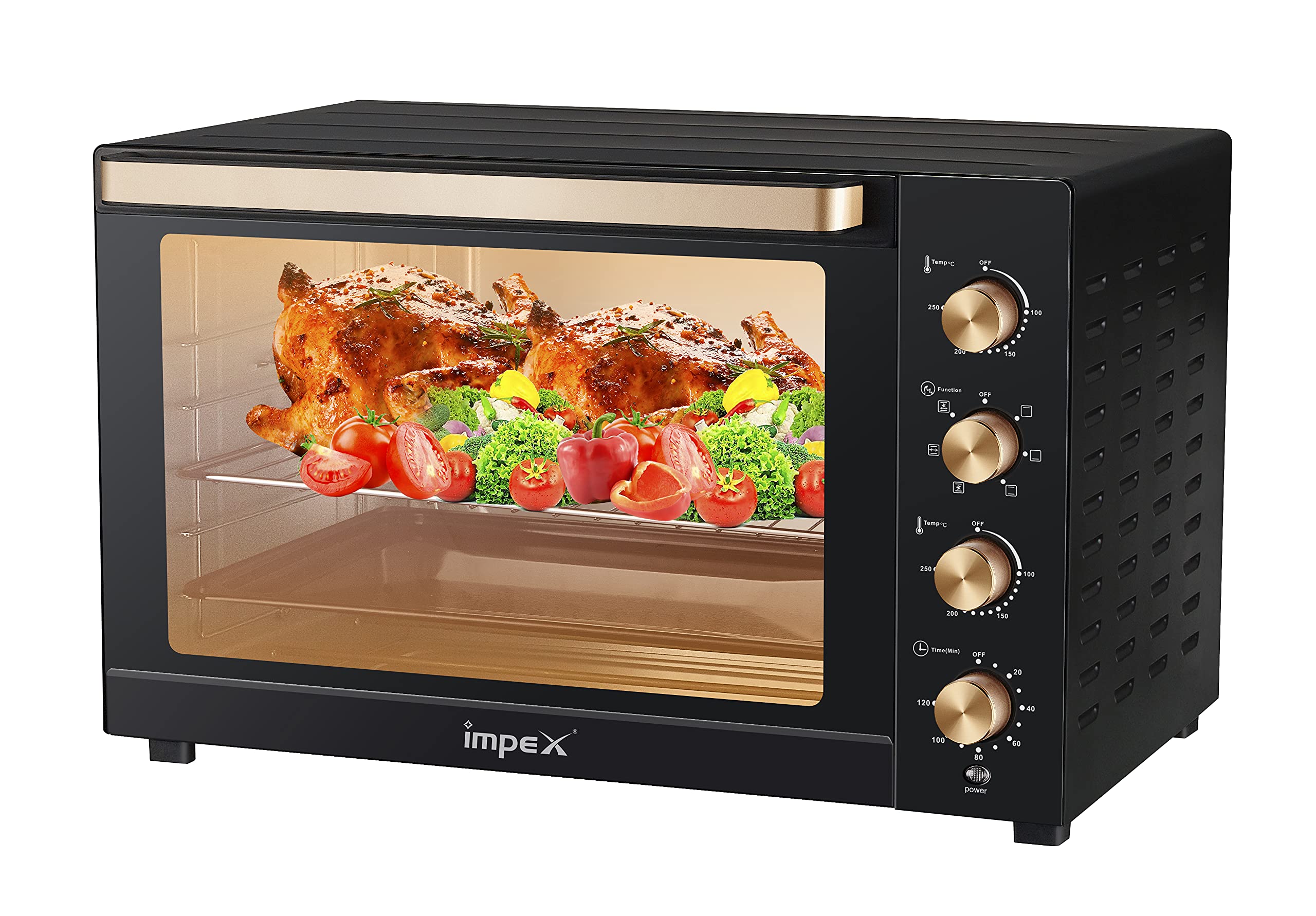
Figure 3.2: Impex OV 2905 Electric Oven with packaging, highlighting its capacity and rotisserie function.
4. Setup
Proper setup ensures safe and efficient operation of your electric oven.
4.1 Unpacking
- Carefully remove the oven from its packaging.
- Remove all packing materials, including any protective films or stickers.
- Check for any damage during transit. If the oven is damaged, do not operate it and contact customer support.
4.2 Placement
- Place the oven on a stable, heat-resistant, and level surface.
- Ensure there is adequate ventilation around the oven. Maintain a minimum clearance of 10 cm (4 inches) on all sides and above the oven to allow for proper airflow.
- Do not place the oven near flammable materials such as curtains, tablecloths, or walls.
- Keep the oven away from water sources or damp environments.
4.3 Initial Cleaning
Before first use, clean the oven to remove any manufacturing residues.
- Wipe the interior and exterior surfaces of the oven with a damp cloth and mild detergent.
- Wash the baking rack, baking tray, and rotisserie accessories in warm, soapy water. Rinse thoroughly and dry completely.
- Ensure all parts are dry before plugging in the oven.
4.4 Power Connection
- Ensure the oven is switched off (all knobs in the 'OFF' position).
- Plug the power cord into a grounded electrical outlet with the correct voltage (220-240V, 50/60 Hz).
5. Operating Instructions
This section details how to operate your Impex OV 2905 Electric Oven for various cooking tasks.
5.1 General Operation
- Place Food: Position the baking rack or tray with food inside the oven. For rotisserie, ensure the spit is correctly installed.
- Set Temperature: Turn the Temperature Control Knob to the desired temperature (70°C - 230°C).
- Select Function: Turn the Function Selector Knob to choose the desired heating mode:
- Upper Heating: Ideal for browning or grilling the top of food.
- Lower Heating: Suitable for baking items that require heat from the bottom.
- Upper & Lower Heating: Standard mode for most baking and roasting.
- Rotisserie: Activates the rotisserie motor for even roasting.
- Set Timer: Turn the Timer Knob to the desired cooking time (up to 60 minutes). The oven will start heating, and the power indicator light will illuminate. The oven will automatically turn off when the timer reaches zero, and a bell will ring.
- Monitor Cooking: You can observe the cooking process through the oven door.
- Finish Cooking: Once cooking is complete, carefully remove the food using oven mitts. Turn all knobs to the 'OFF' position and unplug the oven if not using it again immediately.
5.2 Pre-heating
For best results, especially in baking, pre-heat the oven to the desired temperature before placing food inside. Set the temperature and function, then set the timer for 10-15 minutes to allow the oven to reach the set temperature.
5.3 Rotisserie Function
The rotisserie function is perfect for roasting whole chickens or large cuts of meat evenly.
- Secure the food onto the rotisserie spit using the forks provided. Ensure the food is centered and balanced.
- Insert the pointed end of the spit into the rotisserie drive socket on the right side of the oven.
- Rest the square end of the spit on the support bracket on the left side.
- Select the 'Rotisserie' function using the Function Selector Knob.
- Set the desired temperature and cooking time.
- When cooking is complete, use the rotisserie handle to carefully remove the hot spit from the oven.
6. Maintenance and Cleaning
Regular cleaning and maintenance will prolong the life of your oven and ensure hygienic operation.
6.1 Before Cleaning
- Always unplug the oven from the power outlet before cleaning.
- Allow the oven to cool down completely before attempting to clean any part of it.
6.2 Exterior Cleaning
- Wipe the exterior surfaces with a soft, damp cloth.
- Do not use abrasive cleaners, scouring pads, or harsh chemicals, as they may damage the finish.
- Ensure no water enters the control panel area.
6.3 Interior Cleaning
- Remove the baking rack, baking tray, rotisserie spit, and crumb tray. Wash them in warm, soapy water, rinse, and dry thoroughly.
- Wipe the interior walls of the oven with a damp cloth and mild detergent. For stubborn stains, a non-abrasive oven cleaner designed for electric ovens can be used, following the product instructions carefully.
- Clean the crumb tray regularly to prevent grease buildup and potential fire hazards.
- Do not attempt to clean the heating elements directly. Any food residue on them will burn off during operation.
7. Troubleshooting
If you encounter issues with your oven, refer to the following table for common problems and solutions.
| Problem | Possible Cause | Solution |
|---|---|---|
| Oven does not turn on. | Not plugged in. Power outage. Timer not set. | Ensure the oven is securely plugged into a working outlet. Check your household's power supply. Turn the Timer Knob to the desired cooking time. |
| Oven not heating. | Temperature or function knob not set correctly. | Verify that both the Temperature Control Knob and Function Selector Knob are set to the desired settings. |
| Food not cooking evenly. | Incorrect rack position. Overcrowding. | Adjust the rack position for optimal heat distribution. Avoid overcrowding the oven; cook in batches if necessary. Rotate food halfway through cooking. |
| Rotisserie not rotating. | Food too heavy or unbalanced. Rotisserie function not selected. | Ensure food is balanced on the spit and not exceeding weight limits. Select the 'Rotisserie' function on the Function Selector Knob. |
| Smoke or unusual odor during first use. | Protective coatings burning off. | This is normal for the first few uses. Operate the oven empty at maximum temperature for 15-20 minutes in a well-ventilated area. |
If the problem persists after trying these solutions, please contact customer support.
8. Specifications
Detailed technical specifications for the Impex OV 2905 Electric Oven.
| Feature | Specification |
|---|---|
| Brand | Impex |
| Model | OV 2905 |
| Power | 2800 Watts |
| Capacity | 120 Liters |
| Dimensions (Product) | 74 x 60.8 x 51 cm |
| Item Weight | 18.78 Kilograms |
| Color | Black |
| Material Type | Metal |
| Door Material Type | Metal |
| Special Features | Temperature Control, Rotisserie Function |
| Control Type | Knob |
| Door Style | Drop Down Door |
| Included Components | 1 × Impex OV 2905 Electric Oven 2800W with Rotisserie Function, Temperature Control, 120 Liter Capacity, Black |
| Batteries Required | No |
9. Warranty and Support
Your Impex OV 2905 Electric Oven comes with a 2-year warranty, as indicated by the product information. Please retain your proof of purchase for warranty claims.

Figure 9.1: Impex OV 2905 Electric Oven highlighting key features including a 2-year warranty.
9.1 Warranty Information
- The warranty covers manufacturing defects under normal household use.
- It does not cover damage caused by misuse, accident, unauthorized modification, or failure to follow the instructions in this manual.
- For specific warranty terms and conditions, please refer to the warranty card included with your product or contact Impex customer service.
9.2 Customer Support
If you have any questions, require technical assistance, or need to make a warranty claim, please contact Impex customer support through your retailer or the official Impex website. Provide your product model number (OV 2905) and proof of purchase when contacting support.
