
1. Introduction
This instruction manual provides detailed information on the setup, operation, maintenance, and troubleshooting of your new AKB75595331 Replacement Remote Control. This remote is designed as a direct replacement for various LG Sound Bar models, ensuring seamless compatibility without the need for complex programming.
Compatible LG Sound Bar Models include: SL6Y, SPL5B-W, SN6Y, SPN5B-W, SL4, SPH4B-W, SL5Y, SN7CY, SNC4R, SPJ4-S, S65S3-S, SL4Y, SL7Y, SLM4R, SN6, SPN5BM-W, SN4A.
2. Product Overview
The AKB75595331 replacement remote control is a compact and ergonomic device designed for intuitive control of your LG Sound Bar. It features essential buttons for power, volume, playback, and sound effects.

Figure 2.1: Front view of the AKB75595331 Replacement Remote Control. This image shows the remote's layout with all buttons clearly visible, including power, volume, playback, and function buttons.
2.1 Button Functions
| Button | Function |
|---|---|
| Power | Turns the LG Sound Bar on or off. |
| VOL + / - | Increases or decreases the volume level. |
| Mute | Mutes or unmutes the sound. |
| F | Function/Input selection. Cycles through available input sources. |
| ⏮ (Previous) | Skips to the previous track/file. |
| ⏸ (Play/Pause) | Plays or pauses audio playback. |
| ⏭ (Next) | Skips to the next track/file. |
| SOUND EFFECT | Cycles through various sound effects or audio modes. |
| FOLDER ▲ / ▼ | Navigates through folders or directories. |
| ⓘ (Info) | Displays information about the current track or system status. |
| REPEAT | Toggles repeat playback modes (e.g., repeat one, repeat all). |
3. Setup
3.1 Battery Installation
The remote control requires two (2) 1.5V AAA alkaline batteries (not included) for operation.
- Locate the battery compartment on the back of the remote control.
- Slide open the battery compartment cover.
- Insert two AAA batteries, ensuring the positive (+) and negative (-) terminals align correctly with the markings inside the compartment.
- Close the battery compartment cover securely until it clicks into place.
Important: No programming or pairing is needed for this replacement remote. Simply insert new batteries, and it is ready to use with your compatible LG Sound Bar.
4. Operating Instructions
Once batteries are installed, point the remote control directly at your LG Sound Bar. Ensure there are no obstructions between the remote and the sound bar's infrared receiver.
4.1 Basic Operation
- To turn the sound bar on or off, press the Power button.
- To adjust the volume, press the VOL + or VOL - buttons.
- To mute the sound, press the Mute button. Press again to unmute.
- To change the input source (e.g., Bluetooth, Optical, HDMI), press the F (Function) button repeatedly until the desired input is selected.
4.2 Advanced Functions
- Use the ⏮ (Previous), ⏸ (Play/Pause), and ⏭ (Next) buttons to control media playback if your sound bar supports it (e.g., via USB or Bluetooth streaming).
- Press the SOUND EFFECT button to cycle through different audio presets like Standard, Bass Blast, Cinema, etc., depending on your sound bar model.
- The FOLDER ▲ / ▼ buttons are used for navigating folders when playing media from a USB device.
- The REPEAT button allows you to set playback to repeat a single track or all tracks in a folder.
- Press the ⓘ (Info) button to display current track information or sound bar status on compatible models.
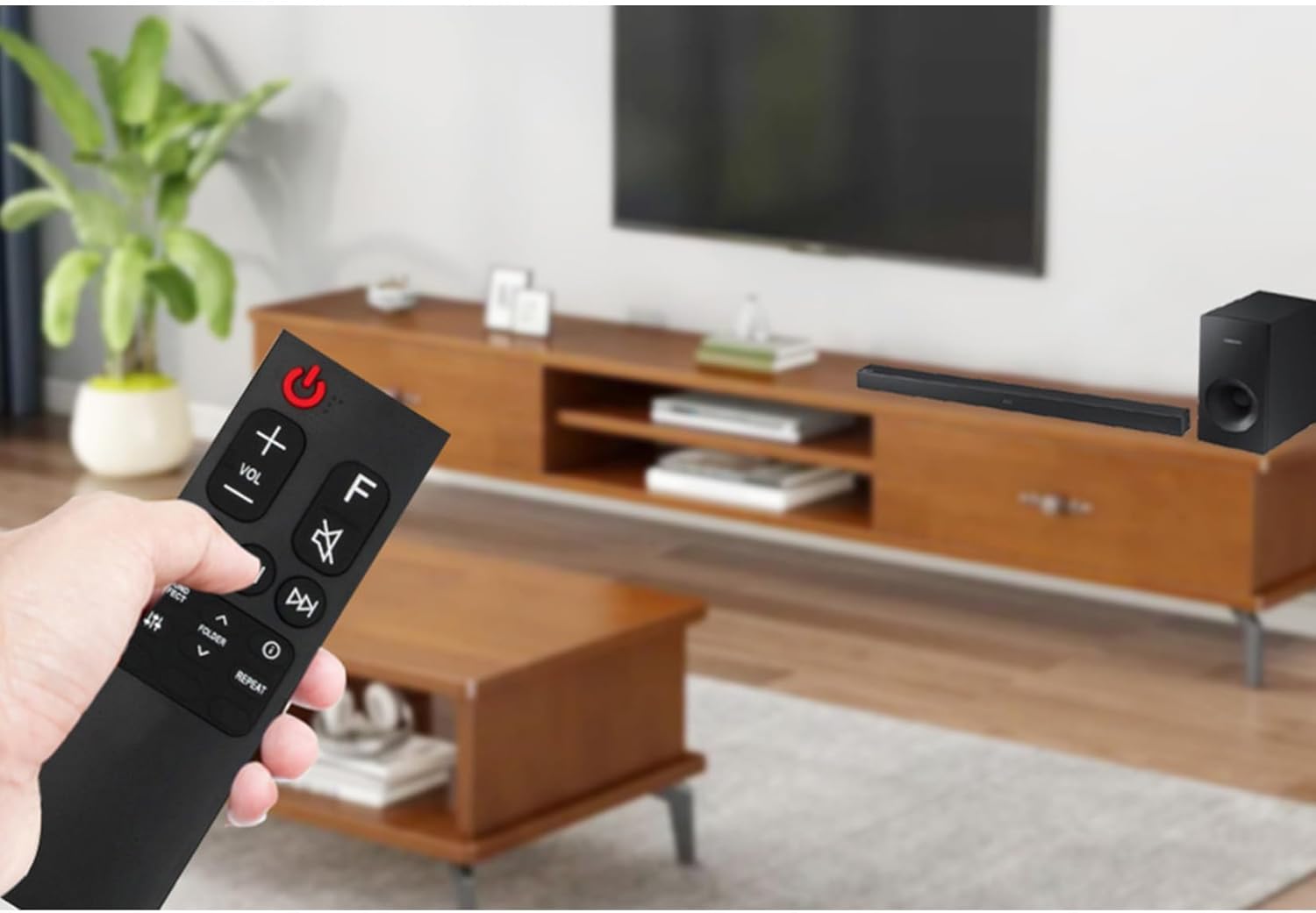
Figure 4.1: Illustrative image of the remote control being used in a home entertainment setup with an LG Sound Bar. This demonstrates the typical usage scenario.
5. Maintenance
5.1 Cleaning
To clean the remote control, gently wipe its surface with a soft, dry cloth. For stubborn dirt, slightly dampen the cloth with water or a mild, non-abrasive cleaner. Do not use harsh chemicals or abrasive materials, as they may damage the remote's finish or internal components.
5.2 Battery Replacement
Replace batteries when the remote control's response becomes sluggish or stops working. Always replace both batteries at the same time with new 1.5V AAA alkaline batteries. Do not mix old and new batteries, or different types of batteries.
5.3 Storage
Store the remote control in a cool, dry place away from direct sunlight, extreme temperatures, and high humidity. If the remote will not be used for an extended period, it is recommended to remove the batteries to prevent leakage and potential damage.
6. Troubleshooting
If you experience issues with your remote control, please refer to the following common problems and solutions:
| Problem | Possible Cause | Solution |
|---|---|---|
| Remote not working. | Dead or incorrectly inserted batteries. | Replace batteries with new ones, ensuring correct polarity (+/-). |
| Remote has limited range or intermittent response. | Weak batteries; Obstruction between remote and sound bar; Remote not pointed directly at sound bar. | Replace batteries. Remove any objects blocking the line of sight. Point the remote directly at the sound bar's IR receiver. |
| Specific buttons not responding. | Dirt or debris under the button; Internal malfunction. | Clean the remote surface. If the issue persists after battery replacement and cleaning, the remote may require replacement. |
| Remote works but does not control the sound bar. | Incompatible sound bar model. | Verify your LG Sound Bar model is listed in the compatible models section (Section 1). |
7. Specifications
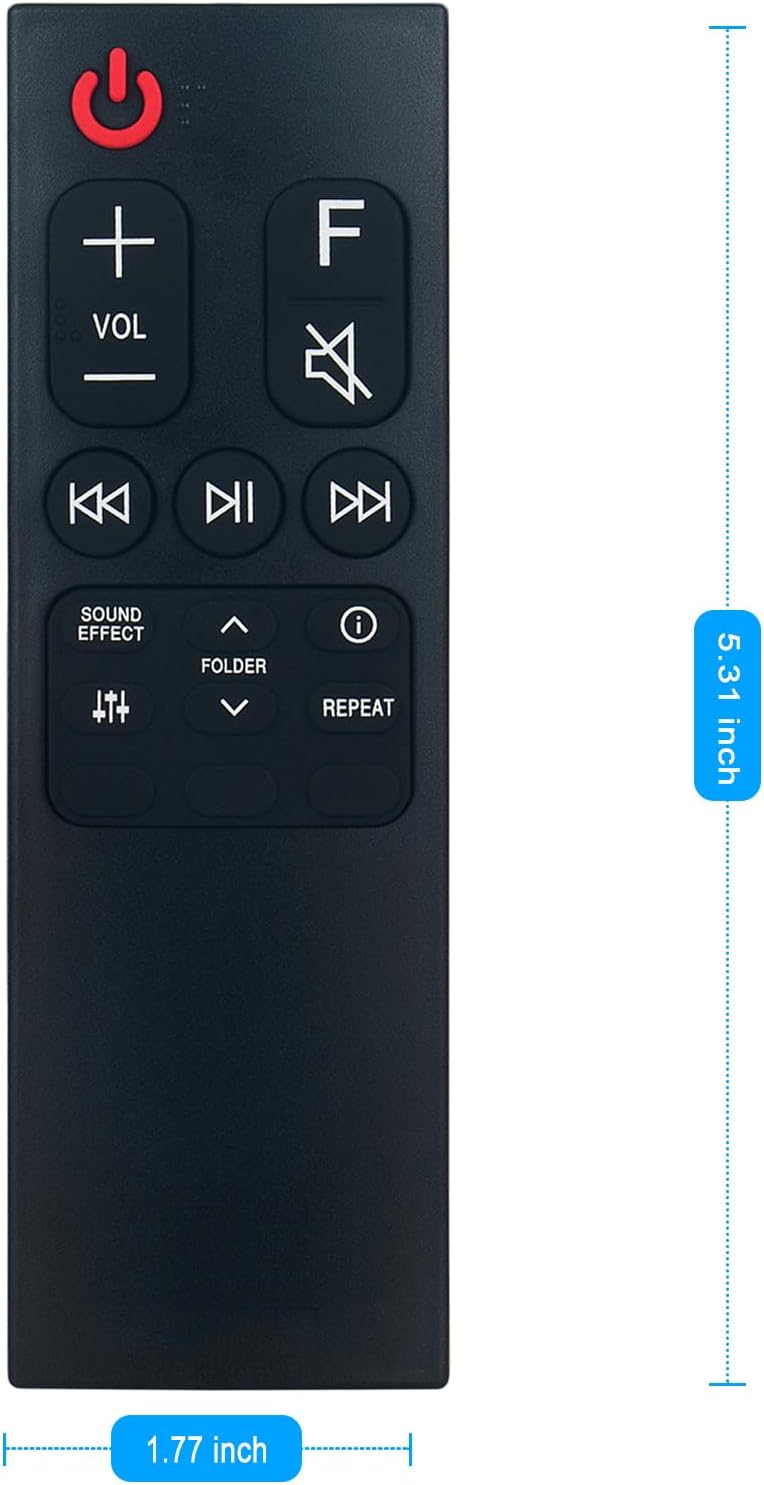
Figure 7.1: Dimensions of the AKB75595331 Replacement Remote Control, showing its length and width.
- Model Number: GSS3946
- Compatible Remote Part Number: AKB75595331
- Brand: ZdalaMit
- Product Dimensions: 4 x 2 x 0.5 inches (approximately 10.16 x 5.08 x 1.27 cm)
- Item Weight: 1.41 ounces (approximately 40 grams)
- Power Supply: 2 x 1.5V AAA Alkaline Batteries (not included)
- Color: Black
- Special Feature: Pre-Programmed (No setup required)
- Max Number of Supported Devices: 1 (LG Sound Bar)
- Compatible Devices: LG Sound Bar models as listed in Section 1.
8. Warranty and Support
This replacement remote control is designed for reliable performance. While specific warranty details are not provided in this manual, please refer to the retailer's return policy or contact the seller directly for any product-related inquiries or support needs.
For further assistance or troubleshooting beyond this manual, please contact the seller or manufacturer through the platform where the product was purchased. Provide your order details and a clear description of the issue for prompt support.


