
Introduction
The Oral-B Water Flosser Advanced is a cordless, portable oral irrigator designed to enhance your oral hygiene routine. It utilizes Oxyjet Technology, which enriches water with microbubbles of air to assist in removing plaque bacteria for healthier gums. This device features a rechargeable battery for convenience and an on-demand button for controlled use. It offers personalized streams and multiple flossing modes to suit individual cleaning preferences.
Important Safety Information
- Consult with a dental professional before use if you have periodontal disease, severe gum recession, or have recently undergone oral surgery.
- Keep the device out of reach of children.
- Avoid direct contact with eyes.
- Do not submerge the device in water or use it while charging.
What's Included
Your Oral-B Water Flosser Advanced package includes:
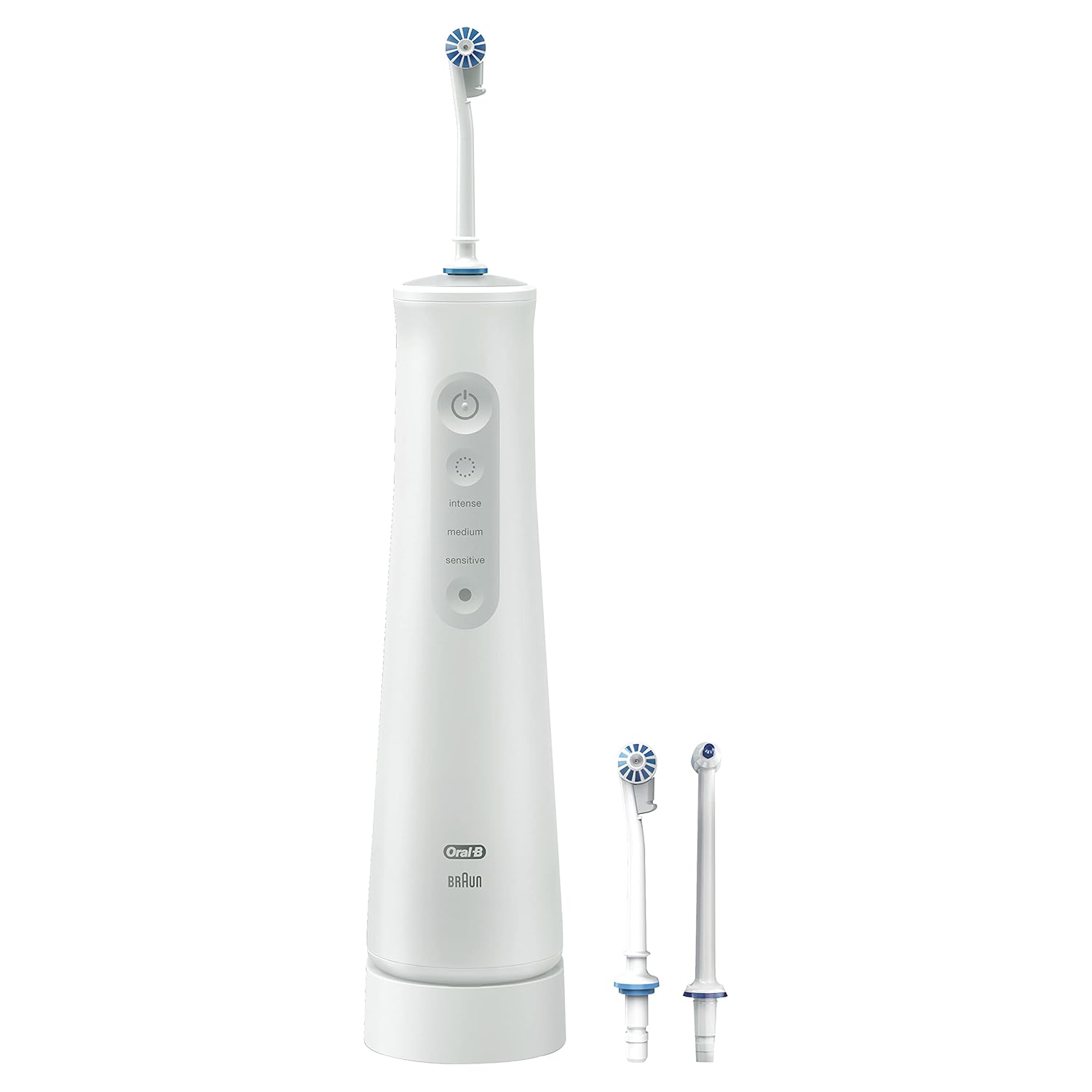
- 1 x Water Flosser Advanced Portable Handle
- 1 x Charger
- 3 x Nozzles (2 Aquafloss, 1 Precision Jet)
Setup
- Unpack: Remove the water flosser from its packaging.
- Clean: Clean all removable parts with warm, soapy water.
- Assemble: Assemble the water flosser handle, water reservoir, and charger.
- Fill Reservoir: Fill the water reservoir with water. Warm water is recommended for sensitive teeth.
- Attach Nozzle: Attach the desired nozzle (Aquafloss or Precision Jet) to the water flosser handle.

Operating Instructions
- Power On: Press the power button to turn on the water flosser.
- Positioning: Lean over the sink and place the nozzle in your mouth, aiming at your gumline.
- Select Mode: Press the flossing mode button to select your desired cleaning pressure: Intense, Medium, or Sensitive.
- Floss: Aim the nozzle at your gumline and along the tooth surface. Move the nozzle along your gumline and between your teeth.
- Repeat: Repeat the process for each quadrant of your mouth.
- Power Off: Turn off the water flosser and empty the water reservoir after use.
The on-demand button provides precise control over the water flow, minimizing mess during use. The personalized streams include Multi-Jet for all-around cleaning, Focused for targeted cleaning, and Rotational for gum massage.


Maintenance
Regular cleaning ensures optimal performance and hygiene:
- After each use, empty any remaining water from the reservoir.
- Clean all removable parts, including the reservoir and nozzles, with warm, soapy water. Rinse thoroughly.
- Wipe the main unit with a damp cloth. Do not submerge the main unit in water.
- Store the device in a dry place.
Troubleshooting
If you encounter issues with your Oral-B Water Flosser Advanced, consider the following:
- No water flow: Ensure the reservoir is filled and the nozzle is correctly attached. Check for any blockages in the nozzle.
- Weak water pressure: Verify that the selected flossing mode is appropriate for your desired intensity. Ensure the device is fully charged.
- Device not charging: Confirm the charger is properly connected to both the device and a power outlet.
For persistent issues, please refer to the support section or contact customer service.
Specifications
| Brand Name | Oral-B |
| Model Number | 069055131220 |
| ASIN | B09884PYW7 |
| Package Dimensions | 10.24 x 6.38 x 2.64 inches |
| Item Weight | 1.5 Pounds |
| Power Source | Battery Powered |
| Additional Features | Portable, Rechargeable |
| Color | White |
| Material Type | Plastic |
Warranty and Support
Specific warranty details and support contact information are typically provided with your product packaging or on the manufacturer's official website. Please refer to those resources for the most accurate and up-to-date information regarding your Oral-B Water Flosser Advanced.


