
1. Introduction
This manual provides instructions for the proper use and handling of the Liene Amber Series 4x6 inch Photo Paper and Ink Cartridge Refill. This refill pack is designed for specific Liene Amber photo printer models to ensure optimal print quality and performance.
2. Compatibility
This refill pack is only compatible with the following Liene Amber 4" x 6" Photo Printer models:
- Liene Amber M100
- Liene Amber M200
- Liene Amber M110
- Liene Amber M210
- Printer models: DHP512, DHP513, DHP514, DHP515
Important: This refill pack is not compatible with the Liene PIXCUT S1 printer or any other photo printers not listed above.

Figure 2.1: Visual guide for printer compatibility. The refill pack is compatible with Liene Amber series printers (top) and not compatible with Liene PixCut S1 (bottom).
3. Package Contents
Each refill pack contains the following items:
- 40 sheets of 4" x 6" photo paper
- 1 ink cartridge
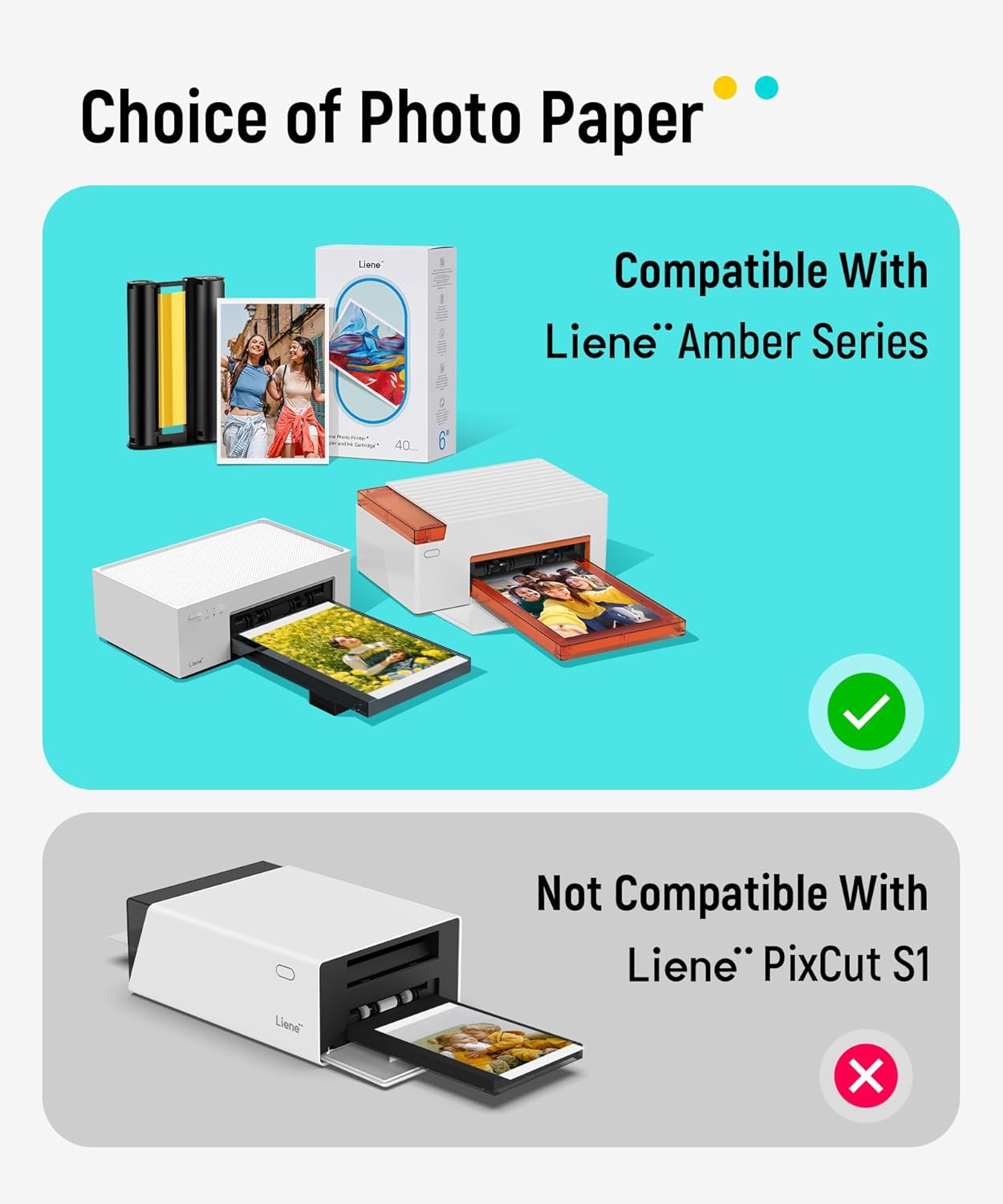
Figure 3.1: Contents of the Liene Amber Series refill pack, including 40 sheets of photo paper and one ink cartridge.
4. Setup and Installation
4.1. Installing the Ink Cartridge
- Ensure your Liene Amber photo printer is powered off.
- Locate the ink cartridge slot on your printer. Refer to your printer's specific manual for exact location.
- Gently insert the new ink cartridge into the slot until it clicks into place. Ensure it is securely seated.
4.2. Loading Photo Paper
- Open the paper tray of your Liene Amber photo printer.
- Place the 4" x 6" photo paper into the paper tray with the glossy side facing up. Ensure the paper stack is aligned correctly and does not exceed the maximum capacity of the tray.
- Close the paper tray.

Figure 4.1: Steps for refilling the ink cartridge and loading photo paper into a compatible Liene Amber printer.
5. Operation and Print Quality
The Liene Amber Series refill pack utilizes thermal dye sublimation technology to produce high-quality prints. This process involves three different dyes (Cyan, Magenta, Yellow) that are applied sequentially to the photo paper, followed by a protective layer.

Figure 5.1: Illustration of the multi-layered photo paper designed for thermal dye sublimation, offering waterproof, fingerprint-proof, and anti-oxidation features.
5.1. Print Characteristics
- High-Quality Output: The improved paper material enhances color reproduction, ensuring authentic and vibrant images.
- Durable Prints: Thermal dye sublimation allows dyes to penetrate the paper, resulting in longer-lasting photos compared to standard photo paper.
- Enhanced Protection: A strengthened protective layer is applied during printing, making photos resistant to scrapes, oxidation, and water. This layer covers the image completely without blind spots.
- Standard Size: Each photo paper measures 4" x 6". Crop areas on both sides of the paper are designed to prevent fingerprints from affecting the printed output and can be easily removed after printing.
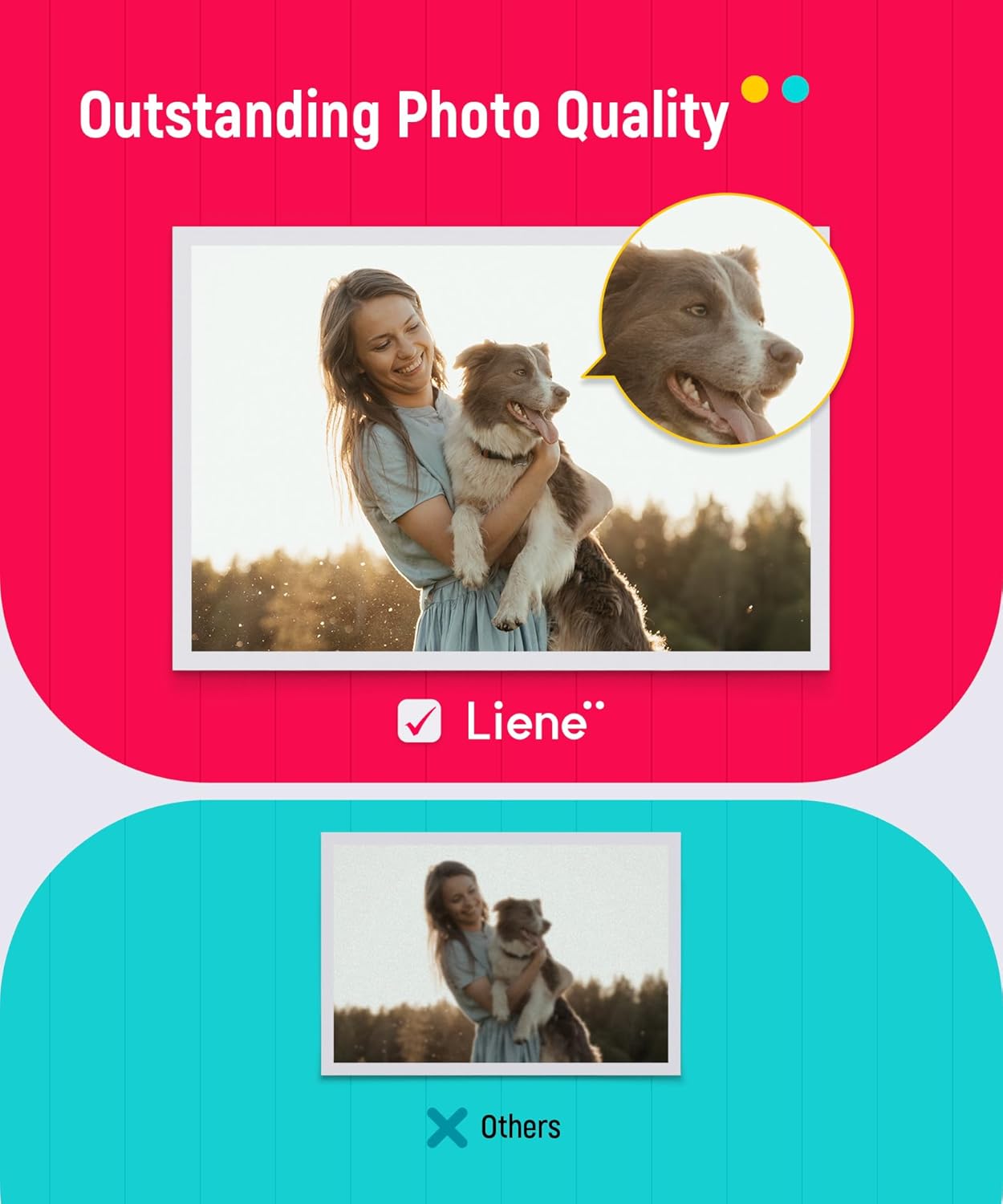
Figure 5.2: Example of print quality achieved with Liene Amber Series photo paper and ink cartridge.
6. Maintenance
To ensure the longevity of your prints and optimal performance of your refill pack:
- Store unused photo paper and ink cartridges in their original packaging in a cool, dry place away from direct sunlight.
- Avoid touching the glossy surface of the photo paper before printing to prevent fingerprints.
- Do not expose printed photos to extreme temperatures or humidity for extended periods.
7. Troubleshooting
If you encounter issues while using the Liene Amber Series Photo Paper and Ink Cartridge Refill, consider the following:
- Poor Print Quality:
- Ensure the ink cartridge is correctly installed and not depleted.
- Verify that the photo paper is loaded with the glossy side facing up.
- Check for any dust or debris in the printer's paper path (refer to your printer manual for cleaning instructions).
- Paper Not Feeding:
- Ensure the paper stack is not too thick or too thin.
- Align the paper guides in the tray correctly.
- Confirm the paper is 4" x 6" and specifically designed for Liene Amber printers.
- Compatibility Issues:
- Double-check that your printer model is listed as compatible in Section 2. This refill pack is not universal.
8. Specifications
| Feature | Detail |
|---|---|
| Product Type | Photo Paper & Ink Cartridge Refill |
| Brand | LIENE |
| Compatible Printer Models | Liene Amber M100, M200, M110, M210 (DHP512, DHP513, DHP514, DHP515) |
| Paper Size | 4" x 6" (10.2 x 15.2 cm) |
| Sheet Count | 40 sheets |
| Ink Cartridge Count | 1 cartridge |
| Printing Technology | Thermal Dye Sublimation |
| Paper Finish | Glossy |
| Paper Features | Water Resistant, Fingerprint Proof, Anti-oxidation |
9. Warranty and Support
For information regarding product warranty or technical support, please refer to the documentation provided with your Liene Amber photo printer or visit the official Liene website. Keep your purchase receipt for warranty claims.