
VEGER VEGER 30000mAh Power Bank
VEGER 30000mAh Portable Power Bank User Manual
Model: VEGER 30000mAh Power Bank
Introduction
Thank you for choosing the VEGER 30000mAh Portable Power Bank. This device is designed to provide reliable and fast charging for your electronic devices on the go. With its high capacity and multiple output ports, you can keep your smartphones, tablets, and other USB-powered devices charged throughout the day. Please read this manual carefully before using the product to ensure optimal performance and safety.
Product Overview
The VEGER 30000mAh Portable Power Bank features a sleek design with an LED display for battery percentage, multiple output ports for simultaneous charging, and dual input options for convenient recharging.
Key Features
- High Capacity: 30000mAh battery for extended power.
- Fast Charging: 3A output for quick device charging.
- LED Display: Digital screen shows precise battery percentage.
- Multiple Outputs: Three output ports (2x USB-A, 1x USB-C) to charge up to three devices simultaneously.
- Dual Inputs: Micro USB and USB-C input ports for recharging the power bank.
- Universal Compatibility: Compatible with a wide range of smartphones, tablets, and other USB-powered devices.
- Slim Design: Portable and easy to carry.
Package Contents

This image shows the VEGER 30000mAh Portable Power Bank, a mesh carrying pouch, a USB charging cable, and a welcome guide/user manual.
- VEGER 30000mAh Portable Power Bank
- USB Charging Cable
- Mesh Carrying Pouch
- Welcome Guide / User Manual
Setup
Initial Charge
Before first use, it is recommended to fully charge your VEGER Portable Power Bank. This ensures the battery is calibrated and ready for optimal performance.
- Connect the provided USB charging cable to either the Micro USB Input or USB-C Input port on the power bank.
- Connect the other end of the cable to a USB wall charger (not included) or a computer's USB port. For faster charging, use a 5V/2A or higher output wall charger.
- The LED display will show the charging percentage. The numbers will flash during charging and become solid 100 when fully charged.

This image illustrates the two ways to recharge the power bank: via the Micro USB input or the USB-C input port.
Operating Instructions
Charging Your Devices
The VEGER Portable Power Bank can charge up to three devices simultaneously.
- Identify the appropriate charging cable for your device (e.g., USB-A to Lightning, USB-A to USB-C, USB-C to USB-C).
- Connect one end of your device's charging cable to one of the power bank's output ports (Output 1, Output 2, or USB-C Output).
- Connect the other end of the cable to your device.
- The power bank will automatically begin charging your device. The LED display will show the remaining battery percentage of the power bank.
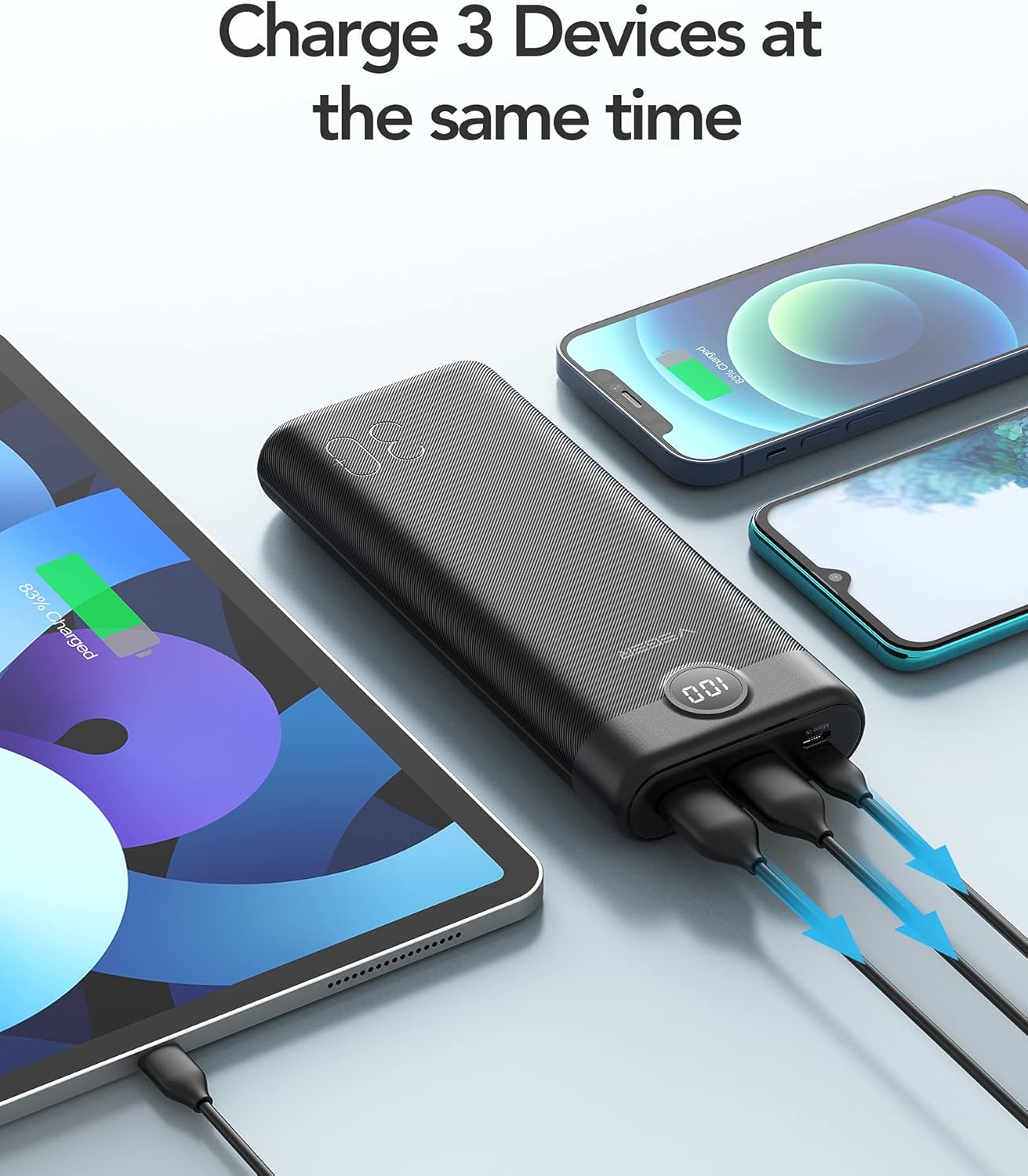
This image demonstrates the power bank's ability to charge three devices at once, including a smartphone, another smartphone, and a tablet.
The 30000mAh capacity provides multiple charges for various devices:

This image illustrates the approximate number of full charges the 30000mAh power bank can provide for different devices, such as iPads, Samsung phones, and iPhones.
Checking Battery Level
The integrated LED display shows the exact percentage of remaining battery power. Simply press the power button once to activate the display.
A close-up view of the power bank's LED digital display, showing a full charge of 100%.
Maintenance and Care
- Storage: Store the power bank in a cool, dry place away from direct sunlight and extreme temperatures.
- Cleaning: Use a soft, dry cloth to clean the surface of the power bank. Do not use harsh chemicals or abrasive materials.
- Charging Cycle: To prolong battery life, fully charge and discharge the power bank at least once every three months if not in regular use.
- Avoid Drops: Protect the power bank from drops, impacts, and excessive vibrations.
- Water Exposure: Keep the power bank away from water and high humidity.
Troubleshooting
| Problem | Possible Cause | Solution |
|---|---|---|
| Power bank not charging devices. | Low battery on power bank; faulty cable; device not compatible; power bank in standby mode. | Recharge the power bank; try a different charging cable; ensure device is compatible; press the power button to activate output. |
| Power bank not recharging. | Faulty input cable; charger not providing enough power; damaged input port. | Try a different charging cable and wall adapter; ensure wall adapter is 5V/2A or higher; contact support if port is damaged. |
| LED display not working. | Power bank completely discharged; internal fault. | Attempt to charge the power bank for several hours; if still unresponsive, contact customer support. |
| Slow charging. | Cable resistance; device input limit; multiple devices charging. | Use a high-quality, shorter cable; check your device's charging specifications; charge fewer devices simultaneously for faster charging. |
Specifications
| Feature | Detail |
|---|---|
| Model | VEGER 30000mAh Power Bank |
| Battery Capacity | 30000 Milliamp Hours (mAh) |
| Input Ports | Micro USB, USB Type C |
| Output Ports | 2x USB-A, 1x USB Type C |
| Voltage | 5 Volts |
| Special Features | Fast Charging, Portable Charger, LED Display |
| Product Dimensions | 6.73 x 2.81 x 0.98 inches |
| Item Weight | 1.28 pounds |
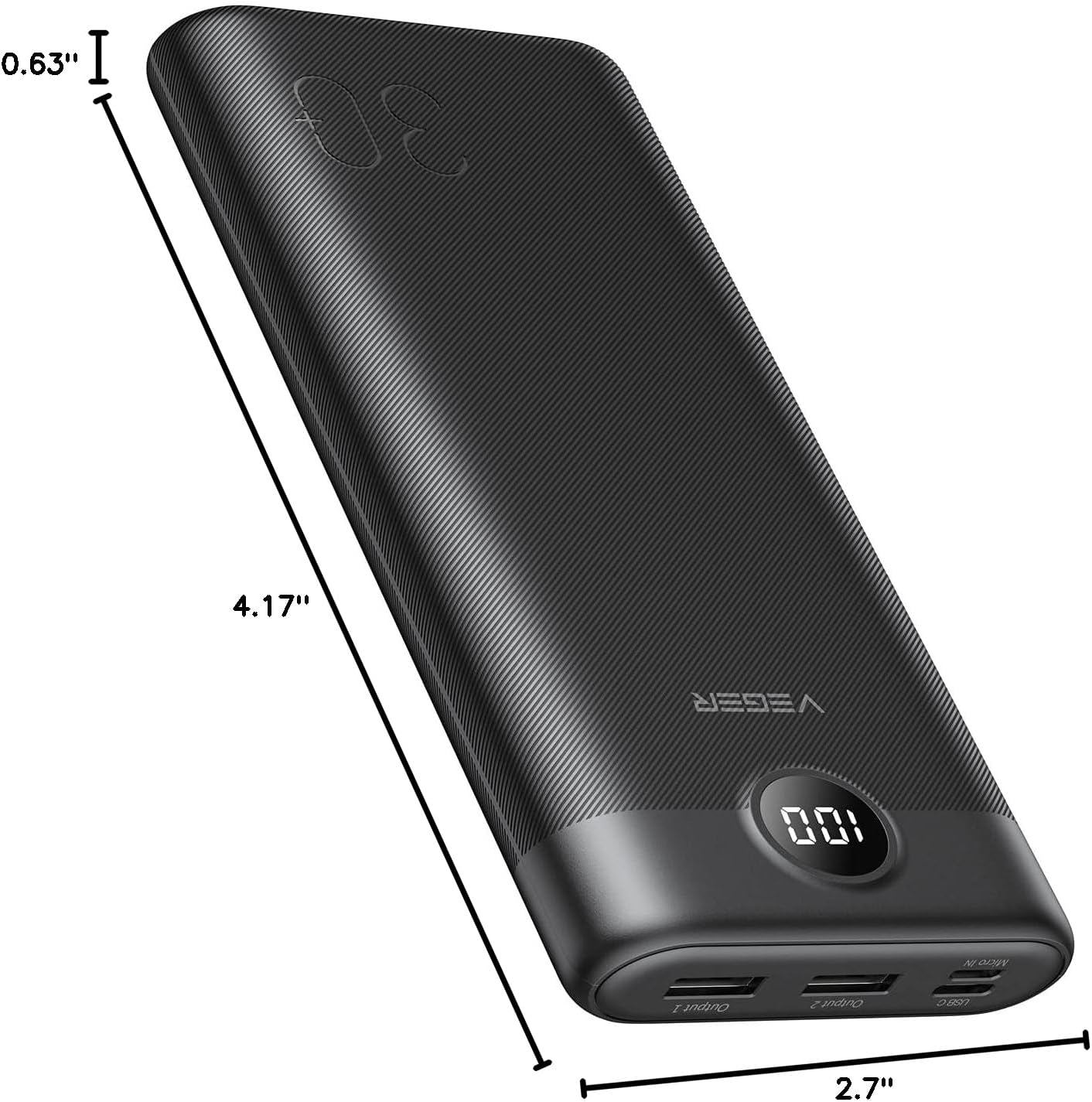
This image provides a visual representation of the power bank's dimensions, highlighting its slim profile.
Warranty and Support
VEGER products come with a standard manufacturer's warranty. Please refer to the warranty card included in your package for specific terms and conditions. For technical support, troubleshooting assistance, or warranty claims, please contact VEGER customer service through the retailer's platform or the official VEGER website.
Contact Information:
- Online Support: Visit the official VEGER website for FAQs and support resources.
- Email: Refer to your product packaging or welcome guide for customer service email.
Related Documents - VEGER 30000mAh Power Bank
 |
Інструкція з використання Power Bank VEGER V3008 30000mAh Посібник користувача для портативного зарядного пристрою VEGER V3008 ємністю 30000mAh. Дізнайтеся про комплектацію, опис товару, способи заряджання, технічні характеристики та рекомендації щодо догляду та використання. |
 |
VEGER W3008 30000mAh Power Bank: User Manual and Specifications Get detailed information on the VEGER W3008 30000mAh Universal Power Bank. This guide covers specifications, charging instructions, product care, troubleshooting, and WEEE compliance. |
 |
VEGER V1171 Portable Power Bank Welcome Guide A comprehensive welcome guide for the VEGER V1171 portable power bank, covering package contents, product features, charging instructions, battery level check, product care, and customer support information. |
 |
VEGER V0567 5000mAh Power Bank User Manual User manual for the VEGER V0567 5000mAh Universal Power Bank, detailing its features, specifications, charging instructions, and product care. |
 |
VEGER V2708 27000mAh Павербанк: Повна інструкція з експлуатації та безпеки Посібник користувача для павербанка VEGER V2708 (27000mAh, 20W). Дізнайтеся про комплектацію, безпечне використання, заряджання пристроїв, технічні характеристики та правила догляду. |
 |
VEGER Product Safety and Warning Information Comprehensive safety and warning guidelines for VEGER electronic products, covering usage, charging, battery disposal, and environmental considerations in multiple languages. |