
1. Introduction
This manual provides essential information for the safe and efficient use of your EHO 100W PD 3.0 PPS 4-Port GaN III Fast Charger. This device is designed to provide high-speed charging for a wide range of electronic devices, including laptops, tablets, and smartphones, utilizing advanced GaN III technology for improved efficiency and a compact form factor.
2. Safety Information
- Do not expose the charger to liquids, extreme temperatures, or high humidity.
- Do not disassemble, modify, or attempt to repair the charger. This will void the warranty and may cause damage or injury.
- Ensure the charger is plugged into a properly grounded wall outlet.
- Avoid using damaged cables or adapters, as this may lead to electric shock or fire.
- Keep out of reach of children.
- The charger may become warm during operation, especially under full load. This is normal. If it becomes excessively hot, disconnect it immediately.
3. Package Contents
- EHO 100W PD 3.0 PPS 4-Port GaN III Fast Charger (charging station)
Note: Charging cables are not included and must be purchased separately.
4. Product Overview
The EHO 100W GaN III Fast Charger features a compact design with a foldable plug for portability. It includes four charging ports: three USB-C ports (C1, C2, C3) and one USB-A port (A).

Image: Front view of the EHO 100W 4-Port GaN III Fast Charger, showing the three USB-C ports (C1, C2, C3) and one USB-A port (A), along with the EHO logo and power specifications.

Image: A close-up view of the charger's output side, highlighting the labels for C1 (100W), C2 (100W), C3 (PD3.0 20W), and QC3.0 18W for the USB-A port.

Image: A hand holding the EHO charger, demonstrating its 90-degree foldable pins for easy storage and travel.
5. Setup
- Unfold the Plug: Gently unfold the AC prongs from the charger body until they lock into place.
- Connect to Power Outlet: Plug the charger into a standard wall outlet (AC 100-240V).
- Connect Devices: Use appropriate charging cables (not included) to connect your devices to the desired USB-C or USB-A ports on the charger.
- Verify Charging: Ensure your devices indicate that they are charging.
6. Operating Instructions
The EHO 100W charger intelligently distributes power based on the connected devices. Below are the typical power outputs for various configurations:

Image: A diagram illustrating the power output distribution across the four ports (C1, C2, C3, A) when one, two, three, or four devices are connected simultaneously. For example, C1 and C2 can each deliver 100W when used alone, but when all four ports are in use, power is distributed as 45W (C1), 30W (C2), 7.5W (C3), and 7.5W (A).
Single Port Usage:
- USB-C1 or USB-C2: Up to 100W Power Delivery (PD 3.0) for laptops like MacBook Pro 16".
- USB-C3: Up to 20W Power Delivery (PD 3.0) for smartphones and smaller tablets.
- USB-A: Up to 18W Quick Charge (QC 3.0) for compatible devices.
Multi-Port Usage:
- When multiple devices are connected, the charger intelligently adjusts power output to each port. Refer to the power distribution diagram for specific output scenarios.
- For optimal fast charging of high-power devices like laptops, use USB-C1 or USB-C2.
- PPS Charging: USB-C1 supports PPS (Programmable Power Supply) for super-fast charging compatible Samsung devices (e.g., Galaxy S21 Ultra 66% in 30 minutes). When C1 and C2 are both used, only C1 supports PPS (Max 45W).
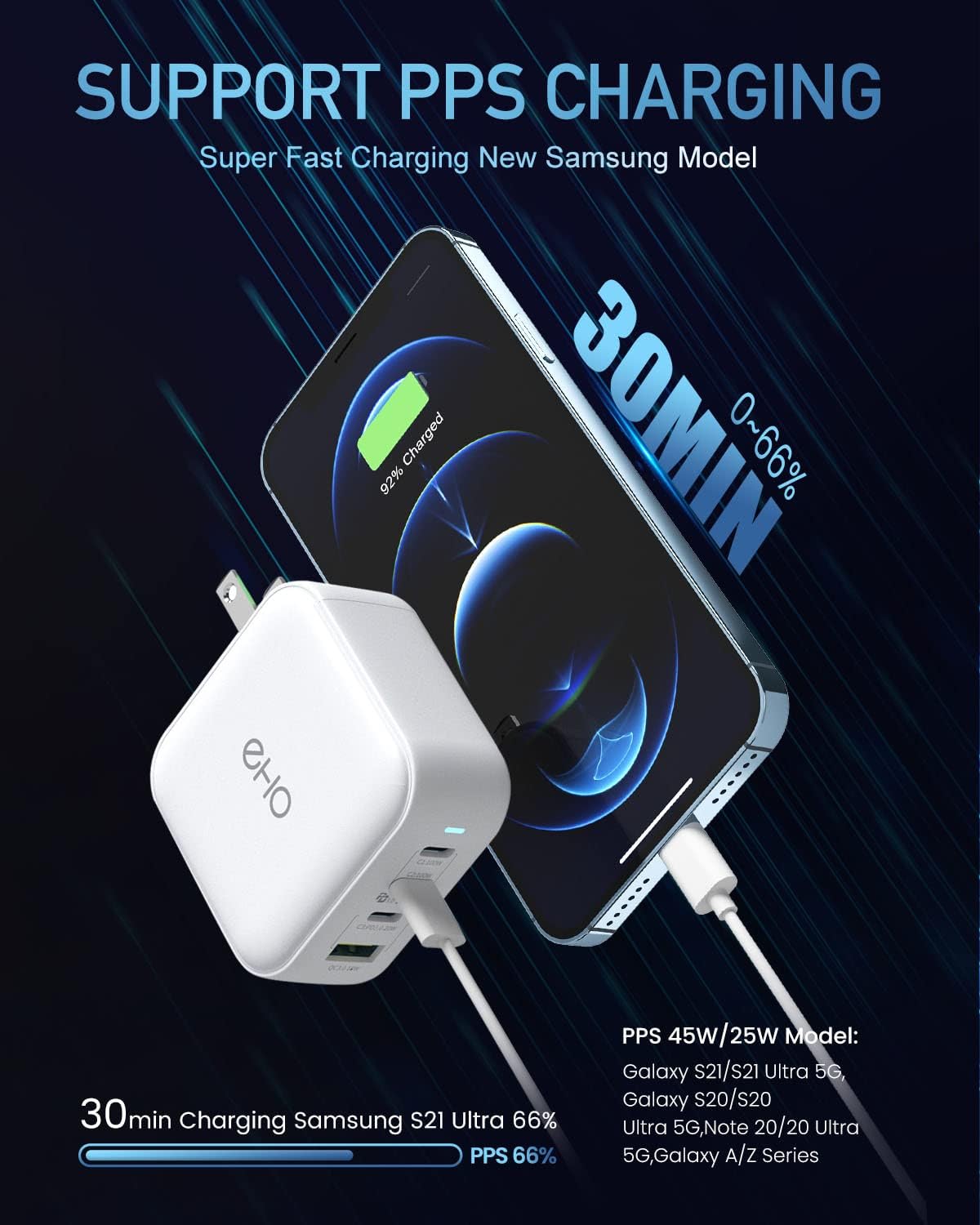
Image: The EHO charger connected to a Samsung smartphone, illustrating the PPS super-fast charging capability, showing a 66% charge in 30 minutes.
7. Compatibility
This charger is compatible with a wide range of devices, including but not limited to:
- Laptops: MacBook Pro 16''/15"/13'', MacBook Air 13.3'', MacBook 12", HP Spectre X360/X2/Folio, HP EliteBook 830 G5, Dell XPS 13", Lenovo ThinkPad X1/E490/X390, IdeaPad, YOGA 730.
- Tablets: iPad Mini, iPad Air, iPad Pro.
- Smartphones: iPhone 14/14 Plus/14 Pro/14 Pro Max, iPhone 13/13 Mini/13 Pro/13 Pro Max, iPhone 12/12 Mini/12 Pro/12 Pro Max, iPhone SE, iPhone 11/11 Pro/11 Pro Max, iPhone XS/XS Max/XR/X/8 Plus/8, Samsung Galaxy S22/S22 Ultra/S22 Plus/S21+/S21/S21 Ultra/S21 FE/S20+/S20/S10/S10e/S10+/S9/S9+/S8/S8+, Note 9/Note 8.
- Other Devices: Nintendo Switch, Apple Watch Series 1-7 (C1/C2/C3 for S7, USB-A for S1-6), AirPods Series, Galaxy Buds.

Image: A visual chart displaying various devices and their typical charging wattages when connected to the EHO charger, including MacBooks, Surface Pro, Samsung Galaxy phones, Google Pixel, iPhone, Nintendo Switch, AirPods, and Apple Watch.
8. Maintenance
- Cleaning: Disconnect the charger from the power outlet before cleaning. Use a soft, dry cloth to wipe the surface. Do not use liquid cleaners or aerosols.
- Storage: When not in use, store the charger in a cool, dry place. Fold the prongs back into the body for compact storage.
- Inspection: Periodically inspect the charger and connected cables for any signs of damage. Discontinue use if any damage is found.
9. Troubleshooting
- Device not charging:
- Ensure the charger is securely plugged into a working wall outlet.
- Check that the charging cable is properly connected to both the charger and your device.
- Try a different charging cable or port to rule out cable or port issues.
- Verify your device is compatible with the charger's output specifications.
- Slow charging:
- Ensure you are using a high-quality cable that supports fast charging.
- Check the power distribution diagram (Section 6) if multiple devices are connected, as power is shared. Disconnecting other devices may increase charging speed for a single device.
- For Samsung Super Fast Charging, ensure you are using USB-C1 and a compatible cable.
- Charger feels warm:
- It is normal for the charger to become warm during operation, especially when charging multiple devices or high-power devices.
- If the charger becomes excessively hot to the touch, disconnect it from the power outlet and all devices immediately. Allow it to cool down before resuming use.
10. Specifications
| Feature | Specification |
|---|---|
| Model Number | P310A |
| Product Dimensions | 2.5 x 2.5 x 1.2 inches |
| Item Weight | 6.7 ounces |
| Input Voltage | 100-240 Volts AC (typical range for 240V rating) |
| Amperage | 5 Amps (Max) |
| Connector Type | USB Type C, USB Type A |
| Special Features | Fast Charging, Travel (Foldable Plug) |
| Technology | GaN III (Gallium Nitride) |
| Certifications | CE, FCC, ETL |
| Included Components | Charging Station |

Image: A detailed view of a GaN III chip on a circuit board, illustrating the advanced technology used in the charger for higher efficiency and reduced heat generation.

Image: A document displaying the ETL Authoritative Certification, indicating the product meets safety and performance standards.
11. Warranty and Support
EHO stands behind the quality of its products. If you encounter any quality-related issues with your 100W USB C Wall Charger, please contact EHO customer support for assistance. We are committed to resolving issues through replacement or refund.
The charger has approved CE, FCC, and ETL certifications, ensuring advanced circuit protection against overcharging, over-current, and high-temperature damage.