
Elitech ECB-3000-220V
Elitech ECB-3000 Electric Control Box User Manual
Model: ECB-3000-220V
Introduction
The Elitech ECB-3000 is an integrated electrical control box specifically designed for temperature management in cold rooms, seafood machines, and chillers. It provides precise control over cooling, defrosting, fan operation, and lighting. Constructed with an ABS flame-retardant material shell, it offers good waterproofing, a durable design, and stable, reliable performance. This manual provides essential information for the safe and effective operation of your ECB-3000 control box.
Safety Information
Please read all safety warnings and instructions carefully before installation and operation to prevent injury or damage.
- Ensure the power supply matches the specifications (220V) of the ECB-3000 before connecting.
- All electrical connections must be performed by a qualified electrician in accordance with local and national electrical codes.
- Do not operate the device with wet hands or in excessively humid environments.
- Do not open the control box unless power is disconnected. There are no user-serviceable parts inside.
- Keep the device away from direct sunlight, heat sources, and corrosive substances.
- Ensure proper grounding to prevent electrical shock.
Product Overview
The Elitech ECB-3000 features a user-friendly interface with a digital display and intuitive buttons for setting parameters. It integrates multiple control functions into a single robust unit.

Figure 1: Front view of the Elitech ECB-3000 Electric Control Box, showing the main display and control buttons.

Figure 2: Close-up view of the ECB-3000's digital display, 'SET' button, 'Cool' and 'Defrost' indicators, and 'Start/Stop' buttons.
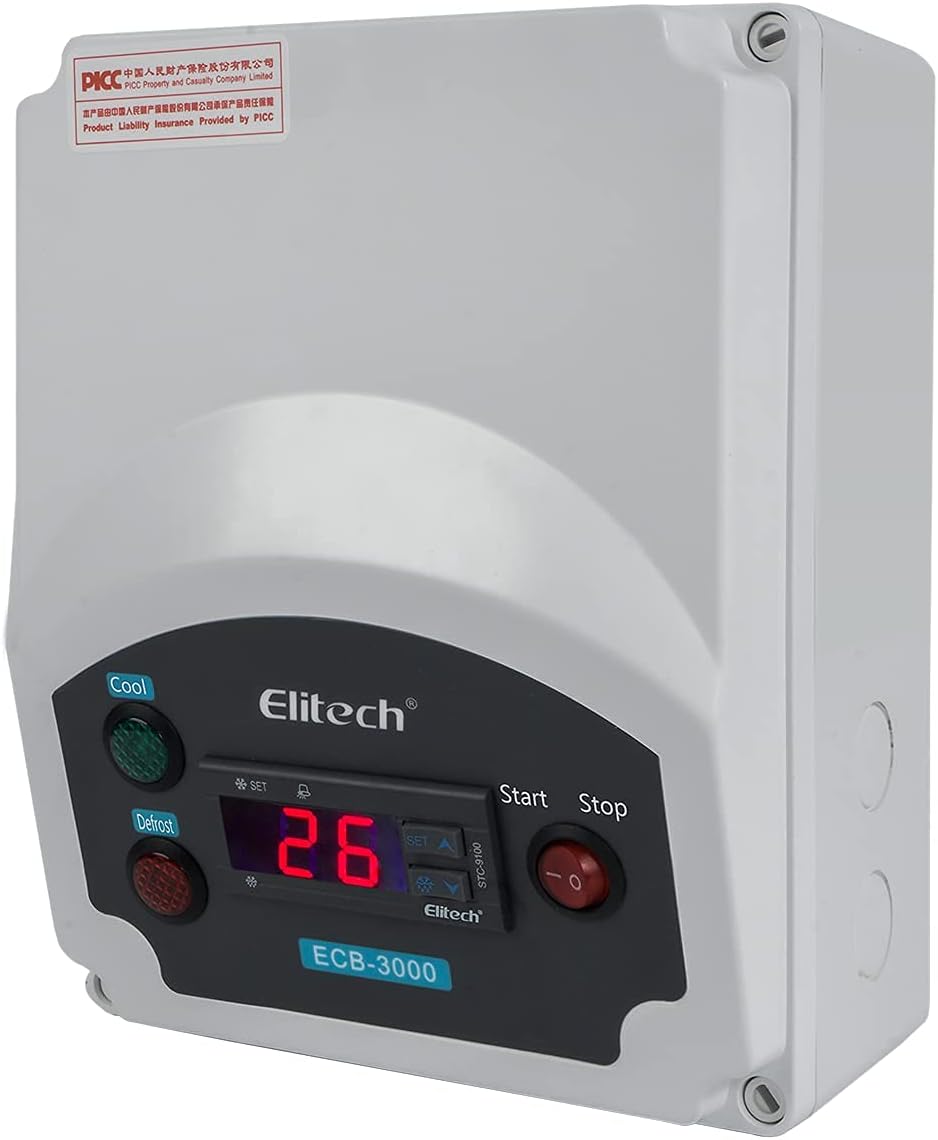
Figure 3: Angled view of the ECB-3000, highlighting its compact and robust design suitable for various installations.
Setup
Follow these steps for proper installation of the ECB-3000 control box:
- Mounting: Choose a suitable location for mounting the control box, ensuring it is protected from direct water spray and excessive vibration. Use appropriate fasteners to secure the box to a stable surface.
- Wiring: Carefully connect the power supply (220V), temperature sensors, compressor, defrost heater, fan, and light according to the wiring diagram provided with your unit. Ensure all connections are secure and insulated.
- Sensor Placement: Install the temperature sensor(s) in the desired location within the cold room or chiller to accurately measure the ambient temperature.
- Initial Power-Up: Once all connections are verified, apply power to the unit. The digital display should illuminate.
Operating Instructions
Basic Operation
- Power On/Off: Use the 'Start' (green) and 'Stop' (red) buttons on the front panel to turn the control box functions on or off.
- Display: The main digital display shows the current temperature measured by the sensor.
Temperature Control
The ECB-3000 supports both refrigeration and heating conversion functions. Parameters can be continuously modified during operation.
- Setting Temperature: Press the 'SET' button to enter the temperature setting mode. Use the Up/Down arrow buttons to adjust the desired temperature setpoint. Press 'SET' again to confirm.
- Temperature Differential: The unit adopts a temperature differential control method. This means the compressor will turn on when the temperature rises above the setpoint plus the differential, and turn off when it drops below the setpoint. Refer to the detailed parameter settings in the full technical manual for adjusting the differential.
Defrost Function
The control box manages automatic defrost cycles to prevent ice buildup on the evaporator.
- Defrost Indicator: The 'Defrost' indicator light will illuminate when the defrost cycle is active.
- Defrost Parameters: Defrost frequency, duration, and termination temperature can be configured through the manager menu. Consult the full technical manual for access and adjustment of these advanced parameters.
Fan and Light Control
- Fan Operation: The fan operation is typically linked to the compressor cycle or can be independently controlled based on configured parameters.
- Light Control: The light output can be manually switched or configured to operate automatically based on door switches or other inputs, depending on the wiring and parameter settings.
Maintenance
Regular maintenance ensures the longevity and optimal performance of your ECB-3000 control box.
- Cleaning: Periodically wipe the exterior of the control box with a soft, damp cloth. Do not use abrasive cleaners or solvents. Ensure the unit is powered off before cleaning.
- Connections Check: Annually, or as needed, inspect all electrical connections for tightness and signs of corrosion. Ensure power is disconnected before performing this check.
- Sensor Inspection: Verify that temperature sensors are clean and properly positioned.
- Ventilation: Ensure that the control box is not obstructed and has adequate ventilation to prevent overheating.
Troubleshooting
This section addresses common issues you might encounter with the ECB-3000.
| Problem | Possible Cause | Solution |
|---|---|---|
| Display is blank | No power supply; Loose wiring | Check power source; Verify all wiring connections. |
| Temperature reading is inaccurate | Sensor faulty; Sensor improperly placed | Check sensor connection; Reposition sensor; Replace sensor if faulty. |
| Compressor not starting | Temperature not above setpoint + differential; Wiring issue; Compressor fault | Check setpoint and differential; Verify compressor wiring; Consult a technician if compressor is faulty. |
| Defrost not initiating | Defrost parameters incorrect; Defrost heater fault | Review defrost settings; Check defrost heater and wiring. |
For issues not listed here or if problems persist, please contact Elitech customer support.
Specifications
| Feature | Detail |
|---|---|
| Brand | Elitech |
| Model | ECB-3000-220V |
| Manufacturer | Elitech |
| Temperature Measuring Range | -50~50℃ |
| Power Supply | 220V |
| Material | ABS Flame-retardant |
| Control Method | Temperature differential control |
| Functions | Refrigeration, Heating conversion, Defrost, Fan, Light control |
| Batteries Required | No |
| Country/Region of Origin | China |
Warranty and Support
For warranty information and technical support, please contact Elitech Technology, Inc. directly. Details regarding specific warranty periods and terms are typically provided with the product packaging or can be obtained from the manufacturer's official website.
Please retain your proof of purchase for any warranty claims. For returns, a 15-day refund/replacement policy may apply, subject to the seller's terms and conditions.
Elitech Technology, Inc.
For contact information, please visit the official Elitech website or refer to the documentation included with your product.
Ask a question about this manual
Ask about setup, troubleshooting, compatibility, parts, safety, or missing instructions. Manuals+ will review the question and use this page’s manual context to help answer it.