
1. Overview
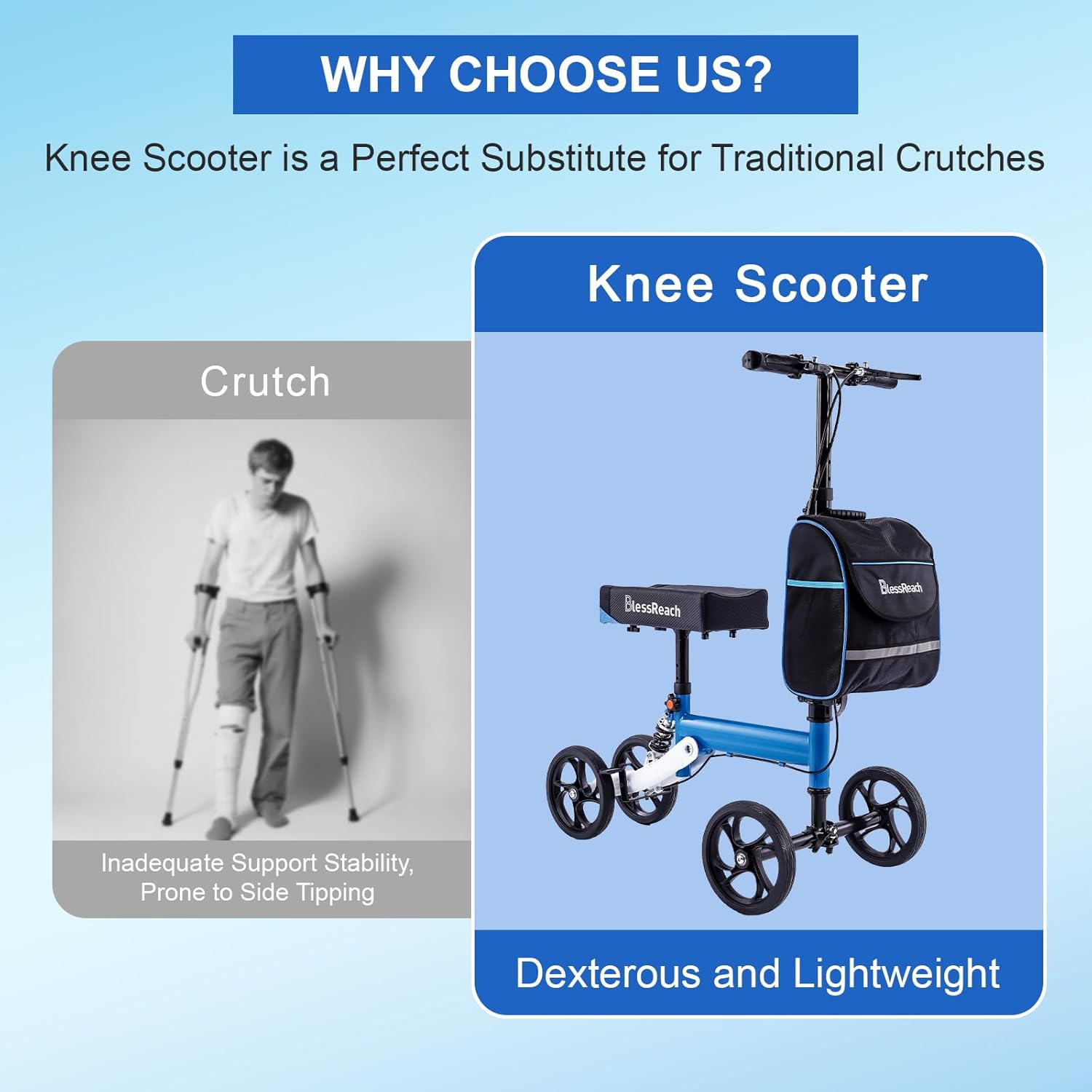
The BlessReach Knee Scooter Model 2105 is designed to provide mobility support for individuals recovering from foot, ankle, or lower leg injuries, or for those who are below-the-knee amputees. It serves as an alternative to traditional crutches, offering enhanced stability and comfort during recovery.
2. Product Features
- Adjustable Knee Rest: Contoured and padded knee rest for comfort, designed to cradle the leg.
- Ergonomic Handles: Non-slip handles with an adjustable locking handbrake for safety and control.
- Durable Wheels: Equipped with 8-inch rubber wheels for smooth maneuvering.
- Shock Absorption: Features customized shock absorbers for vibration damping and noise reduction, enhancing comfort during use.
- Foldable Design: The rear wheel bracket and operating lever can be folded for compact storage and easy transportation.
- Storage Bag: Includes a detachable canvas bag with a double-layer structure for carrying personal items.
- Weight Capacity: Supports individuals up to 300 lbs.


3. Setup and Assembly
Follow these steps to assemble your BlessReach Knee Scooter Model 2105. It is recommended to review the full installation video for detailed guidance.
- Unfold the Frame: Carefully unfold the main frame of the knee scooter. Ensure all locking mechanisms click into place securely.
- Install Front Wheels: Attach the front wheel assembly to the main frame. Ensure all screws are tightened before moving the wrench.
- Adjust Handlebar Height: Adjust the handlebar to a comfortable height, typically where your hands can rest naturally while standing upright. Secure the adjustment lever.
- Adjust Knee Rest Height: Adjust the knee rest to a height that allows your injured leg to be comfortably bent at a 90-degree angle while your foot is off the ground. Secure the adjustment lever.
- Attach Storage Bag: Secure the detachable canvas storage bag to the front of the scooter.

4. Operating Instructions
To operate the BlessReach Knee Scooter, place the injured leg comfortably on the padded knee rest. Use your uninjured leg to propel the scooter forward. Steer using the handlebars. Always maintain a firm grip on the handlebars for stability.
Braking
The knee scooter is equipped with an ergonomic adjustable locking handbrake. To slow down or stop, gently squeeze the brake levers on the handlebars. To engage the parking brake, squeeze the brake lever and press the small button to lock it in place. To release, squeeze the lever again. Ensure the brakes are functioning correctly before each use.
5. Maintenance
- Regular Inspection: Periodically check all bolts, screws, and locking mechanisms to ensure they are tight and secure.
- Cleanliness: Wipe down the frame and knee rest with a damp cloth as needed. Avoid harsh chemicals that may damage the finish or materials.
- Wheel Check: Inspect the wheels for any signs of wear or damage. Ensure they rotate freely.
- Brake Function: Test the brakes regularly to confirm they engage and disengage properly. Adjust brake tension if necessary (refer to operating instructions).
6. Troubleshooting
- Squeaking Noises: If the scooter develops squeaking noises, check all moving parts and joints. Lubrication may be required. Ensure all fasteners are tight.
- Loose Brakes: If brakes feel loose or ineffective, adjust the brake tension as shown in the operating instructions video.
- Unstable Knee Pad: If the knee pad swivels or feels insecure, check the attachment points and ensure they are properly tightened.
- Difficulty Steering: Ensure the handlebar is securely fastened and the front wheel assembly is correctly installed and tightened.
7. Specifications
| Feature | Detail |
|---|---|
| Model Number | 2105 |
| Brand | BlessReach |
| Weight Capacity | 300 pounds |
| Item Weight | 22 pounds |
| Wheel Size | 8 inches (front and rear) |
| Material Type | Metal |
| Minimum Height Recommendation | 4.6 inches |
| Maximum Height Recommendation | 6.6 inches |
| Package Dimensions | 20.58 x 14.58 x 10 inches |
8. Safety Information
- Always read and understand the entire instruction manual before using the knee scooter.
- Do not exceed the maximum weight capacity of 300 lbs.
- Ensure all parts are securely assembled and tightened before each use.
- Use the knee scooter on stable, level surfaces. Avoid uneven terrain, stairs, or steep inclines.
- Always engage the parking brake when stationary to prevent unintended movement.
- Consult with a healthcare professional regarding appropriate use and any specific limitations related to your injury.
- Statements regarding dietary supplements have not been evaluated by the FDA and are not intended to diagnose, treat, cure, or prevent any disease or health condition.
9. Warranty and Support
For warranty information or product support, please refer to the documentation included with your purchase or contact BlessReach customer service directly. Keep your purchase receipt for warranty claims.