
Introduction
The Harman Kardon Onyx Studio 7 is a premium portable Bluetooth speaker designed to deliver exceptional audio quality with a distinctive, elegant design. Enjoy rich, room-filling sound and deep bass wherever you go, thanks to its wireless connectivity and long-lasting battery. This manual provides essential information for setting up, operating, and maintaining your speaker.

Figure 1: Front view of the Harman Kardon Onyx Studio 7 speaker, showcasing its sleek black fabric finish and integrated aluminum handle.
What's in the Box
Your Harman Kardon Onyx Studio 7 package includes the following items:
- Harman Kardon Onyx Studio 7 Speaker Unit
- Power Adapter
- Quick Start Guide
- Safety Sheet
Setup
1. Charging the Speaker
Before first use, fully charge your Onyx Studio 7. Connect the included power adapter to the speaker's power input port and then to a wall outlet. The power indicator light will show charging status.
2. Bluetooth Pairing
- Power on the Harman Kardon Onyx Studio 7 by pressing the Power button.
- Press the Bluetooth button on the speaker. The Bluetooth indicator light will begin to flash, indicating it's in pairing mode.
- On your mobile device (smartphone, tablet, or laptop), enable Bluetooth and search for available devices.
- Select "Onyx Studio 7" from the list of devices to connect. Once connected, the Bluetooth indicator light will turn solid.
- For enhanced stereo sound, you can wirelessly connect two Harman Kardon Onyx Studio 7 speakers together. Refer to the Quick Start Guide for detailed instructions on dual speaker pairing.

Figure 2: Close-up of the speaker's top panel, highlighting the power, volume, and Bluetooth control buttons.
Operating Instructions
Controls Overview
| Button | Function |
|---|---|
| Power Button | Turns the speaker On/Off. |
| Bluetooth Button | Initiates Bluetooth pairing mode. |
| Volume - / + | Adjusts the volume level. |
| Play/Pause Button | Plays or pauses audio playback. |
| Call Button | Answers or ends phone calls (when connected to a smartphone). |
Audio Playback
Once connected via Bluetooth, simply start playing audio from your paired device. Use the volume buttons on the speaker or your device to adjust the sound level. Press the Play/Pause button to control playback directly from the speaker.
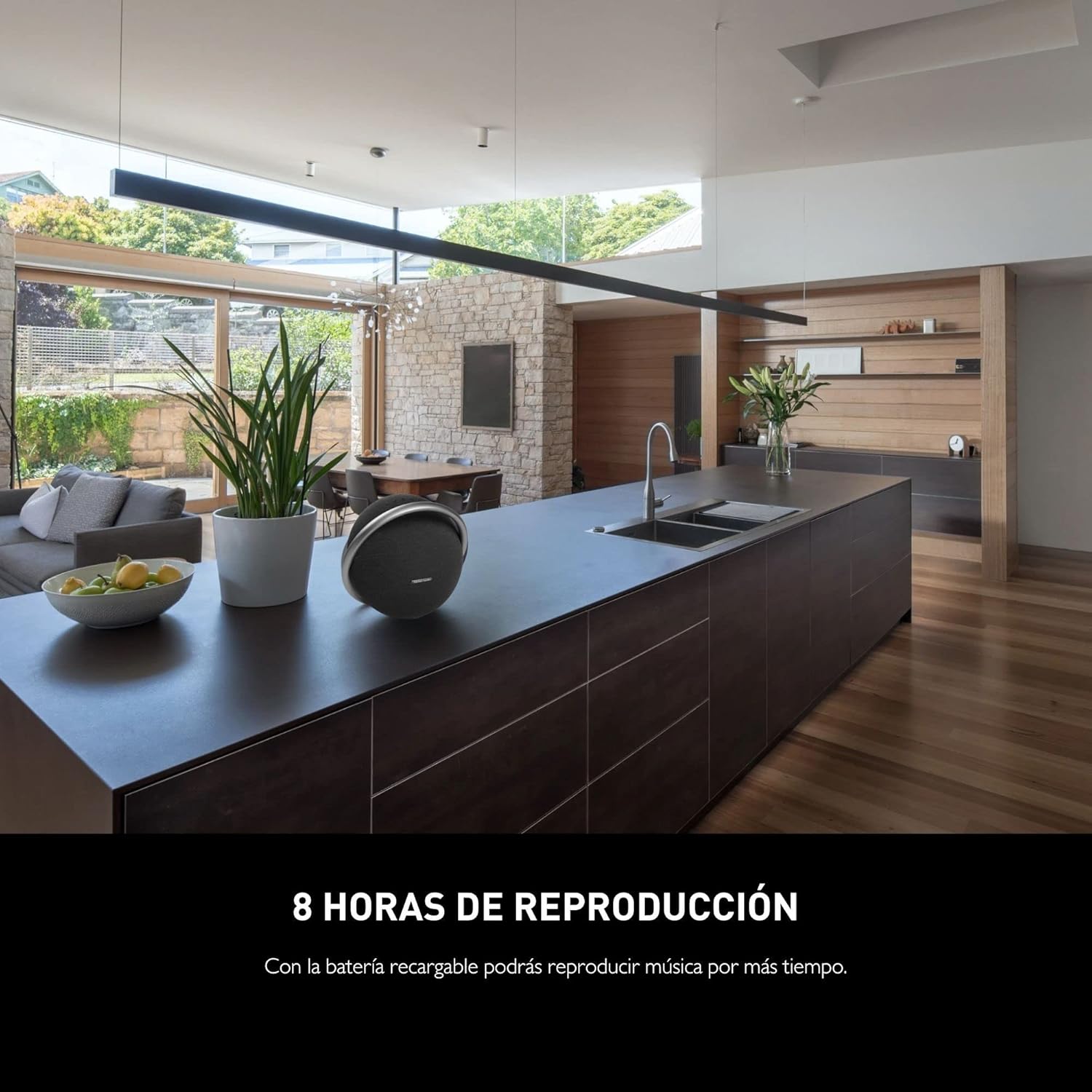
Figure 3: The Onyx Studio 7 seamlessly integrated into a home environment, highlighting its wireless audio capabilities.
Features
- Elegant Design: Crafted with premium materials, featuring a sleek, spherical design and an integrated aluminum handle for easy portability.
- Superior Sound: Delivers powerful, room-filling audio with deep bass and clear highs, characteristic of Harman Kardon's acoustic engineering.
- Wireless Bluetooth Streaming: Connects wirelessly to your smartphone, tablet, or other Bluetooth-enabled devices.
- 8 Hours Playtime: Built-in rechargeable battery provides up to 8 hours of continuous music playback.
- Dual Sound: Wirelessly connect two Harman Kardon Onyx Studio 7 speakers for an elevated stereo sound experience.

Figure 4: The speaker positioned on a kitchen island, emphasizing its portability and extended battery life for all-day listening.
Maintenance
- Cleaning: Use a soft, dry cloth to clean the speaker's surface. Avoid using abrasive cleaners, solvents, or harsh chemicals, as they may damage the finish.
- Storage: Store the speaker in a cool, dry place away from direct sunlight and extreme temperatures when not in use for extended periods.
- Battery Care: To prolong battery life, avoid completely draining the battery frequently. Charge the speaker regularly, even if not in constant use.
- Water Resistance: This product is NOT waterproof. Avoid exposing it to water or excessive moisture.
Troubleshooting
| Problem | Possible Solution |
|---|---|
| Speaker does not power on. | Ensure the power adapter is securely connected and the speaker is charged. Try a different power outlet. |
| Cannot connect via Bluetooth. | Make sure the speaker is in pairing mode (Bluetooth light flashing). Ensure Bluetooth is enabled on your device. Forget "Onyx Studio 7" from your device's Bluetooth list and try pairing again. Move closer to the speaker. |
| No sound or low volume. | Check the volume levels on both the speaker and your connected device. Ensure the speaker is properly paired. |
| Sound quality is poor. | Move your device closer to the speaker to avoid interference. Ensure there are no obstructions between the speaker and your device. Try playing a different audio source. |
Specifications
- Model Name: Onyx Studio 7
- Speaker Type: Tweeter
- Connectivity Technology: Bluetooth
- Wireless Communication Technology: Bluetooth
- Speaker Maximum Output Power: 50 Watts
- Audio Output Mode: Stereo
- Battery Life: 8 Hours
- Charging Time: 8 Hours
- Product Dimensions: 6.26"D x 10.55"W x 11.89"H
- Item Weight: 7.3 Pounds
- Manufacturer: Harmon Kardon
- First Available: April 1, 2020

Figure 5: Detailed dimensions of the Harman Kardon Onyx Studio 7 speaker.
Warranty and Support
The Harman Kardon Onyx Studio 7 comes with a Limited Warranty. For specific warranty terms and conditions, please refer to the warranty card included in your product packaging or visit the official Harman Kardon website.
For technical support, troubleshooting assistance, or service inquiries, please contact Harman Kardon Customer Service. Contact information can typically be found on the official website or in your product documentation.


