
1. Product Overview
The TrustFire MC5 is a high-performance EDC (Everyday Carry) flashlight designed for various applications, from daily use to outdoor exploration and emergency situations. It features a powerful LED, multiple lighting modes, and a durable, waterproof design.
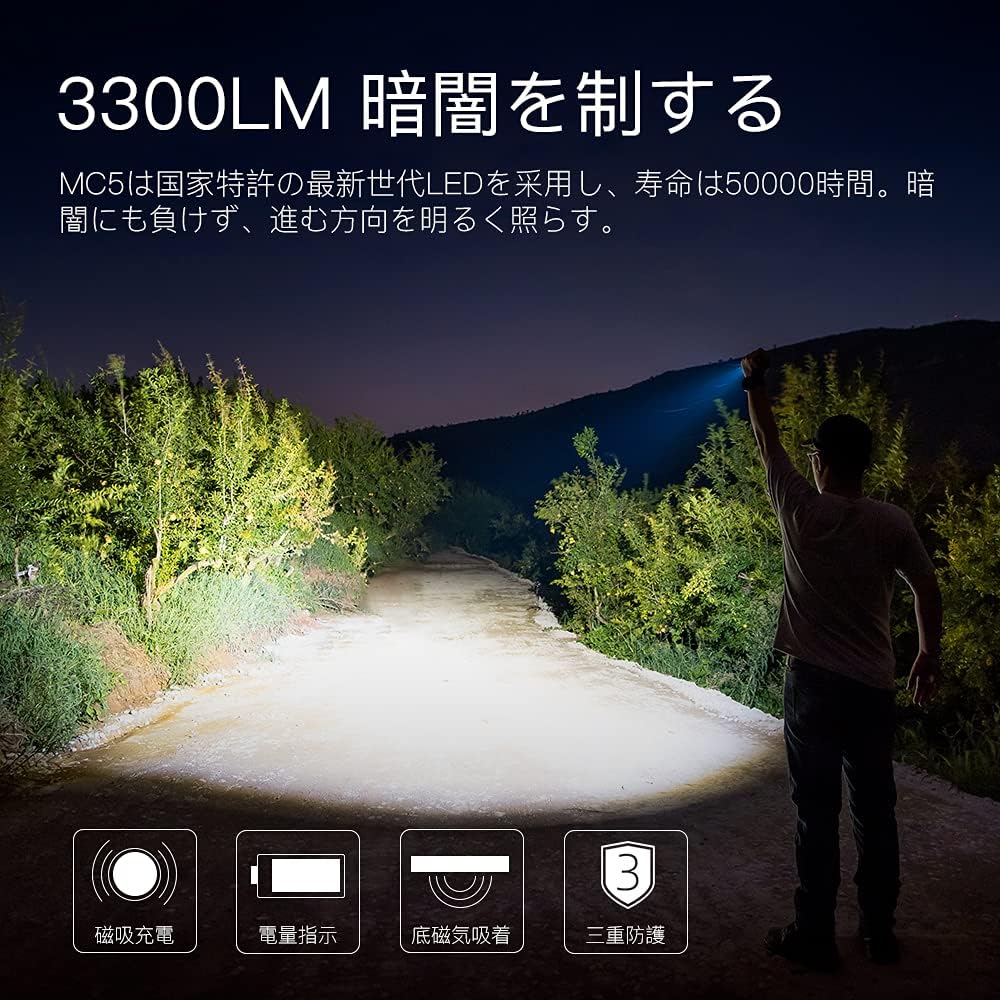
- High Brightness: Maximum output of 3300 lumens with a maximum beam distance of 362 meters.
- Durable Construction: Made from aerospace-grade aluminum AL6061-T6 with a hard-anodized, wear-resistant finish.
- Waterproof and Impact Resistant: IPX8 waterproof rating and 1-meter impact resistance, suitable for harsh environments.
- Magnetic Charging: Convenient magnetic charging port with a dedicated cable.
- Intelligent Features: Includes an intelligent temperature control system and a smart lock function to prevent accidental activation.

2. Setup
Before first use, ensure the battery is fully charged.
- Battery Installation: The flashlight comes with a pre-installed lithium-ion battery. If removed, ensure it is re-inserted with the positive (+) end facing the head of the flashlight.
- Initial Charge: Connect the dedicated magnetic charging cable to the flashlight's charging port and a USB power source. The indicator light will show red during charging and turn green when fully charged.

3. Operating Instructions
The MC5 flashlight features a single-button interface for all operations.
3.1 Power On/Off and Mode Switching
- Turn On: Lightly press the side button for approximately 1 second to turn on the flashlight.
- Cycle Modes: Once on, lightly press the button to cycle through the daily modes: Candle > Low > Medium > High.
- Emergency Modes (Strobe/Flash): From the OFF state, press and hold the button for 2 seconds or more to activate the emergency modes (flashing/strobe). Pressing the button once while in emergency mode will return to normal lighting. Note: Emergency modes cannot be directly accessed while the light is already on in a daily mode.
- Turn Off: Press and hold the button for approximately 1 second to turn off the flashlight from any mode.
3.2 Lock/Unlock Function
To prevent accidental activation and conserve battery, the MC5 features a smart lock function.
- Lock: From the OFF state, quickly double-click the side button. The flashlight will flash twice in Candle Mode to indicate it is locked. In lock mode, pressing the button will cause it to flash twice in Candle Mode, indicating it is locked and will not turn on normally.
- Unlock: Quickly double-click the side button again to unlock the flashlight.

4. Charging
The MC5 flashlight utilizes a magnetic charging system for convenience.
- Connecting the Charger: Bring the dedicated magnetic charging cable close to the charging port located at the head of the flashlight. The cable will automatically attach.
- Charging Indicator: The indicator light on the flashlight will glow red during charging. It will turn green once the battery is fully charged.
- Battery Level Indicator: The indicator light also displays the battery level:
- Green: 50-100%
- Yellow: 20-50%
- Red: 5-20%
- Red Flashing: 1-5% (low battery warning)
- Charging Speed: The magnetic charging supports a maximum current of 2A for efficient charging.
- Alternative Charging: The battery can also be removed and charged using a compatible external lithium-ion battery charger.

5. Maintenance
Proper maintenance ensures the longevity and optimal performance of your TrustFire MC5 flashlight.
- Cleaning: Regularly wipe the flashlight body with a soft, damp cloth. Keep the lens clean for maximum light output.
- O-rings: Inspect the O-rings periodically for wear and tear. Replace them if damaged to maintain the waterproof seal. A spare O-ring is included in the package.
- Threads: Apply a thin layer of silicone grease to the threads of the tail cap occasionally to ensure smooth operation and prevent wear.
- Storage: When storing the flashlight for extended periods, remove the battery to prevent potential leakage. Store in a cool, dry place away from direct sunlight.
6. Troubleshooting
If you encounter issues with your MC5 flashlight, refer to the following common problems and solutions:
- Flashlight Dims or Reduces Brightness Automatically: The MC5 has an intelligent temperature control system. In high output modes, the flashlight may heat up. To prevent damage, the brightness will automatically reduce. This is normal operation. If the light consistently dims quickly even after cooling, ensure the battery is fully charged.
- Flashlight Does Not Turn On:
- Check if the battery is properly inserted with the correct polarity.
- Ensure the battery is charged.
- Verify the flashlight is not in lock mode (double-click to unlock).
- Clean the battery contacts and flashlight threads if they appear dirty.
- Charging Not Working:
- Ensure the magnetic charging cable is securely attached to the flashlight's charging port and the USB power source.
- Confirm the USB power source is functional.
- The MC5 only charges with its dedicated magnetic cable; standard USB cables are not compatible with the magnetic port.
7. Specifications
| Feature | Specification |
|---|---|
| Model | MC5 |
| Brand | TrustFire |
| Light Source Type | LED |
| Max Output | 3300 Lumens |
| Max Beam Distance | 362 meters |
| Waterproof Rating | IPX8 |
| Impact Resistance | 1 meter |
| Material | Aerospace Aluminum AL6061-T6 |
| Battery Type | Lithium-ion (included) |
| Dimensions (L x D) | 11.25 cm x 3 cm |
| Weight (without battery) | 60.8 g |
| Color | Black |
| UPC | 764710323483 |

8. Warranty and Support
TrustFire products undergo rigorous quality control and double inspection to ensure reliability.
- Quality Assurance: All products are thoroughly inspected before shipment.
- Customer Service: In case of any quality issues or concerns, please contact TrustFire customer service directly for assistance. We are committed to providing exchange, refund, or other support services as needed.
