
Introduction
Thank you for choosing the Altec Lansing Shockwave Wireless Party Speaker. This manual provides essential information for setting up, operating, and maintaining your speaker to ensure optimal performance and longevity. Please read these instructions carefully before using the product.

Image: Front view of the Altec Lansing Shockwave speaker, highlighting its LED lights, 150W peak power, 10 hours play time, True Wireless Pairing, and multi-light party modes. A microphone is also shown as an included accessory.
Key Features:
- Powerful Audio Output: 150W peak power for clear and crisp sound.
- Dynamic LED Lights: Built-in LED lights with 7 modes that sync with your music.
- Versatile Connectivity: Bluetooth 5.0 for stable wireless connection, USB, and AUX inputs.
- Extended Playtime: Rechargeable battery provides up to 10 hours of audio playback.
- USB Smartphone Charger: Integrated USB port to charge your mobile devices.
- Microphone Input: Supports microphone for karaoke or public speaking.
- True Wireless Pairing: Connect two Shockwave speakers for a stereo experience.
Setup Guide
1. Charging the Speaker
Before first use, fully charge the speaker. Connect the provided power adapter to the DC IN port on the speaker and plug it into a standard wall outlet. The charging indicator light will illuminate. Once fully charged, the indicator may change color or turn off, depending on the model. A full charge provides up to 10 hours of playtime.
2. Powering On/Off
Press and hold the Power button located on the control panel to turn the speaker on or off. You will hear an audible prompt indicating the power status.

Image: Close-up of the speaker's top control panel, showing inputs for MIC1, MIC2, USB-OUT, AUX, DC IN, and various control buttons including FM/AUX, BT/PAIR, LIGHTS, VOLUME-, VOLUME+, and Power.
3. Bluetooth Pairing
- Ensure the speaker is powered on.
- The speaker will automatically enter Bluetooth pairing mode, indicated by a flashing Bluetooth indicator light.
- On your mobile device, enable Bluetooth and search for available devices.
- Select "Altec Lansing Shockwave" from the list.
- Once paired, the Bluetooth indicator light will become solid, and you will hear a confirmation tone.
4. Connecting a Microphone
Connect a microphone to either the MIC1 or MIC2 input on the control panel. Adjust the microphone volume using the MIC VOL+ and MIC VOL- controls.
Operating Instructions
1. Audio Playback
- Bluetooth: Once paired, play audio from your connected device.
- AUX Input: Connect an audio device using a 3.5mm AUX cable to the AUX port. Press the FM/AUX button to switch to AUX mode.
- FM Radio: Press the FM/AUX button to cycle to FM radio mode. Use the volume buttons to scan for stations.
2. Adjusting Volume
Use the VOLUME+ and VOLUME- buttons on the control panel to adjust the speaker's master volume.
3. LED Light Modes
Press the LIGHTS button to cycle through the 7 available LED light modes. The lights will pulse and strobe with your music.
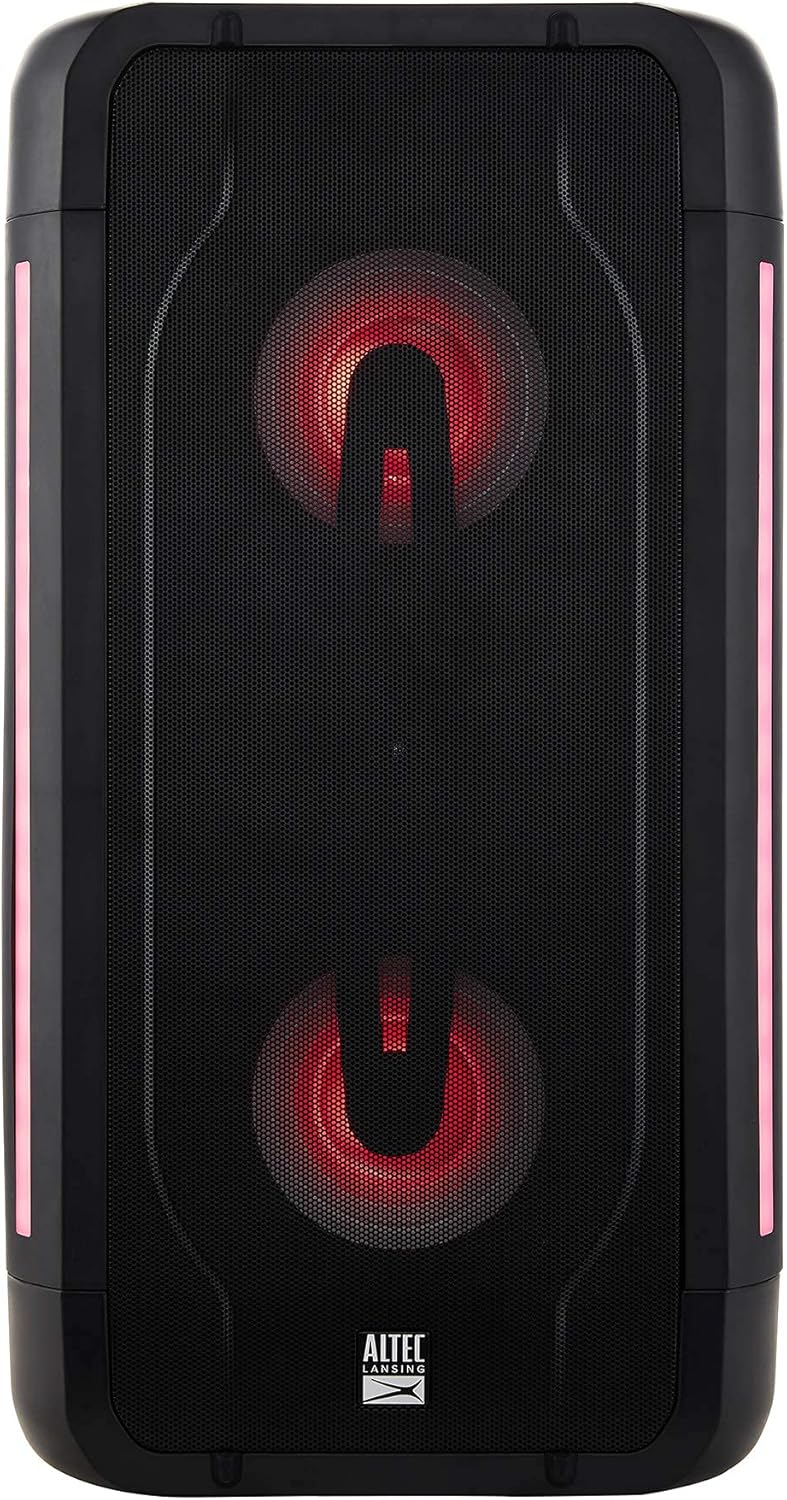
Image: The Altec Lansing Shockwave speaker illuminated with red LED lights, demonstrating one of its multi-light party modes.
4. True Wireless Pairing (TWS)
To connect two Altec Lansing Shockwave speakers for a stereo sound experience:
- Ensure both speakers are powered on and not connected to any Bluetooth device.
- On one speaker, press and hold the BT/PAIR button until you hear a pairing tone.
- The speakers will automatically connect to each other. Once connected, you will hear a confirmation.
- Connect your mobile device to the primary speaker via Bluetooth as described in the "Bluetooth Pairing" section.
5. USB Smartphone Charging
Connect your smartphone or other USB-powered device to the USB-OUT (5V 1A) port on the control panel to charge it. This feature is active when the speaker is powered on.
Maintenance
- Cleaning: Use a soft, dry cloth to clean the speaker's exterior. Do not use abrasive cleaners or solvents.
- Storage: Store the speaker in a cool, dry place away from direct sunlight and extreme temperatures.
- Battery Care: To prolong battery life, avoid fully discharging the battery frequently. Charge the speaker regularly, even if not in use for extended periods.
- Water Resistance: While designed for outdoor use, avoid submerging the speaker in water.
Troubleshooting
| Problem | Solution |
|---|---|
| Speaker does not power on. | Ensure the speaker is charged. Connect the power adapter and try again. |
| No sound from the speaker. |
|
| Bluetooth pairing fails. |
|
| Microphone not working. |
|
Specifications
| Feature | Detail |
|---|---|
| Brand | Altec Lansing |
| Model | Shockwave |
| Power Output | 150W Peak Power |
| Connectivity Technology | Bluetooth 5.0, USB, AUX |
| Power Source | Battery Powered (1 Lithium Ion battery required) |
| Battery Life | Up to 10 hours |
| Audio Input | Microphone (2 inputs) |
| USB Output | 5V 1A (for smartphone charging) |
| Product Dimensions (L x W x H) | 10.51 x 19.84 x 9.37 inches |
| Item Weight | 13.02 pounds |
| UPC | 656942160175 |
| ASIN | B097Z48XFB |
Warranty and Support
Amazon Renewed Guarantee
This product is part of the Amazon Renewed program. Products purchased through Amazon Renewed are professionally inspected and tested to work and look like new. If you are not satisfied with your purchase, renewed products are eligible for replacement or refund under the Amazon Renewed Guarantee. Please refer to the Amazon Renewed Guarantee terms and conditions for full details regarding returns and support for renewed products.
Contact Support
For further assistance or technical support, please refer to the contact information provided with your Amazon Renewed purchase or visit the Amazon Renewed support page.


