
JolyWell JW-CL002
JolyWell Night Light User Manual
Model: JW-CL002
Introduction
Thank you for choosing the JolyWell Night Light. This rechargeable baby egg night light is designed to provide a soothing and functional lighting solution for nurseries and children's rooms. It features color-changing modes, dimming capabilities, a built-in timer, and intuitive touch controls. Please read this manual carefully to ensure proper use and maintenance of your device.
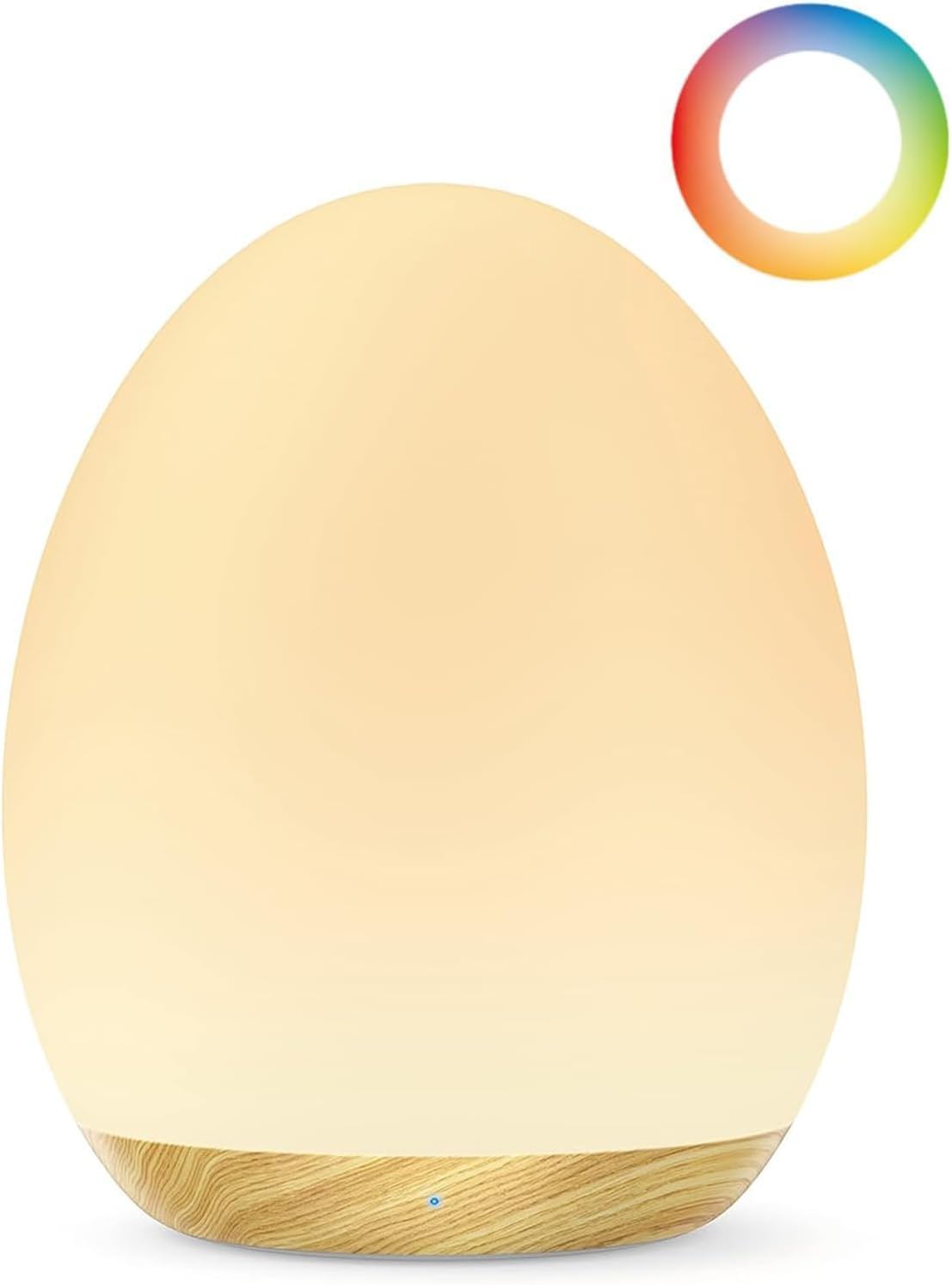
Image: The JolyWell Night Light, showcasing its egg shape and warm white glow with a wood grain base.
Product Features
- Enchanting LED Colors: Offers 8 velvety colors in RGB mode. Tap once to fix a favorite color. Features a memory function to resume the last setting.
- Dimmable Warm Light: In warm light mode, dim the light with a long touch.
- Smooth Touch Control: Intuitive touch interface for power, brightness, and color changes. Double tap to activate/deactivate standby mode.
- Long-Lasting Battery: Up to 100 hours of use on the lowest setting with a single charge.
- 1-Hour Timer: Energy-saving timer function located on the bottom of the unit.
- Safe Materials: Made from food- and toy-grade materials, ensuring safety for children.
- Portable Design: Compact dimensions and a non-slip base make it suitable for travel.

Image: A mother and child with the night light, illustrating its suitability for a nursery and highlighting its main features.
Setup
- Unpacking: Carefully remove the night light and all accessories from the packaging.
- Initial Charge: Before first use, fully charge the night light. Connect the provided USB charging cable to the USB charging port located on the bottom of the unit. Connect the other end to a standard USB power adapter (not included). The LED indicator will blink red when the battery is low and will likely change color or turn off when fully charged.
- Placement: Place the night light on a stable, flat surface. Its non-slip base ensures stability.

Image: The night light being charged via its USB port, illustrating the charging process.

Image: Underside of the night light, detailing the physical controls and charging port.
Operating Instructions
Power On/Off and Standby
- Main Power Switch: Locate the "OFF" switch on the bottom of the night light. Ensure it is in the ON position for operation.
- Activate/Deactivate Standby: Double-tap the top surface of the night light to activate or deactivate standby mode. In standby, a small LED light helps locate the lamp.
- Night Light Mode: Hold the top surface for 1 second to activate night light mode, which gently illuminates for late-night feedings.
Brightness Control (Warm Light Mode)
- Dimming: In warm light mode (indicated by "☼" mode), long-touch the top surface of the night light to dim or brighten the light. Release your touch when the desired brightness is reached.

Image: Visual guide to the touch controls for brightness adjustment and power on/off.
Color Changing Mode (RGB)
- Activate RGB Mode: The light automatically glides through 8 velvety colors in RGB mode.
- Fix a Color: Tap the top surface once while in RGB mode to fix the light on your favorite color.
- Memory Function: The light will remember your last chosen color setting when turned back on.

Image: The night light showcasing its range of 8 vibrant RGB colors.
1-Hour Timer
- Activate Timer: Press the "1 Hour" button located on the bottom of the night light to activate the 1-hour timer. The light will automatically turn off after one hour, conserving battery life.

Image: Detail of the 1-hour timer button on the base of the night light.
Maintenance
- Cleaning: Wipe the surface of the night light with a soft, damp cloth. Do not use abrasive cleaners or immerse the unit in water.
- Storage: When not in use for extended periods, store the night light in a cool, dry place. Ensure it is fully charged before storing to preserve battery health.
- Battery Care: To maximize battery lifespan, avoid completely draining the battery frequently. Recharge when the LED indicator blinks red.
Troubleshooting
| Problem | Possible Cause | Solution |
|---|---|---|
| Light does not turn on. | Main power switch is OFF. Battery is depleted. | Ensure the main power switch on the bottom is in the ON position. Charge the night light using the USB cable. |
| Touch control is unresponsive. | Light is in standby mode. Surface is dirty. | Double-tap to exit standby. Ensure the top surface is clean and dry. |
| Battery life is shorter than expected. | Used on higher brightness settings. Frequent use of color-changing mode. | Lower the brightness setting. Use warm light mode more often. Ensure full charge before use. |
| Light flickers or behaves erratically. | Low battery. Internal malfunction. | Recharge the device. If the issue persists after charging, contact JolyWell customer support. |
Specifications
- Model: JW-CL002
- Brand: JolyWell
- Dimensions: 7.62 x 7.62 x 10.16 cm (3 x 3 x 4 inches)
- Weight: 155.13 g (0.34 lbs)
- Material: Food- and toy-grade silicone (shade), Wood (base for Wood Grain variant)
- Light Source: LED
- Control Type: Touch
- Battery Life: Up to 100 hours (on lowest setting)
- Timer: 1 Hour
Warranty and Support
For warranty information or technical support, please refer to the official JolyWell website or contact their customer service directly. Please have your model number (JW-CL002) and purchase details ready when contacting support.
You can visit the JolyWell Store on Amazon for more information: JolyWell Store
Related documentsJW-CL002


Ask a question about this manual
Ask about setup, troubleshooting, compatibility, parts, safety, or missing instructions. Manuals+ will review the question and use this page’s manual context to help answer it.