
1. Introduction
Thank you for choosing the Syntex 32-inch LED HD TV Model 32S610. This manual provides essential information for the safe and efficient use of your new television. Please read these instructions thoroughly before operating the device and retain them for future reference.
2. Safety Information
Always follow basic safety precautions when using this television to reduce the risk of fire, electric shock, and injury.
- Do not expose the TV to rain or moisture.
- Do not block ventilation openings.
- Ensure the power cord is not pinched or walked on.
- Unplug the TV during lightning storms or when unused for long periods.
- Refer all servicing to qualified service personnel.
3. Package Contents
Verify that all items are included in the package:
- Syntex 32-inch LED HD TV (Model 32S610)
- Remote Control
- Batteries for Remote Control
- TV Stand (Base and Screws)
- User Manual (this document)
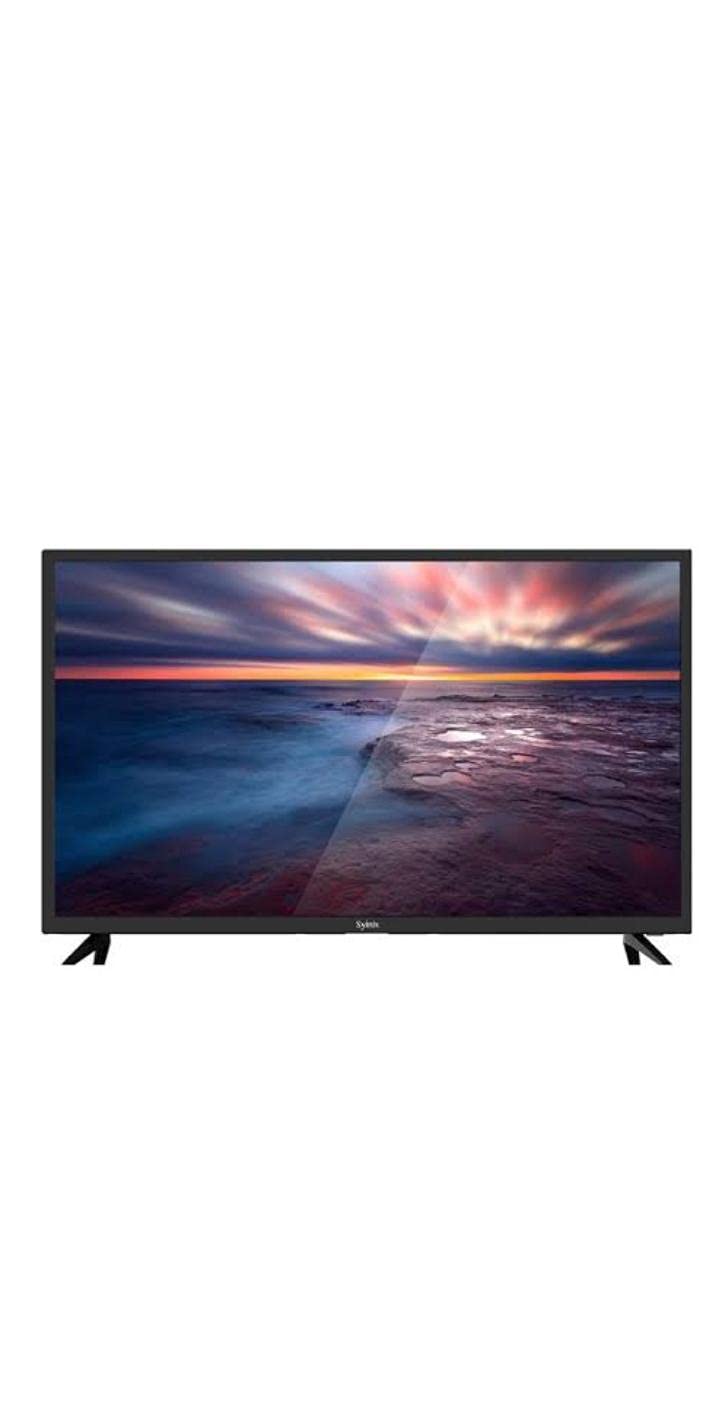
Image 3.1: Syntex 32-inch LED HD TV with included accessories.
4. Product Features
The Syntex 32S610 TV offers the following key features:
- 32-inch LED Display
- HD Resolution (1366x768 pixels)
- Built-in Digital Receiver (ATSC Tuner Technology)
- Multiple Connectivity Options (HDMI, USB)
- Integrated Speakers
- Remote Control Operation
5. Setup
5.1 Attaching the Stand
- Carefully place the TV face-down on a soft, clean surface to prevent screen damage.
- Align the stand base with the mounting holes on the bottom of the TV.
- Secure the stand using the provided screws. Do not overtighten.
- Place the TV on a stable, level surface.
5.2 Connecting Devices
Ensure the TV is unplugged before making any connections.
- Power: Connect the power cord to the TV's power input and then to a wall outlet.
- HDMI: For high-definition devices (e.g., Blu-ray player, game console), connect an HDMI cable from the device to an HDMI port on the TV.
- USB: Insert USB storage devices into the USB port for media playback.
- Antenna/Cable: Connect an antenna or cable TV feed to the ANT/CABLE input for over-the-air or cable channels.
5.3 Initial Power On
- Plug the TV into a power outlet.
- Press the Power button on the remote control or on the TV.
- Follow the on-screen instructions to select your language, country, and perform an automatic channel scan for the built-in receiver.
6. Operating Instructions
6.1 Remote Control Overview
The remote control allows you to access all TV functions. Insert the provided batteries, ensuring correct polarity.
6.2 Basic Functions
- Power: Turns the TV on or off.
- Volume (+/-): Adjusts the sound level.
- Channel (CH +/-): Changes the TV channel.
- Mute: Silences the TV sound.
- Input/Source: Selects the input source (HDMI, USB, TV).
6.3 Menu Navigation
Press the MENU button on the remote to access the main menu. Use the arrow keys to navigate through options and OK/ENTER to confirm selections. Press EXIT/BACK to return to the previous menu or exit the menu entirely.
6.4 Built-in Receiver (Channel Scan)
If you did not perform a channel scan during initial setup, or if you connect a new antenna, you can do so via the menu:
- Press MENU on the remote.
- Navigate to the 'Channel' or 'Setup' section.
- Select 'Auto Scan' or 'Channel Search'.
- Confirm to start the scan. This may take several minutes.
7. Maintenance
7.1 Cleaning the TV
Always unplug the TV before cleaning.
- Screen: Gently wipe the screen with a soft, lint-free cloth. For stubborn marks, use a screen cleaner specifically designed for TVs, applied to the cloth, not directly to the screen.
- Cabinet: Wipe the cabinet and stand with a soft, dry cloth. Do not use abrasive cleaners or solvents.
7.2 Storage
If storing the TV for an extended period, unplug it, remove batteries from the remote, and cover it to protect from dust. Store in a cool, dry place.
8. Troubleshooting
Before contacting support, try these common solutions:
| Problem | Possible Solution |
|---|---|
| No power | Check power cord connection. Ensure outlet is working. Try pressing power button on TV itself. |
| No picture, but sound is present | Check input source selection. Ensure external device is powered on and connected correctly. |
| No sound, but picture is present | Check volume level. Ensure TV is not muted. Check audio settings. |
| Remote control not working | Replace batteries. Ensure no obstructions between remote and TV. |
| Cannot find channels | Ensure antenna is connected. Perform a channel auto-scan. |
9. Specifications
| Model Number | 32S610 |
| Screen Size | 32 inches |
| Display Type | LED |
| Resolution | 1366 x 768 (HD) |
| Aspect Ratio | 16:9 (1.77:1) |
| Tuner Technology | ATSC (Built-in Receiver) |
| Connectivity | HDMI, USB |
| Audio | Built-in Speakers |
| Color | Black |
| Mounting Type | Tabletop |
10. Warranty and Support
For warranty information, please refer to the warranty card included with your product or contact your local Syntex dealer. Keep your purchase receipt as proof of purchase.
For technical support or service inquiries, please contact Syntex customer service through the contact information provided on the official Syntex website or your regional support channels.
