
Introduction
This manual provides essential information for the safe and effective use of your Fame DP-88 Stage Piano. Please read it thoroughly before operating the instrument and keep it for future reference. The Fame DP-88 is a lightweight 88-key stage piano designed for beginners and experienced musicians, featuring a dynamic piano feel, integrated stereo speakers, and a powerful sound processor with 140 sounds.
Safety Information
To prevent electric shock, do not expose this appliance to rain or moisture. Do not remove the cover. No user-serviceable parts are inside. Refer servicing to qualified service personnel. Ensure the power adapter is compatible with your local power supply. Keep the instrument away from heat sources and direct sunlight. Do not place heavy objects on the instrument. Always disconnect the power adapter during thunderstorms or when not in use for extended periods.
Package Contents
- Fame DP-88 Stage Piano
- Music Rest
- Sustain Pedal
- Power Adapter
- User Manual
Setup
- Unpacking: Carefully remove all components from the packaging.
- Placement: Place the piano on a stable, flat surface.
- Music Rest Installation: Insert the music rest into the designated slots on the piano.
- Sustain Pedal Connection: Connect the sustain pedal cable to the "PEDAL" jack on the rear panel.
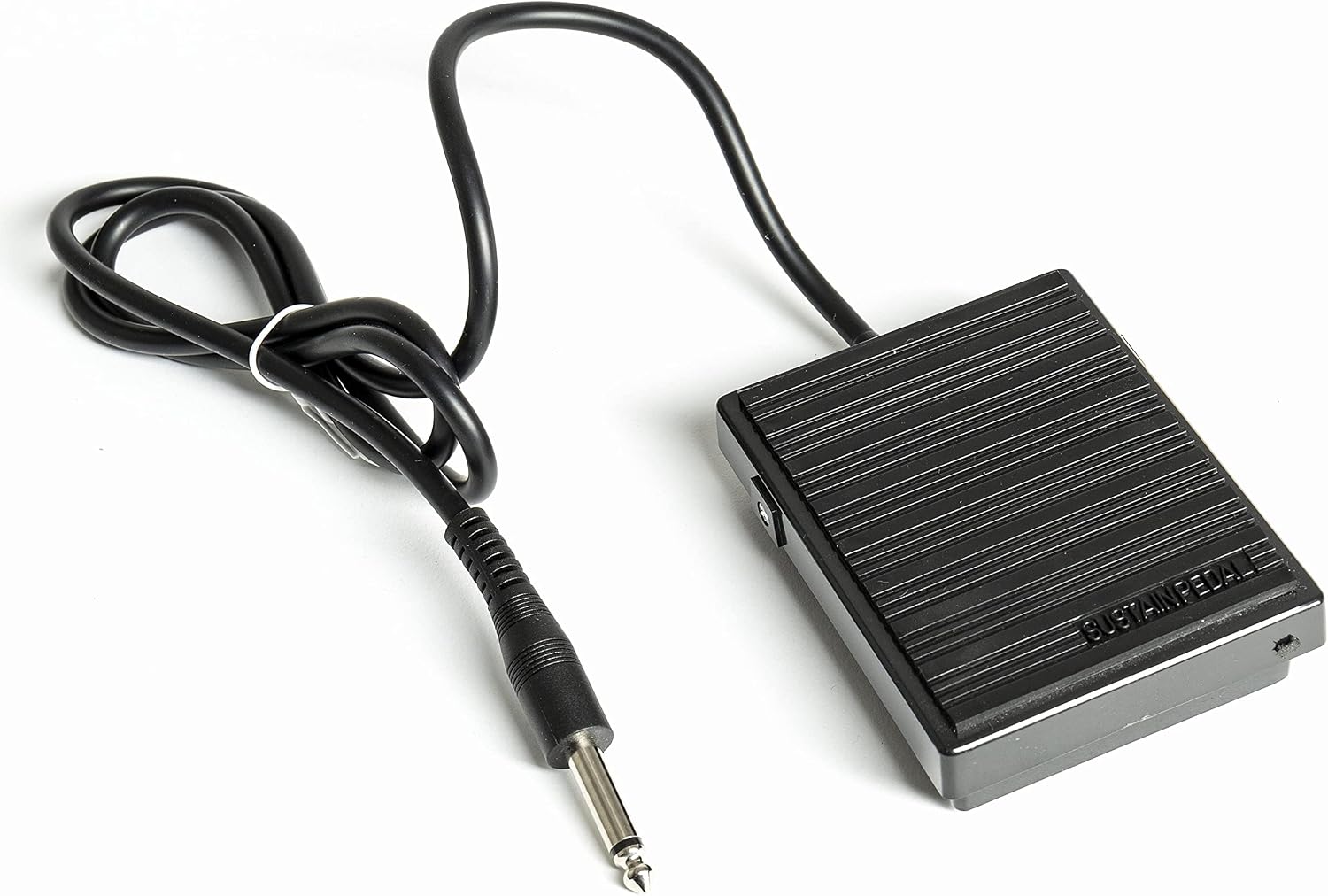
Image: The included sustain pedal with its cable and jack connector.
- Power Connection: Connect the power adapter to the "DC 12V" input on the rear panel, then plug it into a wall outlet.
- Headphone Connection: For private practice, connect standard stereo headphones to either "PHONES 1" or "PHONES 2" jacks.
- Audio Output: To connect to an external amplifier or PA system, use the "AUDIO OUT" jacks.
- Audio Input: To connect an external audio source (e.g., MP3 player) to play along, use the "AUDIO IN" jacks.
- USB/MIDI Connection: Connect a USB cable from the "USB-MIDI" port to your computer for MIDI data transfer. The "UDISK" port is for USB storage devices.

Image: Close-up view of the rear panel connections, including USB-MIDI, UDISK, Pedal, Audio In, Audio Out, Phones, and DC 12V input.

Image: Front view of the Fame DP-88 Stage Piano with the music rest installed.
Operating Instructions
- Power On/Off: Press the "POWER" button to turn the instrument on or off.
- Volume Adjustment: Use the "VOLUME" knob to adjust the overall sound level.
- Sound Selection:
- The DP-88 features 140 different sounds.
- Press the category buttons (e.g., "PIANO", "E-PIANO", "ORGAN", "BRASS", "STRINGS", "SYNTH", "GM DRUMS", "PERCUSSION") to select a sound category.
- Use the number keys or the "+"/"-" buttons to select a specific sound within the category.

Image: Close-up of the control panel showing sound category buttons, function buttons, and tempo controls.
- Dual Mode: Press the "DUAL" button to activate Dual Mode, allowing two sounds to be played simultaneously. Select the first sound, then press "DUAL" again and select the second sound.
- Split Mode: Press the "SPLIT" button to divide the keyboard into two sections, each with a different sound. The split point can usually be adjusted.
- Metronome: Press the "METRONOME" button to activate the metronome. Use the "TEMPO" controls to adjust the tempo.
- Lesson Function: The DP-88 includes a lesson function to assist with learning. Press the "LESSON" button and follow the on-screen or indicator instructions.
- MP3 Player Integration: Connect a USB storage device with MP3 files to the "UDISK" port. Use the dedicated MP3 player controls (if available, or general function buttons) to play, pause, and skip tracks.
Features Overview
- 88 Dynamic Keys: Provides a realistic piano playing experience.
- 140 High-Quality Sounds: A wide range of instruments including pianos, electric pianos, organs, brass, strings, synthesizers, GM drums, and effect sounds.
- 32-Voice Polyphony: Ensures smooth playing even with complex chords and sustained notes.
- Integrated Stereo Speakers: For immediate sound output without external amplification.
- Dual Mode: Layer two sounds together for richer textures.
- Split Mode: Divide the keyboard into two sections with different sounds.
- USB MIDI Connectivity: Use the DP-88 as a master keyboard for computer-based music production (DAW integration).
- USB Disk Port: For playing MP3 files directly from a USB storage device.
- Multiple Connectivity Options: Includes Audio In/Out, Headphone jacks, and Sustain Pedal input.
- Lesson Function and Metronome: Tools to aid in practice and learning.
Maintenance
- Cleaning: Wipe the instrument with a soft, dry cloth. For stubborn dirt, use a slightly damp cloth and mild soap, then wipe dry. Avoid abrasive cleaners or solvents.
- Storage: Store the instrument in a cool, dry place away from direct sunlight and extreme temperatures.
- Transportation: When moving the instrument, ensure it is powered off and all cables are disconnected. Use appropriate carrying cases if available.
Troubleshooting
- No Power:
- Check if the power adapter is securely connected to the piano and the wall outlet.
- Ensure the wall outlet is functioning.
- Verify the power button is pressed.
- No Sound:
- Check the volume knob; ensure it is turned up.
- If headphones are connected, disconnect them to check speaker output.
- If connected to an external amplifier, ensure the amplifier is on and its volume is up.
- Verify a sound is selected.
- Distorted Sound:
- Reduce the volume.
- Check connections to external audio equipment.
- Keys Not Responding:
- Ensure the instrument is powered on.
- If only certain keys are affected, contact support.
- USB/MIDI Issues:
- Ensure the USB cable is properly connected.
- Check your computer's device manager for driver installation.
- Verify your music software (DAW) is configured to recognize the DP-88 as a MIDI input device.
Specifications
| Feature | Specification |
|---|---|
| Brand | Fame |
| Model Name | DP 88 |
| Number of Keys | 88 |
| Skill Level | All |
| Special Features | MP3 player integration, Dual function for sounds |
| Item Weight | 9.17 Kilograms |
| Supported Software | Cakewalk by BandLab |
| Connectivity Type | USB, MP3 |
| Power Source | Electric Cable |
| Headphone Jack | Jack |
| Item Dimensions (L x W x H) | 136 x 39 x 18 centimeters |
| Country of Origin | Germany |
Warranty and Support
Warranty: This product comes with a standard manufacturer's warranty. Please retain your proof of purchase for any warranty claims. Specific warranty terms may vary by region.
Support: For technical assistance or service inquiries, please contact:
Email: info@musicstore.de
