1. Introduction
Thank you for purchasing the Blaupunkt BSR 20 Portable Bluetooth Jobsite Radio. This device is designed to provide robust and reliable audio entertainment in demanding environments. It features FM radio, Bluetooth connectivity, and an AUX-IN port, all housed in a durable, splash-proof casing. Please read this manual thoroughly to ensure proper use and to maximize the lifespan of your product.
2. Safety Instructions
- Power Source: Use only the specified power adapter or batteries. Ensure the voltage matches the requirements of the device.
- Water and Moisture: While the device is IPX5 splash-proof, do not immerse it in water or expose it to heavy rain. Keep the battery compartment dry.
- Ventilation: Do not block ventilation openings. Ensure adequate airflow around the device.
- Heat: Keep the device away from heat sources such as radiators, heat registers, stoves, or other apparatus (including amplifiers) that produce heat.
- Cleaning: Disconnect the power before cleaning. Use a soft, dry cloth. Do not use liquid cleaners or aerosol cleaners.
- Servicing: Do not attempt to service this product yourself. Refer all servicing to qualified service personnel.
- Batteries: Dispose of used batteries according to local regulations. Do not expose batteries to excessive heat or fire.
3. Product Features
- Powerful Audio: 5W RMS output for clear sound in noisy environments.
- Wireless Connectivity: Bluetooth 4.2 for streaming music from smartphones and other compatible devices.
- Wired Connectivity: Integrated AUX-IN (3.5mm jack) for connecting MP3 players or other audio sources.
- FM Radio: Digital FM tuner with up to 20 station presets.
- Durable Design: Shock-resistant, splash-proof, dust-proof, and dirt-resistant (IPX5 rated).
- Portability: Lightweight (2.5 kg) with an integrated foldable carrying handle.
- User-Friendly Controls: Robust buttons designed for use even with work gloves.
- Power Options: Operates via mains power or 6x LR14 (1.5V) C-cell batteries.
4. Setup
4.1 Powering the Device
The Blaupunkt BSR 20 can be powered by either mains electricity or batteries.
Mains Power:
- Locate the power input port on the device.
- Connect the provided power adapter to the device.
- Plug the power adapter into a suitable wall outlet.
Battery Power:
For portable use, the radio requires 6x LR14 (1.5V) C-cell batteries (not included).
- Locate the battery compartment on the back or bottom of the radio.
- Open the battery compartment cover.
- Insert 6x LR14 (1.5V) C-cell batteries, ensuring correct polarity (+/-).
- Close the battery compartment cover securely to maintain IPX5 rating.
4.2 Initial Power On
Press the Power button (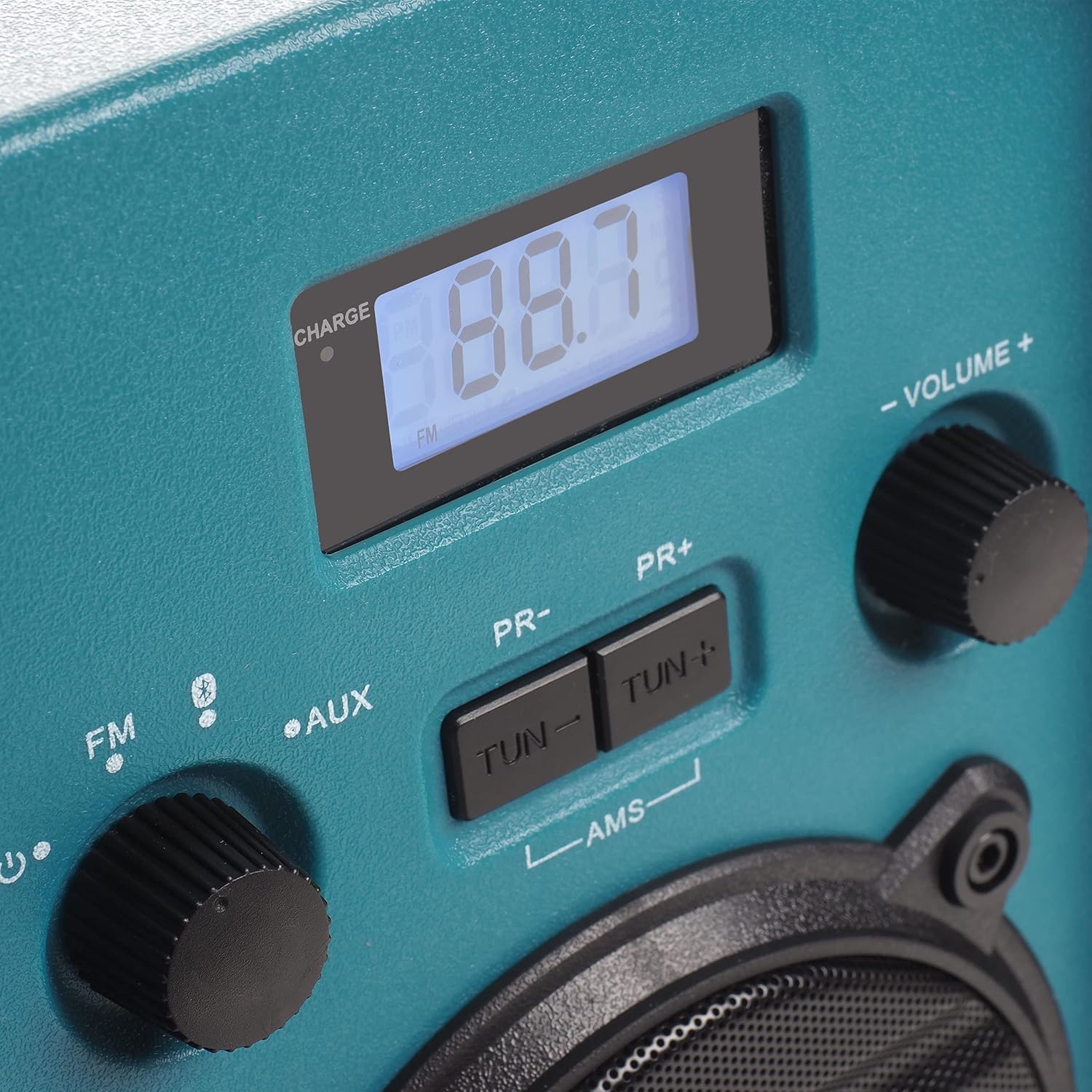 ) to turn on the radio. The display will illuminate.
5. Operating Instructions
5.1 Mode Selection
Rotate the left knob to select between FM Radio, Bluetooth (), and AUX-IN modes.
5.2 FM Radio Operation
- Select FM mode using the left knob.
- Extend the antenna for optimal reception.
- Use the TUN- and TUN+ buttons to manually tune to a desired frequency.
- To automatically scan and store stations, press and hold the AMS button. The radio will scan for available FM stations and store them as presets.
- Use the PR- and PR+ buttons to navigate through stored preset stations.
5.3 Bluetooth Pairing
- Select Bluetooth mode using the left knob. The display will show "BT" and flash, indicating it is in pairing mode.
- On your smartphone or other Bluetooth device, enable Bluetooth and search for available devices.
- Select "Blaupunkt BSR 20" from the list of devices.
- Once paired, the display will show a steady "BT" and you can play audio from your connected device.
5.4 AUX-IN Connection
- Select AUX mode using the left knob.
- Connect one end of a 3.5mm audio cable (not included) to the AUX-IN port on the radio.
- Connect the other end of the audio cable to the headphone jack or audio output of your external device (e.g., MP3 player, smartphone).
- Play audio from your external device.
5.5 Volume Control
Rotate the right knob labeled VOLUME +/- to adjust the audio output level.
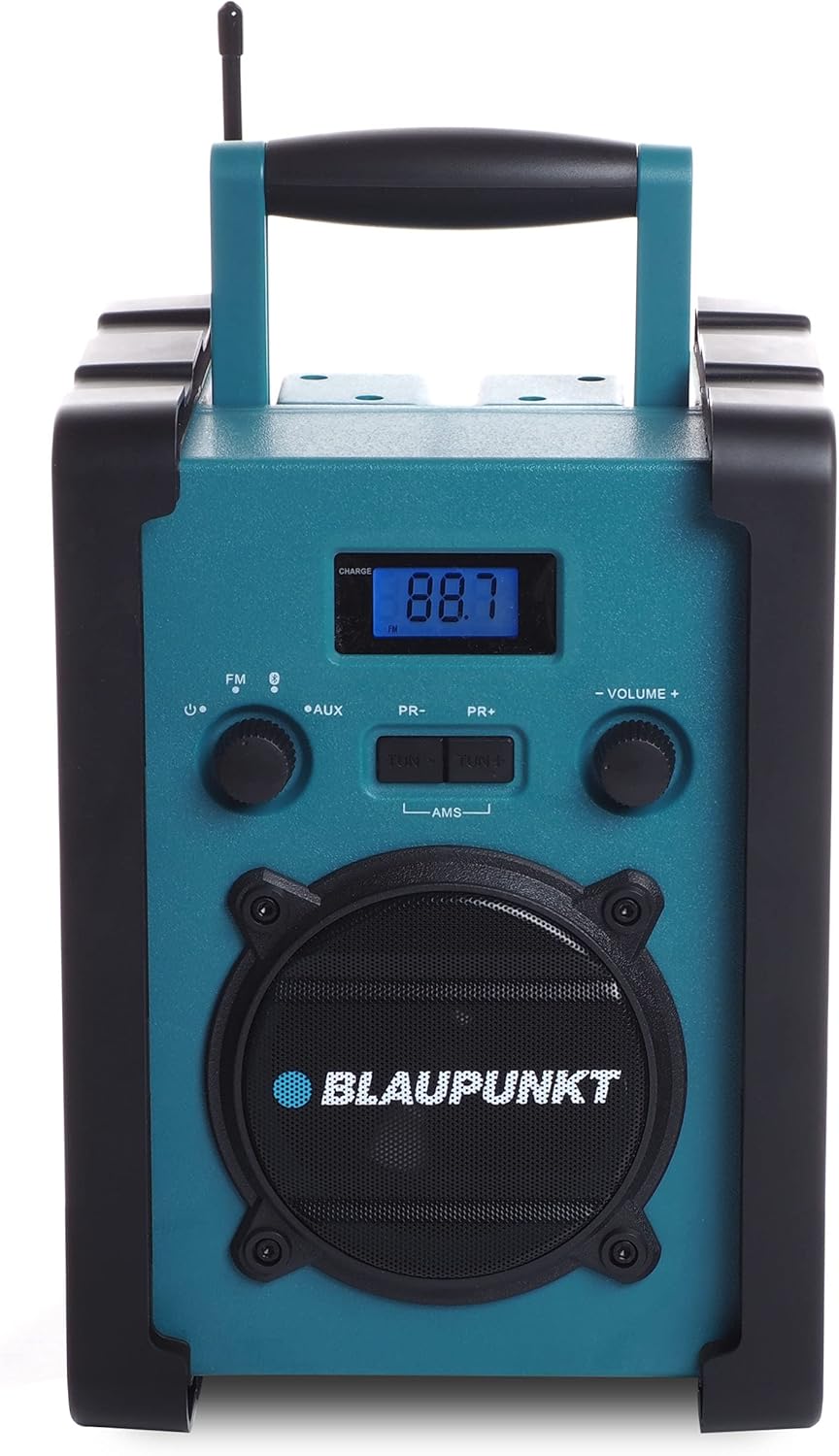
Figure 1: Front view of the Blaupunkt BSR 20 jobsite radio, showing the display, controls, and speaker.
Figure 2: Close-up of the control panel, showing the digital display, FM/AUX/Bluetooth selection, tuning buttons, and volume knob.
6. Maintenance
6.1 Cleaning
To clean the radio, ensure it is powered off and disconnected from the mains. Use a soft, slightly damp cloth to wipe down the exterior. Do not use abrasive cleaners, solvents, or strong chemicals, as these may damage the surface.
6.2 Storage
When not in use for extended periods, store the radio in a cool, dry place. If using batteries, remove them to prevent leakage and potential damage to the device.
7. Troubleshooting
| Problem | Possible Cause | Solution |
|---|---|---|
| No power | Power adapter not connected; Batteries depleted or incorrectly inserted. | Check power adapter connection; Replace batteries or ensure correct polarity. |
| No sound | Volume too low; Incorrect mode selected; Device not paired (Bluetooth); AUX cable not connected properly. | Increase volume; Select correct mode (FM, BT, AUX); Re-pair Bluetooth device; Check AUX cable connection. |
| Poor FM reception | Antenna not extended; Weak signal area. | Fully extend the antenna; Try repositioning the radio. |
| Bluetooth not connecting | Radio not in pairing mode; Device too far; Bluetooth disabled on external device. | Ensure radio is in Bluetooth pairing mode; Move device closer; Enable Bluetooth on external device. |
8. Specifications
- Brand: BLAUPUNKT
- Model: BSR 20
- Color: Blue
- Connectivity Technology: Bluetooth
- Special Features: Shock-resistant, Portable, IPX5 Splash-proof
- Compatible Devices: Smartphone, Tablet, MP3 Player
- Product Dimensions (L x W x H): 19.8 cm x 18.8 cm x 27.4 cm
- Tuning Technology: Digital
- Power Source: Mains / Battery powered
- Supported Radio Bands: FM
- Battery Type: 6x LR14 (1.5V) C-cell batteries (not included)
- RMS Output: 5W
9. Warranty and Support
This product is covered by a manufacturer's warranty. Please refer to the warranty card included with your purchase for specific terms and conditions. For technical support, service, or warranty claims, please contact your retailer or the official Blaupunkt customer service. Keep your proof of purchase for warranty validation.


