
SENCKIT B097R4X833
SENCKIT Smart WiFi Video Doorbell Camera User Manual
Model: B097R4X833
1. Introduction
Thank you for choosing the SENCKIT Smart WiFi Video Doorbell Camera. This device provides enhanced home security with its 1080P HD video, motion detection capabilities, and two-way audio communication. It is designed for easy installation and seamless integration with your smart home ecosystem, including compatibility with Alexa and Google Home. This manual will guide you through the setup, operation, and maintenance of your new video doorbell.
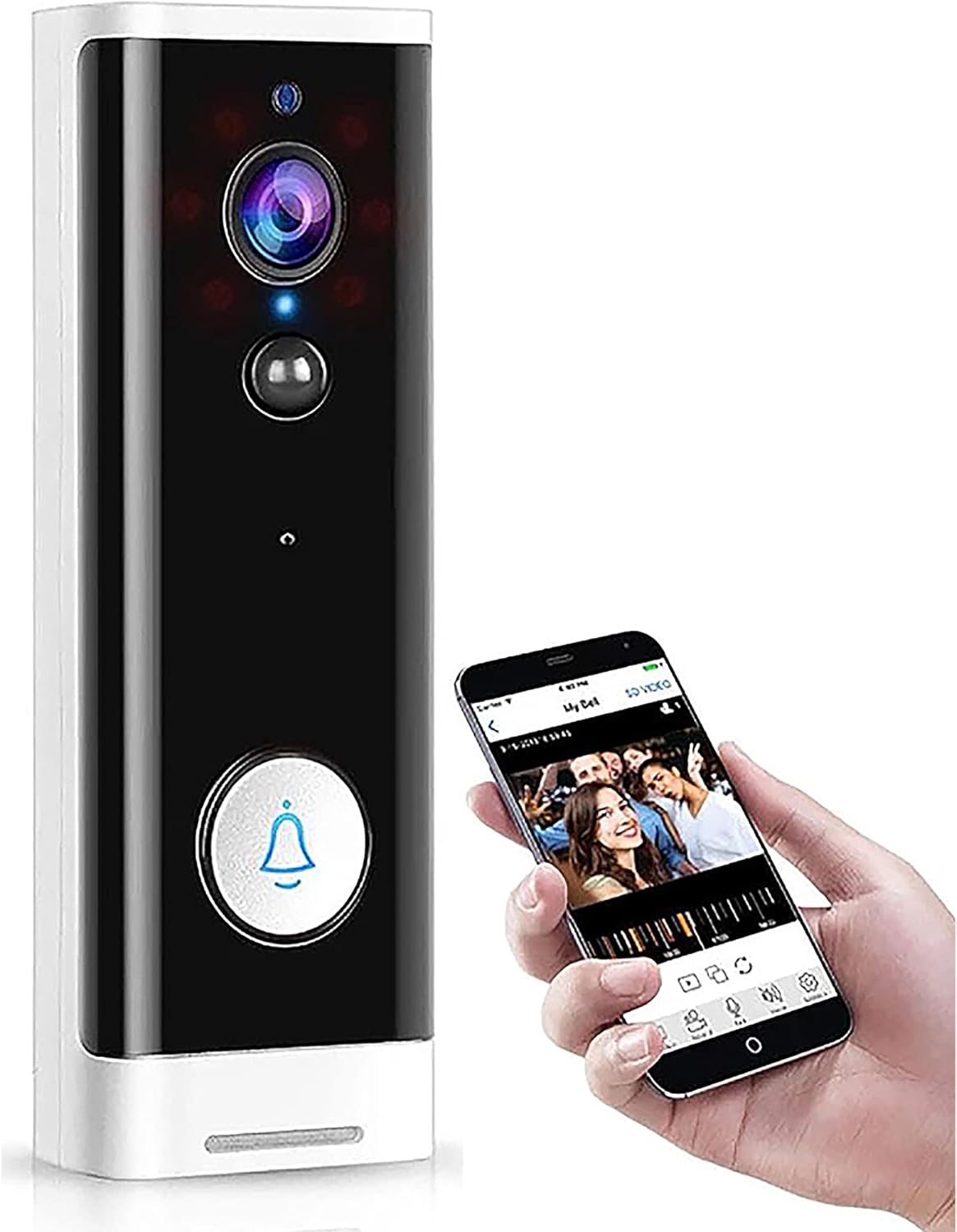
Figure 1: SENCKIT Smart WiFi Video Doorbell Camera
The SENCKIT Smart WiFi Video Doorbell Camera is a wireless security device that allows you to monitor your front door from anywhere. It features a 1080P HD camera with a 166° wide viewing angle, ensuring comprehensive coverage. The built-in infrared night vision provides clear visibility even in low-light conditions. With PIR motion detection, you receive instant alerts on your smartphone via the Tuya Smart/Smart Life app when activity is detected. The two-way audio feature enables real-time communication with visitors, and its compatibility with Alexa and Google Home allows for voice control and integration into your smart home routines.
2. Product Components
Please verify that all components are present in your package:
- 1 x SENCKIT WiFi Video Doorbell
- 1 x Wall Mount Bracket
- 1 x Tools Package (screws, anchors)
- 1 x User Manual

Figure 2: Included Product Components
3. Specifications
| Feature | Specification |
|---|---|
| Resolution | 1920 x 1080 (1080P HD) |
| Viewing Angle | 166 Degrees |
| Night Vision Range | Up to 20 Feet (Infrared) |
| Connectivity | 2.4 GHz Wi-Fi (Does not support 5G) |
| Power Source | Battery Powered (Batteries not included) or USB Cable |
| Audio | Built-in Microphone & Speaker (Two-way audio) |
| Storage Options | Local (6-64 GB Micro SD card, not included), Cloud Storage |
| App Compatibility | Tuya Smart / Smart Life |
| Smart Home Compatibility | Alexa, Google Home |
| Motion Detection | PIR Motion Sensor |
| Dimensions (L x W x H) | 5.2 x 1.78 x 0.98 inches (132 x 45 x 25 mm) |
| Weight | 7.8 oz (220g) |
| IP Rating | IP65 |
4. Setup and Installation
4.1 Powering the Doorbell
The doorbell can be powered by either a USB cable or batteries (not included). Ensure batteries are inserted correctly before installation if opting for battery power.
4.2 App Download and Account Creation
- Download the Tuya Smart or Smart Life app from your smartphone's app store (iOS App Store or Google Play Store).
- Register for a new account or log in if you already have one.
4.3 Device Pairing
- Ensure your smartphone is connected to a 2.4 GHz Wi-Fi network. The doorbell does not support 5 GHz Wi-Fi.
- Open the Tuya Smart/Smart Life app and follow the on-screen instructions to add a new device. Select 'Video Doorbell' or 'Smart Camera'.
- Follow the app's prompts to connect the doorbell to your Wi-Fi network. This typically involves scanning a QR code generated by the app with the doorbell's camera.
4.4 Physical Installation
- Choose a suitable location near your front door.
- Use the provided wall mount bracket as a template to mark drilling points on the wall.
- Drill holes and insert the wall anchors if necessary.
- Secure the wall mount bracket to the wall using the provided screws.
- Attach the video doorbell to the mounted bracket, ensuring it clicks securely into place.

Figure 3: Easy Installation Steps
5. Operating Instructions
5.1 Live View and Two-Way Audio
Open the Tuya Smart/Smart Life app and select your doorbell device to access the live video feed. From here, you can initiate two-way audio communication by tapping the microphone icon. This allows you to speak with visitors at your door from anywhere.

Figure 4: Two-Way Voice Talk Functionality
5.2 Motion Detection and Alerts
The doorbell is equipped with PIR (Passive Infrared) motion detection. When a moving object remains within 5 meters of the doorbell for more than 4 seconds, the doorbell will automatically capture video and send an alert notification to your smartphone via the app. You can adjust motion detection sensitivity in the app settings.

Figure 5: PIR Motion Detection Area
5.3 Night Vision
The doorbell automatically switches to infrared night vision mode in low-light conditions, providing clear 1080P HD video footage even in complete darkness.
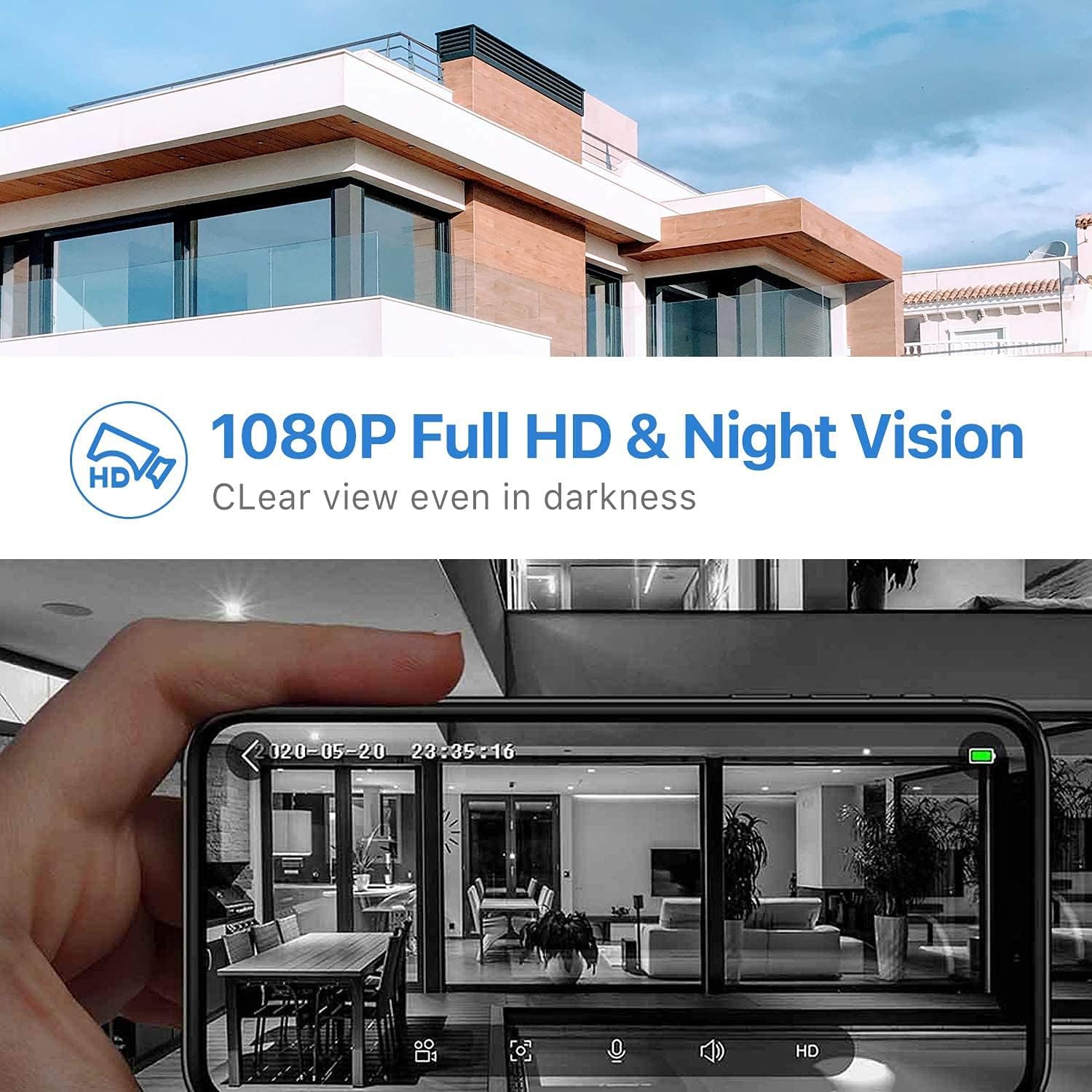
Figure 6: 1080P Full HD and Night Vision
5.4 Storage Options
The doorbell supports two storage methods for recorded video:
- Local Storage: Insert a Micro SD card (6-64 GB, not included) into the designated slot on the doorbell. Recorded events will be saved directly to the card.
- Cloud Storage: The doorbell also supports cloud storage services, which may require a subscription through the Tuya Smart/Smart Life app.
5.5 Smart Home Integration (Alexa/Google Home)
The SENCKIT Smart WiFi Video Doorbell Camera is compatible with Amazon Alexa and Google Home. You can link your doorbell to these platforms through the respective smart home apps. Once linked, you can use voice commands to view the live feed on compatible smart displays (e.g., Echo Show) or receive announcements when someone is at the door. For example, you can say “Alexa, talk to the front door.”

Figure 7: Compatibility with Alexa and Echo Show
6. Maintenance
6.1 Battery Management
If using battery power, the doorbell will enter a low-power standby sleep mode when inactive to conserve battery life. The app will send low-battery notifications when the battery capacity reaches 20%.
6.2 Cleaning
To maintain optimal performance, periodically clean the doorbell's camera lens and surrounding area with a soft, dry cloth. Avoid using abrasive cleaners or solvents.
7. Troubleshooting
7.1 Common Issues and Solutions
- Doorbell not connecting to Wi-Fi:
- Ensure your Wi-Fi network is 2.4 GHz. The doorbell does not support 5 GHz networks.
- Check your Wi-Fi signal strength at the doorbell's location.
- Restart your Wi-Fi router and the doorbell.
- Verify that you have entered the correct Wi-Fi password in the app.
- No motion detection alerts:
- Check the motion detection settings in the Tuya Smart/Smart Life app. Ensure it is enabled and sensitivity is adjusted appropriately.
- Verify that app notifications are enabled on your smartphone.
- Ensure the doorbell has a clear line of sight and is not obstructed.
- Poor video quality or night vision:
- Clean the camera lens with a soft cloth.
- Ensure adequate Wi-Fi signal strength for optimal streaming.
- For night vision, ensure there are no strong light sources directly facing the camera that could interfere with the infrared sensors.
- Two-way audio issues:
- Check the volume settings in the app and on your smartphone.
- Ensure there is no excessive background noise interfering with the microphone or speaker.
- Verify a stable Wi-Fi connection.
8. Warranty and Support
SENCKIT provides a 24-month warranty for this product. If you encounter any issues or have questions regarding your Smart WiFi Video Doorbell Camera, please do not hesitate to contact our customer service team. Our service team provides 7 * 24 hours support to assist you.
For support, please refer to the contact information provided on the product packaging or the SENCKIT official website.
Ask a question about this manual
Ask about setup, troubleshooting, compatibility, parts, safety, or missing instructions. Manuals+ will review the question and use this page’s manual context to help answer it.