
Introduction
This instruction manual provides essential information for the installation, operation, and maintenance of your Cooler Master V SFX Gold White Edition Power Supply. Please read this manual thoroughly before installation and keep it for future reference. This power supply unit (PSU) is designed to deliver reliable and efficient power to your computer system, particularly suited for compact mini-ITX builds while also being compatible with ATX cases using the included bracket.
Safety Information
- Always disconnect the power cord from the wall outlet before installing, removing, or cleaning the PSU.
- This PSU is designed for use in personal computers only. Using it for any other purpose will void the warranty.
- Do not open the PSU casing. High voltages are present inside, and opening the unit will void the warranty and poses a risk of electric shock.
- Ensure proper ventilation around the PSU. Do not block any ventilation openings.
- Avoid installing the PSU in environments with high humidity, extreme temperatures, or excessive dust.
- Use only the modular cables provided with this power supply. Using third-party cables may cause damage and void the warranty.
- Ensure all cable connections are secure before powering on the system.
Package Contents
Please verify that all items are present in your package:
- Cooler Master V SFX Gold White Edition Power Supply Unit
- SFX-to-ATX Mounting Bracket
- AC Power Cord
- Set of Fully Modular Cables (including MB 24-pin, CPU 4+4 pin, CPU 8-pin, PCI-e 6+2 pin, Peripheral 4-pin, SATA 15-pin, and 12V-2x6 cables)
- Mounting Screws
- User Manual (this document)

Detailed diagram of the various modular cables included with the power supply, showing connector types (MB 24 pin, CPU 4+4 pin, CPU 8 pin, PCI-e 6+2 pin, Peripheral 4 pin, SATA 15 pin, 12V-2x6) and their respective lengths.
Product Overview
Key Features
- SFX Form Factor: High-quality PSU compatible with all SFX cases and suitable for mini-ITX system builds.
- SFX-to-ATX Bracket: Included bracket allows installation of the V SFX Gold securely into an ATX case.
- 80 PLUS Gold Certified: Guarantees a typical efficiency of 90% under normal operating conditions.
- 16 AWG PCI-e Cables: Thicker cables allow for higher currents, improving efficiency and safety.
- Full-Modular Cabling: Modular cables reduce clutter, increase airflow, and improve overall efficiency and thermal performance.
- Fluid Dynamic Bearing (FDB) Fan: Features a 92mm FDB fan for reliable, efficient, and quiet cooling with a self-lubricating, low-maintenance design.
- 100% Japanese Capacitors: High-quality capacitors improve efficiency and reduce ripple noise.
- ATX 3.1 Compliance: Supports the latest ATX 3.1 standard, delivering up to 450W to your GPU via the 12V-2x6 connector.
Components and Connectors

Front view of the Cooler Master V750 SFX Gold power supply, highlighting the modular cable connections for motherboard, PCIe/CPU, and HDD/SATA.

Combined image showing the rear panel of the power supply with the AC input, power switch, and ventilation grille, alongside the front panel with all modular cable connectors.
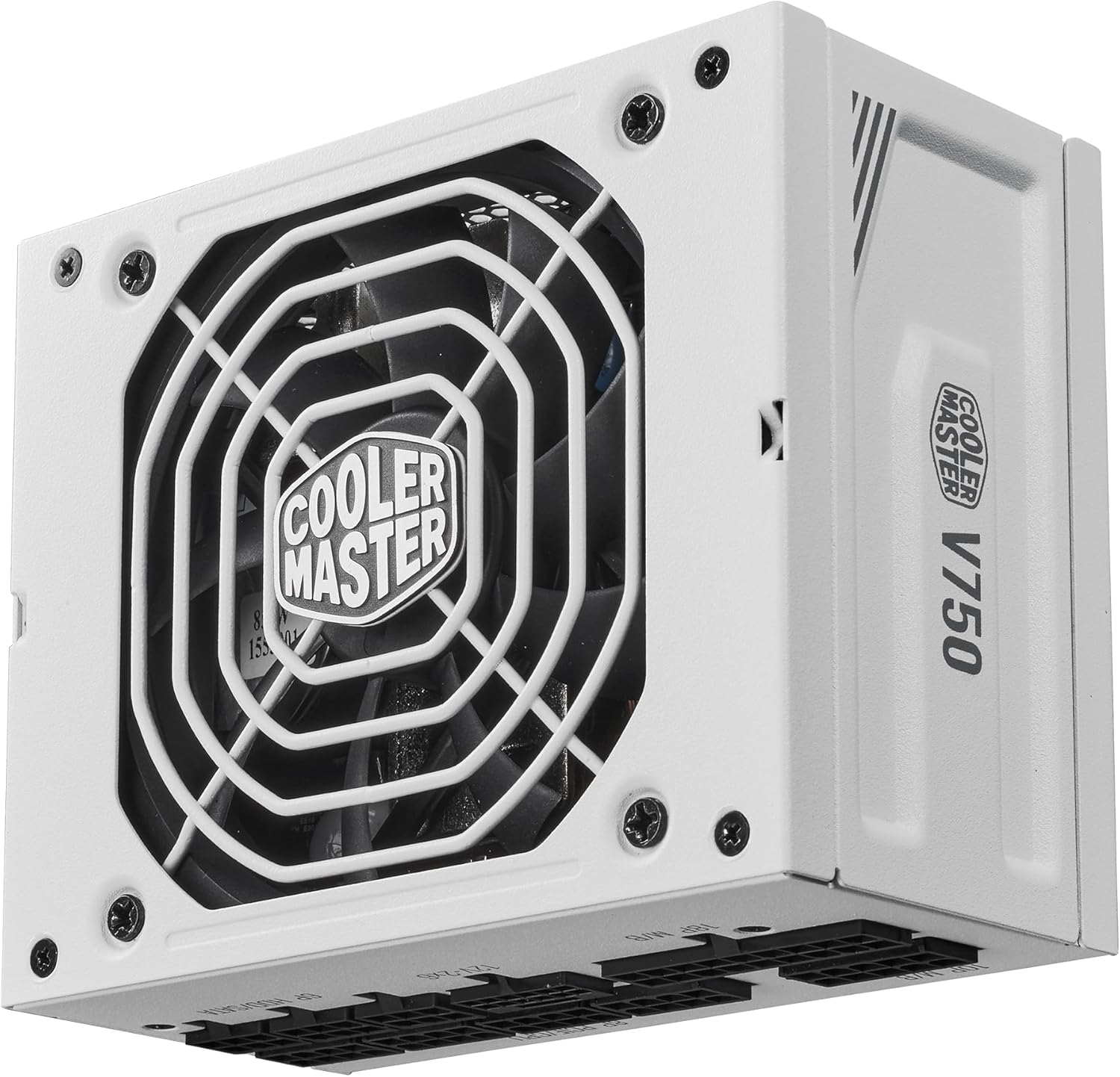
Bottom view of the Cooler Master V750 SFX Gold power supply, showing the fan grille and the Cooler Master logo.

Exploded view diagram of the Cooler Master V750 SFX Gold power supply, illustrating its internal components including the fan, PCB, and casing.
Setup and Installation
Choosing Your Case
The Cooler Master V SFX Gold is primarily designed for SFX form factor cases, ideal for compact mini-ITX builds. An included SFX-to-ATX bracket allows for installation in standard ATX cases as well.
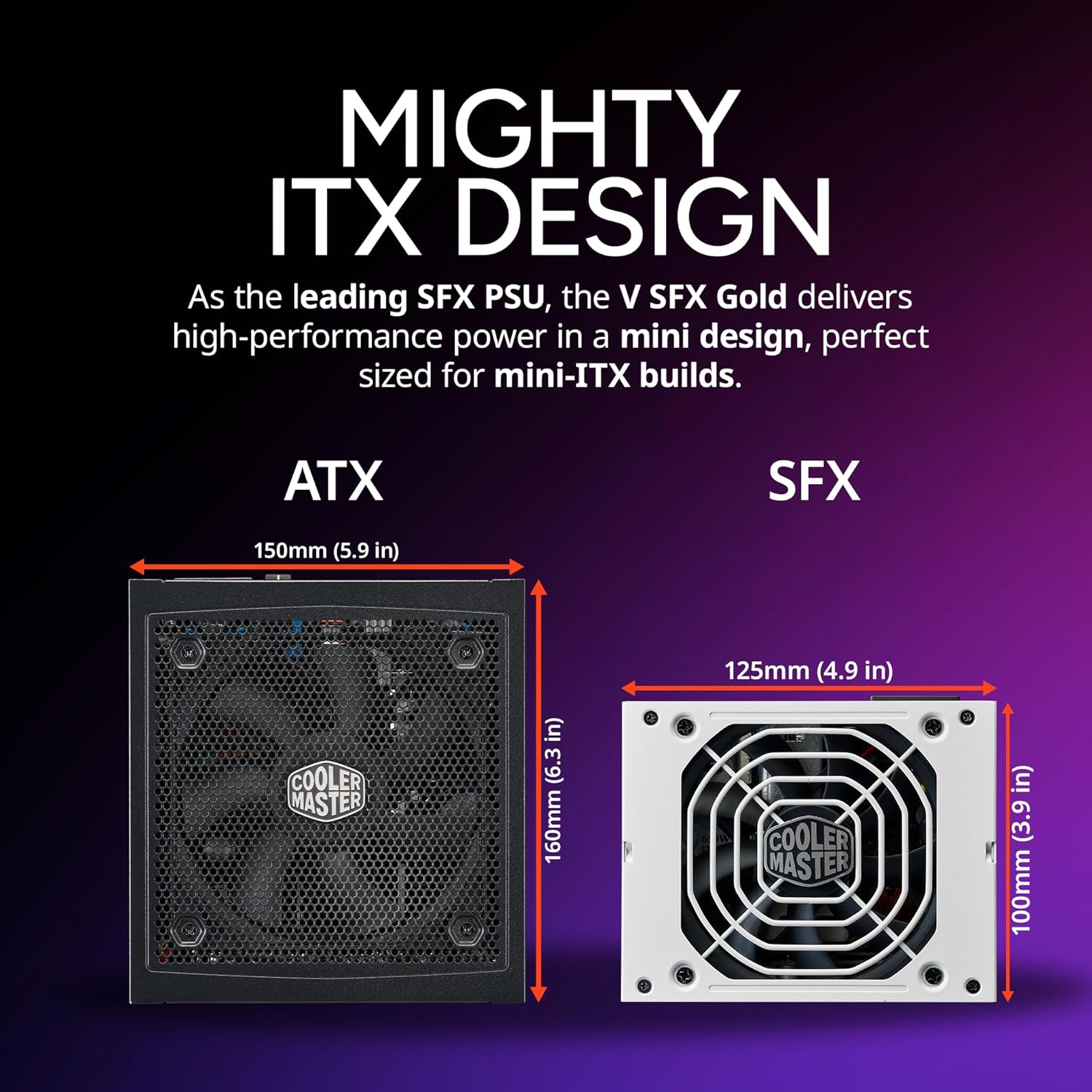
Comparison image illustrating the compact SFX form factor (125mm x 100mm) of the V SFX Gold power supply next to a larger ATX power supply (150mm x 160mm), emphasizing its suitability for mini-ITX builds.
Installation Steps
- Prepare Your System: Ensure your computer is completely powered off and unplugged from the wall outlet.
- Mount the PSU:
- For SFX Cases: Slide the PSU into the designated SFX PSU bay and secure it with the provided screws.
- For ATX Cases: Attach the SFX-to-ATX bracket to the PSU using the provided screws. Then, mount the bracketed PSU into the ATX PSU bay and secure it.
- Connect Modular Cables: Identify the necessary cables for your motherboard, CPU, GPU, and storage devices. Connect them to the corresponding ports on the PSU. The fully modular design allows you to connect only the cables you need, reducing clutter.

Image of the Cooler Master V750 SFX Gold power supply with its white fully modular cables connected, demonstrating how modularity reduces clutter and enhances airflow.

Detailed view of the 90-degree 12V-2x6 PCIe 5.1 connector, designed for improved electrical durability and safety, featuring a thicker contact area and four springs.

Image showing the Cooler Master V750 SFX Gold power supply with the 12V-2x6 connector highlighted, indicating its ATX 3.1 compliance for delivering up to 450W to the GPU.
- Connect to Components: Route the connected modular cables to your motherboard, graphics card(s), SSDs/HDDs, and other peripherals. Ensure all connections are firm and properly seated.
- Secure Cables: Use cable ties or straps to manage cables for better airflow and a cleaner build.
- Connect AC Power: Once all internal connections are made, plug the AC power cord into the PSU's inlet and then into a wall outlet.
Operating Instructions
After successful installation, follow these steps to operate your system:
- Power Switch: Locate the power switch on the rear of the PSU. Ensure it is in the 'ON' (I) position.
- System Power On: Press the power button on your computer case. The PSU fan should begin to spin, and your system should initiate the boot process.
- Power Off: To shut down your system, use the operating system's shutdown function. Once the system is off, you may flip the PSU power switch to the 'OFF' (O) position for complete power disconnection, especially during extended periods of non-use or maintenance.
The V SFX Gold features an intelligent fan control that adjusts fan speed based on load and temperature, ensuring quiet operation under light loads and efficient cooling when needed.

Graph demonstrating the 80 PLUS Gold efficiency of the power supply, showing performance curves for 115V and 230V inputs, with typical efficiency reaching 90% under normal operating conditions.

Image detailing the specifications of the 92mm Fluid Dynamic Bearing (FDB) fan, including its speed (3000 RPM), air flow (48.86 CFM), air pressure (3.85 mmH2O), and noise level (38 dBA max).
Maintenance
Proper maintenance ensures the longevity and optimal performance of your power supply:
- Dust Removal: Periodically clean the PSU's fan grille and ventilation openings to prevent dust buildup. Use compressed air to gently blow dust out of the unit. Ensure the system is powered off and unplugged before cleaning.
- Cable Management: Regularly check that all modular cables are securely connected and not obstructing airflow within the case.
- Environmental Conditions: Maintain a clean, dry, and well-ventilated environment for your computer system to prevent overheating and dust accumulation.
Troubleshooting
If you encounter issues with your Cooler Master V SFX Gold power supply, refer to the following common troubleshooting steps:
- No Power:
- Ensure the AC power cord is securely plugged into both the PSU and the wall outlet.
- Check that the PSU's rear power switch is in the 'ON' (I) position.
- Verify all modular cables (especially the 24-pin motherboard and CPU power cables) are firmly connected to both the PSU and the components.
- Test the wall outlet with another device to ensure it has power.
- System Shuts Down Unexpectedly:
- This could indicate an overload or overheating. Ensure proper ventilation and that the PSU's fan is spinning.
- Check for excessive dust buildup inside the PSU or case.
- Verify that your system's power requirements do not exceed the PSU's wattage.
- Fan Not Spinning:
- The V SFX Gold features an intelligent fan control. The fan may not spin under low load or low temperature conditions. This is normal operation.
- If the fan never spins even under load, ensure no obstructions are present and contact support if the issue persists.
- Unusual Noises:
- A rattling or grinding noise may indicate a fan issue. Ensure no cables are interfering with the fan blades.
- If the noise persists, contact Cooler Master support.
For more complex issues or if the problem persists after following these steps, please refer to the Warranty and Support section.
Specifications
Detailed specifications for the Cooler Master V SFX Gold White Edition Power Supply:

Product label of the Cooler Master V750 SFX Gold power supply, displaying electrical input/output specifications, certifications (80 PLUS Gold, CE, FCC, etc.), and model number MPY-7501-SFHAGV.
| Attribute | Value |
|---|---|
| Brand | Cooler Master |
| Series | V750 SFX Gold White |
| Model Number | MPY-7501-SFHAGV-3EWF |
| Product Dimensions (L x W x H) | 10.01 x 12.5 x 6.35 cm |
| Item Weight | 1.42 kg |
| Voltage | 120 Volts |
| Output Wattage | 750 Watts |
| Form Factor | SFX (with ATX bracket included) |
| Efficiency Certification | 80 PLUS Gold |
| Cooling Method | Air (92mm FDB Fan) |
| Connector Type | ATX, PCI Express (Fully Modular) |
| Compatible Devices | Personal Computer |

Diagram illustrating the enhanced heat dissipation design within the power supply, featuring an integrated transformer, rectifier, full-bridge LLC, and EMI-inhibited amorphous metal for optimal cooling and performance.

Internal view of the power supply highlighting a high-quality 100% Japanese capacitor, which contributes to improved efficiency and reduced ripple noise.

Diagram illustrating the high power density of the V750 SFX Gold power supply, showing a calculation of 15.5W/IN³ and indicating 160% more power density than the MWE 750 V3.
Warranty and Support
The Cooler Master V SFX Gold White Edition Power Supply comes with a 10-year warranty from the date of purchase. This warranty covers defects in materials and workmanship under normal use.
For warranty claims, technical support, or further assistance, please visit the official Cooler Master website or contact their customer service department. Keep your proof of purchase for warranty validation.
Cooler Master Official Website: www.coolermaster.com
