
1. Introduction
The LiebeWH VC837 is a 6000-count auto-ranging digital multimeter designed for accurate and reliable electrical measurements. It features a non-contact AC voltage (NCV) sensor, True RMS measurement, and functions for measuring voltage, current, resistance, capacitance, frequency, duty cycle, diode, continuity, and temperature. Its compact and portable design makes it a convenient tool for various electrical tasks.

Figure 1.1: Front view of the LiebeWH VC837 Digital Multimeter, displaying its clear LCD and rotary switch.
2. Safety Information
Always read and understand all safety instructions before using this multimeter.
- Do not touch the metal parts of the test leads with your hands during measurement to ensure personal safety.
- Ensure the multimeter is set to the correct function and range before connecting to the circuit.
- Never apply voltage or current that exceeds the maximum rated limits of the multimeter.
- Exercise extreme caution when working with live circuits. High voltages can be dangerous.
- Replace batteries when the low battery indicator appears to ensure accurate readings.
- Do not operate the multimeter if it appears damaged or if the case is open.
3. Product Components
The package typically includes the following items:
- 1 x LiebeWH VC837 Digital Multimeter
- 2 x Test Leads (Red and Black)
- 1 x Thermal Contact (Thermocouple for temperature measurement)
- 1 x User Manual

Figure 3.1: The VC837 Multimeter shown with its standard accessories: test leads and a thermocouple.
4. Setup
4.1. Battery Installation
The multimeter requires 2 x AAA 3V batteries (not included). To install or replace batteries:
- Ensure the multimeter is turned OFF.
- Locate the battery compartment on the back of the device.
- Use a screwdriver to open the battery compartment cover.
- Insert two AAA batteries, observing the correct polarity (+/-).
- Replace the battery compartment cover and secure it with the screw.

Figure 4.1: Rear view of the VC837 Multimeter, indicating the battery compartment location.
4.2. Connecting Test Leads
Connect the test leads to the appropriate input jacks for your desired measurement:
- Connect the black test lead to the COM (Common) jack.
- For voltage, resistance, capacitance, frequency, diode, and continuity measurements, connect the red test lead to the VΩmA jack.
- For current measurements up to 600mA, connect the red test lead to the VΩmA jack.
- For current measurements up to 10A, connect the red test lead to the 10A jack.
5. Operating Instructions
The VC837 features a rotary switch for function selection and several buttons for additional features.
5.1. Rotary Switch Functions
Turn the rotary switch to select the desired measurement function:
- OFF: Powers off the multimeter.
- V~: AC Voltage measurement.
- V=: DC Voltage measurement.
- Ω / ->| / Buzzer: Resistance, Diode Test, and Continuity Test. Use the SELECT/ID button to cycle through these functions.
- Hz °C °F / NCV: Frequency, Temperature (Celsius/Fahrenheit), and Non-Contact Voltage detection. Use the SELECT/ID button to cycle through these functions.
- uA / mA / A: Microampere, Milliampere, and Ampere current measurements (AC/DC). Use the SELECT/ID button to cycle through AC/DC modes.
5.2. Button Functions
- SELECT/ID: Cycles through sub-functions within a rotary switch position (e.g., Resistance, Diode, Continuity; or AC/DC for current).
- RANGE/REL: Manually selects measurement range (disables auto-ranging) or activates Relative mode.
- HOLD/*: Freezes the current display reading (Data Hold). Long press to activate backlight.
5.3. Performing Measurements
General Measurement Steps:
- Connect the test leads correctly to the multimeter and the circuit.
- Turn the rotary switch to the desired function.
- Read the measurement value on the LCD display.
Example: Measuring DC Voltage
- Connect the black lead to COM and the red lead to VΩmA.
- Turn the rotary switch to V=.
- Connect the test leads across the component or circuit where you want to measure DC voltage.
- Read the voltage value on the display.
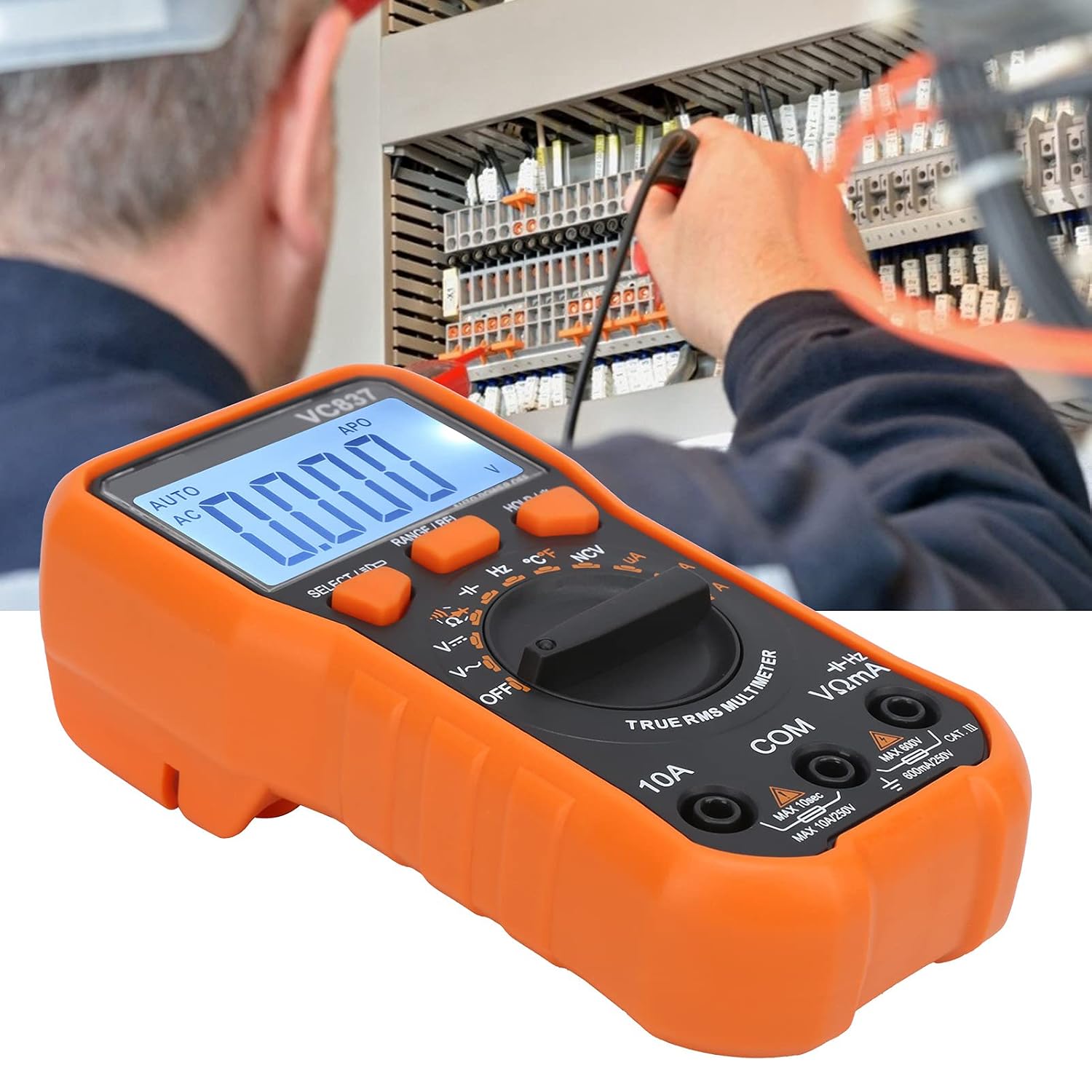
Figure 5.1: The VC837 Multimeter being used to measure electrical parameters in a circuit.
5.4. Non-Contact Voltage (NCV) Detection
To detect AC voltage without direct contact:
- Turn the rotary switch to the Hz °C °F / NCV position.
- Press the SELECT/ID button until NCV is active (indicated on the display).
- Move the top edge of the multimeter near the conductor. The NCV sensor will detect AC voltage, indicated by an audible beep and LED light.
6. Maintenance
6.1. Cleaning
Wipe the case with a damp cloth and mild detergent. Do not use abrasives or solvents.
6.2. Battery Replacement
Refer to Section 4.1 for battery replacement instructions. Replace batteries promptly when the low battery indicator appears to maintain measurement accuracy.
6.3. Fuse Replacement
This multimeter may contain internal fuses for protection. Fuse replacement should only be performed by qualified personnel. Refer to the full manual for specific fuse ratings and replacement procedures.
7. Troubleshooting
- No Display / Faint Display:
Check battery installation and polarity. Replace batteries if they are low or depleted. - Incorrect Readings:
Ensure the correct function and range are selected. Check test lead connections. Verify the circuit is properly connected. - "OL" (Overload) Indication:
The measured value exceeds the selected range. Switch to a higher range or ensure the input is within the multimeter's maximum specifications. - Multimeter Does Not Turn On:
Check batteries. Ensure the rotary switch is not stuck between positions.
8. Specifications
| Feature | Specification |
|---|---|
| Model | VC837 |
| Display | 6000 Counts LCD (approx. 61 x 28 mm) |
| Power Supply | 2 x AAA 3V Batteries (not included) |
| Sampling Rate | 3 times/second |
| AC Frequency Response | 40Hz-2kHz |
| Input Impedance | 10MΩ |
| Auto Power Off | Approximately 15 minutes |
| Low Voltage Alarm | Below 2.4V |
| Operating Mode | Auto or Manual Ranging |
| Material | ABS |
9. Warranty and Support
For detailed warranty information and customer support, please refer to the specific warranty card included with your product or visit the official LiebeWH website. Keep your purchase receipt as proof of purchase.
