
VEGER V3008
VEGER 30000mAh Power Bank User Manual
Model: V3008
Brand: VEGER
1. Introduction
This user manual provides detailed instructions for the VEGER 30000mAh Power Bank (Model V3008). This high-capacity portable charger is designed to provide reliable power for your mobile devices, featuring fast charging capabilities, multiple output ports, and an accurate LED display for convenience. Please read this manual thoroughly before using the product to ensure safe and optimal performance.
2. Package Contents
Upon opening the package, please verify that all the following items are included:
- 1x VEGER 30000mAh Universal Power Bank (Model V3008)
- 1x USB A to Micro USB Cable
- 1x User Manual (Welcome Guide)
- 1x Mesh Pouch
Note: A wall adapter is not included and must be purchased separately. For optimal charging, an 18W or higher power adapter is recommended.
3. Product Overview

Figure 1: Front view of the VEGER 30000mAh Power Bank.

Figure 2: Dimensions of the VEGER 30000mAh Power Bank (16.9 x 3.1 x 7.9 cm).
3.1. Features
- Massive 30000mAh Capacity: Provides multiple charges for smartphones, tablets, and other devices, ideal for extended travel or outdoor activities.
- 2 Inputs & 4 Outputs: Equipped with Micro USB and USB-C (Type-C) input ports for recharging the power bank. Features 3 USB-A and 1 USB-C output port for simultaneous charging of up to four devices.
- 20W Fast Charging: Supports Power Delivery (PD) and Quick Charge (QC 3.0) for rapid charging of compatible devices.
- Accurate LED Display: A clear digital display shows the remaining battery capacity in real-time, allowing you to monitor charge levels precisely.
3.2. Ports and Indicators

Figure 3: Overview of input and output ports.
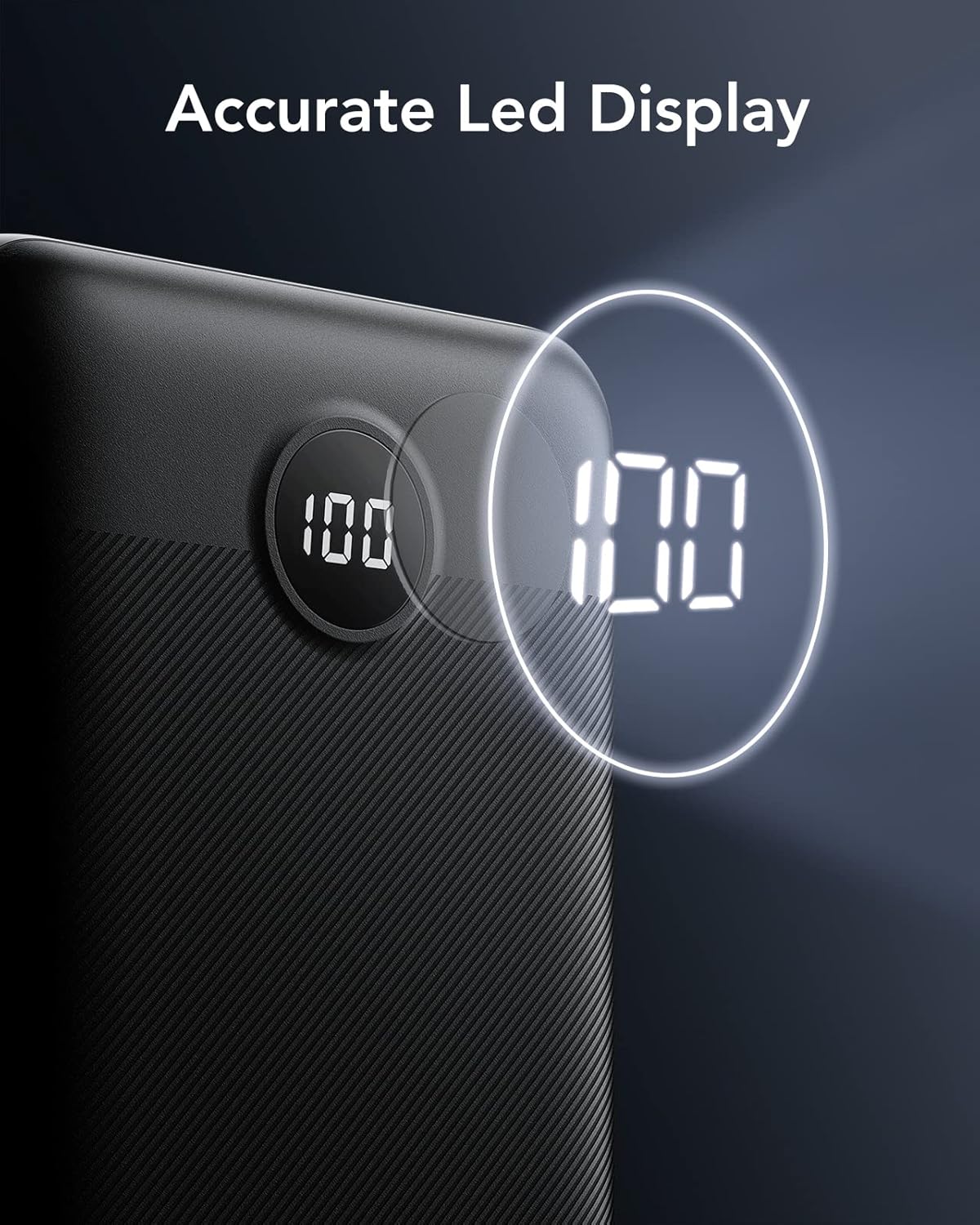
Figure 4: Close-up of the accurate LED display.
- USB-C Port: Functions as both an input and output port. Supports up to 20W Power Delivery (PD) for fast charging compatible devices and recharging the power bank.
- Micro USB Input Port: Dedicated input port for recharging the power bank.
- USB-A Output Ports (x3): Standard USB output ports for charging various devices. One of these supports Quick Charge 3.0 (QC 3.0) up to 18W.
- Power Button: Activates the LED display to show the current battery percentage.
- LED Display: Digital screen indicating the remaining battery percentage (0-100%).
4. Specifications
| Feature | Detail |
|---|---|
| Model Number | V3008 |
| Battery Capacity | 30000 Milliamp Hours (mAh) |
| USB-C Input/Output | Up to 20W Power Delivery (PD) |
| Micro USB Input | Up to 10W |
| USB-A Output (QC 3.0) | Up to 18W Quick Charge (QC 3.0) |
| USB-A Output (Standard) | Up to 12W (for other USB-A ports) |
| Product Dimensions | 16.9 x 3.1 x 7.9 cm |
| Weight | 617 g |
| Colour | Black |
5. Setup: Charging the Power Bank
Before using your VEGER 30000mAh Power Bank for the first time, it is recommended to fully charge it. This ensures optimal performance and battery longevity.
- Connect the Charging Cable: Use either a USB-C cable or the provided Micro USB cable to connect the power bank to a compatible wall charger (not included). For fastest charging, use an 18W or higher Power Delivery (PD) compatible wall charger with a USB-C to USB-C cable.
- Monitor Charging Progress: The LED display on the power bank will show the charging percentage. The numbers will flash during charging and become solid when fully charged (100%).
- Full Charge Time: A full recharge of the 30000mAh power bank takes approximately 9 hours when using an 18W charger and adapter.
Video 1: An overview of the VEGER 30000mAh Power Bank, including unboxing and initial setup.
6. Operating: Charging Your Devices
The VEGER 30000mAh Power Bank can charge a wide range of devices, including smartphones, tablets, and other USB-powered gadgets.
- Connect Your Device: Use your device's original charging cable or a certified compatible cable. Connect one end to your device and the other end to one of the power bank's output ports (USB-C or USB-A).
- Initiate Charging: The power bank will automatically detect the connected device and begin charging. The LED display will illuminate to show the remaining battery percentage.
- Simultaneous Charging: You can charge up to four devices simultaneously using the available USB-C and USB-A output ports. The power bank will intelligently distribute power.
- Fast Charging: For devices supporting Power Delivery (PD) or Quick Charge (QC 3.0), use the appropriate USB-C or designated USB-A (orange port) for faster charging speeds.

Figure 5: Illustrates the power bank's capacity to charge multiple devices, such as an iPhone 13 (5.8 charges), Huawei Mate 40 (4.5 charges), and Galaxy S20 (4.0 charges).

Figure 6: Demonstrates the ability to charge four devices at the same time.
Video 2: Demonstrates the power bank charging multiple devices simultaneously.
7. Maintenance
Proper maintenance will extend the lifespan of your power bank.
- Storage: Store the power bank in a cool, dry place away from direct sunlight and extreme temperatures.
- Cleaning: Use a soft, dry cloth to clean the surface of the power bank. Do not use harsh chemicals or abrasive materials.
- Avoid Drops: Protect the power bank from drops, impacts, and excessive vibration.
- Regular Use: To maintain battery health, it is advisable to fully discharge and recharge the power bank at least once every three months if not in regular use.
8. Troubleshooting
If you encounter issues with your power bank, please refer to the following common solutions:
- Power Bank Not Charging:
- Ensure the charging cable is securely connected to both the power bank and the wall adapter.
- Verify that the wall adapter is functioning correctly and provides sufficient power (18W recommended).
- Try a different charging cable or wall adapter.
- Device Not Charging from Power Bank:
- Ensure the power bank has sufficient charge (check the LED display).
- Verify that the charging cable connecting your device to the power bank is working and securely connected.
- Try a different charging cable or a different output port on the power bank.
- Confirm your device is compatible with USB charging.
- Power Bank Only Charges to 88% (or similar incomplete charge):
- If the power bank does not reach 100% charge, fully discharge it until it turns off, then recharge it completely. This can recalibrate the battery and allow it to reach full capacity.
- Slow Charging:
- Ensure you are using a fast-charging compatible cable and connecting to the correct fast-charging port (USB-C PD or USB-A QC 3.0).
- If charging multiple devices, the total output wattage is shared, which may result in slower charging for individual devices.
9. Warranty and Support
The VEGER 30000mAh Power Bank comes with an 18-month warranty from the date of purchase, covering manufacturing defects. Please retain your proof of purchase for warranty claims.
For technical support, warranty inquiries, or any other questions, please contact VEGER customer service through their official website or the contact information provided in the product packaging.
You can visit the official VEGER store for more information: VEGER Store
Related documentsV3008


Ask a question about this manual
Ask about setup, troubleshooting, compatibility, parts, safety, or missing instructions. Manuals+ will review the question and use this page’s manual context to help answer it.