
1. Important Safety Information
Please read this manual carefully before installing and operating your air conditioner. Keep this manual for future reference. The manufacturer is not responsible for any damages caused by improper installation or operation.
- Installation must be performed by qualified personnel in accordance with national wiring standards.
- Ensure the power supply matches the rating plate specifications.
- Do not operate the air conditioner with wet hands.
- Do not block the air inlet or outlet of the unit.
- Keep children away from the unit.
- If the supply cord is damaged, it must be replaced by the manufacturer, its service agent, or similarly qualified persons to avoid a hazard.
2. Product Overview
The Mando MP-18CD is a split-type air conditioner designed for cooling. It consists of an indoor unit and an outdoor unit, working together to provide comfortable indoor temperatures.
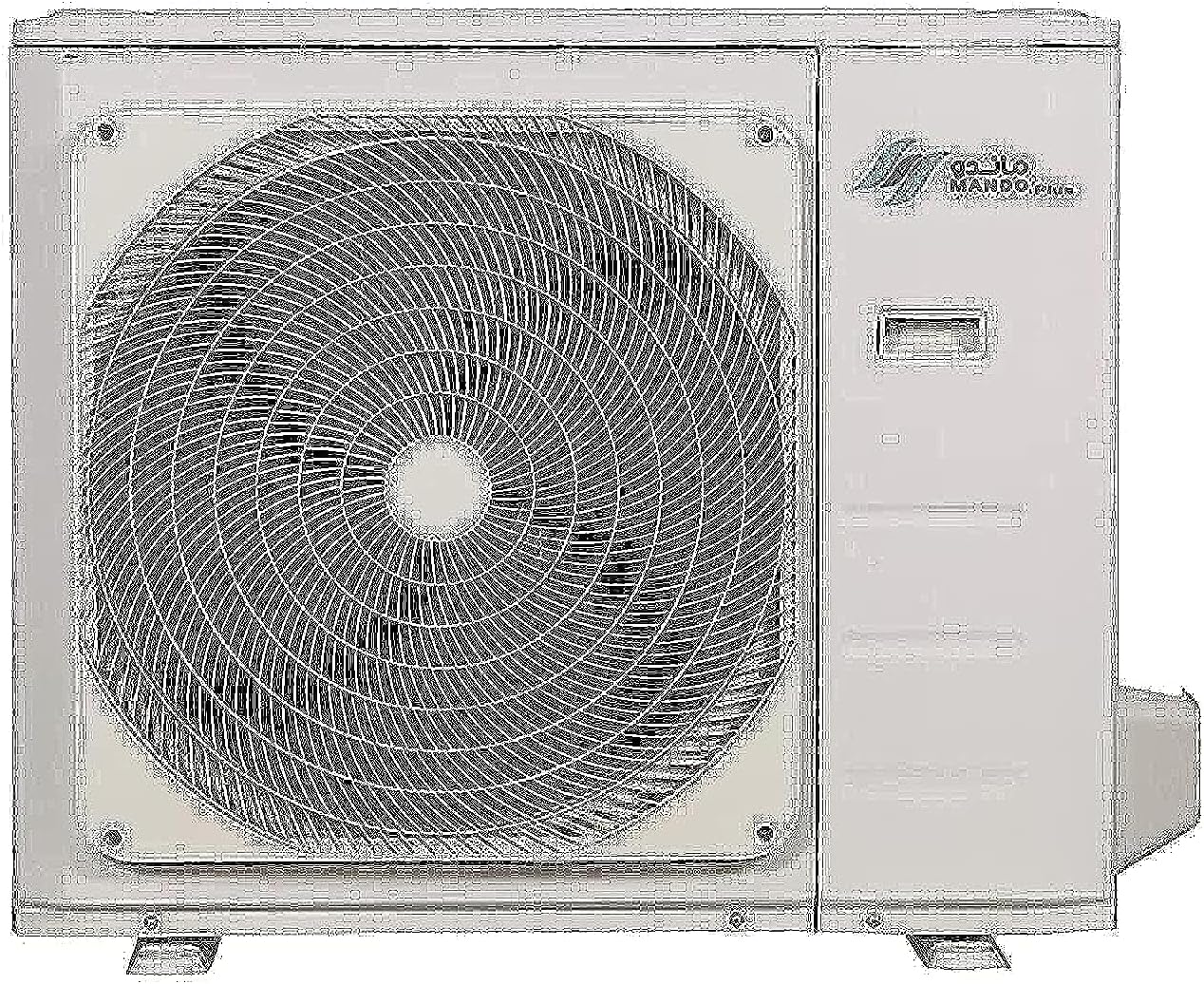
Figure 2.1: Mando MP-18CD Outdoor Unit. This image shows the external condenser unit of the air conditioner, featuring a large fan grille and the Mando brand logo.

Figure 2.2: Mando MP-18CD Outdoor Unit. A slightly different angle of the outdoor unit, highlighting its compact design and the Mando Plus branding.
2.1 Components
- Indoor Unit: Mounted inside the room, responsible for air distribution.
- Outdoor Unit: Mounted outside, contains the compressor and condenser coil.
- Remote Control: Used to operate the air conditioner's functions.
- Connecting Pipes: Refrigerant lines connecting indoor and outdoor units.
- Drain Hose: For condensate water removal.
3. Setup and Installation
Installation of the Mando MP-18CD air conditioner requires specialized tools and knowledge. It is strongly recommended that installation be performed by a certified HVAC technician to ensure proper functioning, safety, and warranty validity.
3.1 Pre-Installation Checks
- Verify the power supply voltage and frequency match the unit's requirements (125V).
- Ensure the installation location for both indoor and outdoor units is structurally sound and allows for proper airflow.
- Confirm adequate drainage for the indoor unit's condensate.
3.2 Installation Steps (Overview for Technician)
- Mount the indoor unit securely on the wall.
- Install the outdoor unit on a stable, level surface, ensuring proper clearance.
- Connect the refrigerant piping between the indoor and outdoor units.
- Perform vacuuming and refrigerant charging (R-410A).
- Connect electrical wiring according to the wiring diagram provided with the unit.
- Connect the condensate drain hose.
- Test the unit for proper operation and check for leaks.
4. Operating Instructions
Your Mando MP-18CD air conditioner is operated primarily via the wireless remote control. Ensure the remote control has working batteries.
4.1 Basic Operation
- Power On/Off: Press the ON/OFF button to start or stop the unit.
- Mode Selection: Press the MODE button to cycle through available modes. This model supports Cooling Only.
- Temperature Adjustment: Use the TEMP UP (▲) and TEMP DOWN (▼) buttons to set your desired temperature.
- Fan Speed: Press the FAN button to adjust the fan speed (Auto, Low, Medium, High).
- Swing Function: Use the SWING button to control the vertical airflow direction.
4.2 Special Features
- Fast Cooling: The unit is equipped with a fast cooling feature for rapid temperature reduction.
- Multi-Speed Fan: Allows for precise control over airflow intensity.
5. Maintenance
Regular maintenance ensures optimal performance and extends the lifespan of your Mando air conditioner. Always disconnect power before performing any maintenance.
5.1 Air Filter Cleaning
Clean the air filters every two weeks or more frequently if the unit is used heavily or in dusty environments.
- Open the front panel of the indoor unit.
- Remove the air filters.
- Clean the filters with a vacuum cleaner or wash them with lukewarm water and mild detergent.
- Rinse thoroughly and allow them to dry completely in a shaded area before re-installing.
5.2 Outdoor Unit Maintenance
Periodically check the outdoor unit for obstructions (leaves, debris) and clean the coils with a soft brush or water hose. This should be done by a qualified technician annually.
6. Troubleshooting
Before calling for service, please check the following common issues and solutions:
| Problem | Possible Cause | Solution |
|---|---|---|
| Unit does not start | No power; Remote control batteries dead; Circuit breaker tripped. | Check power supply; Replace batteries; Reset circuit breaker. |
| Insufficient cooling | Dirty air filters; Blocked outdoor unit; Room too large; Doors/windows open. | Clean filters; Clear obstructions; Ensure room size is appropriate; Close doors/windows. |
| Unusual noise | Loose parts; Obstruction in fan; Unit not level. | Contact a qualified technician. |
| Water leakage | Clogged drain hose; Improper installation. | Clear drain hose; Contact a qualified technician for re-installation check. |
If the problem persists after trying these solutions, please contact a qualified service technician.
7. Specifications
| Feature | Detail |
|---|---|
| Model Number | MP-18CD |
| Cooling Capacity | 18000 BTU |
| Product Dimensions | 93.6 x 38 x 23.9 cm (approx.) |
| Item Weight | 43 kg |
| Voltage | 125 Volts |
| Noise Level | 50 dB |
| Refrigerant Type | R-410A |
| Energy Efficiency Rating (BEE) | 5 Stars |
| Special Feature | Fast Cooling |
| Color | White |
8. Warranty and Support
8.1 Warranty Information
The Mando MP-18CD air conditioner comes with a two-year warranty from the date of purchase. This warranty covers manufacturing defects and faulty materials under normal use and service conditions.
The warranty does not cover damages resulting from:
- Improper installation or maintenance.
- Misuse, abuse, or unauthorized modifications.
- Natural disasters or power fluctuations.
Please retain your purchase receipt as proof of purchase for warranty claims.
8.2 Customer Support
For technical assistance, service requests, or warranty claims, please contact Mando customer support through your local dealer or the official Mando service center. Refer to your purchase documentation for specific contact details.
You can also visit the official Mando website for more information and support resources.


