
1. Introduction
Thank you for choosing the Pelonis 40-Inch Silent Tower Fan. This manual provides essential information for the safe and efficient operation of your new fan. Please read it thoroughly before use and retain it for future reference.

Image 1: Pelonis 40-Inch Silent Tower Fan, Model PE-FZ10-18TRB-DE.
2. Important Safety Instructions
When using electrical appliances, basic precautions should always be followed to reduce the risk of fire, electric shock, and injury to persons, including the following:
- Read all instructions before using this fan.
- Always unplug the fan from the power outlet before cleaning or when not in use.
- Do not operate any fan with a damaged cord or plug. If the fan malfunctions or has been dropped or damaged in any manner, return it to an authorized service facility for examination, electrical or mechanical adjustment, or repair.
- Do not use the fan outdoors.
- Do not run cord under carpeting. Do not cover cord with throw rugs, runners, or similar coverings. Arrange cord away from traffic area and where it will not be tripped over.
- Do not insert or allow foreign objects to enter any ventilation or exhaust opening as this may cause an electric shock or fire, or damage the fan.
- To prevent a possible fire, do not block air intakes or exhaust in any manner. Do not use on soft surfaces, like a bed, where openings may become blocked.
- This fan is not intended for use in wet or damp locations. Never locate a fan where it may fall into a bathtub or other water container.
- Always place the fan on a stable, flat, level surface during operation to prevent it from tipping over.
- Close supervision is necessary when any appliance is used by or near children.
3. Package Contents
Please check the package contents upon opening. If any items are missing or damaged, contact customer support.
- Pelonis Tower Fan Unit
- Fan Base (2 parts)
- Remote Control
- User Manual
4. Setup and Assembly
Follow these steps to assemble your tower fan:
- Carefully remove all components from the packaging.
- Assemble the two parts of the fan base by aligning them and snapping them together.
- Place the tower fan unit onto the assembled base, ensuring the alignment pins fit into the corresponding holes.
- Secure the fan unit to the base by screwing the large plastic nut (located underneath the fan unit) clockwise until tight.
- Route the power cord through the designated channel in the base to ensure stability.
- Place the fan on a firm, level surface.

Image 2: Technical diagram illustrating tool-free assembly and design features like the fine grille and rear handle.
5. Operating Instructions
Your Pelonis tower fan can be operated using the control panel on top of the unit or the included remote control.
Control Panel & Remote Control

Image 3: Remote control and LED control panel for convenient operation.
The remote control requires 2x AAA batteries (not included). Ensure clear line of sight to the fan's sensor for optimal remote functionality.
Functions:
- Power On/Off: Press the power button to turn the fan on or off.
- Speed Settings: Cycle through 4 fan speeds (Low, Medium, High, Max) to adjust airflow intensity.
- Modes: Select from various modes for different comfort needs:
- Normal Mode: Provides a consistent airflow at the selected speed.
- Nature Mode: Simulates a natural breeze by varying fan speeds.
- Sleep Mode: Operates at an ultra-quiet 36 dB, gradually decreasing fan speed for undisturbed rest.
- ECO Mode: Automatically adjusts fan speed to maintain a constant low indoor temperature, optimizing energy consumption.
- Oscillation: Activate the 90° wide-angle oscillation feature to distribute air across a larger area.
- Timer: Set the fan to automatically turn off after a specified period, from 1 to 15 hours, in 1-hour increments.
Video 1: Demonstration of tower fan oscillation and remote control operation.

Image 4: The fan provides 90° wide oscillation for comprehensive room cooling.

Image 5: Automatic adjustment of settings for different scenarios, including Sleep, Nature, and Normal modes.

Image 6: Ultra-quiet operation in Sleep Mode, producing only 36 dB for a peaceful breeze.
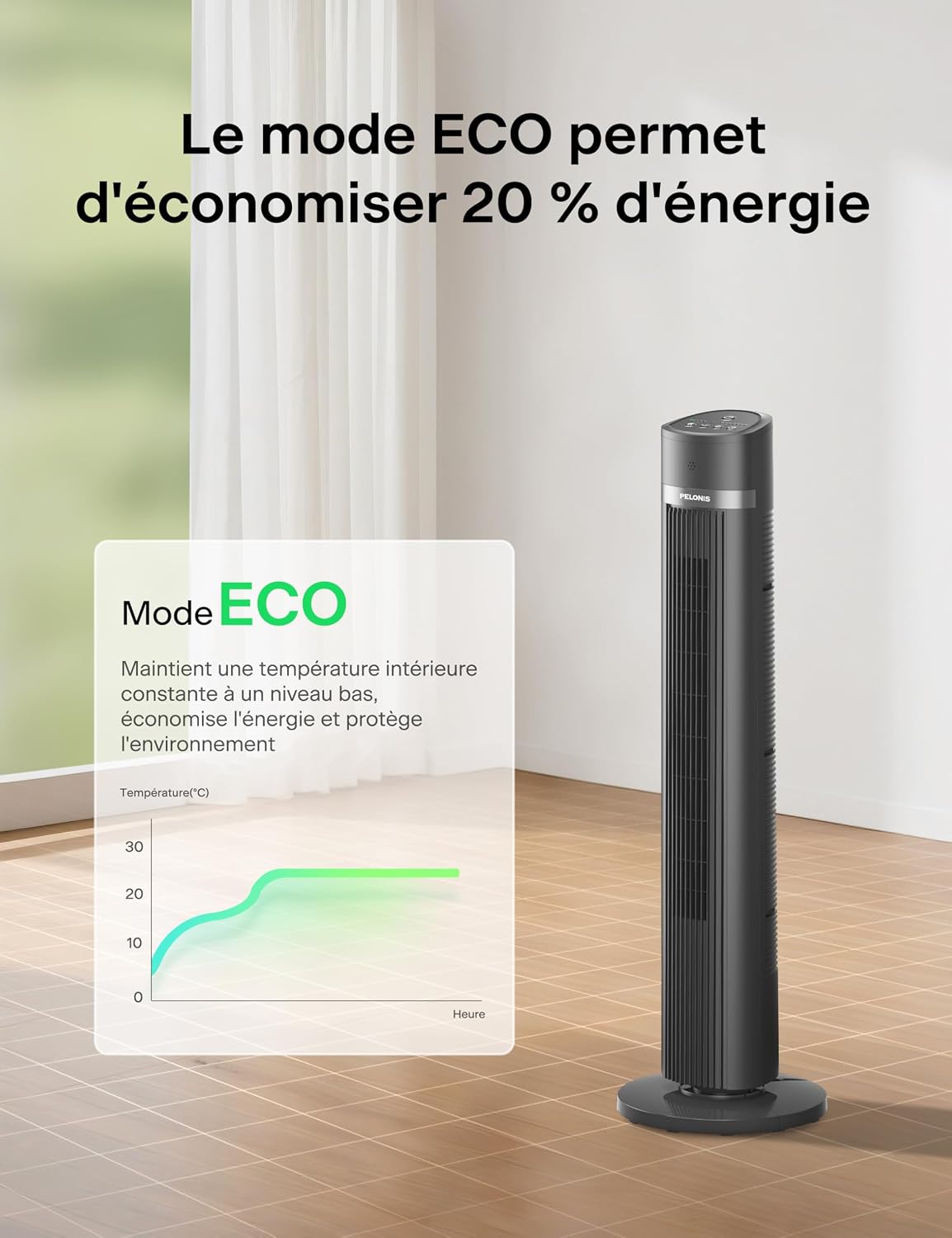
Image 7: ECO Mode helps save up to 20% energy by maintaining a constant low indoor temperature.
6. Maintenance and Cleaning
Regular cleaning will help maintain your fan's performance and extend its lifespan.
- Always unplug the fan before cleaning.
- Use a soft, damp cloth to wipe the exterior surfaces of the fan. Do not use abrasive cleaners or solvents.
- To clean the air inlet and outlet grilles, use a vacuum cleaner with a brush attachment or a soft brush to remove dust and debris.
- Ensure all parts are completely dry before plugging the fan back in.
- Store the fan in a cool, dry place when not in use, preferably in its original packaging.
7. Troubleshooting
If you encounter any issues with your fan, refer to the following common problems and solutions:
| Problem | Possible Cause | Solution |
|---|---|---|
| Fan does not turn on. | No power supply. Remote control batteries are dead. | Ensure the fan is plugged into a working outlet. Replace remote control batteries (2x AAA). |
| Weak airflow. | Fan speed is too low. Air inlets/outlets are blocked. | Increase the fan speed setting. Clean any dust or obstructions from the grilles. |
| Fan does not oscillate. | Oscillation function is not activated. Fan is on an uneven surface. | Press the oscillation button on the control panel or remote. Place the fan on a flat, stable surface. |
| Remote control not working. | Batteries are dead or incorrectly inserted. Obstruction between remote and fan sensor. | Replace batteries and ensure correct polarity. Ensure a clear line of sight to the fan's sensor. |
8. Specifications
Detailed technical specifications for your Pelonis Tower Fan:
| Feature | Specification |
|---|---|
| Brand | PELONIS |
| Model Number | PE-FZ10-18TRB-DE |
| Type | Tower Fan (Floor Fan) |
| Color | Black |
| Dimensions (D x W x H) | 30P x 30l x 101.3H cm (approx. 40 inches height) |
| Power Source | Electric Cable |
| Power | 1500 Watts (Note: This wattage is typically associated with heaters. Please refer to the product label for exact power consumption.) |
| Number of Speeds | 4 |
| Noise Level | 36 dB (Sleep Mode), up to 65 dB (Max Speed) |
| Oscillation | 90° Wide-Angle |
| Timer | Up to 15 hours (1-hour increments) |
| Control Type | Remote Control, On-unit LED Panel |
| Material | Acrylonitrile Butadiene Styrene |
| Recommended Use | Indoor (Home and Office) |
| Special Features | Oscillating, Remote Control, LED Display, ECO Mode, Child-safe narrow grilles, Anti-fall stop |
9. Warranty and Customer Support
For warranty information or customer support, please refer to the warranty card included with your product or contact Pelonis customer service directly. Keep your purchase receipt as proof of purchase.
For further assistance, please visit the official Pelonis website or contact their support team through the details provided in your product packaging.


