
1. Introduction and Overview
The LogiLink KAB0074 Cable Sleeve with Zipper is designed to provide effective cable management and protection. Made from durable polyester, this sleeve helps organize multiple cables into a single, neat bundle, reducing clutter and enhancing safety. It offers resistance against abrasion, tension, and impact, while also protecting cables from dirt and moisture.
Key features of the KAB0074 include:
- Material: High-quality Polyester
- Operating Temperature: -50 to 150 °C
- Melting Point: 240 ± 10 °C
- Flammability Rating: VW-1
- Dimensions: 35 mm diameter, 2 meters length
2. Setup and Installation
Follow these steps to install your cables into the LogiLink KAB0074 Cable Sleeve:
- Prepare Cables: Gather all cables you wish to bundle together. Ensure they are untangled and free of kinks.
- Open Sleeve: Unzip the LogiLink KAB0074 cable sleeve along its entire length to create an opening for your cables.
- Insert Cables: Carefully place the cables inside the opened sleeve. For cables with larger connectors (e.g., HDMI, DVI, power plugs), it may be easier to feed the connectors through first, then pull the rest of the cable.

Image 1: Cables being inserted into the open cable sleeve.

Image 2: Illustrates inserting power cables with larger plugs.
- Close Zipper: Once all cables are positioned within the sleeve, slowly close the zipper. Ensure no cables are caught in the zipper teeth. Adjust the cables as you zip to ensure a smooth closure.
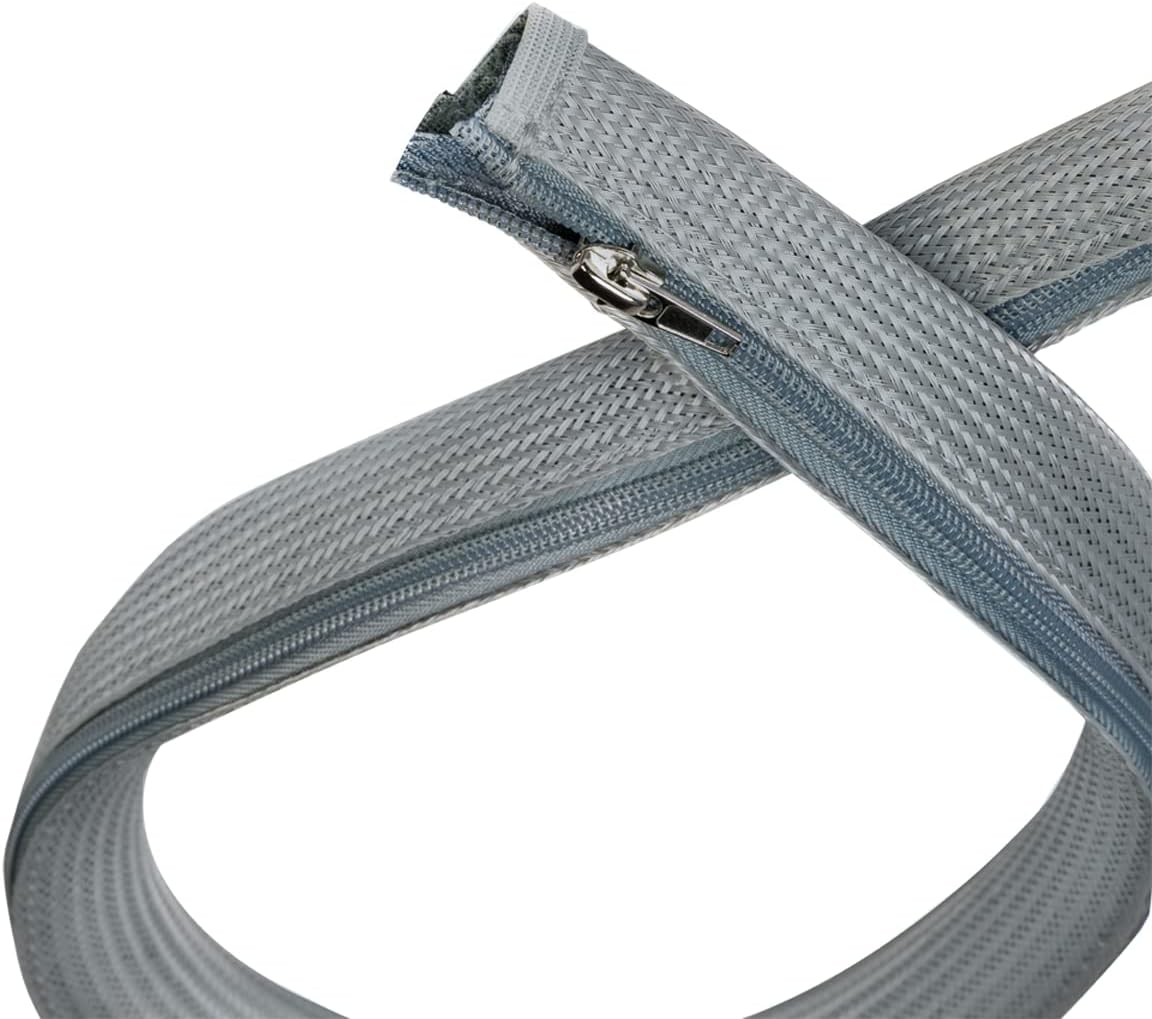
Image 3: Detail of the zipper for closing the sleeve.
3. Operating (Usage)
The LogiLink KAB0074 cable sleeve is designed for flexible use. The integrated zipper allows for easy access to your cables at any time. To add or remove cables, simply unzip the sleeve, make your adjustments, and then re-zip it. The flexible polyester material adapts to the shape of your cable bundle, maintaining a neat and organized appearance while providing protection.

Image 4: Cables neatly bundled and exiting the sleeve.
4. Maintenance
To ensure the longevity and appearance of your LogiLink KAB0074 Cable Sleeve, follow these simple maintenance guidelines:
- Cleaning: Gently wipe the cable sleeve with a soft, damp cloth to remove dust or light dirt.
- Avoid Chemicals: Do not use harsh chemicals, abrasive cleaners, or solvents, as these can damage the polyester material or the zipper mechanism.
- Storage: When not in use, store the sleeve in a clean, dry place away from direct sunlight or extreme temperatures.
5. Troubleshooting
If you encounter any issues with your cable sleeve, consider the following common solutions:
- Zipper is Stuck: If the zipper becomes difficult to move, check carefully for any cables, fabric, or debris caught in the zipper teeth. Gently clear any obstructions before attempting to close or open again. Avoid forcing the zipper, as this may cause damage.
- Cables Do Not Fit: Ensure the total diameter of your cable bundle does not exceed the sleeve's 35mm diameter. If the bundle is too large, consider splitting the cables into multiple smaller bundles or using a larger cable management solution.
- Sleeve Appears Loose: If the sleeve feels too loose around your cables, it may indicate that the cable bundle is too small for the 35mm diameter. For very small bundles, a narrower sleeve might provide a snugger fit.
6. Specifications
| Feature | Specification |
|---|---|
| Brand | LogiLink |
| Model | KAB0074 |
| Material | Polyester |
| Diameter | 35 mm |
| Length | 2 m |
| Color | Grey |
| Operating Temperature | -50 to 150 °C |
| Melting Point | 240 ± 10 °C |
| Flammability | VW-1 |
| Product Dimensions (L x W x H) | 200 x 3.5 x 0.1 cm |
| Item Weight | 105 g |
7. Warranty and Support
For product support, technical assistance, or warranty inquiries regarding your LogiLink KAB0074 Cable Sleeve, please contact LogiLink customer service or visit the manufacturer's official website.
- Manufacturer: 2direct GmbH
- Product Information: LogiLink KAB0074 Product Page
Please retain your proof of purchase for any warranty claims.