
ZIQING 1
ZIQING Automatic Wrist Blood Pressure Monitor User Manual
Model: 1
Introduction
This user manual provides detailed instructions for the safe and effective operation of your ZIQING Automatic Wrist Blood Pressure Monitor. Please read this manual thoroughly before first use and keep it for future reference. This device is designed for home use to measure systolic and diastolic blood pressure and pulse rate on the wrist.
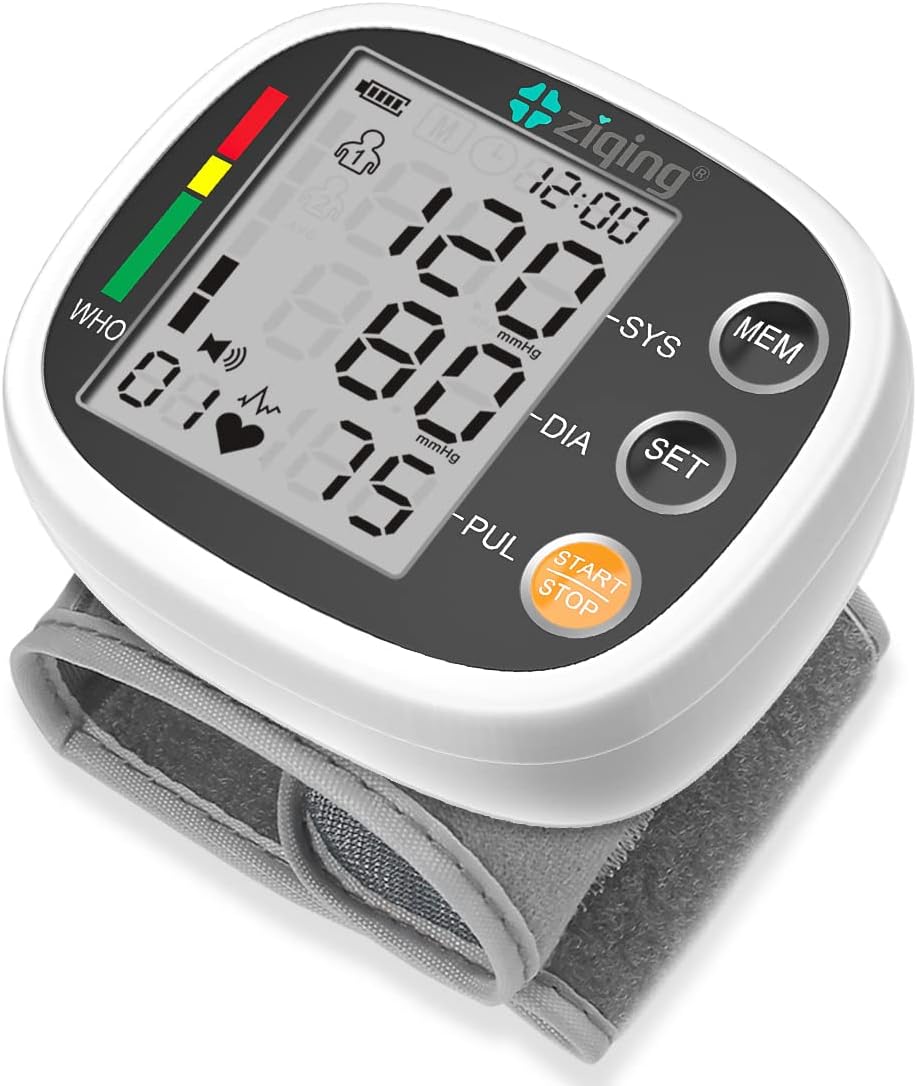
Image: ZIQING Automatic Wrist Blood Pressure Monitor, displaying blood pressure readings and pulse rate on its LCD screen.
Important Safety Information
Always consult your physician for interpretation of blood pressure measurements. Self-diagnosis and treatment based on measured results may be dangerous. Do not modify the device. Keep out of reach of children.

Image: A visual guide illustrating important guidelines for measuring blood pressure, including being quiet, waiting between measurements, and avoiding physical activity or stimulants before measurement.
Guidelines for Accurate Measurement:
- Be quiet for at least 10 minutes before the measurement.
- Wait at least 5 minutes between measurements.
- Measure 1 hour after getting up or before going to bed at night.
- Wait at least 30 minutes after physical activity.
- Measure in the correct position.
Avoid These Actions Before Measurement:
- Climbing stairs or exercising.
- Drinking coffee or alcohol.
- Talking or moving during measurement.
- Not following the correct posture.
Package Contents
Upon opening the package, please verify that all components are present and undamaged:
- 1 x ZIQING Blood Pressure Monitor
- 1 x Type-C USB Cable
- 1 x Instruction Manual

Image: Diagram showing the ZIQING Blood Pressure Monitor, Type-C cable, and Instruction Manual as included items in the product package.
Setup and Powering the Device
The ZIQING Blood Pressure Monitor offers two power modes for convenience:
- Built-in 300mAh Lithium Battery: The device comes with a built-in rechargeable battery. Ensure it is sufficiently charged before first use.
- Type-C Cable: For charging the built-in battery or powering the device directly, connect the provided Type-C USB cable to the monitor and a compatible USB power source (e.g., computer USB port, USB wall adapter).

Image: Illustration demonstrating the two power modes: the internal rechargeable lithium battery and the option to power via a Type-C USB cable connected to the device.
Operating Instructions
Wearing the Monitor Correctly
Proper placement of the wrist cuff is crucial for accurate readings:
- Wear the blood pressure monitor around your naked wrist with your palm facing up.
- Secure the additional part of the bracelet firmly.
- Ensure the distance between the device and your palm is approximately 1-2 cm.
- Keep the device at the same level as your heart during measurement.

Image: A four-step visual guide demonstrating how to correctly wear the wrist blood pressure monitor, including cuff placement, securing, distance from palm, and keeping it at heart level.
Taking a Measurement
The ZIQING monitor is designed for easy, one-button operation:
- Once the monitor is correctly positioned on your wrist, press the START/STOP button.
- The cuff will automatically inflate and then slowly deflate, measuring your blood pressure and pulse rate.
- The results (Systolic, Diastolic, and Pulse) will be displayed on the LCD screen and announced via voice broadcast.
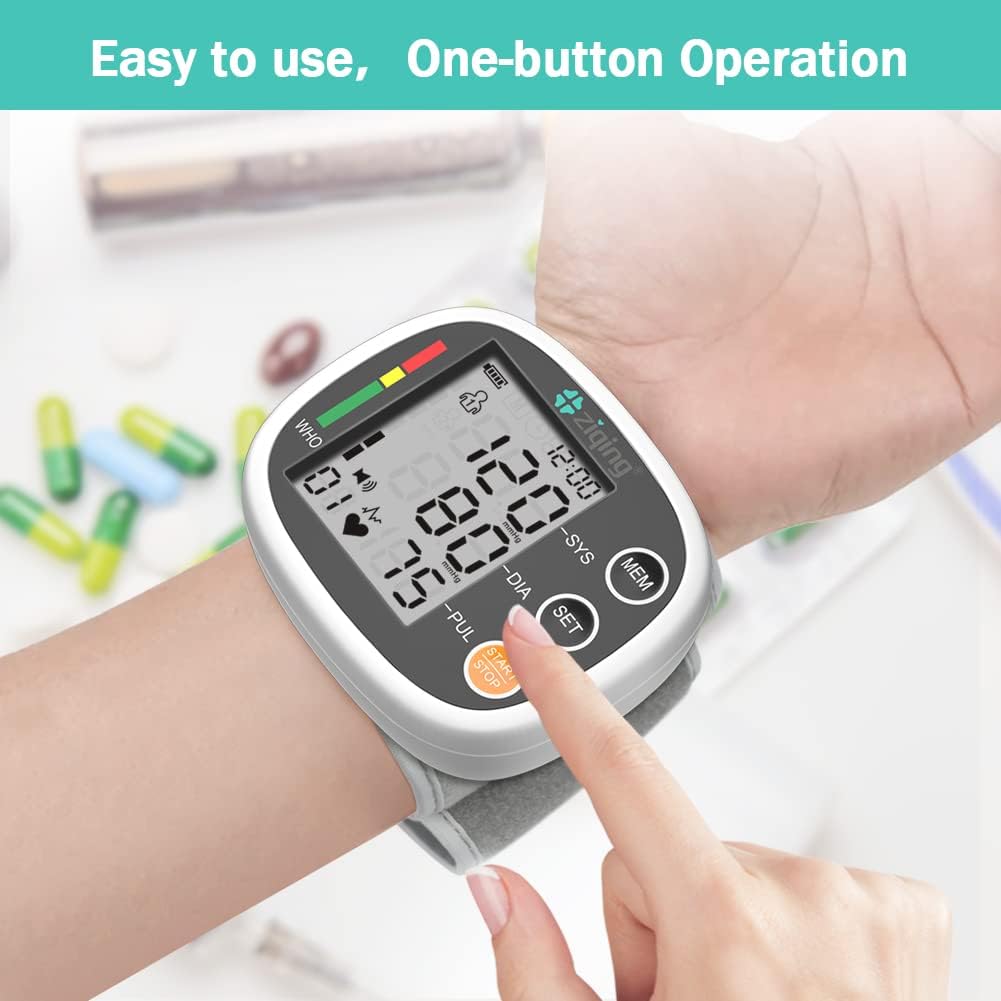
Image: A hand pressing the "START/STOP" button on the ZIQING wrist blood pressure monitor, highlighting its easy, one-button operation.
Voice Broadcast Setting
You can enable or disable the voice broadcast feature:
- Press the SET button for 4 seconds.
- Continue pressing multiple times until "SP" appears on the screen.
- Press the MEM button to select "ON" (voice enabled) or "OFF" (voice disabled).

Image: A sequence of three screen captures showing how to access and change the voice broadcast setting (SP ON/OFF) using the SET and MEM buttons on the monitor.
Memory Function (Dual Users)
The monitor supports two users, each with 99 sets of memory storage:
- The device automatically stores measurement results for User 1 and User 2 separately.
- To view past readings, press the MEM button. Repeated presses will cycle through stored measurements.
- Ensure you select the correct user profile before taking a measurement if multiple users are sharing the device.

Image: A graphic illustrating the dual-user memory feature, showing separate historical data storage for User 1 and User 2, each with 99 groups of memory.
Maintenance and Care
- Clean the monitor and cuff with a soft, dry cloth. Do not use abrasive cleaners or immerse the device in water.
- Store the device in a cool, dry place, away from direct sunlight and extreme temperatures.
- Avoid dropping the device or subjecting it to strong impacts.
- Recharge the battery regularly to maintain its lifespan, even if the device is not used frequently.
Troubleshooting
| Problem | Possible Cause | Solution |
|---|---|---|
| No display/Device won't turn on | Low battery or no power. | Charge the device using the Type-C cable. Ensure the cable is properly connected and the power source is active. |
| Inaccurate readings | Incorrect cuff placement, movement during measurement, or not following pre-measurement guidelines. | Refer to the "Wearing the Monitor Correctly" section. Ensure you are relaxed and still during measurement. Follow all pre-measurement guidelines. |
| Voice broadcast not working | Voice feature is turned off. | Refer to the "Voice Broadcast Setting" section to turn the voice feature ON. |
| Error message on screen | Cuff not properly inflated/deflated, or irregular pulse detected. | Re-apply the cuff and try again. If errors persist, consult the full instruction manual or contact customer support. |
Product Specifications
| Feature | Detail |
|---|---|
| Model Number | 1 |
| Measurement Range (Pressure) | 0-295 mmHg / 0-39.33 kPa |
| Measurement Range (Pulse) | 40-199 beats/min |
| Accuracy (Pressure) | Within ±3 mmHg (±0.4 kPa) |
| Wrist Circumference | 5-7.7 inches |
| Monitor Size | 3.1" x 2.7" x 1.2" |
| Power Supply | 3.7V Lipo Battery (Built-in 300mAh Lithium Battery) |
| Weight | 115 Grams |
| Display Type | LCD |
| Memory | 2 x 99 sets for dual users |
| UPC | 765074436079 |

Image: A summary of the ZIQING Blood Pressure Monitor's key product specifications, including pressure and pulse ranges, accuracy, wrist circumference, monitor size, power supply, and weight.
Warranty and Support
For warranty information and customer support, please refer to the contact details provided in the original product packaging or visit the official ZIQING website. Keep your purchase receipt as proof of purchase for any warranty claims.
For further assistance or inquiries, please contact ZIQING customer service.
Ask a question about this manual
Ask about setup, troubleshooting, compatibility, parts, safety, or missing instructions. Manuals+ will review the question and use this page’s manual context to help answer it.