
SOCOTRAN FB-8629
SOCOTRAN JC-8629 GPS Full Band Walkie Talkie User Manual
Model: JC-8629 | Brand: SOCOTRAN
Introduction
This manual provides comprehensive instructions for the operation and maintenance of your SOCOTRAN JC-8629 GPS Full Band Walkie Talkie. This device is a high-power 5W handheld two-way radio featuring GPS positioning, Bluetooth programming, and full-band frequency modulation capabilities. Please read this manual thoroughly before using the product to ensure proper and safe operation.

Figure 1: Front view of the SOCOTRAN JC-8629 Walkie Talkie, showing the display, keypad, and antenna.
Package Contents
Verify that all items listed below are included in your package:
- 1x JC-8629 Full Band Radio
- 1x Antenna
- 1x Li-ion battery pack
- 1x Belt clip
- 1x User’s manual (this document)
Product Overview and Controls
Familiarize yourself with the components and controls of your JC-8629 radio.

Figure 2: Labeled diagram of the JC-8629 radio components.
- Antenna: For transmitting and receiving signals.
- Channel selector: Rotary knob to select channels.
- Power Voice switch: Rotary knob for power on/off and volume control.
- PTT key: Push-to-Talk button for transmission.
- Key 1 (P1): Short press for working frequency switch; Long press for Channel mode.
- Key 2 (P2): Short press for Custom function; Long press for Monitor mode.
- Navigation key: Up/Down arrows for menu navigation and frequency/channel adjustment.
- MENU key: Accesses the radio's menu system.
- Dual band LCD: Displays frequency, channel, and status information.
- Accessory Jack: For connecting external audio accessories.
- Numeric key pad: For direct frequency input and menu selection.
- Exit key: Exits current menu or function.
- Mic.: Built-in microphone for voice input.
- Status LED: Indicates transmission (red) or reception (green).
- Alarm key: Activates emergency alarm function.

Figure 3: Detailed views of the radio's top, side ports, and keypad.
Setup
1. Battery Installation
To install the Li-ion battery pack:
- Align the battery pack with the grooves on the back of the radio.
- Slide the battery pack upwards until it clicks into place.
- Ensure the battery release latch is securely engaged.
2. Antenna Attachment
Screw the antenna clockwise into the connector on the top of the radio until it is finger-tight. Do not overtighten.
3. Charging the Battery
Before first use, fully charge the battery. Use the provided smart charger.
- Place the radio with the battery installed into the charging cradle.
- Ensure the charging contacts on the radio align with those on the cradle.
- The charging indicator light on the cradle will show the charging status (e.g., red for charging, green for fully charged).

Figure 4: The JC-8629 radio and its battery pack in the smart charger.
Operating Instructions
Power On/Off and Volume
Rotate the Power Voice switch (3) clockwise to turn on the radio. Continue rotating to increase the volume. Rotate counter-clockwise to decrease volume and turn off the radio.
Frequency and Channel Modes
The radio supports both frequency mode and channel mode. Use the Key 1 (P1) to switch between working frequency and channel mode. The Dual band LCD (9) will display the current mode.
Decoding Another Radio's Frequency
To decode another radio's frequency and privacy code (the other radio's PTT needs to be pressed during this process):
- Press the MENU key (8).
- Press the Star (*) button on the keypad.
- The radio will display the transmit frequency and privacy code of the other radio.
- Press the MENU key (8) again to store the frequency.
- Once stored, both radios can establish normal communication using the same frequency and privacy code.
Channel Management
The radio has 256 storage channels. Channel parameters can be edited and stored in frequency mode. You can also edit and name each channel for easier identification of groups.
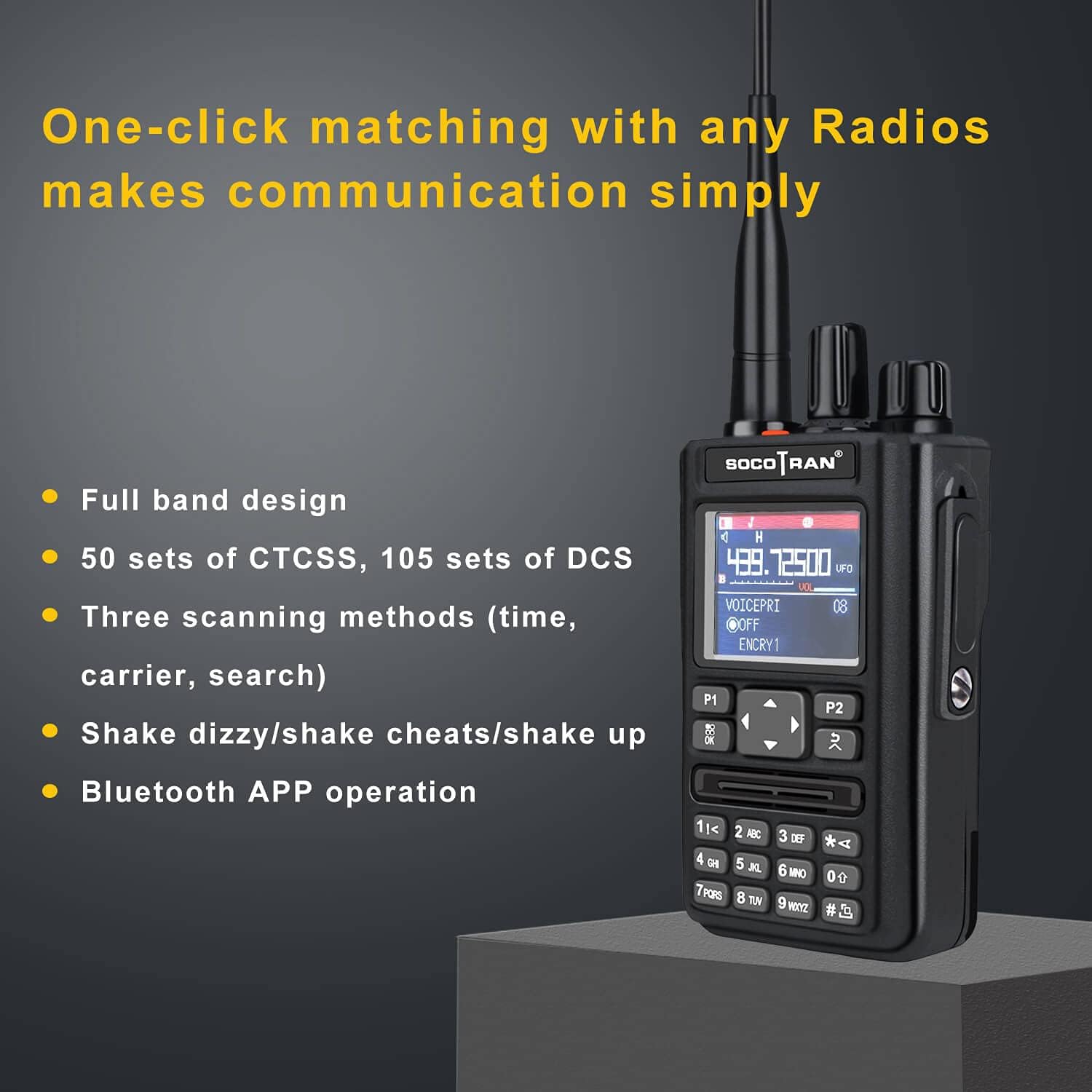
Figure 5: Display showing channel information and features like full band design, CTCSS/DCS, scanning methods, and Bluetooth APP operation.
Frequency Bands and Steps
The JC-8629 supports a wide range of frequencies and offers 8 frequency steps for precise tuning:
- Frequency Steps: 2.5k, 5k, 6.25k, 10k, 12.5k, 20k, 25k, 50k
- FM: 65-108MHz (Rx)
- VHF: 108-136MHz (AM Rx), 136-174MHz (Rx/Tx)
- UHF: 220-260MHz (Rx/Tx), 350-390MHz (Rx/Tx), 400-520MHz (Rx/Tx)

Figure 6: Visual representation of supported frequency bands and available frequency steps.
Advanced Features
- GPS Positioning: Supports GPS positioning information.
- Bluetooth Programming: Allows wireless frequency writing and parameter configuration via Bluetooth.
- CTCSS/DCS: 50 sets of CTCSS and 105 sets of DCS for privacy codes.
- Scanning Methods: Three scanning methods available: time, carrier, and search.
- VOX: Voice Operated Exchange for hands-free transmission.
- Scramble Function: Encrypts voice for secure communication.
- DTMF Code Function: Dual-Tone Multi-Frequency signaling.
- FM Radio: Built-in FM radio receiver.
- Dual Channel Monitor (DCM): Allows monitoring of two channels simultaneously.
- Emergency Alarm: Activates an alarm signal.
- Automatic Backlight: Display backlight adjusts automatically.
- Boot Interface Customization: Supports customization of the radio's boot screen.
- Power Saving Mode: Conserves battery life.
- Busy Channel Lockout: Prevents transmission on a busy channel.

Figure 7: Illustration of the single group call and selective call capabilities.
Maintenance
General Care
- Clean the radio with a soft, damp cloth. Do not use harsh chemicals or abrasive cleaners.
- Keep the radio dry. It is not water resistant.
- Avoid exposing the radio to extreme temperatures or direct sunlight for prolonged periods.
- Do not drop or subject the radio to severe impacts.
Battery Care
- Use only the original SOCOTRAN Li-ion battery pack and charger.
- Do not short-circuit the battery terminals.
- Do not dispose of batteries in fire.
- If the battery shows signs of damage or swelling, discontinue use immediately and dispose of it properly according to local regulations.
- For long-term storage, charge the battery to about 50% and store in a cool, dry place.
Troubleshooting
| Problem | Possible Cause | Solution |
|---|---|---|
| Radio does not power on. | Battery is not installed correctly or is depleted. | Ensure battery is securely installed. Charge the battery fully. |
| Cannot transmit or receive. | Incorrect frequency/channel, antenna loose, or out of range. | Verify frequency/channel settings. Check antenna connection. Move closer to other radios. |
| Poor audio quality. | Low battery, interference, or incorrect volume. | Charge battery. Move away from sources of interference. Adjust volume. |
| GPS not connecting. | Poor satellite signal, indoor use. | Move to an open outdoor area with clear sky view. Allow time for satellite acquisition. |
| Battery life is short. | Frequent transmission, high power setting, or aging battery. | Use power saving mode. Reduce transmission time. Consider replacing the battery if it's old. |
Specifications
| Feature | Specification |
|---|---|
| Model Number | FB-8629 |
| Product Dimensions | 5.5 x 3 x 30 cm; 200 g (or 14D x 7.6W x 76.2H centimetres) |
| Battery Type | 1 Lithium Polymer battery (included) |
| Number of Channels | 256 |
| Frequency Range | Full band (65-108MHz FM Rx, 108-136MHz AM Rx, 136-174MHz Rx/Tx, 220-260MHz Rx/Tx, 350-390MHz Rx/Tx, 400-520MHz Rx/Tx) |
| Talking Range Maximum | 5 Kilometres |
| Tuner Technology | FM |
| Voltage | 5 Volts |
| Water Resistance Level | Not Water Resistant |
| Manufacturer | Shenzhen SOCOTRAN Technology Co., Ltd |
| Country of Origin | China |

Figure 8: Illustration of the radio's 5W output power and reliable transmission.
Warranty and Support
For warranty information and technical support, please refer to the contact details provided by your retailer or visit the official SOCOTRAN website. Keep your purchase receipt as proof of purchase for warranty claims.
Return Policy: This product is subject to a 30-day refund/replacement return policy from the date of purchase, as per the seller's terms.
Ask a question about this manual
Ask about setup, troubleshooting, compatibility, parts, safety, or missing instructions. Manuals+ will review the question and use this page’s manual context to help answer it.