1. Introduction
Thank you for choosing the Tekstap LED Work Light. This portable, rechargeable work light is designed to provide bright, reliable illumination for various tasks and environments. Its robust construction, multiple lighting modes, and power bank functionality make it an essential tool for outdoor activities, emergency situations, and professional work settings. Please read this manual thoroughly before use to ensure proper operation and maintenance.

Image 1.1: Tekstap LED Work Lights and included USB charging cables.
2. Key Features
- Super Bright COB LED: Equipped with 2 powerful COB LED chips, delivering up to 2000 lumens for strong, bright, and extended illumination with reduced power consumption.
- Three Lighting Modes: Easily switch between High, Low, and SOS Flashing modes to adapt to different lighting requirements.
- IP65 Waterproof Rating: Designed to withstand rain and splashes, ensuring reliable operation in various weather conditions.
- Portable & Flexible Design: Lightweight with a 180° adjustable stand, allowing for versatile placement on surfaces, handheld use, or hanging.
- USB Rechargeable & Power Bank Function: Conveniently rechargeable via USB and can serve as a power bank to charge other devices during emergencies.

Image 2.1: The work light's IP65 waterproof capability.
3. Package Contents
Please check the package for the following items:
- 2 x Tekstap LED Work Lights
- 2 x USB Charging Cables
- 1 x User Manual (this document)
4. Setup
4.1 Initial Charging
Before first use, fully charge the work light. The device contains internal Lithium-Ion batteries.
- Locate the USB input port on the side of the work light, usually protected by a rubber cover.
- Connect one end of the provided USB charging cable to the work light's input port.
- Connect the other end of the USB cable to a compatible USB power source (e.g., wall adapter, computer USB port, power bank).
- During charging, a red light will flash, indicating the charging status. Once fully charged, the light will turn solid red.

Image 4.1: USB Charging Input and Output ports.
4.2 Adjusting the Stand
The work light features a 180° adjustable stand for flexible positioning.
- Gently pull the stand away from the main body of the light.
- Adjust the stand to your desired angle to position the light for optimal illumination.
- The stand can also be used as a handle for carrying or hanging the light.

Image 4.2: The 180° adjustable bracket for versatile positioning.
5. Operation
5.1 Power On/Off and Mode Selection
The work light has a single power button to control its functions.
- To Turn On: Press the power button once. The light will activate in High Brightness mode.
- To Change Modes: Press the power button repeatedly to cycle through the modes: High Brightness → Low Brightness → SOS Flashing Mode.
- To Turn Off: After cycling through all modes, pressing the button again will turn the light off. Alternatively, if the light has been in one mode for more than 5 seconds, a single press will turn it off.
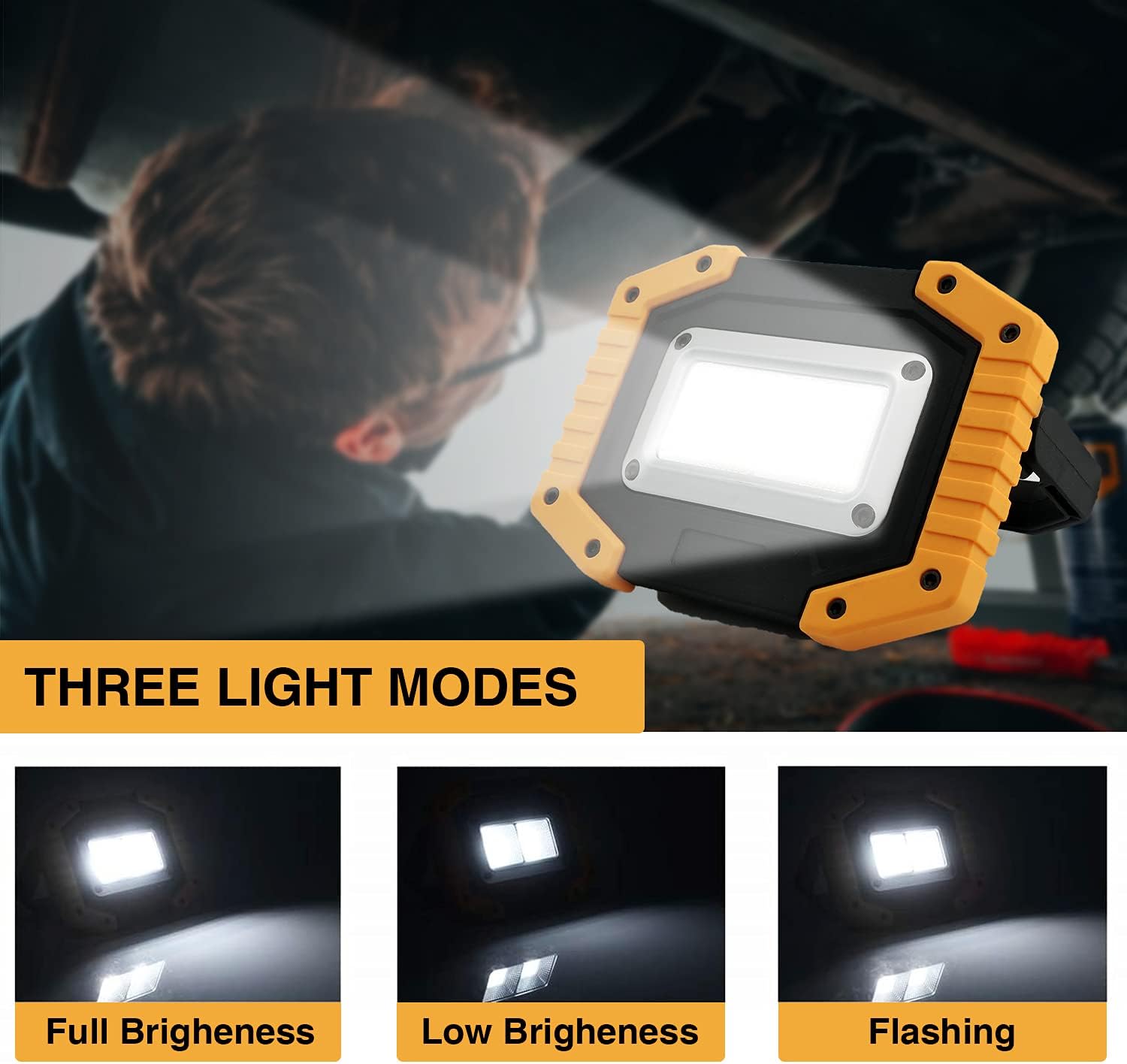
Image 5.1: The three available lighting modes.
5.2 Power Bank Function
The work light can also function as a portable power bank to charge your electronic devices.
- Locate the USB output port on the side of the work light (refer to Image 4.1).
- Connect your device's charging cable to the work light's USB output port.
- The work light will begin charging your device, indicated by a green light.
6. Maintenance
6.1 Cleaning
To clean the work light, wipe it with a soft, damp cloth. Do not use abrasive cleaners or solvents, as these may damage the surface or internal components.
6.2 Storage
When not in use, store the work light in a cool, dry place away from direct sunlight and extreme temperatures. Ensure the rubber covers for the USB ports are securely closed to maintain water resistance.
6.3 Battery Care
To prolong battery life, it is recommended to fully charge the work light every 3-6 months, even if not in regular use. Avoid completely draining the battery frequently.
7. Troubleshooting
| Problem | Possible Cause | Solution |
|---|---|---|
| Light does not turn on | Battery is depleted; Power button not pressed correctly. | Charge the work light; Press the power button firmly. |
| Light is dim | Low battery level. | Recharge the work light fully. |
| Device not charging from work light (power bank function) | Work light battery is low; Cable is faulty; Device is incompatible. | Ensure work light is sufficiently charged; Try a different USB cable; Verify device compatibility. |
| Work light not charging | Charging cable is faulty; Power source is not working; Charging port is damaged. | Try a different USB cable; Use a different USB power source; Contact customer support if port is damaged. |
8. Specifications
| Feature | Detail |
|---|---|
| Brand | Tekstap |
| Model Number | B097DLM9J2 |
| Light Source Type | LED (COB) |
| Brightness | 2000 Lumens |
| Light Source Wattage | 30 Watts |
| Color Temperature | 6500 Kelvin |
| Voltage | 7.4 Volts |
| Power Source | Battery Powered (Internal Lithium-Ion) |
| Battery Capacity | 4400mAh (estimated, based on product claims) |
| Waterproof Rating | IP65 |
| Product Dimensions | 5.31"L x 4"W x 1.6"H |
| Item Weight | 1.61 Pounds |
| Material | Polycarbonate (PC) |
| Switch Style | Push Button |
| Special Features | Energy Efficient, Portable, Water Resistant, Power Bank Function |

Image 8.1: Product dimensions.
9. Safety Information
- Do not look directly into the LED light when it is on, as it can cause eye strain or temporary vision impairment.
- Keep the work light out of reach of children.
- Do not attempt to disassemble, repair, or modify the device. This will void the warranty and may cause damage or injury.
- Avoid exposing the device to extreme temperatures (hot or cold) or direct flame.
- Ensure the USB port rubber covers are properly sealed when not in use to maintain water resistance.
- Use only the provided or certified compatible USB cables for charging.
10. Warranty and Support
10.1 Warranty
This Tekstap LED Work Light comes with a 2-year warranty from the date of purchase, covering manufacturing defects. Please retain your proof of purchase for warranty claims. The warranty does not cover damage caused by misuse, accidents, unauthorized modifications, or normal wear and tear.
10.2 Customer Support
If you have any questions, concerns, or require technical assistance, please contact Tekstap customer support through the official Tekstap Store on Amazon or refer to the contact information provided with your purchase.


