1. Introduction
This manual provides instructions for the HCDZ Replacement Remote Control, designed for use with various York Split Air Conditioner models. This remote control is an infrared (IR) replacement unit and requires no programming. Simply insert batteries to begin operation.
Compatible York Air Conditioner Models:
- DCX12NWB21S
- DCX12CSB21S
- DCP30CSB21S
- DHP30NWB21S
- DHP30CSB21S
- DCP36NWB21S
- DCP36CSB21S
- DHP36NWB21S
- DHP36CSB21S
- DCX09NWB11S
2. Setup and Battery Installation
The HCDZ Replacement Remote Control requires two AAA 1.5V batteries (not included). No programming is necessary for this remote control.
- Locate the battery compartment on the back of the remote control.
- Slide the battery compartment cover downwards to open it.
- Insert two AAA 1.5V batteries, ensuring the positive (+) and negative (-) terminals match the markings inside the compartment.
- Slide the battery compartment cover back into place until it clicks securely.

Image: Back of the remote control with the battery compartment open, illustrating where to insert the two AAA batteries.
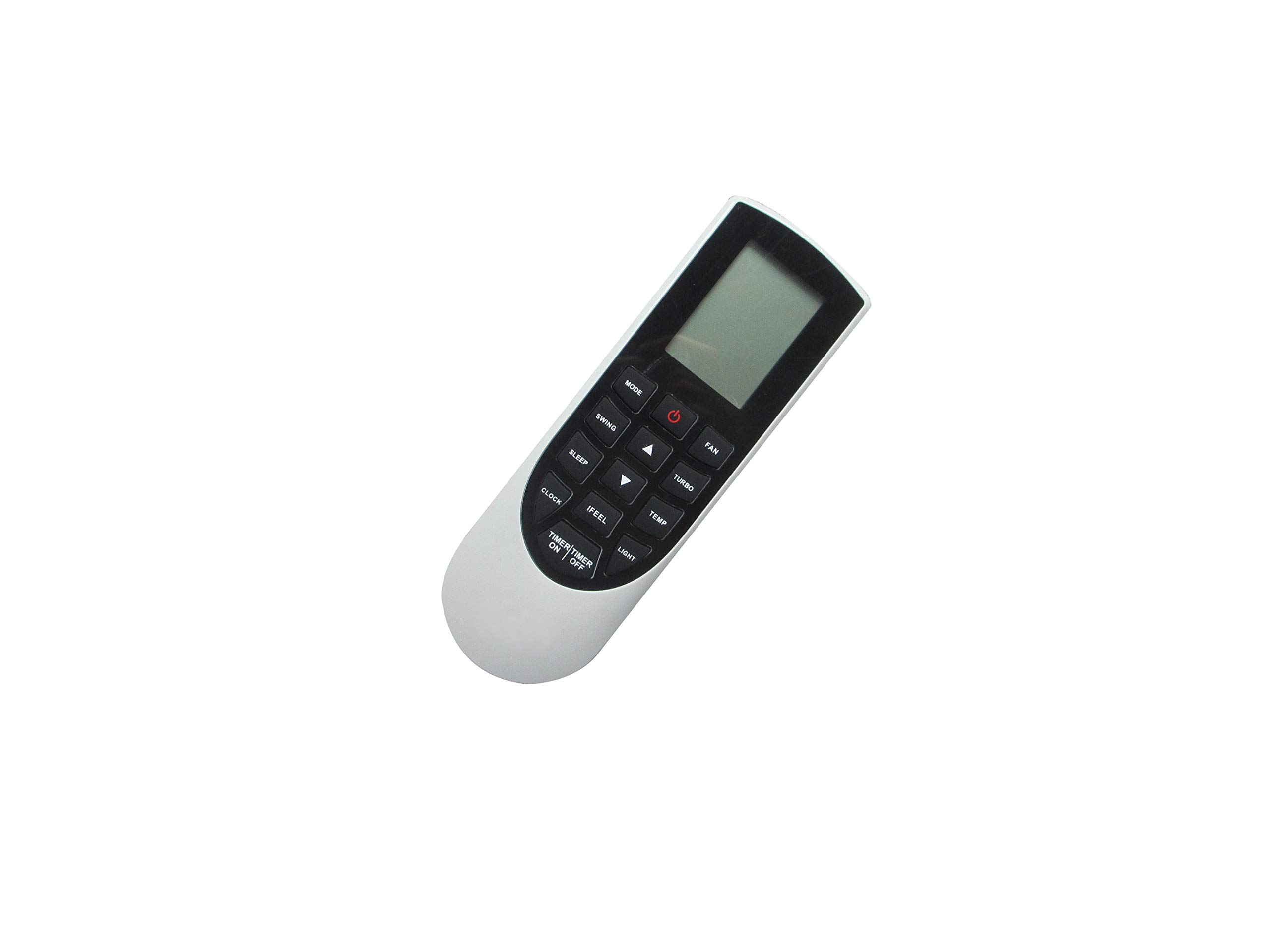
Image: Back of the remote control with the battery cover closed, displaying the battery type requirement (AAA 1.5V x2) and a warning regarding battery disposal.
Battery Safety Warning: Do not dispose of batteries in fire. Batteries may explode or leak if improperly handled.
3. Operating Instructions
Once batteries are correctly installed, the remote control is ready for immediate use with your compatible York Split Air Conditioner. Point the remote control directly at the air conditioner's receiver.
- Power On/Off: Press the POWER button to turn the air conditioner on or off.
- Temperature Adjustment: Use the TEMP UP and TEMP DOWN buttons to adjust the desired temperature.
- Mode Selection: Cycle through operating modes (e.g., Cool, Heat, Fan, Dry, Auto) using the MODE button.
- Fan Speed: Adjust the fan speed (e.g., Low, Medium, High, Auto) with the FAN button.
- Swing Function: Activate or deactivate the louver swing function using the SWING button.
- Timer Function: Set or cancel the timer for automatic power on/off. Refer to your air conditioner's main manual for detailed timer settings.
- Sleep Mode: Engage or disengage sleep mode for optimized comfort during sleep.
Important Note: This remote control displays temperature readings exclusively in Celsius. There is no option to switch to Fahrenheit.
4. Maintenance
To ensure the longevity and proper functioning of your remote control, follow these maintenance guidelines:
- Cleaning: Wipe the remote control with a soft, dry cloth. Do not use liquid cleaners, abrasive pads, or chemical solvents, as these may damage the surface or internal components.
- Battery Replacement: Replace batteries when the remote control's response becomes sluggish or stops working. Always replace both batteries at the same time with new ones of the same type (AAA 1.5V).
- Storage: If the remote control will not be used for an extended period, remove the batteries to prevent leakage and potential damage. Store in a cool, dry place.
- Avoid Exposure: Keep the remote control away from direct sunlight, high temperatures, humidity, and strong impacts.
5. Troubleshooting
| Problem | Possible Cause | Solution |
|---|---|---|
| Remote control does not work. |
|
|
| Air conditioner does not respond consistently. |
|
|
| Temperature displays in Celsius only. | This remote control is designed to display temperature in Celsius only. | This is normal operation. There is no option to change the temperature unit to Fahrenheit. |
6. Specifications
| Brand | HCDZ |
| Compatible Devices | York Split Air Conditioners |
| Battery Type | 2 x AAA 1.5V batteries (not included) |
| Max Supported Devices | 1 |
| Special Feature | Ergonomic design |
| Color | Black/Silver |
| Temperature Unit | Celsius only |
7. Warranty and Support
Specific warranty information for this HCDZ replacement remote control is not provided in the product details. For any issues or support inquiries, please contact the seller directly through the platform where the purchase was made.
For detailed operational instructions regarding your York Split Air Conditioner's features, please refer to the original user manual provided with your air conditioning unit.


