
Hyper Tough B097CNFDGY
Hyper Tough 20V Max Fast Charger User Manual
Model: B097CNFDGY | Brand: Hyper Tough
Introduction
The Hyper Tough 20V Max 1-Hour Fast Charger is designed to quickly charge Hyper Tough 20VMax batteries, ensuring your tools are ready for use with minimal downtime. This charger is compatible with all 2.0 Ah HT Charge 20VMax batteries and is an essential accessory for your Hyper Tough power and gardening tools.

Figure 1: Packaging of the Hyper Tough 20V Max Fast Charger, showing key features and branding.
Safety Information
Please read and understand all safety warnings and instructions before using this product. Failure to follow the warnings and instructions may result in electric shock, fire, and/or serious injury.
- Indoor Use Only: This charger is designed for indoor use in dry conditions. Do not expose to rain or wet conditions.
- Proper Voltage: Ensure the power supply voltage matches the voltage specified on the charger's rating label.
- Compatible Batteries: Only charge Hyper Tough 20VMax Li-ion batteries. Attempting to charge other battery types may cause personal injury and damage.
- Ventilation: Do not block ventilation openings. Ensure adequate airflow around the charger during operation.
- Damaged Charger/Cord: Do not operate the charger if the cord or plug is damaged. Have it replaced by a qualified service person.
- Children: Keep the charger and batteries out of reach of children.
- Unplug When Not In Use: Always unplug the charger from the power outlet when not in use or before cleaning.
Package Contents
Verify that all items are present upon opening the package:
- Hyper Tough 20V Max Fast Charger Unit
- User Manual (this document)
Note: Batteries are sold separately and are not included with the charger.
Setup
Follow these steps to set up your Hyper Tough 20V Max Fast Charger:
- Unpack: Carefully remove the charger unit from its packaging.
- Placement: Place the charger on a stable, flat, and dry surface. Ensure there is adequate ventilation around the unit. The charger can also be mounted to a wall for compact storage.
- Power Connection: Plug the charger's power cord into a standard 120V AC electrical outlet. The charger's indicator lights may briefly illuminate upon connection.
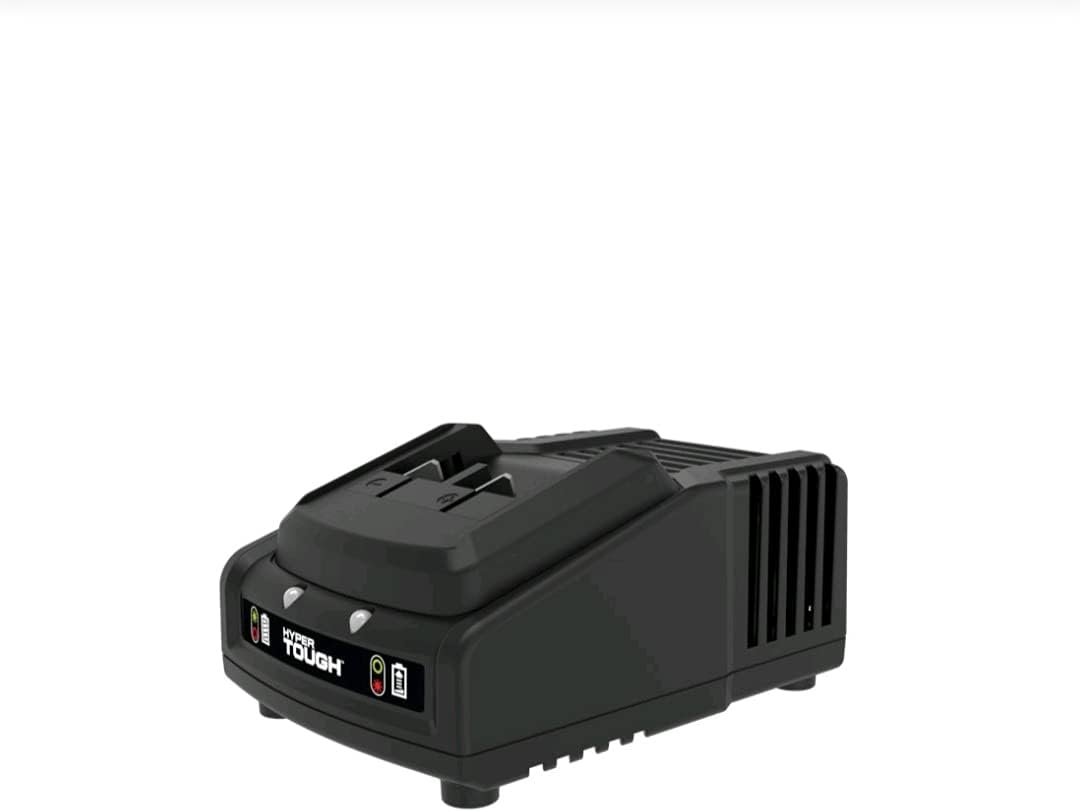
Figure 2: Side view of the Hyper Tough 20V Max Fast Charger, showing its compact design and ventilation slots.
Operating Instructions
Charging a Hyper Tough 20VMax Battery:
- Insert Battery: Align the battery pack with the charging port on the charger. Slide the battery into the charger until it clicks securely into place.
- Charging Indicator: The charger features battery charge indicator lights. Refer to the table below for light status meanings. A fully discharged 2.0 Ah HT Charge 20VMax battery will typically charge in approximately 1 hour.
- Remove Battery: Once charging is complete, the indicator light will change. Press the battery release button (if applicable) and slide the battery out of the charger.
- Unplug Charger: Disconnect the charger from the power outlet when not in use.

Figure 3: Top view of the Hyper Tough 20V Max Fast Charger, highlighting the battery insertion slot and indicator lights.
Indicator Light Status
| Light Status | Meaning |
|---|---|
| Solid Green | Battery fully charged. |
| Flashing Green | Battery charging. |
| Solid Red | Battery or charger error. (Refer to Troubleshooting) |
| No Light | Charger not connected to power or no battery inserted. |
Maintenance
Proper maintenance ensures the longevity of your charger:
- Cleaning: Disconnect the charger from the power supply before cleaning. Use a soft, dry cloth to wipe the exterior of the charger. Do not use abrasive cleaners or solvents.
- Storage: Store the charger in a cool, dry place, away from direct sunlight and moisture. When not in use for extended periods, unplug it from the power outlet.
- Cord Care: Do not carry the charger by its cord or yank the cord to disconnect it from an outlet. Inspect the cord regularly for damage.
Troubleshooting
If you encounter issues with your charger, refer to the following common problems and solutions:
| Problem | Possible Cause | Solution |
|---|---|---|
| Charger indicator light does not illuminate. | Charger not plugged in; no power to outlet; faulty charger. | Ensure charger is securely plugged into a working outlet. Test outlet with another device. If still no light, charger may be faulty. |
| Battery not charging (light flashing red or solid red). | Battery not properly inserted; battery too hot/cold; faulty battery; faulty charger. | Re-insert battery firmly. Allow battery to reach room temperature (between 40°F and 105°F / 4°C and 40°C). Try another compatible battery if available. If issue persists, charger or battery may be faulty. |
| Slow charging. | Battery condition; extreme temperatures. | Ensure battery is not excessively old or damaged. Charge in a room temperature environment. |
Specifications
| Feature | Detail |
|---|---|
| Model | B097CNFDGY |
| Brand | Hyper Tough |
| Input Voltage | 20 Volts (AC) |
| Output Voltage | 20 Volts (DC) |
| Charge Time (2.0 Ah battery) | Approximately 1 Hour |
| Item Weight | 12.8 ounces (0.8 lbs) |
| Package Dimensions | 8.07 x 4.29 x 3.11 inches |
| Color | Black |
Warranty Information
This Hyper Tough 20V Max Fast Charger comes with a 2-Year Limited Warranty. This warranty covers defects in material and workmanship under normal use. For specific terms and conditions, please refer to the warranty card included with your product or contact Hyper Tough customer support.
Protection plans are also available for purchase separately:
- 2-Year Protection Plan
- 3-Year Protection Plan
- Complete Protect Plan (monthly subscription)
Note: These protection plans are offered by third-party providers and are separate from the manufacturer's limited warranty.
Support
For further assistance, technical support, or warranty claims, please contact Hyper Tough customer service. Contact information can typically be found on the product packaging or the official Hyper Tough website.
You may also visit the product page on Amazon for additional information and customer reviews: Amazon Product Page
Ask a question about this manual
Ask about setup, troubleshooting, compatibility, parts, safety, or missing instructions. Manuals+ will review the question and use this page’s manual context to help answer it.