
1. Introduction
This manual provides essential information for the safe and efficient operation of your Philco 20L Microwave Oven, model PMO23BB. Please read these instructions carefully before using the appliance and retain them for future reference. Proper use and maintenance will ensure optimal performance and extend the lifespan of your microwave oven.
2. Important Safety Instructions
When using electrical appliances, basic safety precautions should always be followed to reduce the risk of fire, electric shock, and injury to persons. These include:
- Read all instructions before using the appliance.
- Do not attempt to operate this oven with the door open as this can result in harmful exposure to microwave energy.
- Do not place any object between the oven front face and the door or allow soil or cleaner residue to accumulate on sealing surfaces.
- Do not operate the oven if it is damaged. It is particularly important that the oven door closes properly and that there is no damage to the: (1) door (bent), (2) hinges and latches (broken or loosened), (3) door seals and sealing surfaces.
- The oven should not be adjusted or repaired by anyone except properly qualified service personnel.
- Ensure the appliance is properly grounded.
- Do not heat liquids or other foods in sealed containers since they are liable to explode.
- Never use metal containers or foil in the microwave, as this can cause arcing and damage the oven.
- Always use oven mitts when removing items from the microwave, as containers and food can be very hot.
3. Product Overview
The Philco 20L Microwave Oven PMO23BB is designed for convenient and efficient food preparation. It features a 20-liter capacity, a clean white finish, and an easy-to-clean interior. The control panel includes various pre-programmed functions for common dishes and specific cooking needs.
Components
- Microwave Oven Unit
- Glass Turntable Plate
- Turntable Ring
- Instruction Manual (this document)
- Warranty Certificate
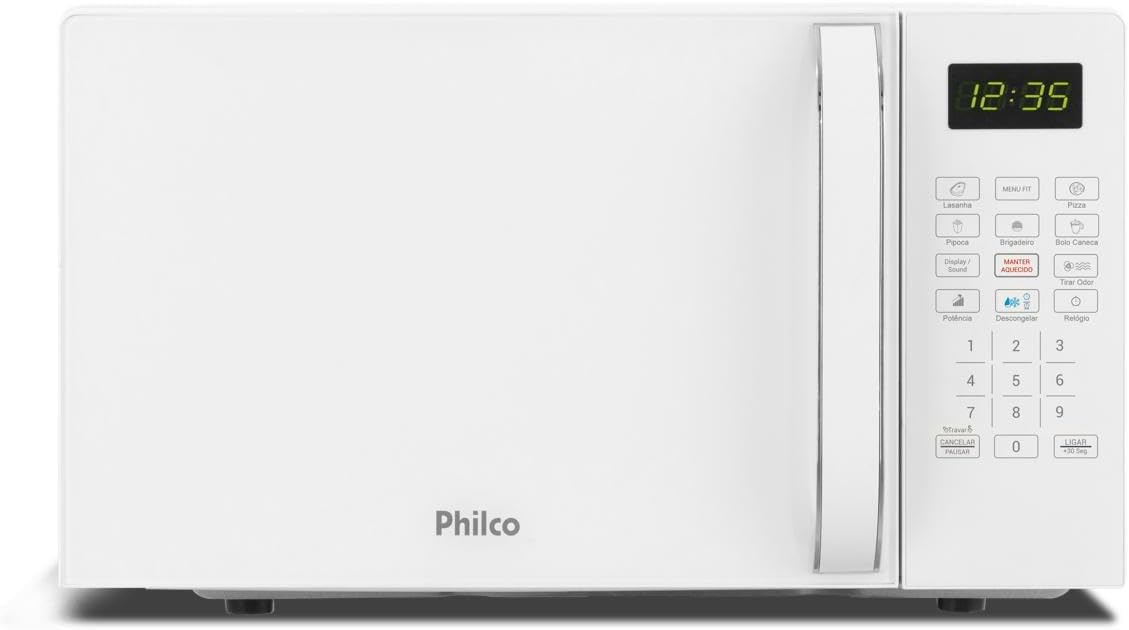
Figure 3.1: Front view of the Philco 20L Microwave Oven PMO23BB. The microwave is white with a matching handle and a digital display showing '12:35'. The control panel is on the right side.
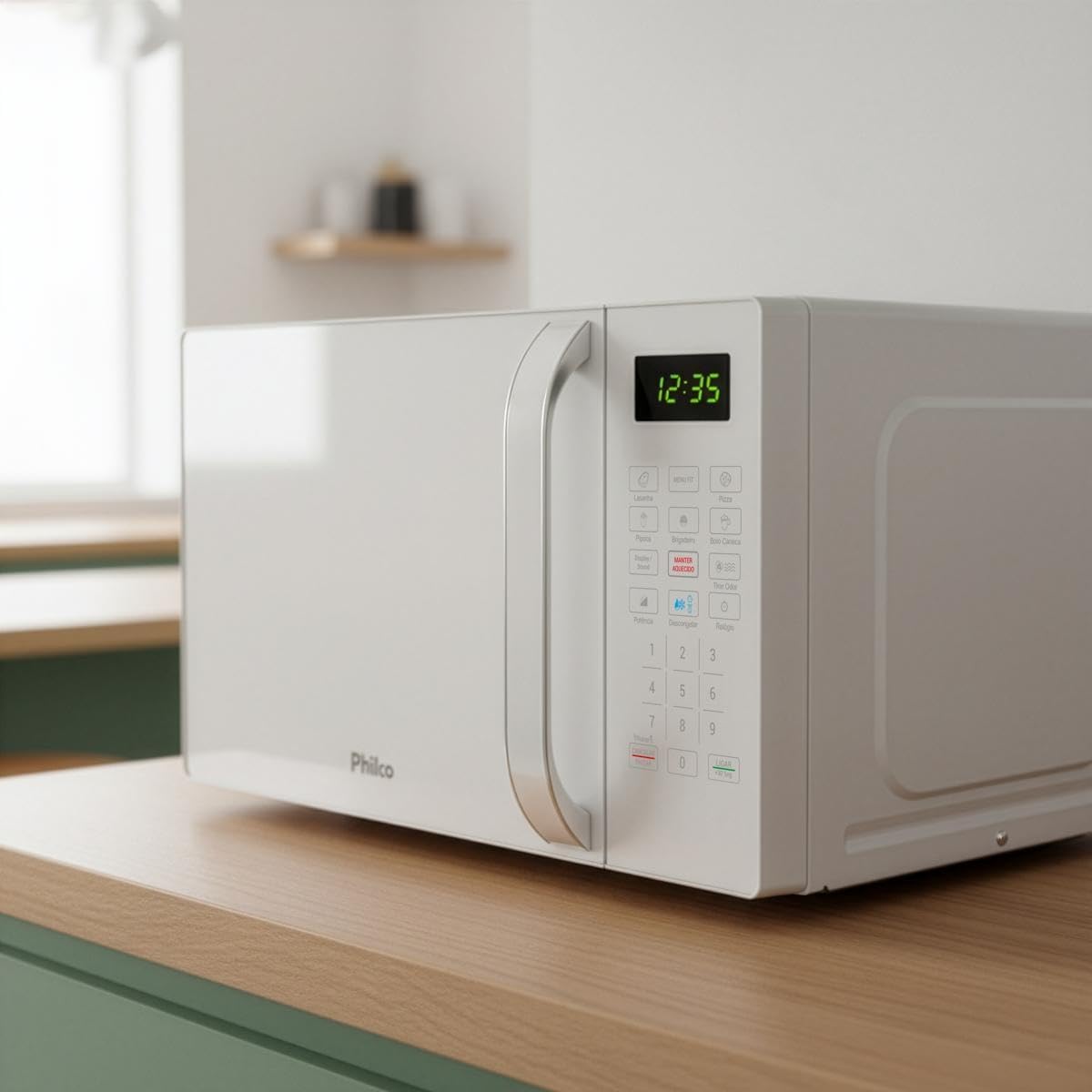
Figure 3.2: Angled front view of the Philco 20L Microwave Oven PMO23BB, showcasing its compact design on a wooden kitchen counter.
4. Setup
Follow these steps for the initial setup of your microwave oven:
- Unpacking: Carefully remove the microwave oven and all packing materials from the carton. Check the oven for any damage, such as dents or a misaligned door. Do not operate the oven if it is damaged.
- Placement: Place the microwave oven on a flat, stable surface, such as a kitchen countertop. Ensure there is adequate ventilation space around the oven: at least 10 cm (4 inches) at the back, 10 cm (4 inches) on the sides, and 30 cm (12 inches) above the oven. Do not block air vents.
- Turntable Installation: Place the turntable ring in the center of the oven cavity. Then, place the glass turntable plate securely on top of the ring. Ensure it rotates freely.
- Power Connection: Plug the power cord into a grounded 220V electrical outlet. Ensure the outlet is compatible with the oven's voltage requirements.
- Initial Cleaning: Before first use, wipe the interior and exterior surfaces with a soft, damp cloth.
5. Operating Instructions
Your Philco microwave oven offers various functions for cooking and heating. Familiarize yourself with the control panel for optimal use.

Figure 5.1: Detailed view of the control panel, showing buttons for pre-programmed recipes, power, defrost, and special functions.
Basic Operation
- Setting the Clock: When the oven is first plugged in, the display will show '0:00'. Press the 'Relógio' (Clock) button, then use the number keys to enter the current time. Press 'Relógio' again to confirm.
- Manual Cooking:
- Place food in a microwave-safe container on the glass turntable. Close the door.
- Press the 'Potência' (Power) button repeatedly to select the desired power level (e.g., P100 for 100% power, P80 for 80% power).
- Use the number keys to enter the cooking time.
- Press 'Ligar +30 Seg' (Start +30 Sec) to begin cooking.
- Quick Start (+30 Seconds): Press 'Ligar +30 Seg' to start cooking immediately at 100% power for 30 seconds. Each subsequent press adds 30 seconds to the cooking time.
Pre-Programmed Functions
The oven includes several pre-programmed menus for common dishes:
- Lasagna: For heating lasagna.
- Pizza: For reheating pizza slices.
- Pipoca (Popcorn): For popping popcorn.
- Brigadeiro: For preparing brigadeiro.
- Bolo Caneca (Mug Cake): For making mug cakes.
- Menu FIT: Offers lighter, healthier recipe options.
To use a pre-programmed function: Place the food in the oven, press the corresponding menu button (e.g., 'Pipoca'), and then press 'Ligar +30 Seg' to start.
Special Functions
- Manter Aquecido (Keep Warm): Maintains food at a warm temperature after cooking.
- Descongelar (Defrost):
- By Weight: Press 'Descongelar' once, then use number keys to enter the weight of the food. Press 'Ligar +30 Seg'.
- By Time: Press 'Descongelar' twice, then use number keys to enter the defrosting time. Press 'Ligar +30 Seg'.
- Tirar Odor (Odor Removal): Activates a ventilation cycle to help remove lingering food odors from the oven cavity. Press 'Tirar Odor' and then 'Ligar +30 Seg'.
- Travar / Cancelar / Pausar (Child Lock / Cancel / Pause):
- Child Lock: To activate, press and hold 'Travar / Cancelar / Pausar' for 3 seconds until a beep sounds and a lock icon appears on the display. To deactivate, repeat the process.
- Cancel / Pause: Press once to pause cooking. Press twice to cancel the current operation and clear the display.
- Display / Sound: Toggles the display brightness or sound settings (refer to specific model features for exact functionality).
6. Maintenance and Cleaning
Regular cleaning and maintenance will ensure your microwave oven operates efficiently and safely.
Easy Clean Interior
The Philco PMO23BB features an 'Easy Clean Paint' interior, designed to prevent food residue from sticking, making cleaning simpler.

Figure 6.1: The microwave interior showing a plate of food and the 'Pintura Limpa Fácil' (Easy Clean Paint) feature.
Cleaning Instructions
- Exterior: Wipe the exterior surfaces with a soft, damp cloth and mild detergent. Avoid abrasive cleaners.
- Interior: For the 'Easy Clean Paint' interior, wipe with a soft, damp cloth after each use. For stubborn stains, place a bowl of water with lemon slices inside and heat for a few minutes to create steam, then wipe clean.
- Door Seals: Clean the door seals and adjacent parts carefully with a damp cloth to remove any spills or splatters.
- Glass Turntable: The glass turntable plate and turntable ring can be washed in warm, soapy water or in a dishwasher. Ensure they are completely dry before placing them back in the oven.
- Control Panel: Wipe the control panel with a soft, damp cloth. Do not use excessive water or spray cleaners directly onto the panel.
Always unplug the microwave oven from the power outlet before cleaning.
7. Troubleshooting
If you encounter issues with your microwave oven, refer to the following common problems and solutions:
| Problem | Possible Cause | Solution |
|---|---|---|
| Oven does not start | Power cord not plugged in; Door not closed properly; Fuse blown or circuit breaker tripped; Child lock activated. | Ensure plug is firmly in outlet; Close door securely; Check household fuse/circuit breaker; Deactivate child lock (press and hold 'Travar / Cancelar / Pausar' for 3 seconds). |
| Food not heating | Incorrect cooking time/power level; Door not closed properly; Metal objects inside. | Adjust time/power; Close door securely; Remove any metal objects. |
| Turntable not rotating | Turntable not properly seated; Obstruction under turntable; Motor malfunction. | Ensure turntable and ring are correctly positioned; Remove any obstructions; Contact service if issue persists. |
| Excessive steam inside oven | High moisture content in food. | This is normal for some foods. Wipe interior after use. |
| Oven light not working | Bulb burned out. | Contact qualified service personnel for bulb replacement. |
If the problem persists after attempting these solutions, please contact Philco customer support or a qualified service technician.
8. Specifications
Detailed technical specifications for the Philco 20L Microwave Oven PMO23BB:
| Feature | Specification |
|---|---|
| Brand | PHILCO |
| Model | PMO23BB |
| Part Number | 96052091 |
| Capacity | 20 Liters |
| Color | White |
| Material | Metal, Plastic, Glass |
| Power Source Type | Electric Power |
| Voltage | 220 Volts |
| Wattage | 1100 Watts |
| Energy Efficiency Label | A |
| Installation Type | Countertop |
| Product Dimensions (D x W x H) | 35.3 cm x 45 cm x 26.2 cm |
| Product Weight | 12.37 Kilograms |
| Special Features | Defrost by weight or time, Odor Removal function, Quick Touch function, Easy Clean Paint, Special program keys |
| Included Components | Warranty Certificate, Instruction Manual, Glass Plate |

Figure 8.1: Energy Efficiency Label 'A', indicating high energy efficiency for the Philco microwave oven.

Figure 8.2: Dimensional diagram of the Philco 20L Microwave Oven PMO23BB, showing its height, width, and depth.
9. Warranty and Support
Your Philco 20L Microwave Oven PMO23BB comes with a warranty. Please refer to the included Warranty Certificate for detailed terms and conditions, including the warranty period and coverage.
For technical assistance, service, or to purchase replacement parts, please contact Philco customer support. Keep your purchase receipt and the product's model and serial number handy when contacting support.
Customer Support Information: (Please refer to the Philco official website or the warranty certificate for up-to-date contact details.)


