
1. Introduction
This manual provides detailed instructions for the installation, operation, and maintenance of the Elitech MTC-5080 Universal Refrigerator Thermostat. The MTC-5080 is designed for temperature control in refrigeration systems, offering functions such as cooling, defrosting, and alarm management. It features a dual temperature display for clear monitoring of both current and set temperatures.

Figure 1: Elitech MTC-5080 in typical refrigeration applications.
2. Safety Information
Please read all safety warnings and instructions carefully before installing or operating the MTC-5080 thermostat. Failure to follow these instructions may result in electric shock, fire, or damage to the product.
- Ensure the power supply is disconnected before any wiring or maintenance.
- All wiring should be performed by a qualified electrician and comply with local electrical codes.
- Do not expose the device to water or excessive humidity.
- The MTC-5080 has passed industrial four-level EMC testing, ensuring stable and reliable operation in demanding environments.
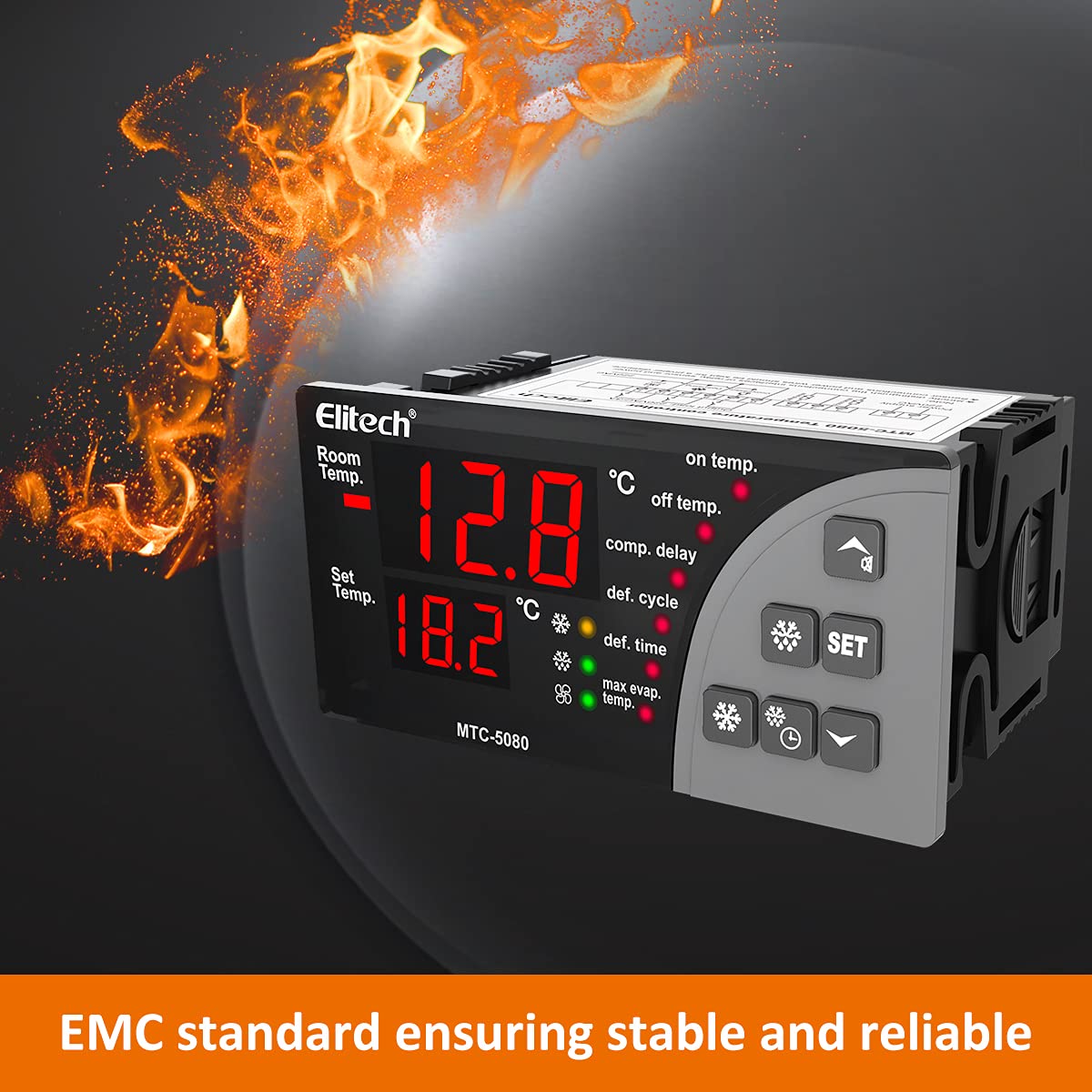
Figure 2: The MTC-5080 meets EMC standards for stable and reliable performance.
3. Product Overview
3.1 Key Features
- High Precision: Equipped with a high-precision sensor and chip, capable of withstanding 3000 high and low temperature shocks for stable performance.
- Easy Operation: Multifunctional button panel allows common functions to be operated with a single button, simplifying configuration.
- Clear Display: Large panel with dual temperature display intuitively shows current and set temperatures.
- Functions: Supports cooling, defrosting, and features a three-way output. Includes dual temperature sensors for storage and defrosting.
3.2 Components

Figure 3: Front view of the Elitech MTC-5080 thermostat.

Figure 4: MTC-5080 features: 2 sensors, cooling, defrosting, alarm, and fan control.
4. Specifications
| Specification | Value |
|---|---|
| Model | MTC-5080 |
| Brand | Elitech |
| Voltage | 110 Volts (Note: Other voltage variants may exist) |
| Display Type | LCD |
| Dimensions (L x W x H) | 11.2 x 9.7 x 8.51 cm |
| Weight | 299 g |
| Mounting Size | 92 x 44 mm (3.6 x 1.7 inches) |
| UPC | 781454241538 |

Figure 5: MTC-5080 dimensions and mounting size.
5. Setup and Installation
5.1 Mounting
The MTC-5080 is designed for panel mounting. Ensure the mounting hole dimensions are 92mm x 44mm. Secure the thermostat firmly into the panel cutout using the provided clips or fasteners.
5.2 Wiring Diagram
Refer to the wiring diagram below for proper electrical connections. Ensure all connections are secure and insulated. The power supply for this model is 110VAC.

Figure 6: MTC-5080 Wiring Diagram (110VAC/3A Output Load).
- Terminals 1 & 2: Power Supply (110VAC)
- Terminals 3 & 4: Room Temperature Sensor
- Terminals 4 & 5: Defrosting Temperature Sensor
- Terminals 6, 7, 8: Output Load (e.g., Compressor)
- Terminals 9, 10: Defrosting Output Load
- Terminals 11, 12: Fan Output Load
Note: Always verify the voltage requirements of your specific MTC-5080 unit before connecting to power.
6. Operating Instructions
The MTC-5080 features a user-friendly interface with a multifunctional button panel for easy operation.

Figure 7: Easy operation with the MTC-5080 button panel.
6.1 Display Overview
- The upper display shows the current room temperature.
- The lower display shows the set temperature.
- Indicator lights show the status of cooling, defrosting, fan, and alarm.
6.2 Setting the Temperature
- Press the SET button once. The set temperature value will flash on the lower display.
- Use the Up (▲) or Down (▼) buttons to adjust the desired temperature.
- Press the SET button again to confirm and save the new setting, or wait a few seconds for it to save automatically.
6.3 Accessing and Modifying Parameters
For advanced settings and parameter adjustments (e.g., defrost cycle, compressor delay), refer to the detailed parameter list in the full product manual. Typically, these settings are accessed by pressing and holding the SET button for several seconds until the parameter codes appear.
7. Maintenance
Regular maintenance ensures the longevity and optimal performance of your MTC-5080 thermostat.
- Cleaning: Wipe the display and casing with a soft, dry cloth. Do not use abrasive cleaners or solvents.
- Sensor Inspection: Periodically check the temperature sensors for any physical damage or corrosion. Ensure they are properly positioned and clean for accurate readings.
- Connection Check: Annually inspect all electrical connections to ensure they remain tight and free from corrosion.
8. Troubleshooting
This section addresses common issues you might encounter with the MTC-5080 thermostat. For problems not listed here, please contact Elitech support.
| Problem | Possible Cause | Solution |
|---|---|---|
| Display is blank | No power supply or incorrect wiring. | Check power connections (Terminals 1 & 2) and ensure the unit is receiving 110VAC. |
| Temperature reading is inaccurate | Faulty or improperly placed sensor. | Inspect sensor wiring and placement. Replace sensor if damaged. |
| Cooling/Defrosting not activating | Incorrect parameter settings or faulty output wiring. | Verify set temperature and operating mode. Check output load wiring (Terminals 6-12). |
| Unit beeps continuously | High/low temperature alarm triggered. | Check current temperature and alarm settings. Address the cause of temperature deviation. |
9. Warranty and Support
For warranty information, please refer to the documentation provided with your purchase or contact your Elitech product supplier. Elitech offers technical support and customer service for its products.
For further assistance or to explore other Elitech products, please visit the official Elitech website or their Amazon brand store:


