
Elitech MTC-6000N-SP
Elitech MTC-6000N Microcomputer Controller User Manual
Brand: Elitech | Model: MTC-6000N-SP
Product Overview
The Elitech MTC-6000N temperature controller is specifically designed for precise temperature management in cold room environments. It integrates a comprehensive suite of control functions including cooling, defrost, fan operation, and auxiliary output. Additionally, it supports RS-485 communication for remote monitoring capabilities. This controller offers accurate temperature measurement, clear display, precise control, and calibration features. It also includes essential alarm functions for high/low temperature, over-range conditions, and sensor failures. When connected to a relay module and network, the MTC-6000N can facilitate remote monitoring and setting adjustments, enhancing operational efficiency.
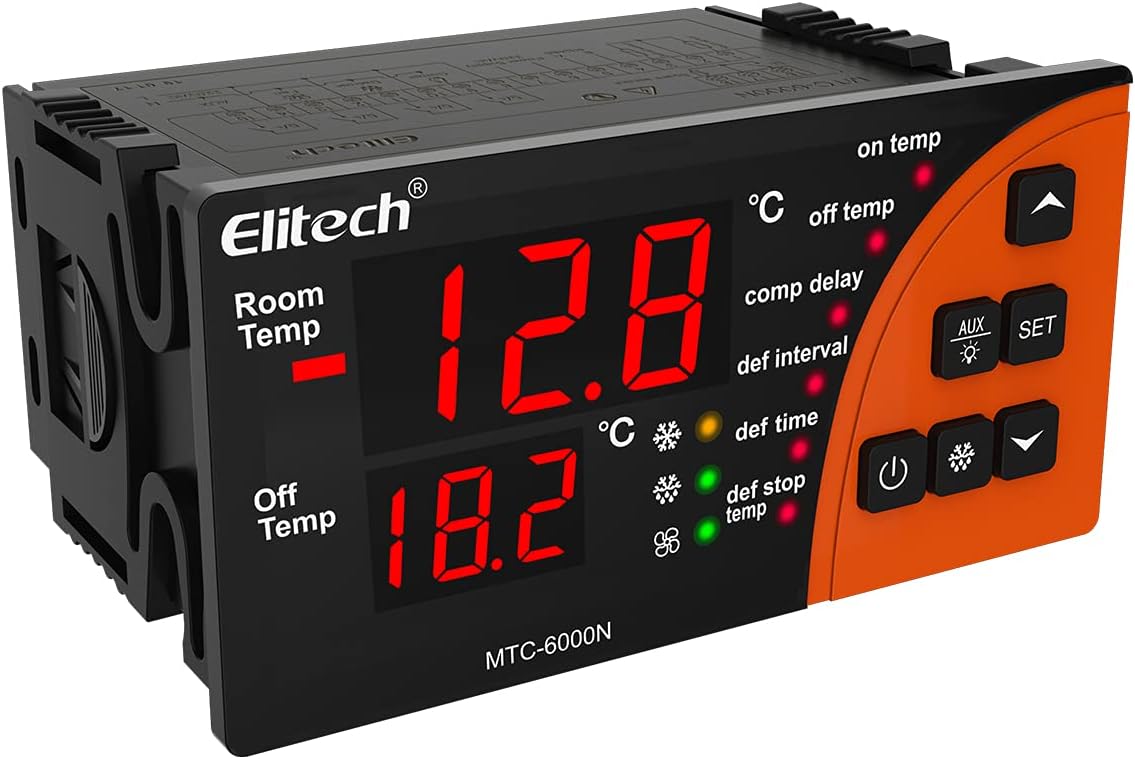
Image: Front view of the Elitech MTC-6000N controller, displaying its dual temperature readouts and control buttons. The display shows "Room Temp" and "Off Temp" with numerical values, and indicators for various functions like "on temp", "off temp", "comp delay", "def interval", "def time", and "def stop temp".

Image: A collage showing various application environments for the MTC-6000N controller, including a warehouse with stacked goods, a supermarket aisle with refrigerated drinks, a display case with fresh fish, and a commercial refrigerator with shelves of products. This illustrates the controller's versatility in different cold storage settings.
Key Features
- Remote Monitoring: Equipped with RS485 communication, enabling real-time remote monitoring of cold storage conditions.
- High Accuracy: Features a high-precision sensor and chip, designed to withstand 3000 high and low temperature shocks, ensuring minimal drift and stable performance.
- Easy Operation: A multi-functional button panel allows common functions to be operated with a single button press, simplifying settings without needing to navigate complex menus.
- Clear Display: Large-sized panel with a dual-screen display intuitively shows both the current temperature and the set temperature.
- Multi-functional Output: Provides refrigeration, defrosting, fan, and alternative four-way outputs. Supports dual sensors for storage temperature and defrosting temperature.
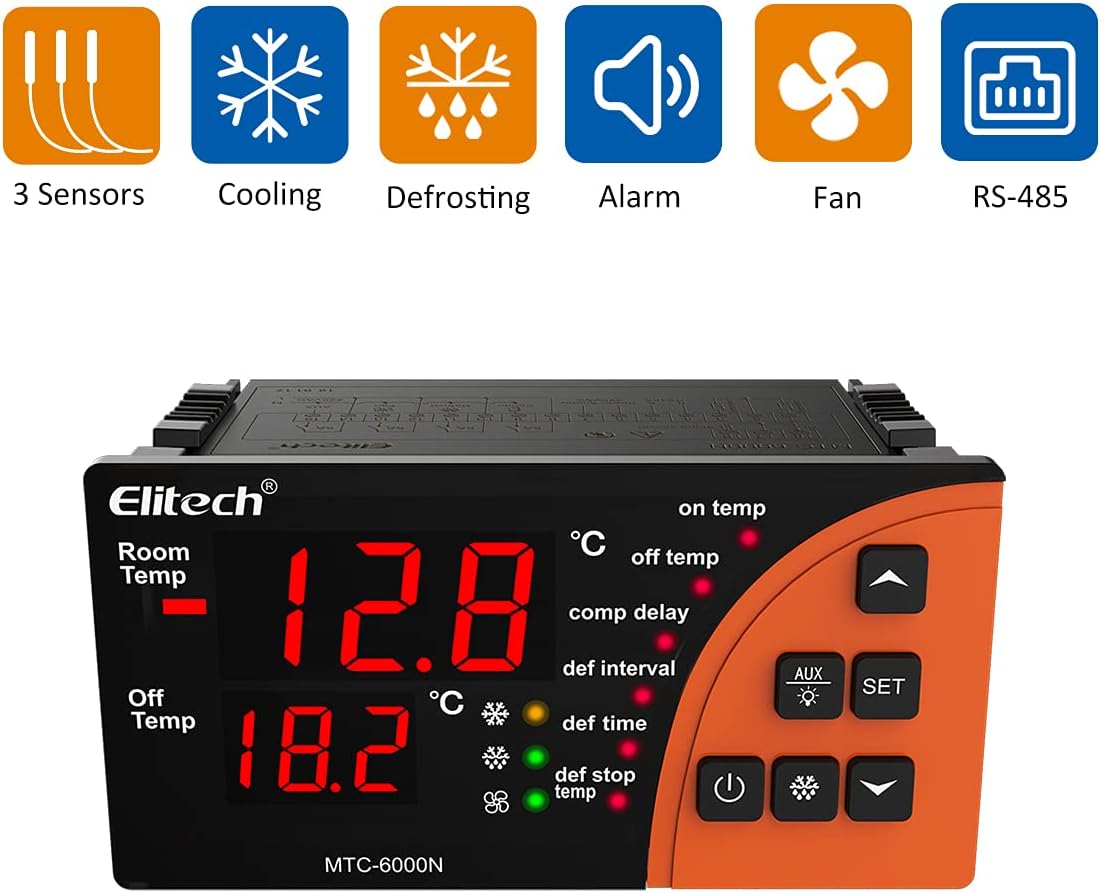
Image: Graphic representation of the MTC-6000N's key features, including icons for 3 Sensors, Cooling, Defrosting, Alarm, Fan, and RS-485 communication, highlighting its comprehensive capabilities.
Specifications
| Attribute | Value |
|---|---|
| Brand | Elitech |
| Model | MTC-6000N-SP |
| Power Supply | 110VAC±10%, 50Hz/60Hz |
| Temperature Measuring Range | -50°C ~ 50°C |
| Temperature Control Range | -50°C ~ 50°C |
| Temperature Accuracy | +1°C (-40°C~50°C), +1.5°C (others) |
| Temperature Resolution | 0.1°C |
| Sensor Cable Length | 2m (probe length included) |
| Storage Temperature | -30°C ~ 75°C |
| Operating Ambient Temperature | 0°C ~ 60°C |
| Sensor Type | NTC (10KΩ/25°C, B value = 3435K) |
| Display Type | LCD |
| Voltage | 110 Volts (AC) |
| Item Model Number | MTC-6000N-SP |
| ASIN | B097BZ88XK |
| UPC | 781454241545 |
| Country/Region of Origin | China |
| Colour | Orange |

Image: The Elitech MTC-6000N controller shown with a background of fiery orange, emphasizing its robust design and the text "EMC standard ensuring stable and reliable" below, indicating compliance with electromagnetic compatibility standards for stable performance.
Setup and Installation
Proper installation is crucial for the optimal performance and longevity of your Elitech MTC-6000N controller. Please follow these guidelines carefully:
- Mounting: Ensure the controller is mounted in a secure location, away from direct moisture or excessive heat. Refer to the mounting dimensions for proper panel cutout.
- Wiring: Connect the power supply, sensors, and output loads (cooling, defrost, fan, auxiliary) according to the provided wiring diagram. Ensure all connections are secure and correctly polarized. It is recommended that wiring be performed by a qualified electrician.
- Sensor Placement: Position the temperature sensors in locations that accurately represent the temperature of the controlled environment and the defrosting area.
- Initial Power-Up: After all connections are made, apply power to the unit. The display should illuminate, indicating successful power-up.

Image: A diagram showing the physical dimensions of the Elitech MTC-6000N controller, including its length (100mm), height (82.5mm), and depth (51mm), along with the recommended mounting size of 92x44mm (3.6x1.7 inches). This is essential for proper installation into a control panel.

Image: A detailed wiring diagram for the Elitech MTC-6000N controller. It illustrates connections for power supply (110VAC), RS485 communication (A, B), digital input (DI1), and outputs for defrost, fan, and auxiliary functions, along with sensor connections. This diagram is critical for correct electrical installation.
Operation
The MTC-6000N is designed for user-friendly operation with its intuitive button panel and clear display. Here are basic operational guidelines:
- Power On/Off: Use the dedicated power button to turn the unit on or off.
- Temperature Display: The large dual-screen display shows the current "Room Temp" and the "Off Temp" (set temperature or defrost stop temperature), providing immediate status.
- Setting Parameters: Press the SET button to enter the parameter setting mode. Use the UP and DOWN arrow buttons to navigate through parameters and adjust values. Press SET again to confirm and save changes.
- Auxiliary Function: The AUX button can be used to activate or deactivate the auxiliary output, depending on configuration.
- Defrost Control: The controller automatically manages defrost cycles based on set intervals and durations. Manual defrost can often be initiated via a specific button combination (refer to detailed manual for specific sequence).

Image: A close-up view of the Elitech MTC-6000N controller with a finger pressing one of its control buttons, illustrating the "Safer and Easier" operation. This highlights the user-friendly interface and tactile feedback of the buttons.
Maintenance
Regular maintenance ensures the continued accuracy and reliability of your MTC-6000N controller:
- Cleaning: Periodically wipe the controller's display and casing with a soft, dry cloth. Do not use abrasive cleaners or solvents.
- Sensor Inspection: Regularly check sensor cables and probes for any signs of damage or corrosion. Ensure they are securely connected.
- Ventilation: Ensure that the area around the controller is free from obstructions to allow for proper heat dissipation.
- Firmware Updates: Check the Elitech official website for any available firmware updates that may improve performance or add features.
Troubleshooting
If you encounter issues with your MTC-6000N controller, refer to the following common problems and solutions:
| Problem | Possible Cause | Solution |
|---|---|---|
| Display is blank | No power supply or faulty wiring. | Check power connections and ensure correct voltage. Verify wiring according to the diagram. |
| Temperature reading is inaccurate | Sensor fault, incorrect sensor placement, or calibration needed. | Check sensor connections and integrity. Relocate sensor if necessary. Perform sensor calibration as per detailed manual. |
| Controller not controlling temperature | Incorrect parameter settings, faulty output relay, or wiring issue to load. | Verify set temperature and control parameters. Check wiring to cooling/heating equipment. Consult a technician if relay is suspected faulty. |
| Alarm constantly active | Temperature outside set limits, sensor failure, or alarm parameters set too narrow. | Check actual temperature. Verify sensor status. Adjust alarm high/low limits if appropriate. |
For more complex issues or if the problem persists, please contact Elitech customer support.
Warranty and Support
The Elitech MTC-6000N Microcomputer Controller is manufactured with high-quality standards. For specific warranty terms and conditions, please refer to the documentation included with your purchase or visit the official Elitech website.
For technical support, troubleshooting assistance, or inquiries regarding your product, please contact Elitech Technology, Inc. customer service. Their contact information can typically be found on their official website or on the product packaging.
Manufacturer: Elitech Technology, Inc.
Ask a question about this manual
Ask about setup, troubleshooting, compatibility, parts, safety, or missing instructions. Manuals+ will review the question and use this page’s manual context to help answer it.