
1. Introduction
Thank you for purchasing the iOCHOW SZJ4 Micro-Cut Shredder. This manual provides essential information for the safe and efficient operation, maintenance, and troubleshooting of your new shredder. Please read this manual thoroughly before use and retain it for future reference.
2. Safety Instructions
To ensure safe operation and prevent damage, please observe the following safety precautions:
- Keep fingers, loose clothing, hair, and ties away from the paper entry slot.
- Do not shred metal objects, adhesive labels, or wet paper.
- Always unplug the shredder before moving, cleaning, or emptying the waste bin.
- Do not allow children or pets near the shredder.
- Operate the shredder on a flat, stable surface.
- Do not place the shredder near heat sources or in direct sunlight.
- Avoid overloading the shredder beyond its specified sheet capacity.
- The shredder is equipped with overheat protection. If the motor becomes too hot, it will automatically stop. Allow it to cool down before resuming operation.
- The shredder will not operate if the dust box is removed, ensuring safety during waste disposal.
3. Product Overview
3.1 Key Features
- Micro-Cut Technology: Shreds documents into small 4x10mm particles for enhanced security.
- High Capacity: Shreds up to 12 sheets of A4 paper per pass.
- Continuous Operation: Designed for approximately 20 minutes of continuous shredding.
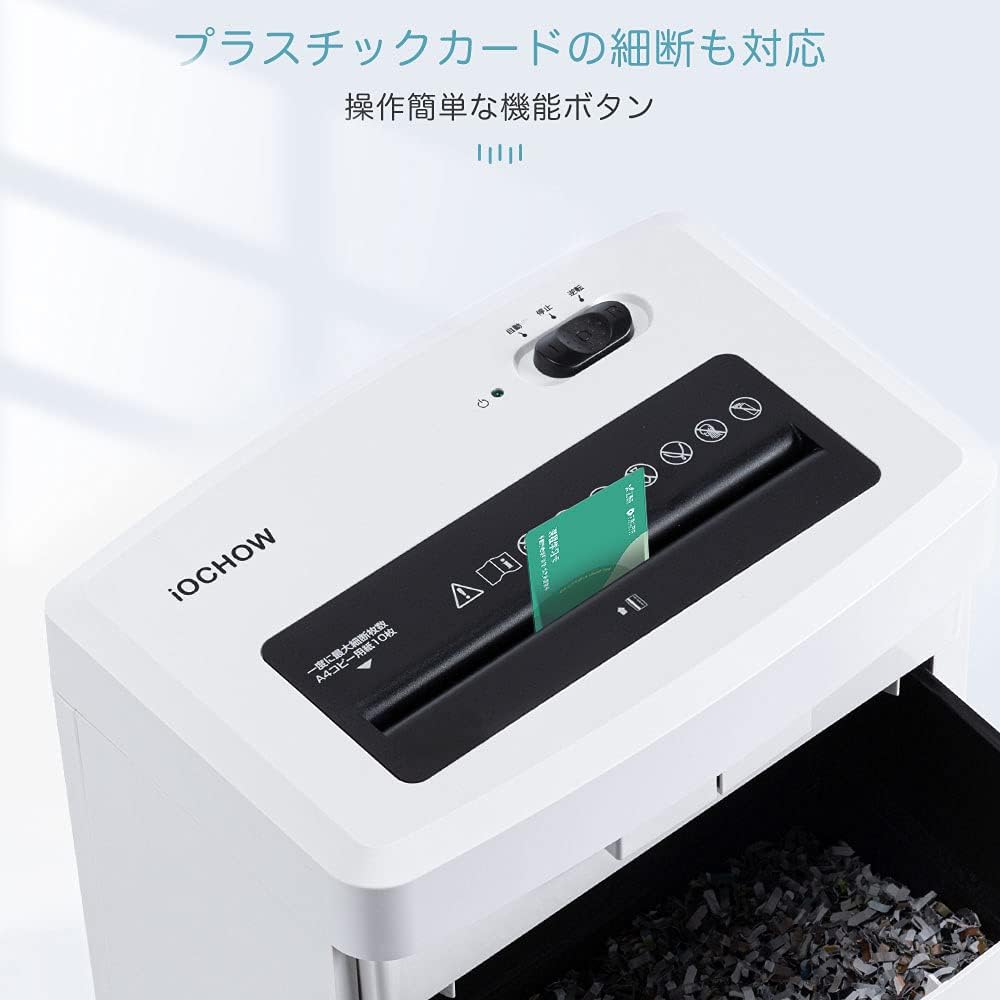
- Versatile Shredding: Capable of shredding paper and plastic cards.
- Quiet Performance: Operates at a low noise level of ≤60dB.
- Safety Mechanisms: Includes overheat protection and automatic shut-off when the dust box is removed.
- Convenient Waste Management: Features an 18L large capacity dust box with a transparent window for easy monitoring.
- Jam Prevention: Equipped with a reverse function to clear paper jams.
3.2 Specifications
| Feature | Specification |
|---|---|
| Cutting Type | Micro-cut |
| Brand | iOCHOW |
| Capacity | 18 Liters |
| Color | White |
| Standard Sheets (A4) | 12 sheets |
| Cut Size | 4x10mm |
| Power Type | AC100V 50/60Hz |
| Rated Power Consumption | 140W |
| Continuous Use Time | 20 minutes |
| Operation Mode | Automatic |
| Item Dimensions (D x W x H) | 22.5 x 33 x 49 cm |
| Item Weight | 8.17 kg (Product), 9.33 kg (Shipping) |
| Manufacturer Model Number | SZJ4 |
4. Setup
- Unpack: Carefully remove the shredder from its packaging.
- Position: Place the shredder on a flat, stable surface. Ensure there is adequate space around the unit for ventilation.
- Connect Power: Plug the power cord into a standard AC100V 50/60Hz electrical outlet.
- Check Dust Box: Ensure the dust box is correctly inserted into the shredder. The shredder will not operate if the dust box is not fully in place.

5. Operating Instructions
5.1 Power On/Off and Mode Selection
- Locate the power switch/mode selector on the top of the shredder.
- AUTO Mode: Set the switch to 'AUTO'. The shredder will automatically start when paper is inserted and stop when shredding is complete.
- OFF Mode: Set the switch to 'OFF' to turn off the shredder.
- REV (Reverse) Mode: Set the switch to 'REV' to reverse the shredding blades. This is used to clear paper jams.
5.2 Shredding Paper
- Ensure the shredder is in 'AUTO' mode.
- Insert up to 12 sheets of A4 paper straight into the paper entry slot. Do not force paper into the slot.
- The shredder will automatically begin shredding.
- After shredding, the machine will stop automatically.
- Allow the shredder to cool down for at least 40 minutes after 20 minutes of continuous use to prevent overheating.

5.3 Shredding Plastic Cards
- Ensure the shredder is in 'AUTO' mode.
- Insert one plastic card at a time into the dedicated card entry slot (if available, or the main paper slot if not separate).
- The shredder will process the card and stop automatically.
5.4 Video Demonstration
6. Maintenance
6.1 Emptying the Dust Box
- Always turn off and unplug the shredder before emptying the dust box.
- Pull out the dust box from the front of the shredder. The shredder will automatically stop if the box is removed during operation.
- Dispose of the shredded waste.
- Slide the dust box back into the shredder until it clicks securely into place.

6.2 Cleaning the Shredder
- Ensure the shredder is unplugged.
- Wipe the exterior of the shredder with a soft, dry cloth. Do not use abrasive cleaners or solvents.
- Do not spray any liquids directly onto the shredder.
6.3 Oiling the Blades (Recommended)
Regularly oiling the shredder blades helps maintain performance and prolong the life of the unit. Use shredder oil sheets or liquid shredder oil (sold separately).
- Apply shredder oil across a sheet of paper or use an oil sheet.
- Feed the oiled paper into the shredder in 'AUTO' mode.
- After shredding, switch to 'REV' mode for a few seconds to distribute the oil.
- Switch back to 'OFF' mode.
7. Troubleshooting
| Problem | Possible Cause | Solution |
|---|---|---|
| Shredder does not turn on. | Not plugged in; Power switch is off; Dust box not properly inserted. | Ensure power cord is securely plugged in. Set power switch to 'AUTO'. Reinsert dust box correctly. |
| Paper jam. | Too much paper inserted; Paper inserted incorrectly. | Switch to 'REV' mode to clear the jam. If necessary, unplug, remove paper manually, then plug in and try 'REV' again. Reduce paper quantity for next shredding. |
| Shredder stops during operation. | Overheat protection activated; Dust box is full or removed. | Allow the shredder to cool down for 40 minutes. Empty the dust box and ensure it is properly inserted. |
| Shredded paper is not fine enough. | Not applicable for micro-cut shredders (always fine). | Ensure the shredder is functioning correctly. The iOCHOW SZJ4 is a micro-cut shredder, producing 4x10mm particles. |
8. Warranty and Support
The iOCHOW SZJ4 Micro-Cut Shredder comes with a 1-year warranty from the date of purchase. This warranty covers defects in materials and workmanship under normal use.
For warranty claims, technical support, or any questions regarding your product, please contact iOCHOW customer service through the retailer where you purchased the product or visit the official iOCHOW website for contact information.
Please have your model number (SZJ4) and proof of purchase ready when contacting support.

