
Introduction
This manual provides essential information for the safe and efficient operation of your Fanttik L1 Pro Cordless Screwdriver. Please read these instructions thoroughly before first use and retain for future reference. This electric screwdriver is designed for precision tasks and general home improvement, offering variable speed control and multiple torque settings.

Figure 1: Fanttik L1 Pro Cordless Screwdriver with its accessories.
What's in the Box
Your Fanttik L1 Pro package includes the following items:
- Fanttik L1 Pro Power Screwdriver
- 14 pcs S2 Metal Bits
- PU Box (Storage Case)
- USB A-to-C Cable
- User Manual

Figure 2: All components of the Fanttik L1 Pro kit, including the screwdriver, bits, and charging cable, within the protective PU case.
Product Features
- Top-Notch Performance: Equipped with a powerful motor, offering 6 torque settings from 0.5 to 6 N.m. Features 222 RPM stepless variable speed, adjustable by trigger pressure, with immediate stop upon release for precise control.
- Quality Build: Constructed with all-metal gears and a Neodymium magnet motor for smooth and lasting rotation. The hardened shark chuck ensures a firm and secure grip on bits.
- Long-Lasting Battery: Powered by a 2000 mAh rechargeable Li-ion battery, capable of driving approximately 260 screws on a single charge. Conveniently recharges via a USB-C port with the included A-to-C cable.
- Unparalleled Experience: A unique visual display screen shows the current torque setting, rotation direction, and battery level, preventing unexpected power loss. A front LED provides clear illumination in dim environments.
- Comprehensive Kit: Includes the Fanttik L1 Pro Power Screwdriver, 14 S2 metal bits for various tasks, a USB A-to-C cable, a user manual, and a PU box for organized storage.
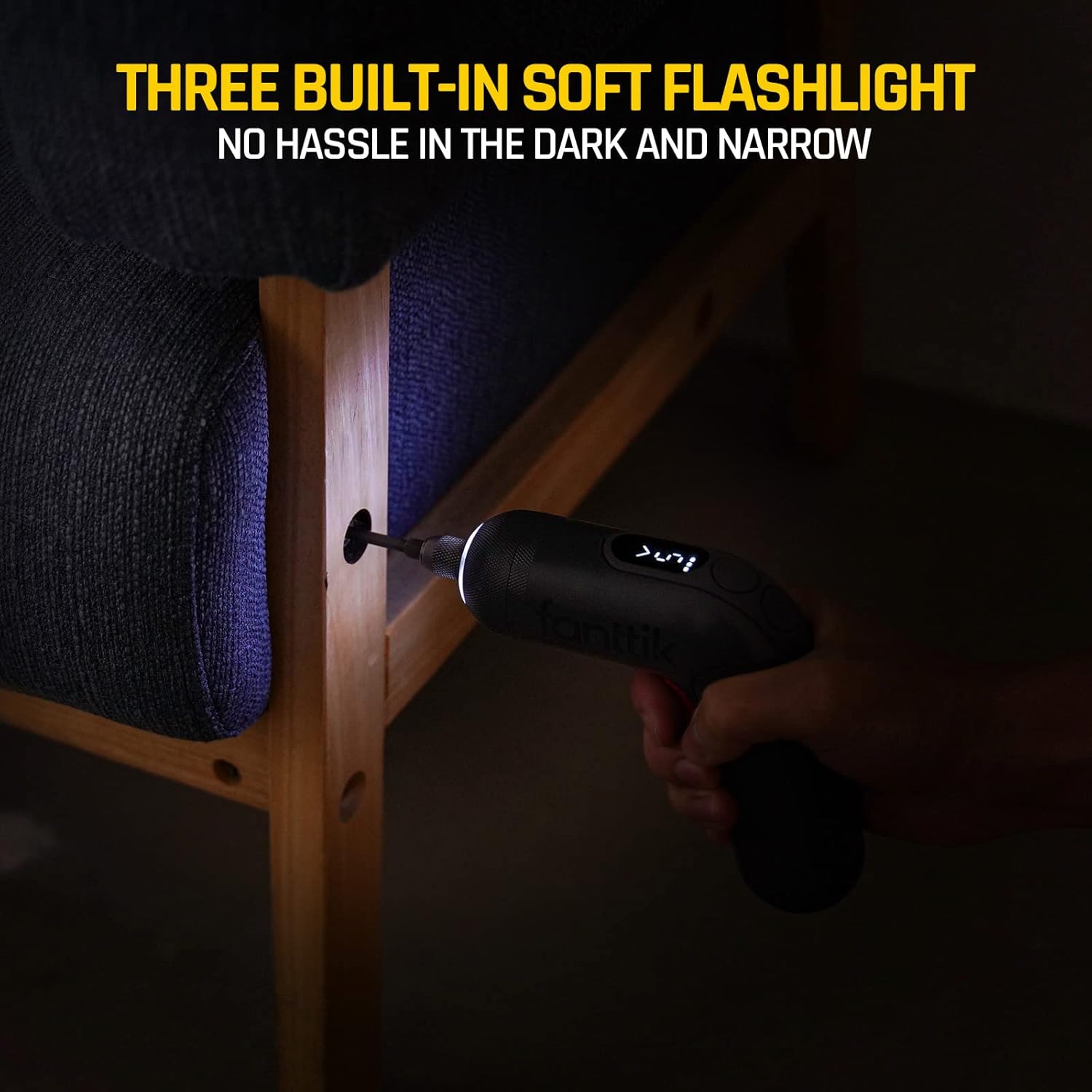
Figure 3: The digital display provides real-time information on the screwdriver's status.
Setup
Charging the Screwdriver
Before first use, fully charge the screwdriver. Connect the provided USB A-to-C cable to the USB-C charging port located on the device and to a compatible USB power source. The digital screen will indicate the battery level during charging.
Installing/Removing Bits
- Select the appropriate S2 metal bit for your task.
- Insert the bit into the hardened shark chuck until it clicks securely into place. The magnetic chuck will hold the bit firmly.
- To remove a bit, pull the chuck collar forward and extract the bit.

Figure 4: The shark chuck mechanism ensures bits are held firmly during operation.
Operating Instructions
Power On/Off and Variable Speed
The screwdriver is activated by pressing the trigger. The speed is steplessly variable, meaning it adjusts based on the pressure applied to the trigger. Releasing the trigger immediately stops the rotation.
Adjusting Torque Settings
The Fanttik L1 Pro offers 6 torque settings, ranging from 0.5 N.m for delicate tasks to 6 N.m for tougher applications. Use the dedicated buttons near the digital screen to cycle through the torque levels. The current setting will be displayed on the screen.

Figure 5: Visual guide for selecting appropriate torque settings based on task requirements.
Changing Rotation Direction
Use the direction control button, indicated on the digital screen, to switch between forward (tightening) and reverse (loosening) modes. The arrow on the display will show the active rotation direction.
Using the Front LED Light
The integrated front LED light automatically illuminates the work area when the trigger is pressed, providing enhanced visibility in dimly lit spaces.

Figure 6: The front LED light ensures clear visibility during operation.
Maintenance
- Keep the screwdriver and bits clean and dry. Wipe with a soft, damp cloth.
- Store the device and accessories in the provided PU box to protect them from dust and damage.
- Regularly inspect bits for wear and replace as needed to ensure optimal performance and prevent stripping screws.
Troubleshooting
- Device not turning on: Ensure the battery is sufficiently charged. Connect to a USB-C power source and allow it to charge.
- Bit slipping or stripping screws: Verify that the correct bit type and size are being used for the screw. Adjust the torque setting to a lower level for delicate materials or a higher level for tougher materials. Ensure the bit is fully seated in the chuck.
- Reduced power or battery life: The battery may need recharging. If issues persist after charging, contact customer support.
Specifications
| Feature | Detail |
|---|---|
| Brand | Fanttik |
| Model Name | NEX L1 Pro |
| Item Model Number | NEX L1 PRO |
| Power Source | Battery Powered |
| Battery Type | 1 Lithium Ion battery (included) |
| Torque Settings | 6 (0.5 ~ 6 N.m) |
| Variable Speed | 222 RPM stepless |
| Head Style | Hex (1/4 inch) |
| Material | Metal |
| Item Weight | 8 Ounces |
| Special Feature | Electric, Digital Display, Front LED |
Warranty & Support
The Fanttik L1 Pro Cordless Screwdriver comes with a 24-Month Warranty. For any product inquiries, technical support, or warranty claims, please refer to the contact information provided in your user manual or visit the official Fanttik website.
