
1. Introduction and Overview
The iJoy Wireless Speaker is designed for outdoor use, featuring a durable, waterproof, and dustproof construction. It offers 10 hours of playtime on a single charge and includes adjustable LED lighting modes to enhance your outdoor ambiance. This manual provides detailed instructions for setting up, operating, and maintaining your speaker.

Figure 1: iJoy Wireless Speaker with adjustable stake for outdoor placement.
Key Features:
- 10 Hours of Playtime: Enjoy extended music playback on a single charge.
- IPX4 Rating: Fully waterproof and dustproof, suitable for various outdoor conditions.
- True Wireless Compatibility: Connect two speakers for a stereo surround sound experience.
- Removable Adjustable Stake: Customize speaker height up to 14 inches off the ground.
- Multiple LED Options: Cycle through 5 preset LED light modes including solid, flashing, and dancing.

Figure 2: The Tiki+ Wireless Bluetooth Speaker illuminating an outdoor space.
2. What's Included
Your iJoy Wireless Speaker package includes the following components:
- 1 x Bluetooth Speaker
- 1 x USB Charging Cable
- 1 x Adjustable Stake (consisting of two pole pieces)

Figure 3: All components included in the iJoy Wireless Speaker package.
3. Setup
Follow these steps to set up your iJoy Wireless Speaker:
- Assemble the Stake: If using the adjustable stake, connect the two pole pieces together, then attach the assembled stake to the bottom of the speaker.
- Placement: Insert the stake into soft ground in your desired outdoor location. Ensure the speaker is upright and stable.
- Initial Charge: Before first use, fully charge the speaker using the provided USB charging cable. The charging port is located under a protective flap on the side of the speaker.
Video 1: Official product video demonstrating the assembly and features of the Tiki+ Outdoor Wireless Bluetooth Speaker.
4. Operating Instructions
The speaker features intuitive controls located on its top surface:

Figure 4: Control buttons on the top of the speaker.
Button Functions:
- Power Button (Center): Press and hold to power on/off.
- Play/Pause/Call Button (Top): Press once to play/pause music. Press once to accept or reject incoming calls.
- Volume Down/Previous Track (Left): Press once to go to the previous track. Press and hold to lower the volume.
- Volume Up/Next Track (Right): Press once to skip to the next track. Press and hold to raise the volume.
- LED Light Mode Button (Bottom): Press to cycle through 5 preset LED modes (Solid, Flashing, Dancing, and more). Double-click to turn off the LED mode.
Bluetooth Pairing:
1. Power on the speaker. It will automatically enter pairing mode.
2. On your device (smartphone, tablet, etc.), enable Bluetooth and search for available devices.
3. Select "iJoy Tiki" from the list to connect.
True Wireless Stereo (TWS) Pairing:
To achieve a surround sound experience with two iJoy Tiki speakers:
- Ensure both speakers are powered off.
- Power on both speakers simultaneously.
- On one of the speakers, double-press the Power button. The speakers will attempt to pair with each other.
- Once successfully paired, they will function as a left and right stereo pair. Connect your device to one of the speakers via Bluetooth as described above.
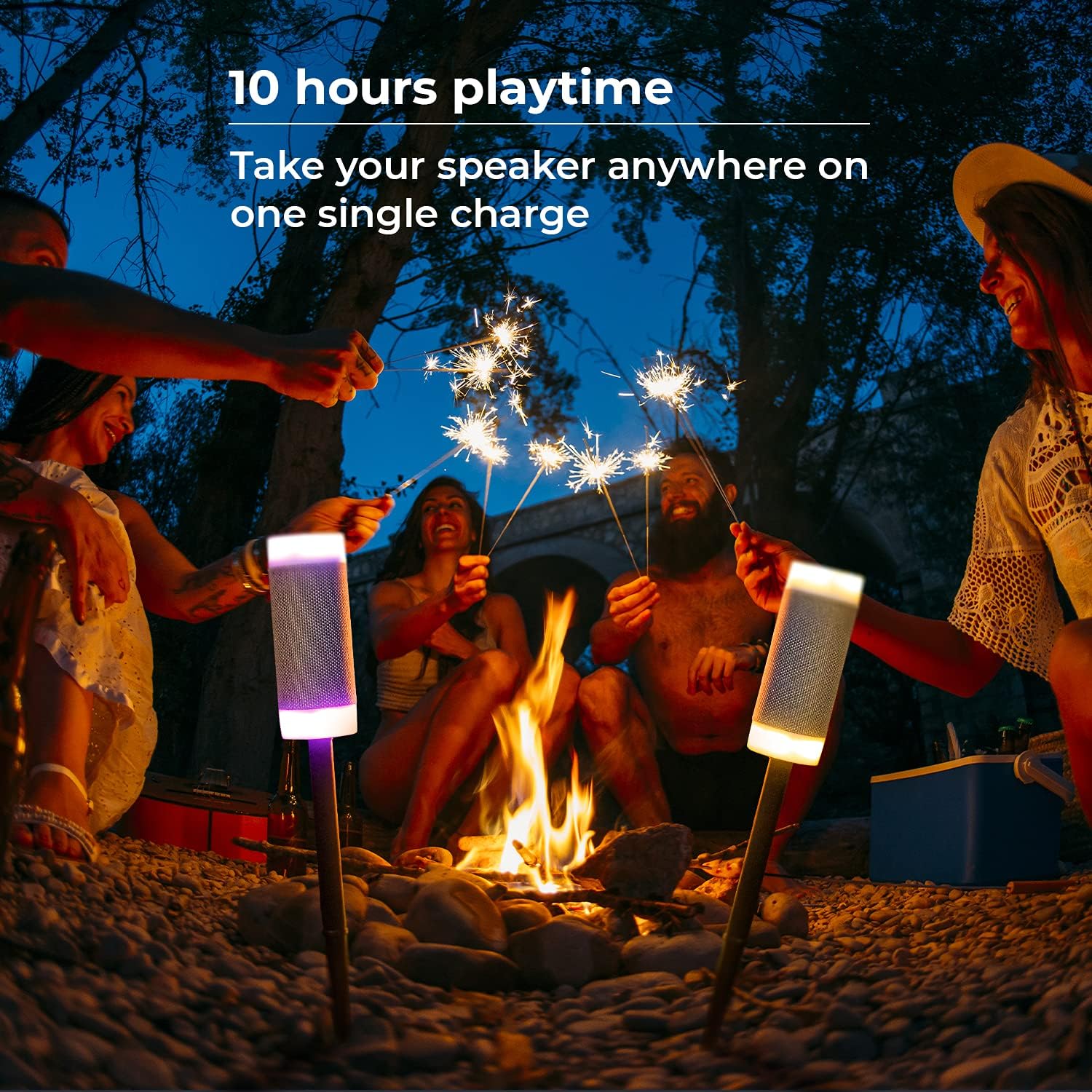
Figure 5: Speakers showcasing various LED light options.
5. Maintenance
The iJoy Wireless Speaker is designed for outdoor durability with an IPX4 rating, making it resistant to splashes and dust. To ensure longevity:
- Cleaning: Wipe the speaker with a damp cloth to remove dirt or debris. Do not submerge the speaker in water.
- Storage: When not in use for extended periods, store the speaker in a cool, dry place.
- Charging Port: Always ensure the protective flap over the charging port is securely closed when not charging to maintain water and dust resistance.

Figure 6: The speaker's IPX4 waterproof feature.
6. Troubleshooting
If you encounter issues with your iJoy Wireless Speaker, refer to the following table:
| Problem | Possible Cause | Solution |
|---|---|---|
| Speaker does not power on. | Low battery. | Charge the speaker using the provided USB cable. |
| Cannot pair with Bluetooth device. | Speaker not in pairing mode; device Bluetooth off; too far from speaker. | Ensure speaker is on and in pairing mode. Turn on Bluetooth on your device. Move device closer to speaker (within 10 meters). |
| Two speakers not pairing for TWS. | Incorrect pairing procedure. | Ensure both speakers are off, then power them on. Double-press the power button on one speaker to initiate TWS pairing. |
| Low sound volume. | Volume settings on speaker or connected device are low. | Increase volume using the '+' button on the speaker and on your connected device. |
7. Specifications
| Feature | Detail |
|---|---|
| Model Name | Tiki |
| Mounting Type | Wireless Speaker |
| Material | Plastic |
| Speaker Type | Outdoor Speaker |
| Special Features | Adjustable Stakes, Waterproof, LED Light, Stereo Pairing |
| Battery Life | 10 Hours |
| Charging Time | 10 Hours |
| Water Resistance Level | Water Resistant (IPX4) |
| Wireless Communication Technology | Bluetooth |
| Bluetooth Range | 10 Meters |
| Product Dimensions | 3"D x 10"W x 3"H |
| Item Weight | 1.12 pounds |
| Manufacturer | iJoy |
| UPC | 842700168488 |
8. Warranty and Support
For warranty information and customer support, please refer to the documentation included with your product or visit the official iJoy website. Keep your purchase receipt for warranty claims.