
Introduction
This manual provides detailed instructions for the installation, operation, and maintenance of your LEDLUX ZigBee Water Leakage Sensor, Model SHZ3427. This device is designed to detect water leaks and floods, providing timely alerts through your smart home system. For optimal performance, please read these instructions carefully before use.

Image 1: Front view of the LEDLUX ZigBee Water Leakage Sensor. The sensor is round and white with a grey central button featuring a water drop icon.
Product Features
- Water Leakage Detection: Alerts you immediately upon detecting water.
- IP66 Waterproof: Designed to withstand water exposure.
- Low Battery Push Notification: Informs you when the battery needs replacement.
- Smart Linkage: Integrates with other ZigBee devices for automated actions.
- Low Power Technology: Ensures extended battery life.

Image 2: Diagram illustrating the key features of the Smart Water Leakage sensor, including water leakage detection, IP66 waterproof rating, low battery notifications, smart linkage capabilities, and low power technology.
Setup Guide
1. Components Overview
Before starting, ensure you have the LEDLUX ZigBee Water Leakage Sensor and a compatible ZigBee gateway (hub) connected to your home network. The sensor requires a CR2032 lithium battery (not included).
2. Battery Installation
- Locate the battery cover on the bottom of the sensor.
- Use a thin tool (e.g., a small screwdriver or coin) to turn the battery cover slot counter-clockwise to open it.
- Remove the battery insulation sheet if present.
- Insert a new CR2032 lithium battery, ensuring correct polarity (+/-).
- Close the battery cover by turning it clockwise until secure.

Image 3: Bottom view of the LEDLUX ZigBee Water Leakage Sensor, highlighting the battery compartment with a slot for opening.
3. App Installation and ZigBee Gateway Connection
The LEDLUX ZigBee Water Leakage Sensor requires a ZigBee gateway (hub) and the Tuya Smart or Smart Life app for full functionality. Ensure your ZigBee gateway is already set up and connected to your 2.4GHz Wi-Fi network.
- Download the "Tuya Smart" or "Smart Life" app from your smartphone's app store (available for iOS and Android).
- Register or log in to your account.
- Ensure your ZigBee gateway has been successfully configured and the sensor is within the effective coverage of the gateway's network.
- Open the "Tuya Smart" app, find your ZigBee gateway, enter its sub-page, and click "Add Sub Device".
- Long press the button on the sensor for 5-10 seconds to enter the network configuration state. The indicator light on the sensor will flash.
- In the app, click "Confirm" that the indicator light flashes. The app will enter the "Connecting" interface.
- Wait for the network configuration to succeed. Once connected, the sensor will appear in your app.
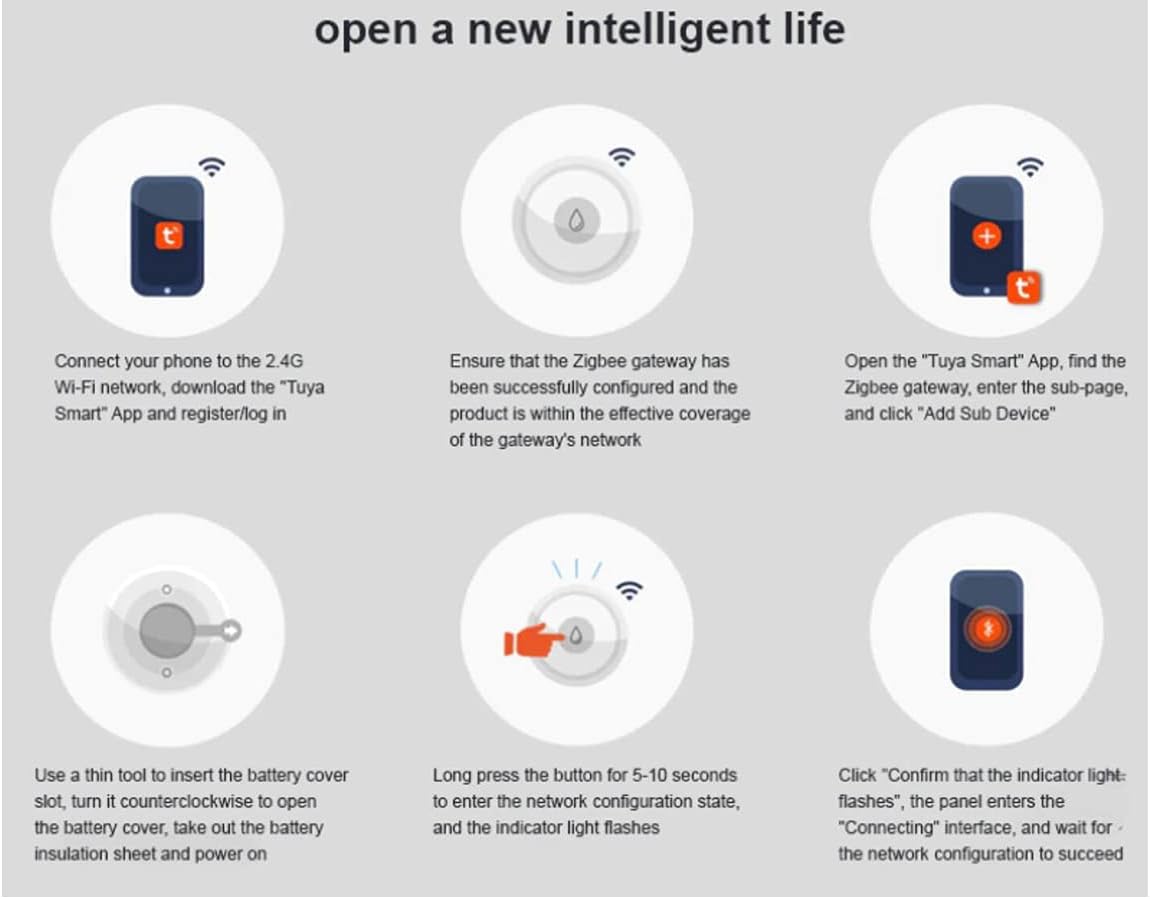
Image 4: A six-step visual guide detailing the process of connecting the ZigBee sensor to the Tuya Smart app, including app download, gateway setup, battery insulation sheet removal, entering pairing mode, and confirming connection.

Image 5: Diagram illustrating the central role of a Tuya ZigBee hub in connecting various smart home devices, including human sensors, water leakage detectors, temperature and humidity sensors, smoke detectors, window/door sensors, gas detectors, and smart brightness thermometers.
4. Placement
Place the sensor in areas prone to water leaks, such as:
- Under sinks (kitchen, bathroom)
- Near water heaters
- Behind toilets
- In basements or utility rooms
- Near washing machines or dishwashers
Ensure the sensor's detection probes on the bottom are in direct contact with the surface where water might accumulate.
Operating Instructions
Water Detection and Alerts
When the sensor detects water, it will immediately send an alarm notification to your connected ZigBee gateway, which then forwards the alert to your Tuya Smart or Smart Life app on your smartphone or tablet. This allows for prompt action to mitigate potential water damage.
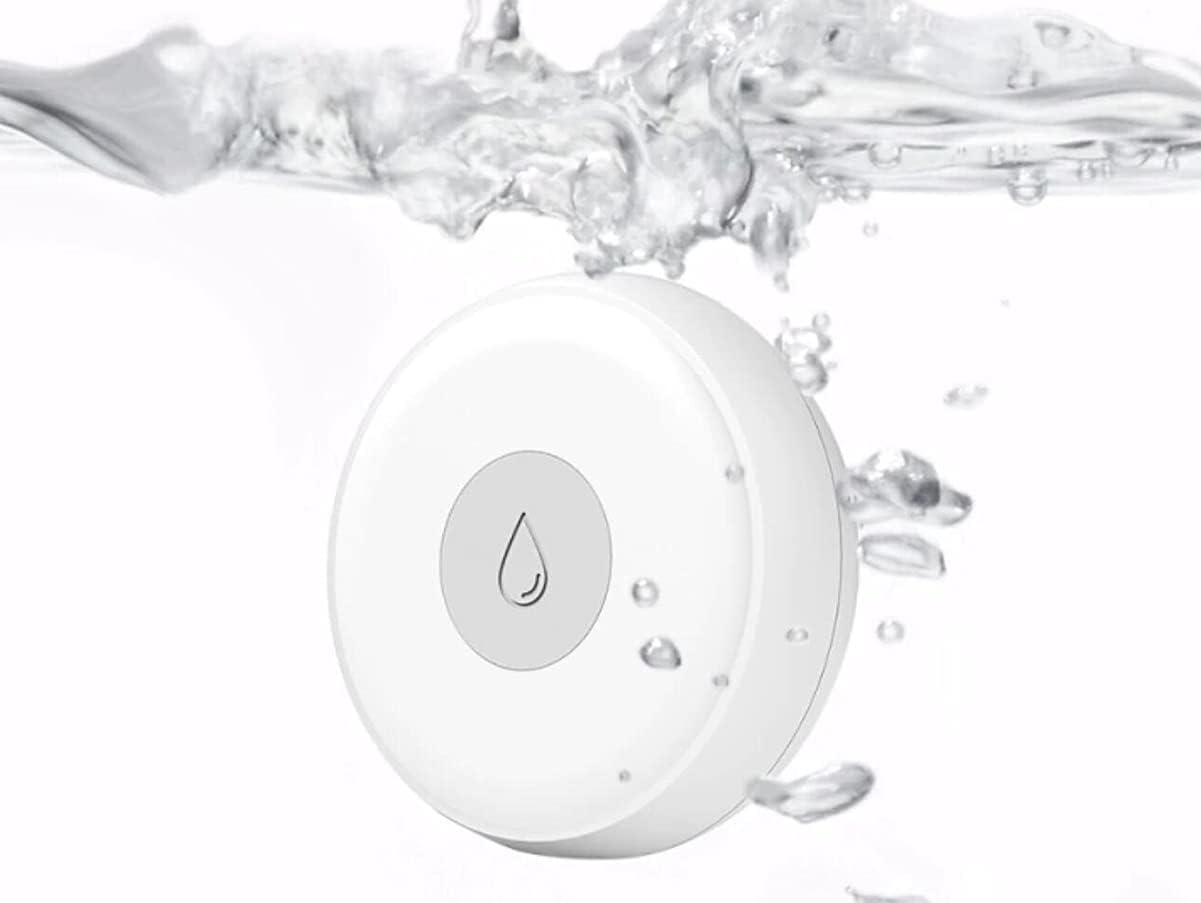
Image 6: The LEDLUX ZigBee Water Leakage Sensor partially submerged in water, demonstrating its function in detecting leaks.
App Functionality
- Real-time Notifications: Receive instant alerts on your mobile device.
- History Records: View a log of past water detection events.
- Scene Automation: Create custom automation rules (e.g., turn off a smart valve when water is detected, or activate a smart light).
- Device Status: Check the sensor's battery level and connection status within the app.
Maintenance
Battery Replacement
When the app indicates a low battery, replace the CR2032 lithium battery following the steps outlined in the "Battery Installation" section. Timely battery replacement ensures continuous protection.
Cleaning
Wipe the sensor's exterior with a soft, dry cloth. Do not use abrasive cleaners or immerse the entire device in water (only the detection probes are designed for water contact).
Regular Testing
It is recommended to test the sensor periodically (e.g., monthly) to ensure it is functioning correctly. To test, place a small amount of water on the detection probes at the bottom of the sensor. You should receive an alert on your app. Dry the sensor thoroughly after testing.
Troubleshooting
- Sensor not connecting to ZigBee gateway:
- Ensure the sensor is within range of the ZigBee gateway.
- Verify the ZigBee gateway is powered on and connected to your Wi-Fi network.
- Check if the sensor's battery is correctly installed and has sufficient charge.
- Repeat the pairing process as described in the "Setup Guide".
- No notifications received:
- Check your smartphone's notification settings for the Tuya Smart/Smart Life app to ensure notifications are enabled.
- Verify the sensor is still connected to the ZigBee gateway via the app.
- Ensure the app is running in the background or allowed to send notifications.
- Test the sensor with water to confirm it detects leaks.
- False alarms:
- Ensure the sensor is placed on a dry, stable surface and not in an area prone to condensation or accidental splashes.
- Clean the detection probes to remove any residue that might interfere with readings.
- Alexa/Google Home integration issues:
- Ensure your Tuya Smart/Smart Life account is correctly linked to your voice assistant.
- Note that some voice assistant platforms may have limitations on notification times (e.g., 7 AM to 10 PM for certain Alexa notifications, as per user feedback). Check the specific limitations of your voice assistant service.
Specifications
| Feature | Detail |
|---|---|
| Model Number | SHZ3427 |
| Brand | LEDLUX |
| Control Method | App (Tuya Smart / Smart Life) |
| Mounting Type | Tabletop Support |
| Sensor Technology | Capacitive |
| Power Source | Battery Powered |
| Battery Type | CR2032 Lithium (not included) |
| Voltage | 3 Volts |
| Compatible Devices | Smartphone, Tablet (via ZigBee gateway) |
| Dimensions | 6 x 5.8 x 2.2 cm |
| Weight | 30 grams |
| Color | White |
| ASIN | B0977CQQLS |