
Pssopp ATL-18A
Pssopp Submersible Aquarium Lamp
Model: ATL-18A
1. Introduction
Thank you for purchasing the Pssopp ATL-18A Submersible Aquarium Lamp. This LED light is designed to provide optimal illumination for your freshwater fish tank, offering multiple lighting modes and adjustable brightness. Please read this manual thoroughly before installation and operation to ensure proper use and longevity of your product.
2. Product Overview
The Pssopp ATL-18A is a versatile submersible LED lamp for aquariums, featuring a durable, waterproof design and an inline controller for easy operation.
Key Features:
- Multi-size Compatibility: Designed for various fish tank types, suitable for fish tanks, cisterns, and rockeries.
- 3 Dimming Modes: Offers white light, blue light, and a combination of white + blue light.
- Waterproof Design: Can be fully submerged in water or placed outside the tank. Suitable for freshwater environments.
- Adjustable Brightness: Ten levels of brightness adjustment for customized illumination.
- Integrated Timer: Supports automatic shut-down and turn-on for 6, 10, or 12 hours.
- Durable Construction: Reusable and built for long-term use.

Figure 2.1: A close-up view of the Pssopp ATL-18A submersible aquarium lamp, showing its LED array and waterproof end caps.
3. Package Contents
Please check the package contents upon unboxing:
- 1 x Pssopp Submersible Aquarium Lamp (ATL-18A)
- 1 x User Manual
4. Specifications
| Parameter | Value |
|---|---|
| Item Type | Submersible Aquarium Lamp |
| Brand | Pssopp |
| Model Number | ATL-18A (Reference: Pssoppy6ihsdpgom902-13) |
| Material | ABS Plastic |
| Operating Frequency | 50/60 Hz |
| Power Parameters | 12V 0.5A |
| Product Dimensions (L x W x H) | Approx. 1.8 x 18 cm (0.7 x 7.1 inches) |
| Actual Power | 2.7W |
| LED Lamp Beads | 18 pcs (9 pcs blue, 9 pcs white) |
| Color | ATL-18A UK |

Figure 4.1: An image illustrating the dimensions of the Pssopp ATL-18A aquarium lamp, showing a length of 18cm (7.1 inches) and a diameter of 1.8cm (0.7 inches), along with the power consumption of 2.7W.
5. Setup
Follow these steps to set up your Pssopp ATL-18A Submersible Aquarium Lamp:
- Unpack: Carefully remove the lamp and all accessories from the packaging. Inspect for any damage.
- Placement: The lamp can be fully submerged in your aquarium or placed above the water line. For submerged use, ensure the suction cups are securely attached to the glass.
- Secure Attachment: Press the suction cups firmly against a clean, dry surface inside or outside the tank to secure the lamp in place.
- Power Connection: Connect the power adapter to the lamp's cable, then plug the adapter into a suitable power outlet. Ensure your hands are dry before handling electrical connections.

Figure 5.1: The Pssopp ATL-18A submersible aquarium lamp installed inside a freshwater fish tank, illuminating the aquatic environment and fish.
6. Operating Instructions
The Pssopp ATL-18A lamp is controlled via an inline switch with multiple buttons for various functions.

Figure 6.1: A detailed view of the inline controller for the Pssopp ATL-18A aquarium lamp, highlighting the 'W' (white light/brightness), 'B' (blue light/brightness), power, and timer buttons (6H, 10H, 12H).
Controller Functions:
- 'W' Button (White Light / Brightness Adjustment):
Press this button to adjust the brightness of the white light. There are ten levels of brightness. - 'B' Button (Blue Light / Brightness Adjustment):
Press this button to adjust the brightness of the blue light. There are ten levels of brightness. - Power Button (⏻):
This button controls the lighting modes and turns the lamp on/off. - Timer Buttons (6H, 10H, 12H):
These buttons activate the automatic shut-down and turn-on timer functions.
Operating Modes:
- Initial Power-On: The lamp will default to full brightness (maximum gear) upon the first power-on.
- Adjusting Brightness (Full Light Mode):
In full light mode, press the 'W' button to increase the brightness of the white light (0-100%). The blue light brightness will not change. Similarly, press the 'B' button to increase the brightness of the blue light (0-100%), and the white light brightness will not change. - Switching Lighting Modes:
Press the Power button (⏻) to cycle through the lighting modes:- First press: Switches to White Light mode.
- Second press: Switches to Blue Light mode.
- Third press: Switches to All Light mode (White + Blue).
- Fourth press: Turns the lamp off.

Figure 6.2: An image demonstrating the three dimming modes of the Pssopp ATL-18A aquarium lamp: white light only, blue light only, and a combination of white and blue light.
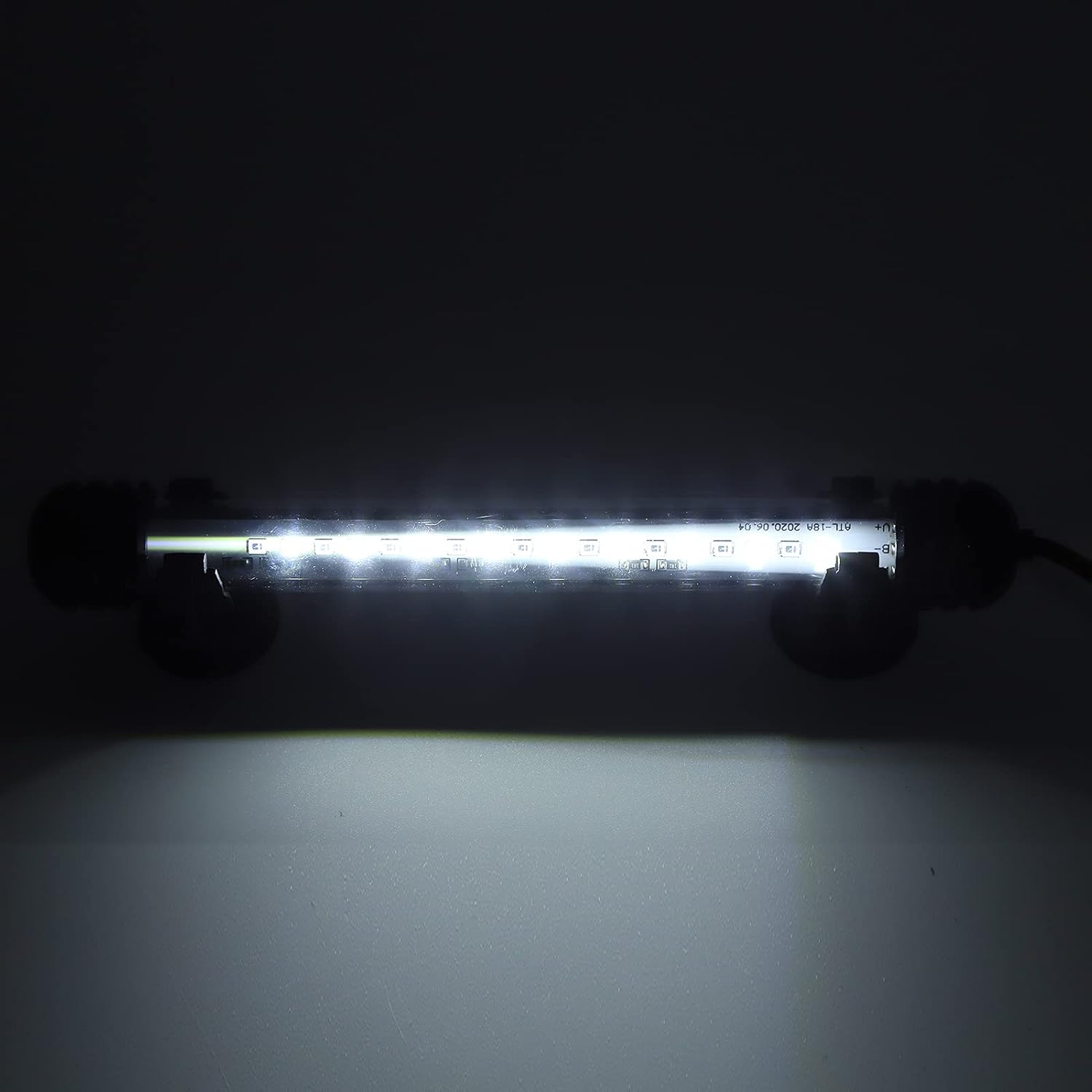
Figure 6.3: The Pssopp ATL-18A aquarium lamp emitting pure white light, suitable for general illumination.

Figure 6.4: The Pssopp ATL-18A aquarium lamp emitting blue light, often used to enhance the colors of fish and corals or for nighttime viewing.

Figure 6.5: The Pssopp ATL-18A aquarium lamp emitting a combination of white and blue light, providing a balanced spectrum for aquatic environments.
Timer Function:
The timer function allows the lamp to automatically shut down and turn on the next day at the same time it was activated.
- 6H (Red): Click the red button to set the lamp to automatically shut down after 6 hours and turn on at the same time the next day.
- 10H (Green): Click the green button to set the lamp to automatically shut down after 10 hours and turn on at the same time the next day.
- 12H (Blue): Click the blue button to set the lamp to automatically shut down after 12 hours and turn on at the same time the next day.
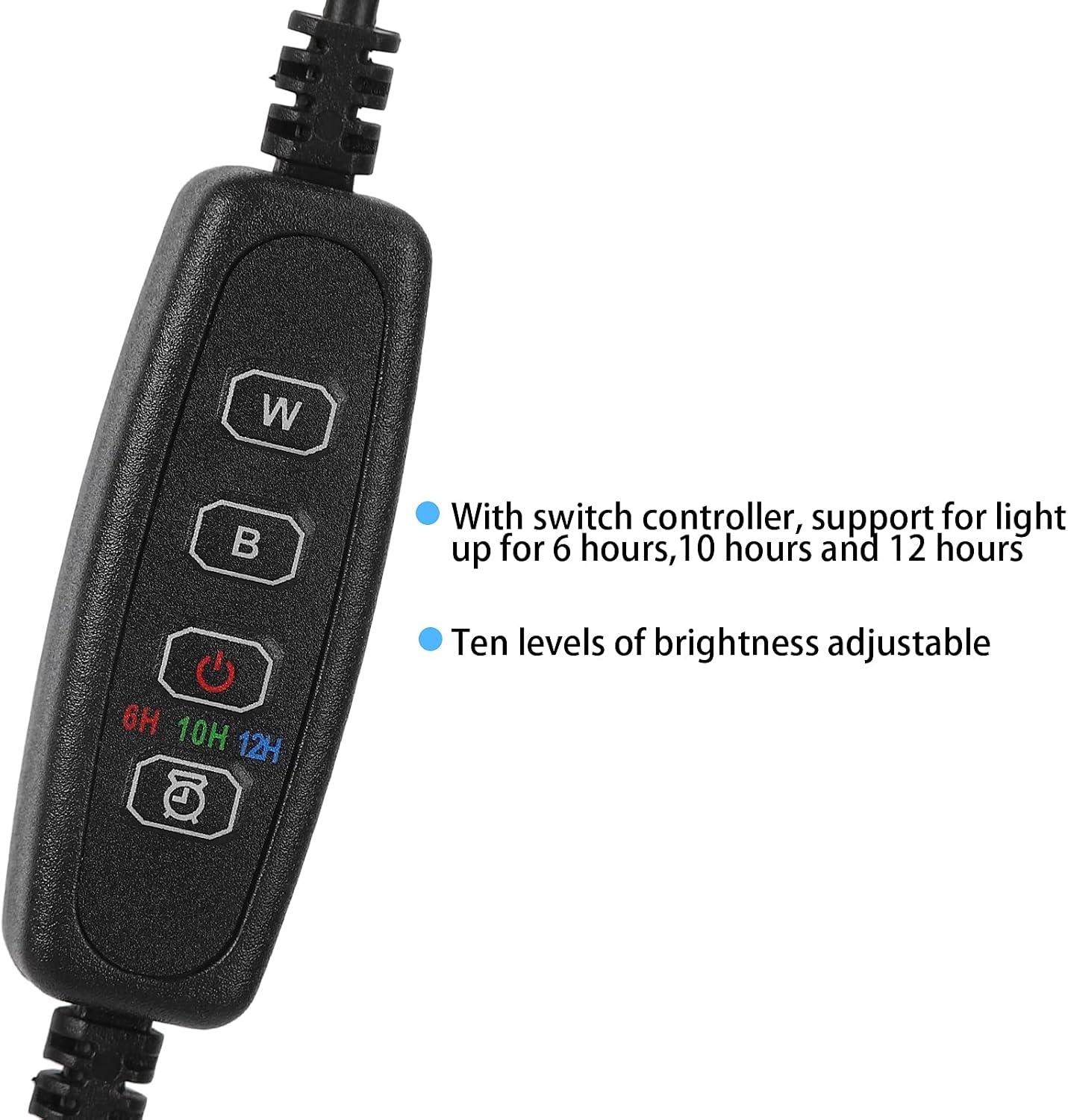
Figure 6.6: A close-up of the Pssopp ATL-18A lamp controller, emphasizing the brightness adjustment for white and blue lights, and the 6, 10, and 12-hour timer functions.
7. Maintenance
Regular maintenance ensures the optimal performance and longevity of your aquarium lamp.
- Cleaning: Disconnect the power before cleaning. Gently wipe the lamp's surface with a soft, damp cloth to remove algae or mineral deposits. Do not use abrasive cleaners or solvents.
- Inspection: Periodically check the power cord and connections for any signs of damage or wear. Ensure suction cups are still securely holding the lamp.
- Water Quality: Maintain good water quality in your aquarium to minimize algae growth on the lamp.
8. Troubleshooting
If you encounter issues with your Pssopp ATL-18A lamp, refer to the following common problems and solutions:
- Lamp does not turn on:
- Ensure the power adapter is securely plugged into both the lamp and the power outlet.
- Check if the power outlet is functional by plugging in another device.
- Press the power button on the inline controller to cycle through modes and ensure it's not in the 'off' state.
- Brightness or mode selection not working:
- Ensure the controller buttons are pressed firmly.
- Verify that the lamp is receiving consistent power.
- Timer function not working correctly:
- Ensure you have selected one of the timer options (6H, 10H, 12H) by pressing the corresponding button.
- The timer starts from the moment the button is pressed. If power is interrupted, the timer may reset.
If the problem persists after trying these steps, please contact customer support.
9. Safety Information
Please observe the following safety precautions to prevent injury or damage to the product:
- Always disconnect the power supply before performing any maintenance, cleaning, or installation.
- Do not operate the lamp if the power cord or plug is damaged.
- This product is designed for freshwater aquariums only. Do not use in saltwater or other liquids.
- Ensure the lamp is securely installed to prevent it from falling or moving within the tank.
- Keep out of reach of children.
- Do not attempt to disassemble or repair the lamp yourself. Refer to qualified personnel for service.
10. Warranty and Support
Pssopp products are manufactured with quality and reliability in mind. While specific warranty details are not provided in this manual, please retain your proof of purchase for any potential warranty claims.
For technical support, troubleshooting assistance, or inquiries about spare parts, please contact Pssopp customer service. You can find more information and contact details by visiting the official Pssopp store on Amazon: Pssopp Amazon Store.
Ask a question about this manual
Ask about setup, troubleshooting, compatibility, parts, safety, or missing instructions. Manuals+ will review the question and use this page’s manual context to help answer it.