
GRAPHIXLY Poser 12
GRAPHIXLY Poser 12 User Manual
3D Rendering & Animation Software
1. Introduction
Poser 12 is a comprehensive 3D computer graphics program designed for creating illustrations and animations. It provides tools for both new users and experienced professionals to design 3D worlds, populate scenes with characters, and produce high-quality digital art.
The software includes a library of content, allowing users to set scenes with props and 3D elements, and animate ready-to-pose, fully textured animals and humans. Poser focuses on interactive 3D figure design, offering extensive options for portraying human diversity, form, and expression across various applications such as art, illustration, animation, comics, web design, print, education, medical visualization, games, storyboarding, and pre-visualization.

Figure 1.1: Poser 12 Product Packaging. This image displays the keycard packaging for Poser 12, featuring a detailed 3D character.
2. System Requirements
To ensure optimal performance of Poser 12, your system must meet the following minimum and recommended specifications:
Windows Systems:
- Operating System: Windows 10 and above (64-bit OS required for installation).
- Processor: 2 GHz Intel Core 2 Duo or newer, Athlon 64 or newer (2.5 GHz or faster recommended).
- RAM: 4 GB system RAM (8 GB or more recommended).
- Graphics Card: CUDA enabled device required for hardware accelerated final rendering (2 GB VRAM minimum, 4 GB VRAM recommended). OpenGL enabled graphics card or chipset recommended.
- Display: 1440 x 900 minimum resolution (1920 x 1080 recommended).
- Hard Disk Space: 20 GB required to install all included content.
- Other: DVD-ROM drive (physical product only), internet connection for updates and required online activation.
Mac OS Systems:
- Operating System: Mac OS X 10.15 or higher.
- Processor: 2 GHz Intel Core 2 Duo processor or Apple M1 chip (M2 or newer recommended).
- RAM: 4 GB system RAM (8 GB or more recommended).
- Graphics Card: OpenGL enabled graphics card or chipset recommended.
- Display: 1440 x 900 minimum resolution (1920 x 1080 recommended).
- Hard Disk Space: 20 GB required to install all included content.
- Other: Internet connection for updates and required online activation.

Figure 2.1: Poser 12 Interface and System Requirements. This image shows the software's graphical user interface alongside a detailed list of minimum and recommended system specifications for both Windows and Mac operating systems.
3. Installation Guide
Poser 12 is distributed via a keycard package that contains instructions for downloading the software and your unique serial number for activation.
3.1. Initial Setup
- Locate the keycard within your product packaging. This card provides the necessary download instructions and your serial number.
- Visit the official download website as indicated on your keycard. The primary download site is www.posersoftware.net/downloads.
- Enter your serial number on the designated page to access the installer files.
- Download the appropriate installer for your operating system (Windows or Mac).
3.2. Software Installation
- Run the downloaded installer. Follow the on-screen prompts to complete the installation process.
- During installation, you may be prompted to choose an installation location. It is possible to install the software and its content on a secondary drive if desired.
- For Mac Users: If you encounter a security warning preventing the installation of an unsigned package, navigate to your Mac's System Settings (or System Preferences) > Privacy & Security. You may need to grant permission for the Poser installer to run.
- After the main software installation, you can download additional content. The software is designed to automatically decompress and place these files into their correct folders.
- Activate the software using the serial number provided on your keycard when prompted. Ensure the serial number is entered correctly, including any hyphens.
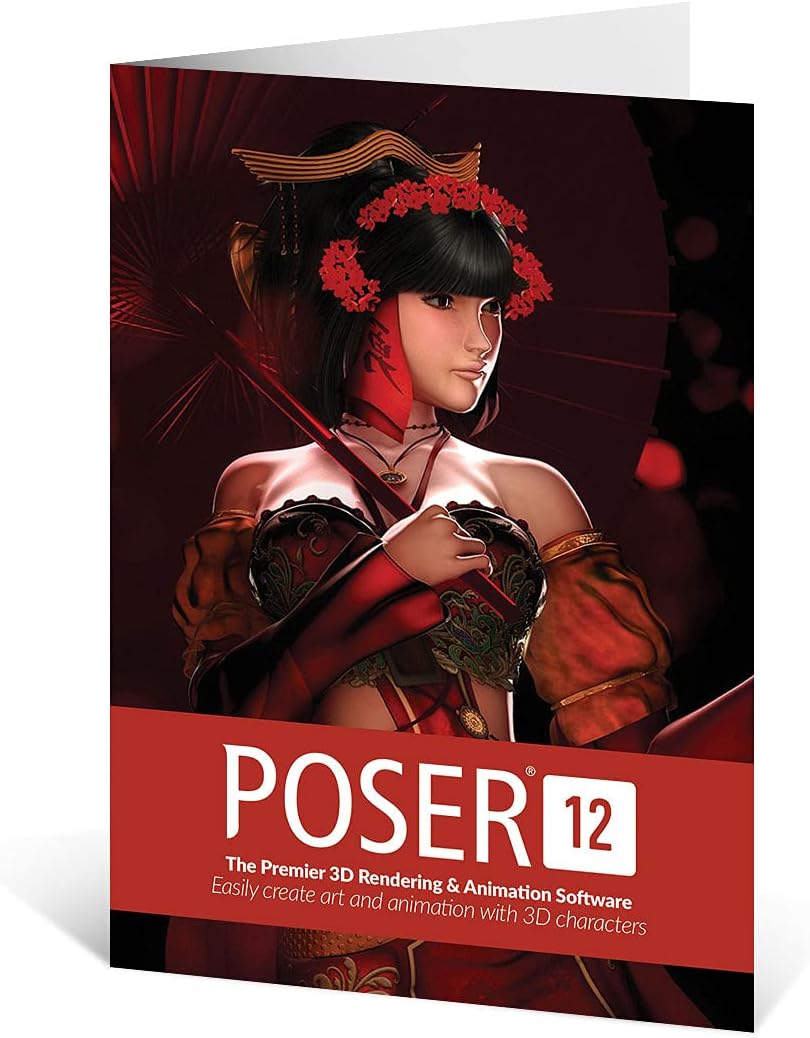
Figure 3.1: Poser 12 Keycard. This image shows the physical keycard packaging, which contains essential download and activation information.
4. Key Features & Operation
Poser 12 introduces several enhancements and features designed to improve your 3D rendering and animation workflow:
4.1. Rendering Engine Improvements:
- SuperFly Render Engine: Updated version based on Blender's Cycles 1.12 for enhanced rendering capabilities.
- Optix Support: New support for Nvidia RTX and Turing graphics cards, leveraging hardware acceleration for faster renders.
- SuperFly Adaptive Sampling: Improves render speed by intelligently focusing processing power where needed.
- Intel OIDN: Integrated AI-based noise reduction system for cleaner renders.
- FireFly Render Engine: Continued support and improvements for the FireFly render engine.
4.2. Workflow Enhancements:
- Post Effects Palette: New palette for denoise and other post-processing effects.
- Python 3 Scripting: Improved scripting capabilities for enhanced security and stability.
- Improved Compositing: Enhanced capabilities with SuperFly's new shadow catcher objects and background transparency.
4.3. Basic Usage Overview:
Poser provides an intuitive user interface for working with 3D figures. Key functionalities include:
- Drag-and-Drop Content: Easily add 3D content from Poser's extensive library directly into your scene.
- Figure Manipulation: Sculpt faces, pose body parts, and create diverse ethnic varieties using simple drag-and-drop actions.
- Advanced Control: Utilize full body morphs, facial expression morphs, and bone rigging for precise control over figures.
- Shape Variations: Quickly create different shape variations with brush-based morphing tools.
- Pre-rigged Figures: Figures are pre-rigged, allowing artists to click-and-drag to adjust poses.

Figure 4.1: Poser 12 User Interface. This image displays the main workspace of Poser 12, highlighting the tools and panels available for 3D character posing and rendering.

Figure 4.2: Example of 3D Art created with Poser 12. This image showcases a detailed 3D character render, demonstrating the software's capabilities in creating complex scenes and figures.

Figure 4.3: Another 3D Art Example from Poser 12. This image illustrates a 3D male character in a futuristic setting, interacting with a holographic display, highlighting the software's versatility.
5. Troubleshooting
This section addresses common issues you might encounter while using Poser 12.
5.1. Installation Issues on Mac:
If your Mac prevents the installation due to an