
1. Introduction
Thank you for choosing the LDNIO 10W Max Wireless Charger Pad. This device provides convenient and efficient wireless charging for your Qi-enabled devices. Please read this manual carefully before use to ensure proper operation and to maximize the product's lifespan.
Key features include 10W fast charging capability, compatibility with phone cases up to 5mm thick, Qi certification, and integrated safety mechanisms such as overcharge protection and heat dissipation.

LDNIO 10W Max Wireless Charger Pad, top view, showing the white charging surface with a red center and a power button on the side.
2. Package Contents
Please check the package for the following items:
- 1 x LDNIO 10W Max Wireless Charger Pad (Model AW001)
- 1 x USB Charging Cable
- 1 x User Manual (this document)
3. Setup Instructions
- Connect the provided USB charging cable to the USB-C port on the LDNIO Wireless Charger Pad.
- Plug the other end of the USB cable into a compatible power adapter (not included). For optimal fast charging, use a Quick Charge 2.0/3.0 or Power Delivery (PD) compatible adapter.
- Place the charging pad on a flat, stable surface away from direct sunlight or heat sources.
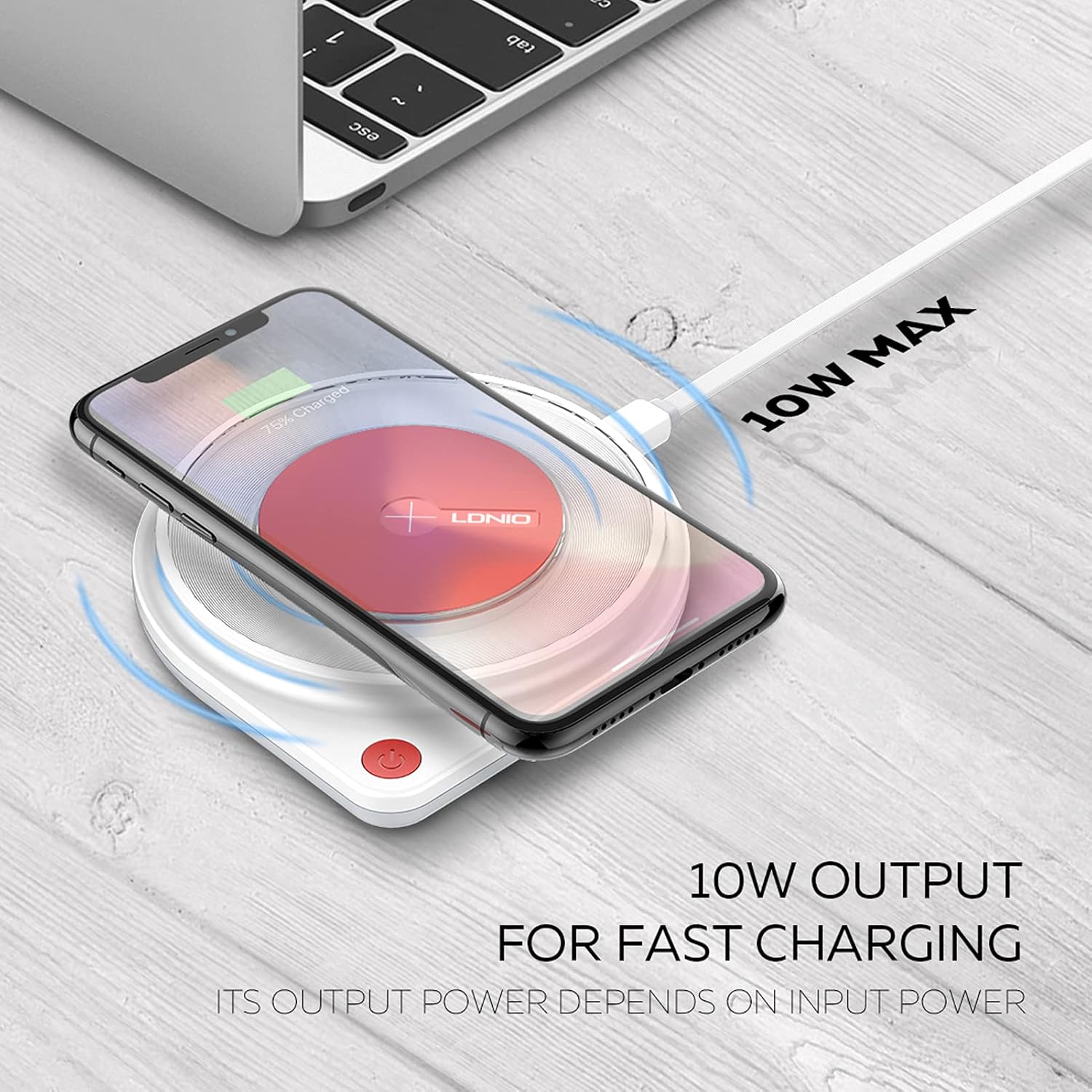
A smartphone charging wirelessly on the LDNIO 10W Max Wireless Charger Pad, illustrating the 10W output for fast charging.
4. Operating Instructions
4.1 Charging a Device
- Ensure the LDNIO Wireless Charger Pad is connected to a power source.
- Place your Qi-enabled smartphone or AirPods (with wireless charging case) directly onto the center of the charging pad.
- The charging indicator light on the pad will activate, and your device should display a charging icon or notification.
- For optimal charging, ensure your device is centered on the pad.
4.2 Case Compatibility
The charger supports charging through phone cases up to 5mm thick. Please remove any cases made of metal, or cases with external attachments such as magnets, credit cards, grips, or stands, as these can interfere with wireless charging.
4.3 Integrated Lamp Feature
This model includes an integrated LED lamp that provides warm and soft light. The brightness of the lamp is adjustable. Refer to the power button or touch controls on the device for lamp operation.

The LDNIO Wireless Charger Pad featuring an integrated LED lamp, providing warm and soft light, with adjustable brightness.
5. Maintenance
- Keep the charging pad clean and dry. Use a soft, dry cloth to wipe the surface.
- Avoid exposing the device to extreme temperatures, humidity, or corrosive environments.
- Do not disassemble, modify, or attempt to repair the charger yourself. This may void the warranty and pose safety risks.
- Store the charger in a cool, dry place when not in use.
6. Troubleshooting
6.1 Device Not Charging
- Check Power Connection: Ensure the charging pad is securely connected to a working power outlet and a compatible power adapter.
- Device Compatibility: Verify that your device supports Qi wireless charging.
- Proper Placement: Reposition your device to ensure it is centered on the charging pad.
- Obstructions: Remove any foreign objects, thick cases (over 5mm), or metallic attachments (magnets, credit cards, grips) between your device and the charging pad.
- Power Adapter/Cable: Try using a different USB cable and power adapter to rule out issues with accessories.
6.2 Slow Charging
- Power Adapter: Ensure you are using a Quick Charge 2.0/3.0 or Power Delivery (PD) compatible power adapter for 10W fast charging. Standard 5V/1A adapters will result in slower charging speeds.
- Background Apps: Close any power-intensive applications running in the background on your device.
- Temperature: High ambient temperatures or excessive device usage during charging can slow down the charging process.
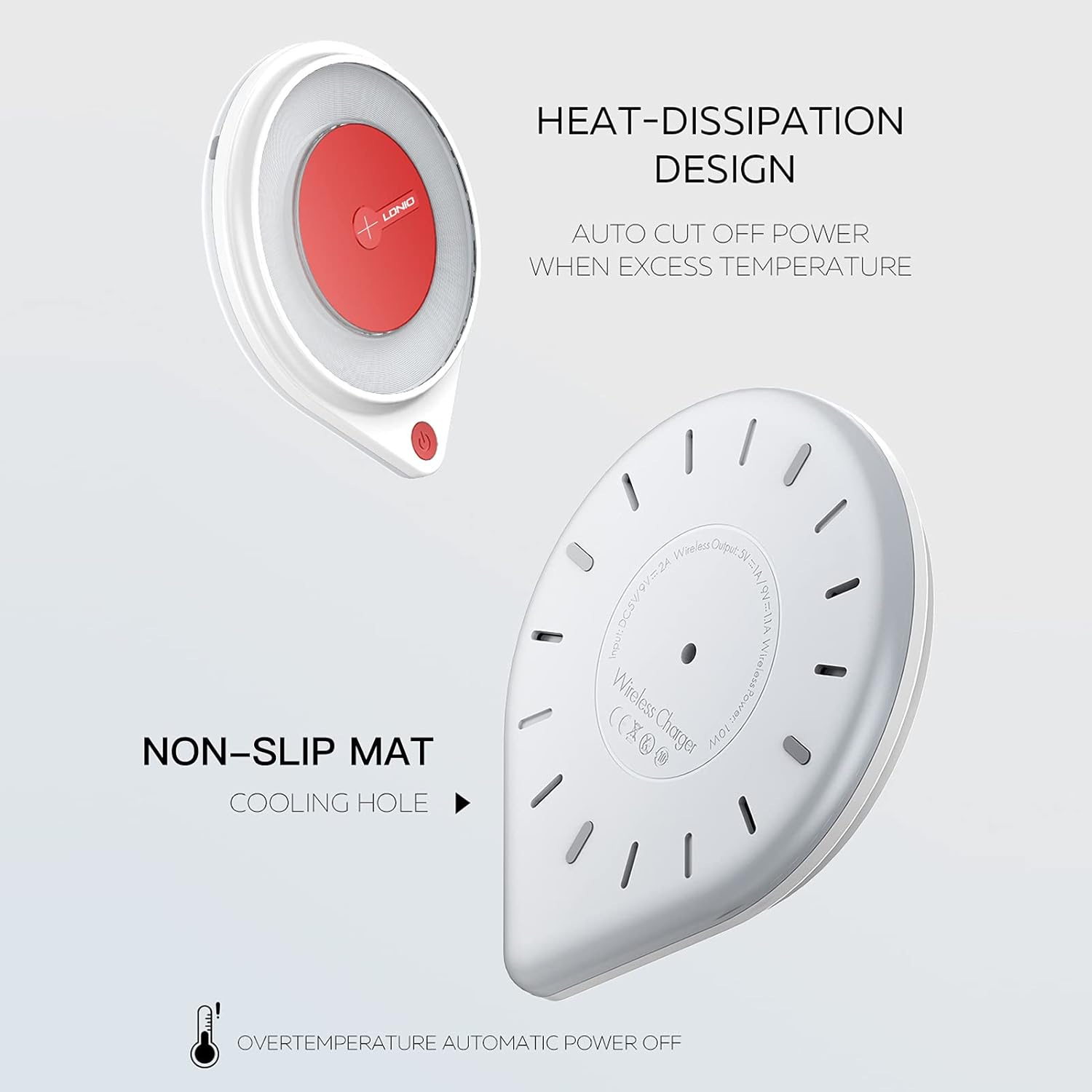
Diagram showing the heat-dissipation design and non-slip mat on the underside of the LDNIO Wireless Charger Pad, highlighting safety features like automatic power off for overtemperature.
7. Specifications
| Feature | Specification |
|---|---|
| Model | AW001 |
| Input | DC 5V/2A, 9V/2A |
| Wireless Output | 5V/1A, 9V/1.1A |
| Wireless Power | 10W Max |
| Dimensions | 11 cm (Diameter) x 1.85 cm (Thickness) |
| Item Weight | 6.7 ounces |
| Connector Type | USB Type-C |
| Color | Red and White |
| Special Features | Fast Charging, Wireless Charging, Overcharge Protection, Heat Dissipation, Non-slip Mat, Integrated Lamp |
| Compatible Devices | Qi-enabled smartphones (e.g., iPhone 8/X/XS/XR/11/12/13 series, Samsung Galaxy S8/S9/S10/S20/S21, Note 8/9/10 series), AirPods with wireless charging case. |

Technical parameters and dimensions of the LDNIO Wireless Charger Pad, including input/output specifications, power, and physical measurements.

An exploded view diagram of the LDNIO Wireless Charger Pad, revealing the internal components including a larger charging coil for efficient power transfer.
8. Warranty and Support
For warranty information, product registration, or technical support, please refer to the official LDNIO website or contact their customer service directly. Keep your purchase receipt as proof of purchase.
LDNIO is committed to providing quality products and support. If you encounter any issues, please reach out to their customer service team for assistance.
