
GoolRC FS-iA10B
GoolRC Flysky FS-iA10B Receiver User Manual
Model: FS-iA10B
Introduction
This manual provides detailed instructions for the GoolRC Flysky FS-iA10B 2.4G 10CH Receiver. It covers product features, specifications, setup procedures, operation guidelines, maintenance tips, and troubleshooting information to ensure optimal performance and longevity of your receiver. Please read this manual thoroughly before using the product.
Product Overview
The Flysky FS-iA10B is a 2.4G 10-channel receiver designed for various remote-controlled models, including airplanes, gliders, and helicopters. It utilizes the AFHDS 2A wireless protocol for reliable communication and features multiple data interfaces.

Image: The GoolRC Flysky FS-iA10B receiver, showing its main body, dual antennas, and a bind plug. The receiver is labeled "FS-iA10B 2.4GHz 10 CHANNEL RECEIVER".

Image: A close-up view of the Flysky FS-iA10B receiver, highlighting its model name and "2.4G 10CH RECEIVER" designation.

Image: The Flysky FS-iA10B receiver with its two antennas, which are protected by red sleeves, indicating their dual nature.
Specifications
| Feature | Detail |
|---|---|
| Product Model | FS-iA10B |
| PWM Channel | 10 |
| Wireless Frequency | 2.4G |
| Wireless Protocol | AFHDS 2A |
| Remote Control Distance | 500~1500m (in the air) |
| Antenna Type | Double copper tube antenna (150mm * 2) |
| Power | 4.0-6.5V |
| RSSI | Supported |
| Data Interface | PWM / PPM / i.bus / s.bus |
| Temperature Range | -10 ℃ — +60 ℃ |
| Humidity Range | 20% - 95% |
| Online Update | Support |
| Size | 5cm x 3.2cm x 1.5cm |
| Item Weight | 0.898 ounces |

Image: A visual representation of the Flysky FS-iA10B receiver with key specifications listed alongside it, including wireless protocol, range, antenna type, power, and data interfaces.
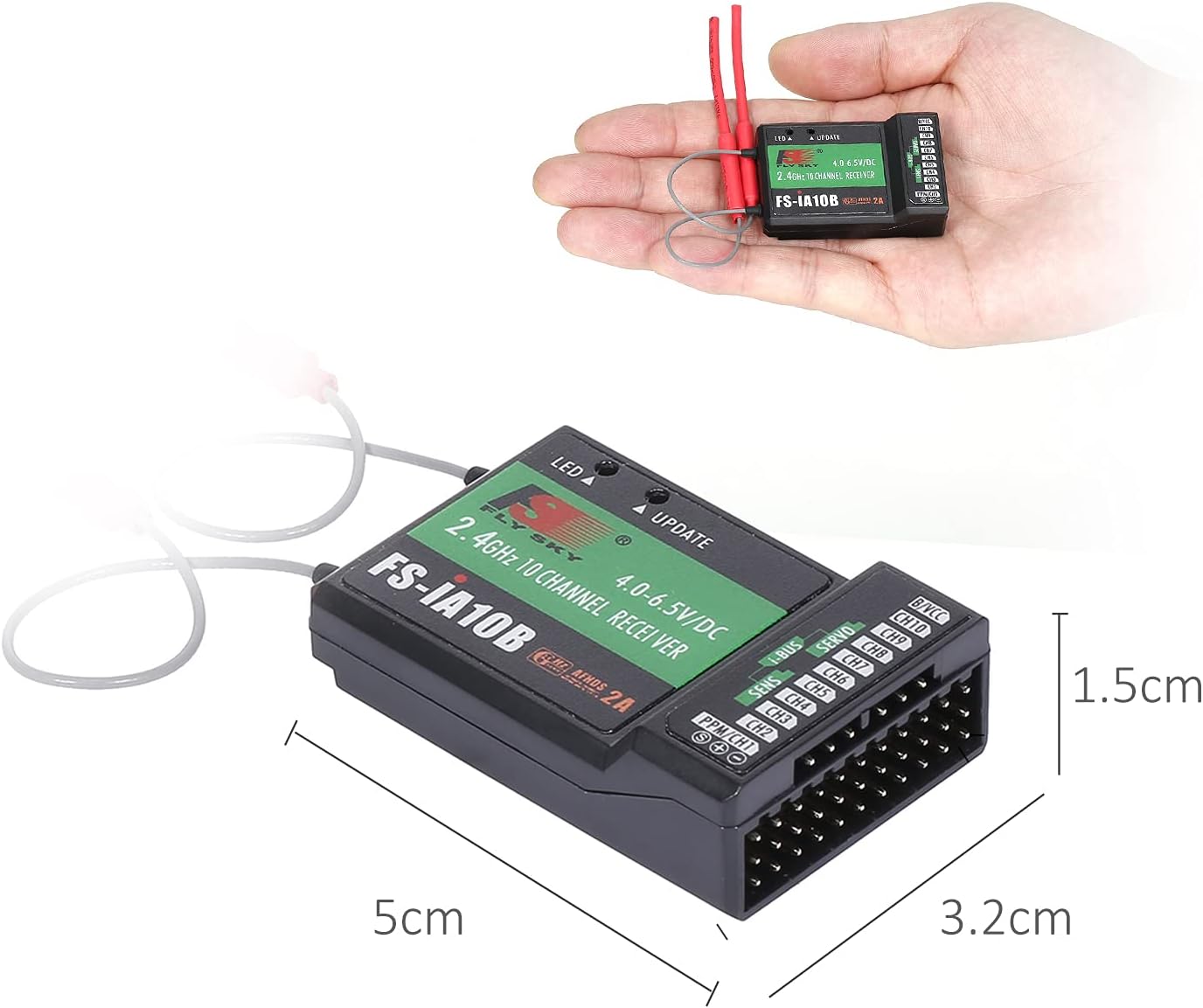
Image: The Flysky FS-iA10B receiver held in a hand, with its dimensions (5cm length, 3.2cm width, 1.5cm height) clearly indicated.
Compatibility
The FS-iA10B receiver is compatible with a wide range of Flysky transmitters and suitable for various RC models.
Compatible Transmitters:
- Flysky FS-i6
- Flysky FS-i6S
- Flysky FS-i6X
- Flysky FS-i10
- Flysky FS-GT2E
- Flysky FS-GT2F
- Flysky FS-GT2G
- Flysky FS-it4S
- Flysky FS-GT5
- Flysky FS-i8
- Flysky FS-TM10
Suitable Models:
- Airplanes
- Gliders
- Helicopters

Image: A graphic illustrating the range of compatible Flysky transmitters and various RC models (airplane, glider, helicopter) that can be used with the FS-iA10B receiver.
Setup
Follow these steps to properly set up your FS-iA10B receiver with your compatible transmitter.
Antenna Placement:
Proper antenna placement is crucial for optimal signal reception and range. Ensure the two antennas are positioned at a 90-degree angle to each other, away from metal objects and carbon fiber structures that can block the signal.
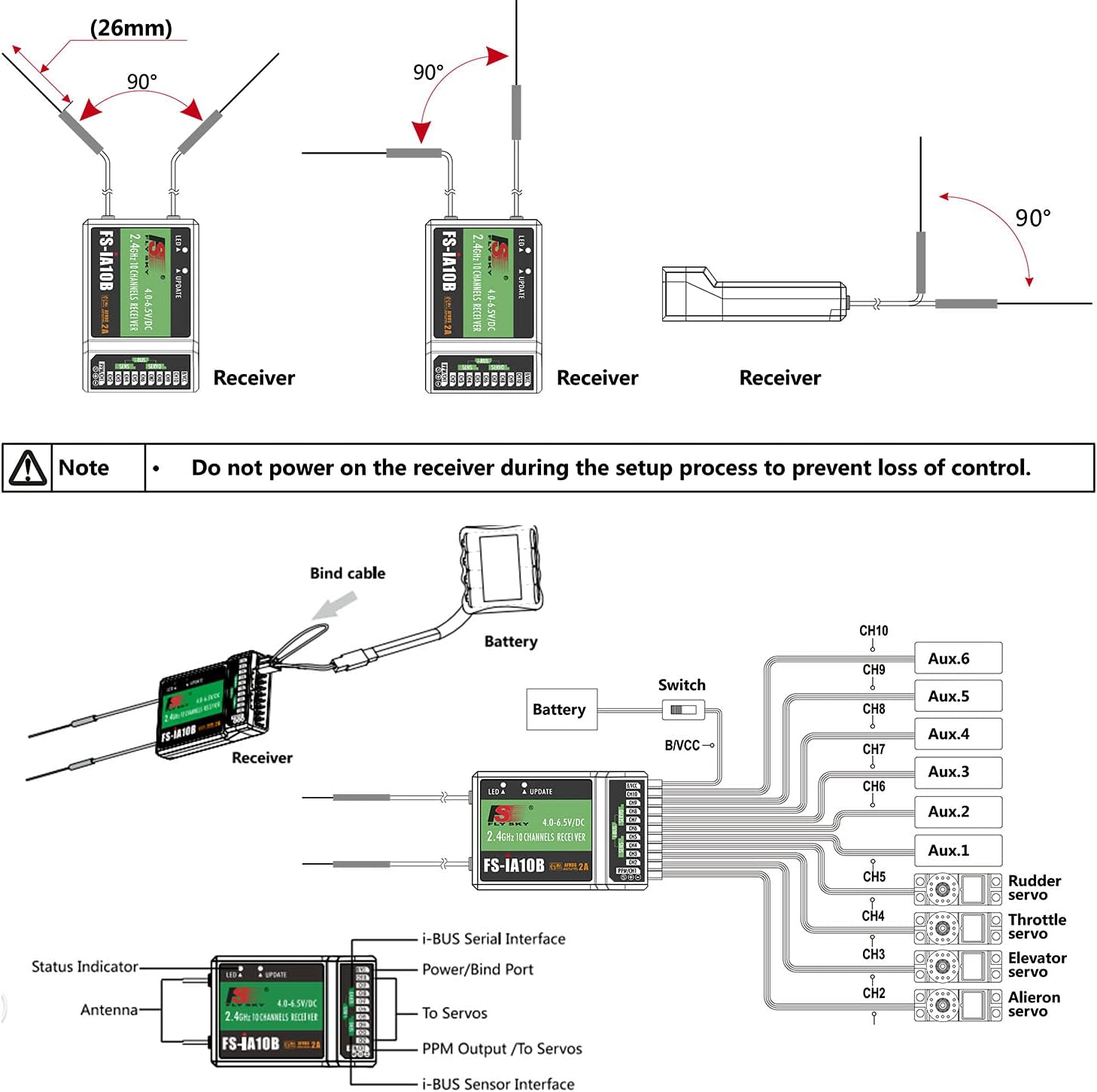
Image: Diagrams showing recommended antenna placement for the receiver, emphasizing the 90-degree orientation for best signal. Also includes a detailed wiring diagram for connecting servos and power.
Binding Procedure:
- Ensure your transmitter is turned off.
- Connect the bind cable (included with your receiver or transmitter) to the B/VCC port on the FS-iA10B receiver.
- Connect power to the receiver (e.g., via an ESC or separate battery). The receiver's LED should start flashing rapidly, indicating it's in binding mode.
- Turn on your transmitter while holding down the bind button (location varies by transmitter model, refer to your transmitter's manual).
- The receiver's LED should turn solid, indicating a successful bind.
- Release the bind button on the transmitter, then turn off both the transmitter and receiver.
- Remove the bind cable from the receiver.
- Turn on the transmitter first, then power on the receiver. The receiver's LED should be solid, confirming the connection.
⚠ Important Note: Do not power on the receiver during the setup process to prevent loss of control, especially when connecting or disconnecting components.

Image: A detailed view of the FS-iA10B receiver's ports, showing the various channels (CH1-CH10), B/VCC, i.BUS, S.BUS, and PPM/CH1 connections.
Operating
Once successfully bound, the receiver will communicate with your transmitter. Ensure all servo connections are correct and test all channels before flight or operation. The AFHDS 2A system provides a stable and reliable connection for your RC model.
2.4G Mode:
The receiver operates in 2.4G mode, utilizing an automatic frequency second-generation digital system (AFHDS 2A) for enhanced anti-interference capabilities and extended range.
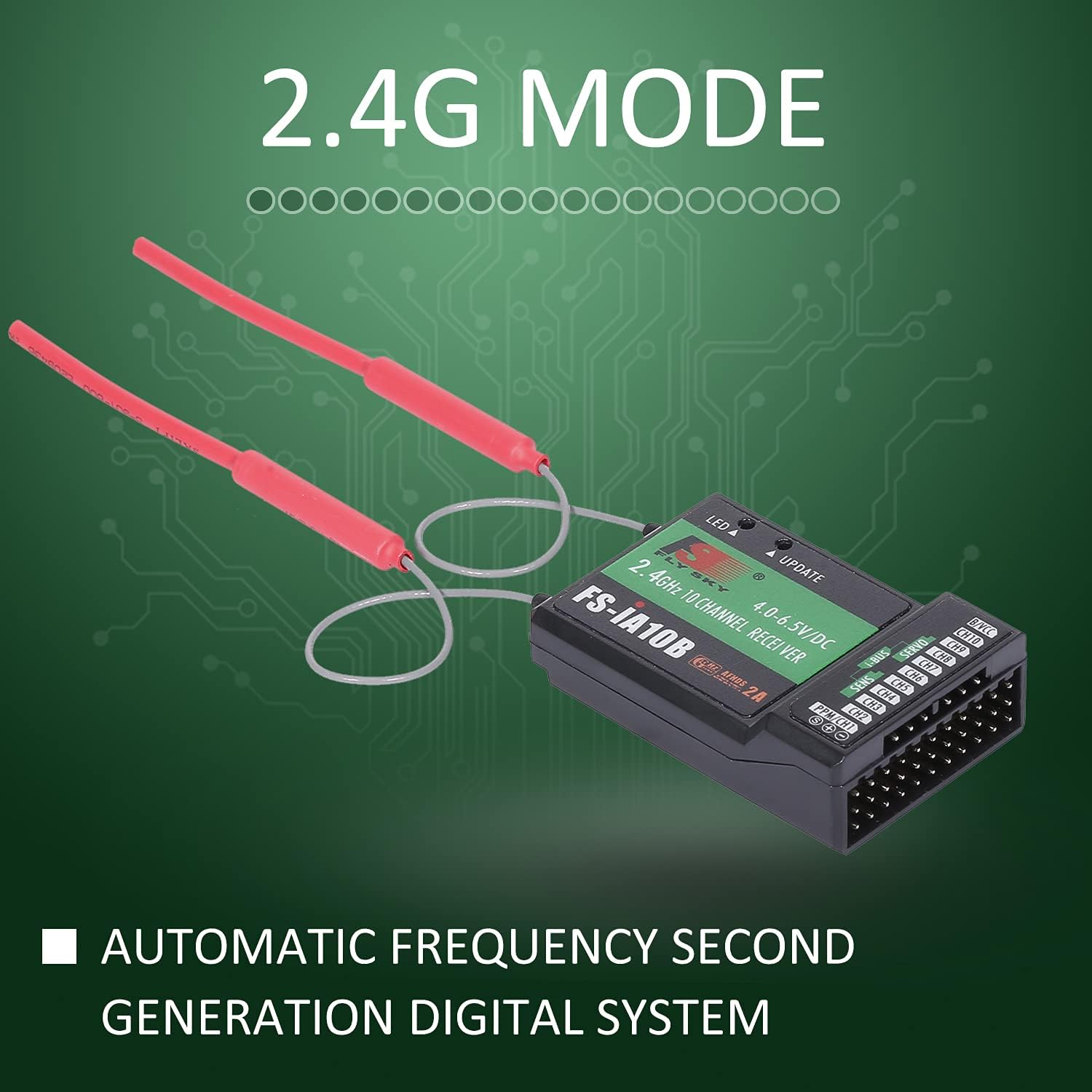
Image: A graphic indicating the receiver's "2.4G MODE" and its use of an "AUTOMATIC FREQUENCY SECOND GENERATION DIGITAL SYSTEM".
Maintenance
- Keep the receiver clean and free from dust and debris.
- Avoid exposing the receiver to extreme temperatures or moisture.
- Regularly inspect antenna wires for any damage or kinks.
- Ensure all connections are secure before each use.
- Store the receiver in a dry, cool place when not in use.
Troubleshooting
No Signal / Receiver LED Flashing:
- Ensure the receiver is properly bound to the transmitter. Repeat the binding procedure if necessary.
- Check that the transmitter is turned on and within range.
- Verify power supply to the receiver is adequate (4.0-6.5V).
- Inspect antenna connections and ensure they are not damaged or obstructed.
Intermittent Signal Loss:
- Check for sources of interference (e.g., other 2.4GHz devices, large metal objects).
- Re-evaluate antenna placement to ensure optimal signal reception.
- Ensure the receiver is not too close to high-current components (e.g., ESC, motor).
Servos Not Responding:
- Verify that servos are correctly plugged into the appropriate channels on the receiver.
- Check servo power supply.
- Ensure the transmitter is sending commands and is correctly configured for the model.
Warranty and Support
GoolRC provides a satisfactory solution for any product issues. If you encounter any problems with your Flysky FS-iA10B receiver, please contact the store where you purchased it in a timely manner. Refer to your purchase documentation for specific warranty terms and contact information.
For further assistance, you may also visit the official GoolRC store or support channels as indicated on their website or product packaging.
Ask a question about this manual
Ask about setup, troubleshooting, compatibility, parts, safety, or missing instructions. Manuals+ will review the question and use this page’s manual context to help answer it.