
Introduction
The NEBO Workbrite 2 is a versatile, rechargeable work light designed for various applications. It features a COB LED work light, a standard flashlight, and an emergency red flasher LED. This manual provides instructions for the safe and effective use of your Workbrite 2.
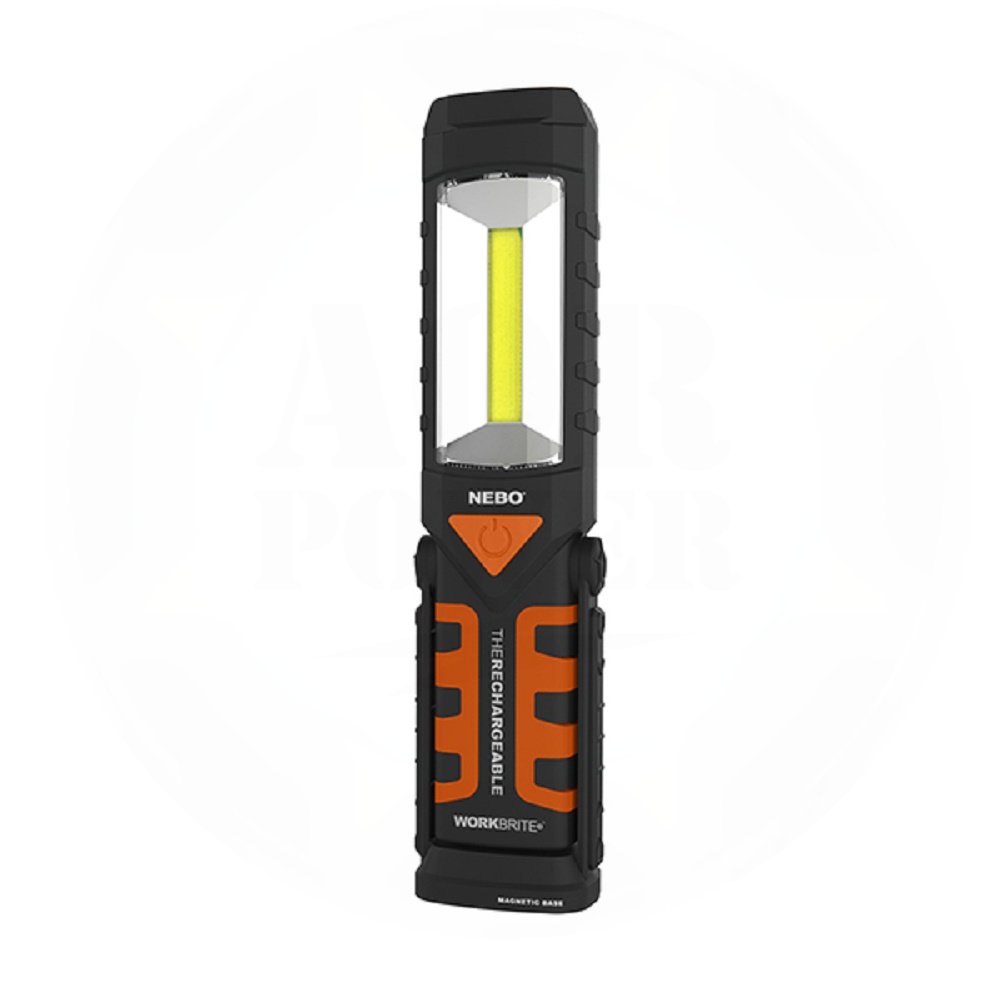
Image: The NEBO Workbrite 2 COB LED Work Light in its upright position.
Product Features
- COB LED Work Light: Provides 220 lumens of broad illumination.
- Flashlight: Offers 120 lumens of focused light.
- Emergency Red Flasher LED: Independently controlled for signaling.
- Rechargeable Battery: Powered by one 18650 Li-ion rechargeable battery (included).
- Hands-Free Operation:
- Magnetic Base: Securely attaches to metal surfaces.
- 200° Pivoting Stand: Allows for adjustable light direction.
- Collapsible Hanging Hook: For suspending the light.
- Durable Construction: Water and impact-resistant.
- Charging Cable: Includes a 16.5" USB to Micro USB cable.

Image: Detailed diagram highlighting the Workbrite 2's features including the COB work light, flashlight, red flasher, pivoting stand, magnetic base, and hanging hook.
Setup
- Unpacking: Carefully remove the Workbrite 2 and all accessories from the packaging. Verify that the work light, 18650 Li-ion battery, and USB to Micro USB charging cable are present.
- Initial Charge: Before first use, fully charge the device.
- Locate the Micro USB charging port on the side of the unit.
- Connect the smaller end of the included USB cable to the Micro USB port on the Workbrite 2.
- Connect the larger end of the USB cable to a standard USB power source (e.g., computer, wall adapter, car charger).
- The charging indicator light will illuminate (typically red) during charging and change color (typically green or blue) when fully charged.
- Battery Installation (if not pre-installed): If the battery is not pre-installed, open the battery compartment (refer to the diagram for location) and insert the 18650 Li-ion battery with the correct polarity. Close the compartment securely.

Image: Close-up view of the Micro USB charging port on the side of the Workbrite 2.
Operating Instructions
Power Button Operation
The Workbrite 2 features a single power button to cycle through its light modes.
- Press once: Activates the COB LED Work Light (220 lumens).
- Press twice: Activates the Flashlight (120 lumens).
- Press three times: Activates the Emergency Red Flasher LED.
- Press four times: Turns the unit OFF.
- To turn off the light from any mode, press and hold the power button for approximately 2 seconds.
Mounting Options
- Pivoting Stand: The integrated stand can pivot up to 200 degrees, allowing you to direct the light precisely where needed. Simply adjust the stand to the desired angle.
- Magnetic Base: The base contains a powerful magnet. Attach the Workbrite 2 to any ferrous metal surface for hands-free lighting.
- Hanging Hook: Extend the collapsible hook located at the top of the unit to hang the light from hooks, ropes, or other suitable fixtures.

Image: The Workbrite 2 shown in different configurations: standing, angled with its pivoting stand, and hanging by its hook.
Charging
The Workbrite 2 is equipped with a rechargeable 18650 Li-ion battery.
- Use the provided 16.5" USB to Micro USB cable for charging.
- Connect the Micro USB end to the charging port on the Workbrite 2.
- Connect the USB end to a powered USB port.
- A charging indicator light will show the charging status. Refer to the product's specific indicator light behavior (e.g., red for charging, green for full).
- Charging time is approximately 4 hours for a full charge.
Maintenance
- Cleaning: Wipe the exterior of the light with a soft, damp cloth. Do not use abrasive cleaners or solvents.
- Battery Care: To prolong battery life, avoid fully discharging the battery frequently. Recharge the unit regularly, especially if it has not been used for an extended period.
- Storage: Store the Workbrite 2 in a cool, dry place away from direct sunlight and extreme temperatures.
- Water Resistance: The unit is water-resistant, but not submersible. Avoid prolonged exposure to heavy rain or immersion in water.
Troubleshooting
| Problem | Possible Cause | Solution |
|---|---|---|
| Light does not turn on. | Battery is depleted or not properly installed. | Charge the battery fully. Ensure the battery is correctly inserted with proper polarity. |
| Light is dim. | Low battery charge. | Recharge the battery. |
| Charging indicator does not light up. | Charging cable or power source issue; Micro USB port obstruction. | Ensure the USB cable is securely connected to both the light and the power source. Try a different USB cable or power source. Check the Micro USB port for debris. |
| Magnetic base is not holding securely. | Surface is not ferrous metal or is too thin/uneven. | Ensure the surface is made of a suitable magnetic material and is clean and flat. |
Specifications
| Model Number: | NEBO-6305 |
| Work Light Output: | 220 Lumens (COB LED) |
| Flashlight Output: | 120 Lumens |
| Emergency Flasher: | Red LED |
| Power Source: | 1 x 18650 Li-ion Rechargeable Battery (included) |
| Charging Cable: | 16.5" USB to Micro USB |
| Dimensions (H x W x D): | 8.5" x 2" x 1.5" (approximate) |
| Weight: | 0.17 kg (approximate) |
| Pivoting Stand: | 200 degrees |
| Durability: | Water and impact-resistant |
Warranty
The NEBO Workbrite 2 COB LED Work Light comes with a 1-year manufacturer's warranty. This warranty covers defects in materials and workmanship under normal use. It does not cover damage caused by misuse, abuse, accidents, unauthorized repairs, or normal wear and tear. Please retain your proof of purchase for warranty claims.
Support
For further assistance, technical support, or warranty inquiries, please contact NEBO customer service. Refer to the official NEBO website for the most current contact information.
Online Resources: Visit the NEBO Store on Amazon for product information and updates.


